
Blog > Customer Payment Portal for B2B: How Self-Service Payments Reduce AR Workload
Customer Payment Portal for B2B: How Self-Service Payments Reduce AR Workload

If you run or are part of an AR team, you probably already know where the time goes. Not collecting money. Not chasing genuinely overdue accounts. The hours disappear into the small inbound stuff: resending invoices, looking up balances over the phone, taking card numbers by hand, and hunting through email to figure out which invoices a check covered. A team of three AR clerks can lose 10 to 15 hours a week to inbound work that has nothing to do with collections strategy.
A customer payment portal solves most of that work by letting customers serve themselves. The catch is that not all portals are built the same way, and the architectural choice matters more than the feature list. Bolt-on portals create new sync work that partially undoes the savings. Native portals don’t.
This article walks through what a B2B payment portal does, the features that matter, why integration architecture is the deciding factor, and how to think about the choice between a native option like EBizCharge and a standalone like Versapay.
Why AR Teams Spend Too Much Time Chasing Payments
Inbound AR work tends to fall into five buckets. Customers email asking for invoice copies they already received. They call asking what’s outstanding. They want to verify whether last week’s check was applied. They read off card numbers over the phone, which forces manual entry and creates payment card industry (PCI) exposure. They send payments without remittance details, leaving AR to email and ask which invoices to apply against.
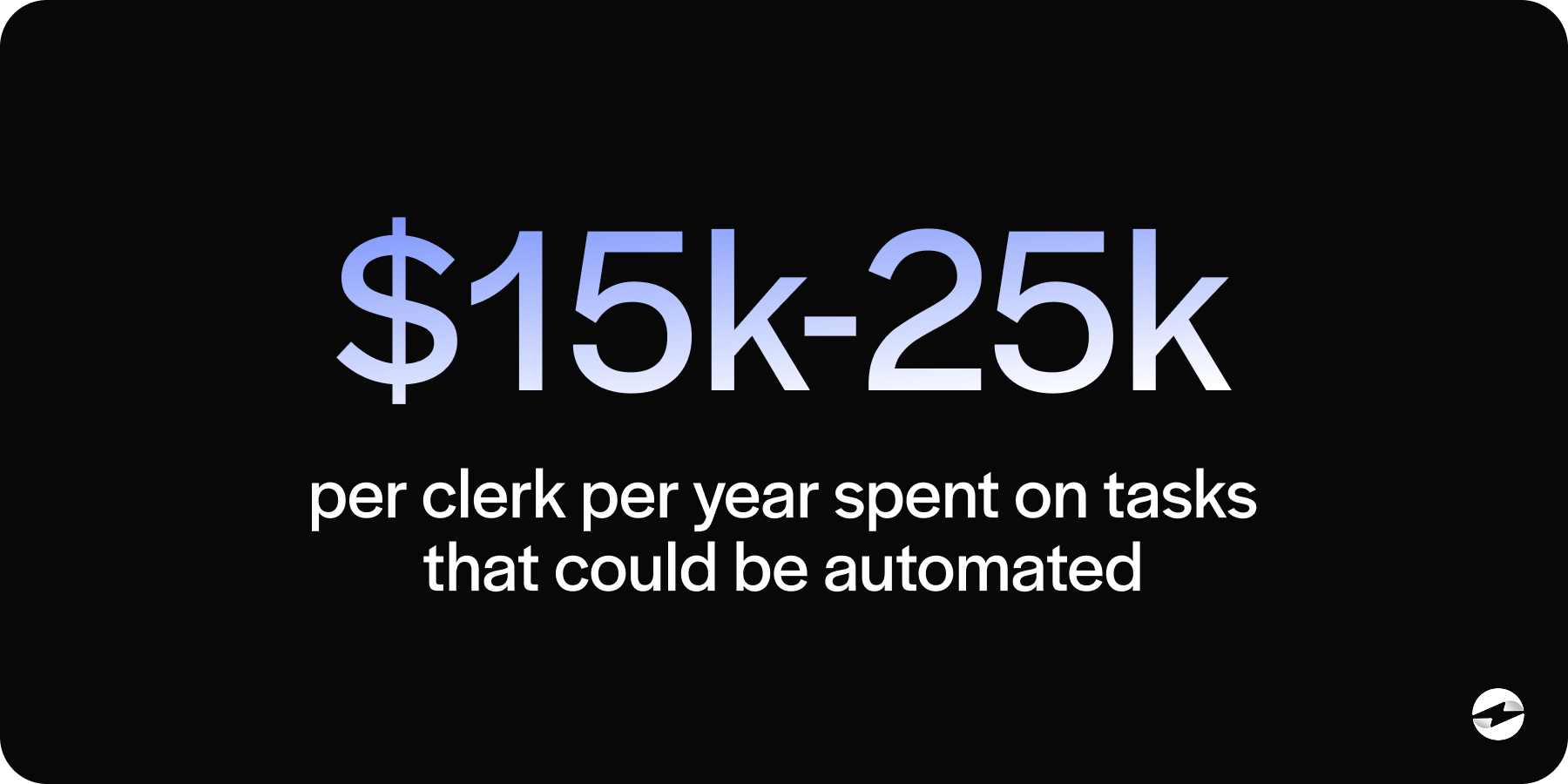
The cost adds up quickly. A typical AR clerk runs $65,000 to $85,000 fully loaded. At 10 to 15 hours per week on inbound work, that’s $15,000 to $25,000 per clerk per year on tasks that should be self-service, capacity that could go toward collections strategy or customer relationships instead.
AP teams on the customer side feel the same friction. In B2B segments with multiple suppliers, the easiest vendor to pay often gets paid first.
What A Customer Payment Portal Does
A B2B payment portal handles four jobs. Customers access their own invoices on demand. They pay open invoices by card or ACH without contacting the AR team. They manage their own billing contacts, payment methods, and autopay rules. They pull their own payment history without asking.
When this is in place, inbound calls drop sharply. The payment cycle shortens because customers stop waiting on emailed invoices and phone callbacks. AR clerks shift from reactive inbound work to proactive collections on accounts that genuinely need attention.
The portal is the customer-facing layer of a broader AR automation stack. Behind it sits AR automation software handling invoice generation, dunning workflows, and automated cash application. Combined, they change how the AR function operates.
Features That Actually Matter
Saved payment methods with PCI tokenization let repeat customers pay in seconds, and the AR team stops handling raw card data. Tokenization should sit at the payment processor level, not the portal level, so data stays protected even if portal vendors change.
Invoice history needs to go back several years with line-item detail and downloadable PDFs. AP teams use this for their own audit work. Lighter products that only show recent invoices push customers back to email.
Partial payments and short-pay handling are where workflow improvements show up fastest. Customers can pay part of an invoice and note the reason in the portal, so the AR team can see the short-pay reason inside the ERP rather than buried in an email thread.
Autopay enrollment is the highest-leverage feature for recurring billing relationships. Customer-controlled autopay eliminates 30 to 50 percent of dunning work for those accounts.
Multi-user access matters for larger customers running approval workflows, and surcharging features matter for card-heavy industries needing state-by-state compliance handled automatically.
The Native Integration Advantage
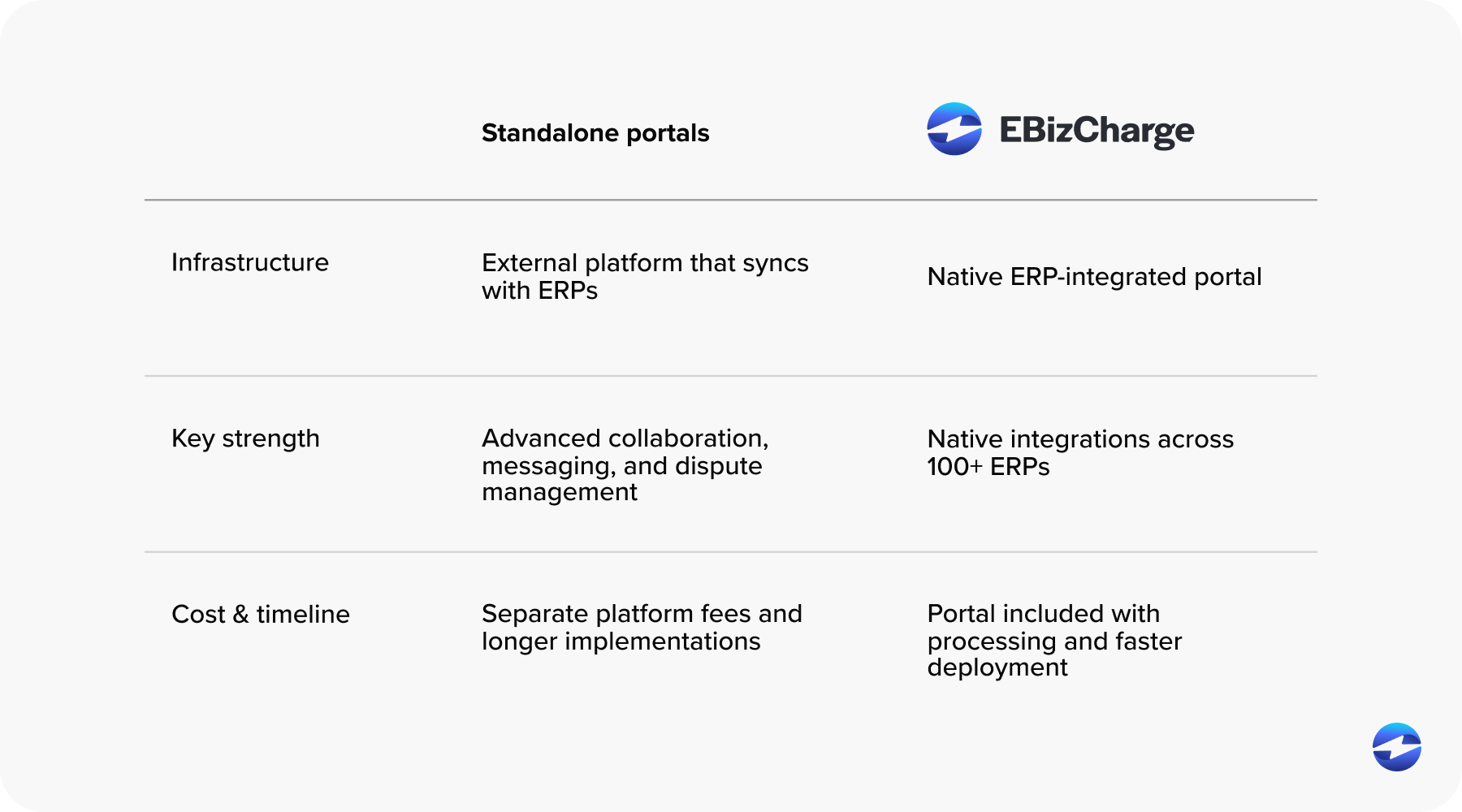
Two portal architectures exist. Bolt-on portals live outside the ERP, so customers pay in the portal and the payment syncs back to the ERP afterward. Native portals render as a customer-facing extension of the ERP itself, so payments post directly to the same record where the invoice lives.
Operationally, the difference shows up in a few places. Payments post in real time with native architecture, so AR teams don’t wait on sync windows. The ERP remains the single source of truth. Sync layers fail at month-end and under high volume, and native architecture removes that failure mode. Automated cash application accuracy is also higher because the customer’s invoice mapping passes straight through without sync loss.
Auditors prefer a single system of record, which native architecture preserves. The honest tradeoff: bolt-on portals sometimes offer collaboration and dispute messaging features native portals don’t, and that matters for teams whose primary problem is dispute volume.
EBizCharge Payment Portal Walkthrough
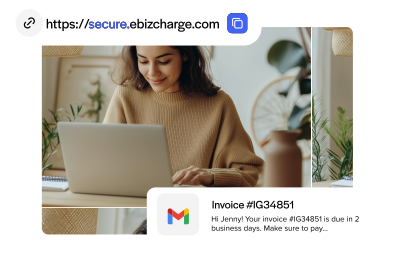
The customer experience is straightforward. The buyer receives an invoice with a click-to-pay link, lands in the accounts receivable customer portal, sees all open invoices, selects what they want to pay, and submits using a saved or new payment method. They get a confirmation and, optionally, enroll in autopay.
The AR team sees something different. The payment posts to the ERP record in real time. Aging reports update without a sync delay. Automated cash application matches the payment to the specific invoices the customer selected. The transaction shows up in the ERP exactly where any other payment would.
IT teams see the lightest experience of all. The portal lives inside the ERP environment with no middleware to maintain, and updates are pushed from EBizCharge without IT involvement. Single-vendor accountability covers the portal, the payment processing solution, and the ERP integration.
EBizCharge’s payment solution integrates natively with NetSuite, Sage Intacct, Acumatica, Microsoft Dynamics, Epicor, SAP, Infor, QuickBooks, Salesforce, Oracle, and roughly 90 other platforms.
EBizCharge vs. Standalone Portal Tools
Three categories of portal tools exist. Standalone AR platforms like Versapay, Billtrust, and HighRadius offer strong portal features but sit outside the ERP and rely on sync. Payment processors with bolt-on portals add a portal to a core processor offering with variable integration depth. Native ERP-integrated portals, with EBizCharge as the primary example, render inside the ERP itself.
The Versapay comparison is worth a direct look. Versapay’s accounts receivable customer portal is more sophisticated on collaboration, in-app messaging, and dispute resolution, which is a genuine strength. EBizCharge’s portal is architecturally simpler and posts directly to the ERP. Versapay’s deepest integration is Sage Intacct. EBizCharge integrates natively across 100-plus ERPs with consistent depth.
Total cost of ownership tilts toward native. Bolt-on portals carry a separate platform fee plus payment processing fees. EBizCharge folds the portal into the payment processing solution itself. Implementation runs in weeks rather than the 60 to 120 days standalone portals typically require, and unlimited support is included rather than tiered.
Implementation Overview
A native portal implementation runs two to six weeks, depending on ERP version and customer data complexity. The work is mostly configuration: data sync, branding, payment method setup, sandbox testing, and a soft launch before full rollout. Bolt-on portals typically take 60 to 120 days, longer for non-Sage Intacct ERPs.
Customer adoption usually reaches 40 to 60 percent within 90 days, with click-to-pay links on invoices driving most first-time use. No portal hits 100 percent. Some customers prefer checks and will keep paying by check, and the realistic plan acknowledges that rather than fighting it.
Impact On DSO and Staff Time
Portal adoption typically reduces days sales outstanding (DSO) by 5 to 15 days within the first six months. The reductions come from faster invoice access, easier payment, autopay enrollment, and lower dispute friction.
Inbound call volume on AR lines drops 40 to 60 percent within 90 days. Combined with native automated cash application, total cash application labor falls 60 to 80 percent. Collections work shifts from chasing invoices that customers forgot about to genuinely overdue accounts that need human judgment.
The combined effect of a self-service payment portal B2B teams can rely on, feeding clean data into AR automation software, is structural rather than incremental. Customer-applied payments and customer-noted short-pay reasons produce cleaner inputs, and AR automation runs better on cleaner inputs. Teams that automate accounts receivable on top of a native portal end up with a structurally lower workload over 12 to 18 months.
Automating Accounts Receivable
A self-service payment portal B2B teams can rely on is the highest-leverage tool an AR team can deploy because it removes inbound work rather than just speeding it up. Architecture matters more than the feature list. Native portals produce cleaner data, faster implementations, and lower total cost than bolt-on portals.
For finance teams that want to automate accounts receivable end-to-end, native is the right architectural fit. For teams whose primary problem is dispute volume, a tool like Versapay deserves a serious look. Most B2B finance teams sit in the first camp, which is why the customer payment portal conversation usually ends with native architecture as the answer. The next step is seeing the portal rendered inside your actual ERP with your team’s own customer data.
- Why AR Teams Spend Too Much Time Chasing Payments
- What A Customer Payment Portal Does
- Features That Actually Matter
- The Native Integration Advantage
- EBizCharge Payment Portal Walkthrough
- EBizCharge vs. Standalone Portal Tools
- Implementation Overview
- Impact On DSO and Staff Time
- Automating Accounts Receivable