Blog > Cash Application in Accounting: Automating Payment Matching and Reconciliation
Cash Application in Accounting: Automating Payment Matching and Reconciliation

Most people outside of finance have never heard the term “cash application.” But if you work in AR, you know exactly what it means and how much of your week it can consume. It’s one of those processes that sounds simple on paper and turns into something far more complicated the moment real customers and real payment behavior get involved.
This article explains what cash application is, walks through how it works step by step, and gets into what automation actually looks like in practice. If your team is spending too many hours matching payments manually, the second half of this article is written with you in mind.
What Is Cash Application in Accounting?
At its most basic level, cash application in accounting is the process of recording incoming payments and matching them to the correct outstanding invoices in the accounts receivable ledger. When a customer pays you, that payment doesn’t automatically attach itself to the right invoice. Someone has to make that connection, post the transaction, and clear the open balance from the books.
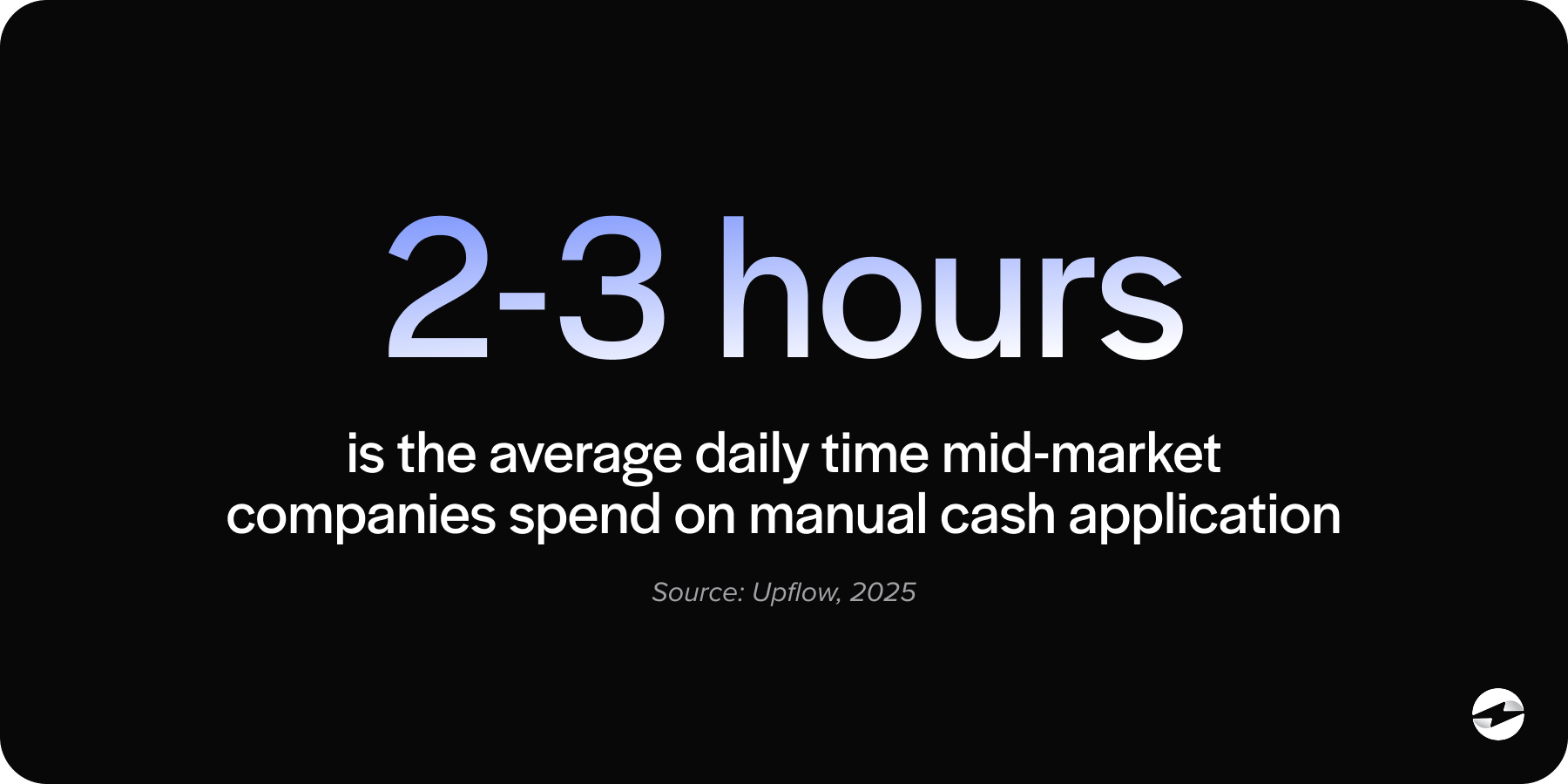
Cash application sits at the end of the order-to-cash cycle. The sale is made, the invoice goes out, the customer pays, and cash application is the step that closes the loop. When it works cleanly, the books reflect reality. When it breaks down, the effects ripple outward: invoices that are already paid stay open, aging reports become unreliable, collections teams chase money that has already arrived, and the finance team loses confidence in the AR data it’s supposed to be reporting on.
That last point is worth emphasizing. Inaccurate AR doesn’t just affect the AR team. It affects every financial report that draws on accounts receivable data, which is most of them.
How the Cash Application Process Works
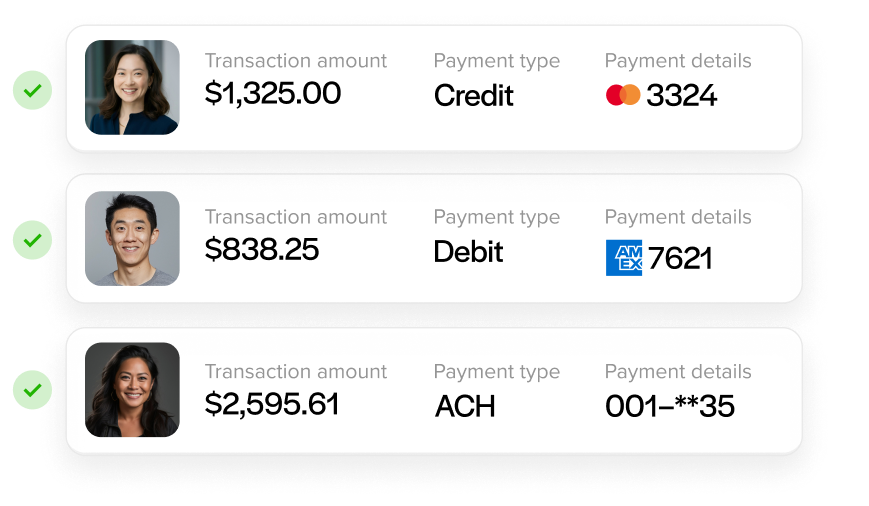
The process starts when a payment arrives. Depending on how your customers pay, that means an ACH transfer, a wire, a check, a credit card transaction, a virtual card, or a payment through a portal. Each method delivers different data. Some carry structured remittance. Some carry nothing useful at all.
Remittance data is what tells you how a customer intended their payment to be applied. The challenge is that remittance arrives in every format imaginable: email PDFs, EDI files, check stubs, portal attachments, or a phone call from the customer explaining it verbally. Some customers are meticulous about it. Others send a lump sum and leave the interpretation to your team.
Once you have the remittance, the matching work begins. Clean matches are fast: one payment, one invoice, and an exact amount. But those aren’t the problem. The problem is everything else. Maybe one payment covers eleven invoices. Maybe here’s a short payment with an undocumented deduction, or a partial payment on a disputed balance. Perhaps there’s an overpayment that needs to be refunded or credited. Each of these requires judgment, and at volume, judgment takes time.
After matching comes posting. The payment must be recorded in the accounts receivable ledger, the formal step that reduces the open balance and updates the books. In a manual environment, this is often a separate action. The match happens in one place, the posting happens in another, and the gap between them is where reconciliation errors tend to show up.
Anything that doesn’t resolve cleanly becomes an exception. Exceptions need to go somewhere, and in most manual environments, they end up in a suspense account as unapplied cash, sitting there while someone gets around to resolving them. That pile grows faster than it shrinks, and a growing unapplied cash balance is one of the clearest signs that a manual cash application process is under strain.
Why It Gets Complicated at Scale
The basic process is manageable at low volume. It becomes a genuine operational problem as transaction volume grows and customer payment behavior stays inconsistent.
Accountants, AR managers, and controllers who have managed this process at scale know the compounding effect well. The customers who pay clean ACH with structured remittance aren’t the ones keeping you late. It’s the customers who bundle invoices unpredictably, take deductions without documentation, and send remittance two days after the payment arrives. Multiply that across hundreds of payments a month, and you have a team that’s perpetually behind on matching, constantly cleaning up unapplied cash and fielding questions about why AR aging looks the way it does.
The downstream costs are real. Inflated days sales outstanding, collection calls going out on invoices that were paid a week ago, and month-end close delayed because payment posting is a bottleneck. These aren’t signs of an inefficient team. They’re signs of a manual process that has outgrown the headcount available to run it.
What Cash Application Automation Actually Does
Cash application automation uses rule-based and intelligent matching logic to read remittance data, match payments to open invoices, and post results to the ledger without requiring human input on every transaction.
Clean matches are handled automatically. Borderline matches are scored and either applied above a confidence threshold or surfaced for fast human review. Exceptions are routed to a structured workflow rather than a suspense pile. Postings happen in real time. The AR team still handles genuine edge cases, disputes, and anything that requires customer context. The difference is that they aren’t spending hours every day on the routine matches that don’t require their judgment at all.
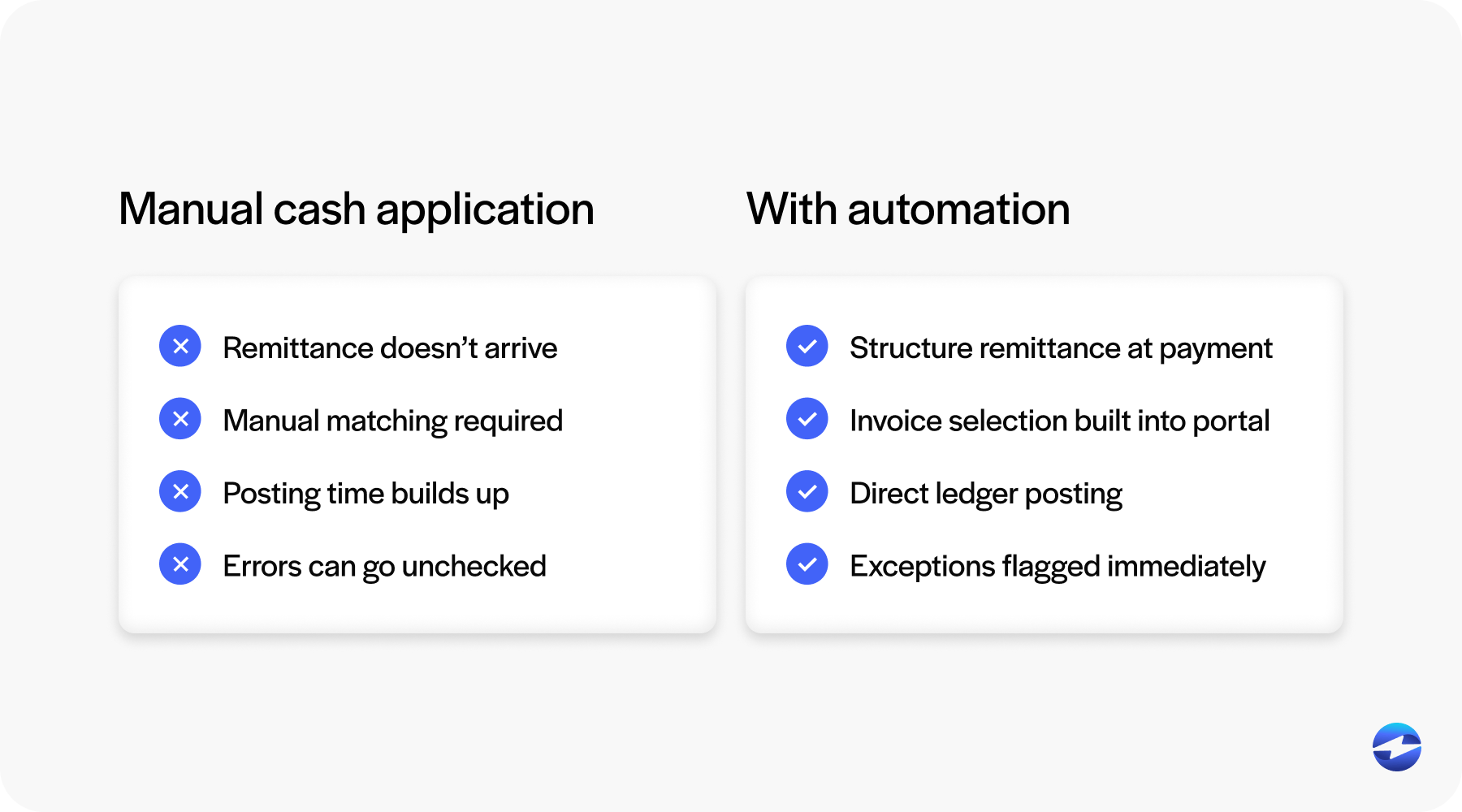
The result is faster cash posting, more accurate AR aging, and a material reduction in unapplied cash balances.
There’s a critical architectural question that determines whether AR automation tools actually deliver on this. Automated cash application software that lives outside your ERP creates a new version of the problem it’s trying to solve. The payment gets matched in the standalone tool, but it still has to reach the ERP ledger through a sync job, a middleware layer, or a manual transfer step. That gap is where reconciliation errors reappear. It’s not a bug in any specific product. It’s a structural consequence of the architecture.
Native ERP integration eliminates that gap. When cash application automation lives inside the ERP, matching and posting happen in the same system, in real time, without a transfer step in between. The accounts receivable ledger is always current because the payment and the ledger record are part of the same transaction.
Accounts Receivable Automation: The Bigger Picture
Cash application is the most labor-intensive piece of AR, but it’s one part of a broader set of processes that accounts receivable automation software can address.
When automating accounts receivable, the opportunity runs across the full order-to-cash workflow: invoice delivery, payment collection, cash application, collections management, and reporting. When cash application is handled natively inside the ERP, it feeds accurate data into every downstream process. Collections reminders go out based on actual open balances. AR aging reports reflect posted payments, not pending ones. DSO calculations are based on real data. The whole AR workflow becomes more reliable because the foundation is accurate.
Accounts receivable payment automation for NetSuite is a practical example worth noting here. NetSuite is one of the most widely used ERP platforms for mid-market B2B companies, and the quality of AR automation available within it varies significantly depending on whether the payment integration is native or middleware-connected. A connector that syncs on a schedule is fundamentally different from an integration that posts inside NetSuite’s own AR module in real time. The distinction matters when your team needs to trust the data that NetSuite is showing.
How EBizCharge Handles This
EBizCharge is built as a native integration into the ERP, not as a standalone AR layer that connects to it. It embeds directly inside 100+ ERP, accounting, eCommerce, and CRM platforms, which means the cash application process happens inside the same environment your team already works in.
In practice, customers pay through a portal, email pay link, or direct card and ACH processing. When a customer pays through the portal, they select the invoices they’re covering at the point of payment. That structured remittance eliminates the matching problem before it starts. Payment posts directly to those invoices in the ERP ledger at the moment of transaction. Autopay enrollment handles recurring customers automatically. Exceptions surface in a structured workflow inside the ERP rather than accumulating as unapplied cash in a suspense account.
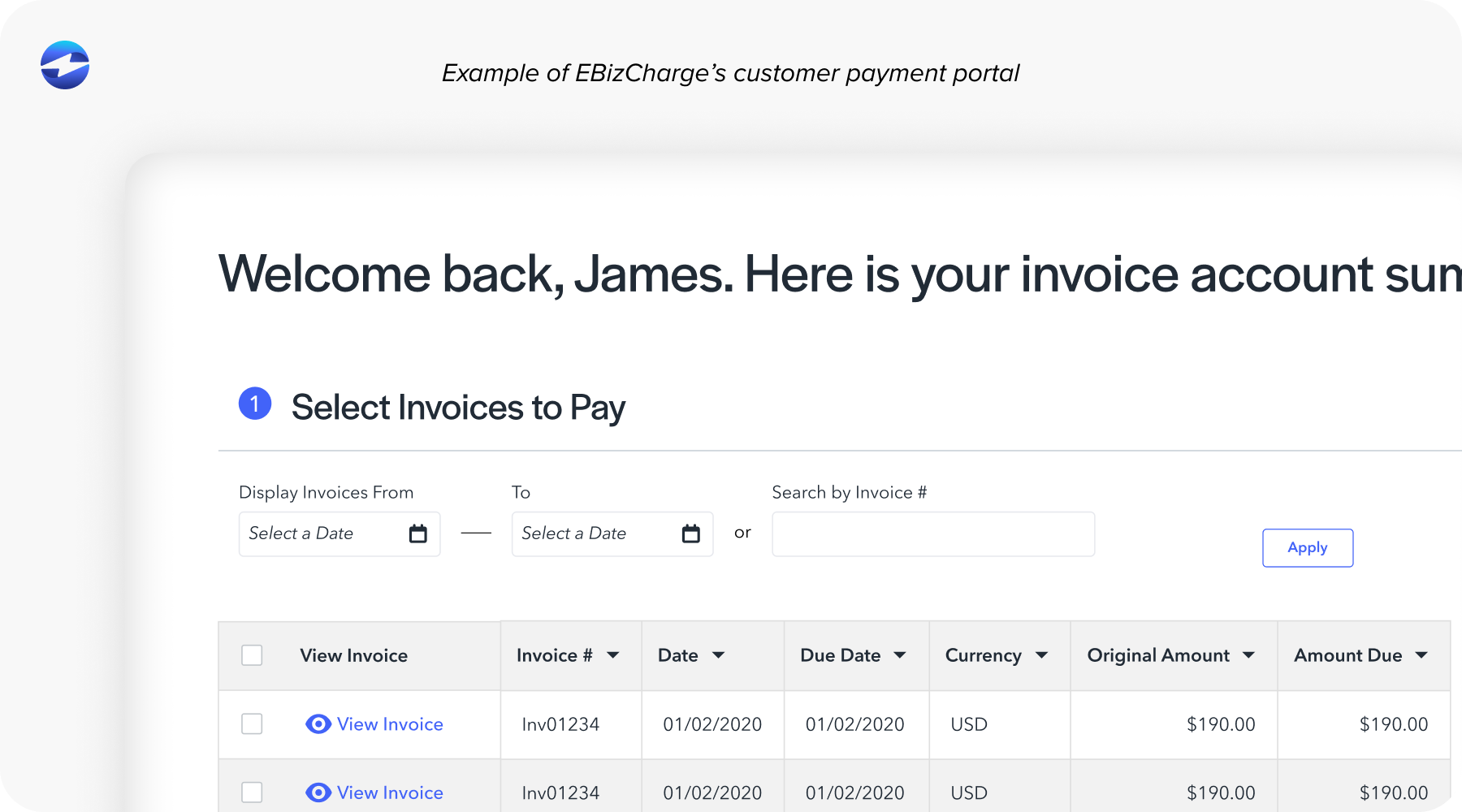
For companies running NetSuite, EBizCharge’s integration is Oracle-certified and built on over 15 years of partnership. It operates inside NetSuite’s AR module with no middleware dependency. Collections, aging, and reporting all run on live data because the cash application step is complete at the moment of payment.
The same native model extends across Sage, Microsoft Dynamics, Epicor, Acumatica, SAP, Infor, QuickBooks, Oracle, and over 100 additional platforms. As a payment processing solution, EBizCharge covers credit and debit cards, ACH, eChecks, and surcharging. One payment processor, one vendor relationship, consistent AR automation behavior across the board.
The Clearest Signs You Have Outgrown Manual Matching
Here are a few signs that it may be time to automate your procedures.
- Your team is spending more hours matching payments than managing AR strategy.
- Unapplied cash keeps coming up at month-end close.
- Collection calls go out on invoices that were already paid.
- AR aging reports need manual review before anyone trusts them enough to share.
- Month-end close runs long because payment posting is always the last thing to finish.
None of these are signs of a team doing something wrong. They’re signs of a process that needs better tooling.
Ensuring Accuracy with Cash Application Automation
Cash application isn’t a back-office inconvenience. It’s the step that determines whether your accounts receivable data is accurate, and inaccurate AR has consequences that extend well past the AR team. Manual matching is a tooling problem, and accounts receivable automation software exists to solve it.
The best accounts receivable automation software solves it inside the ERP, where the data lives, rather than adding another layer outside of it. That’s the practical case for native integration, and it’s the reason EBizCharge is built the way it is.
- What Is Cash Application in Accounting?
- How the Cash Application Process Works
- Why It Gets Complicated at Scale
- What Cash Application Automation Actually Does
- Accounts Receivable Automation: The Bigger Picture
- How EBizCharge Handles This
- The Clearest Signs You Have Outgrown Manual Matching
- Ensuring Accuracy with Cash Application Automation