

Blog > Manufacturing Payment Solutions: How to Get Paid Faster in Your ERP
Manufacturing Payment Solutions: How to Get Paid Faster in Your ERP

Your enterprise resource planning (ERP) system is finally live, and it’s doing what it promised. Your inventory, production, and orders run in a workflow that makes you wonder how you ever operated before. Then you look at how money comes in, and the process hasn’t changed at all. Invoices are sent as PDF attachments, customers provide card numbers over the phone, and payments are manually inputted into the ERP at the end of each day.
Many manufacturers don’t choose their ERP based on payment processing operations, so collections can get left as a manual process. For businesses looking to change this, the search may begin with ways to speed up collections, bring down days sales outstanding (DSO), and even new software. However, getting paid faster usually doesn’t take new software. It just takes syncing payments to the ERP you already run.
This is where manufacturing payment solutions come in.
What are Manufacturing Payment solutions?
Manufacturing payment solutions allow businesses to accept and collect credit, debit, and Automated Clearing House (ACH) payments directly through the ERP they already use, so each payment automatically posts against the correct invoice instead of being processed by a third party and re-entered later.
In addition to this core functionality, these payment solutions can also provide self-service portals, payment automation, and cost controls like surcharging.
The trouble is that most manufacturers never set this up. Manufacturing businesses large and small continue to spend extra hours on tasks that could easily be automated.
The real cost of manual AR
Picture a normal week in the accounts receivable (AR) department of a manufacturing company. Orders ship, invoices go out as PDFs by email, and the waiting for payment begins.
While many customers pay on time, plenty may not. Chasing these late payments requires someone on the team to follow up with a reminder email then a phone call. When a payment finally arrives, it may come in the form of a check, or the customer starts reading their card number over the phone while your AR clerk scrambles to type it (correctly) into a virtual terminal. That payment then needs to be matched to the original invoice and manually keyed back into the ERP.
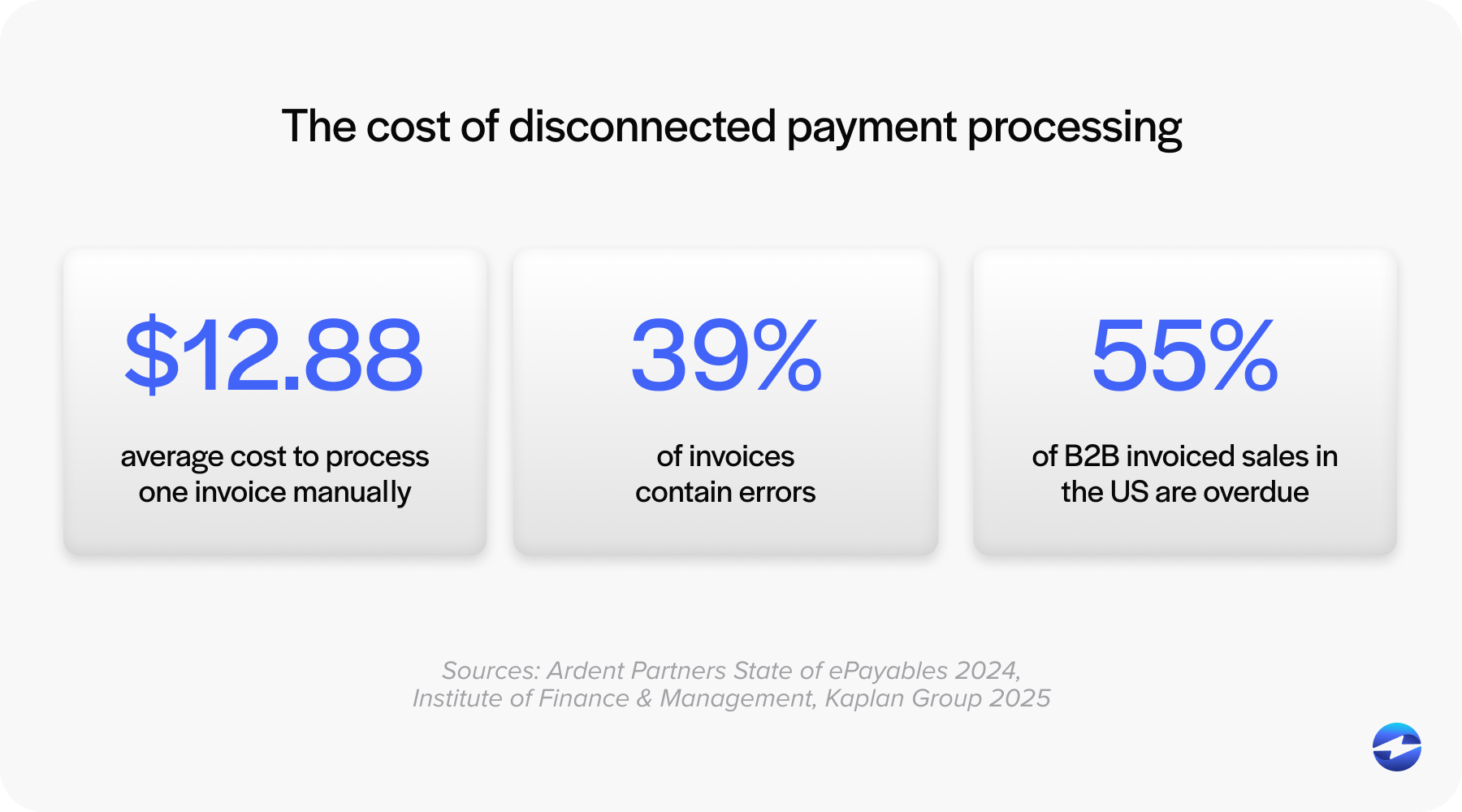
Each of these steps are dependent on a person, which can lead to:
- A payment applied to the wrong invoice
- A card number typed incorrectly
- A follow-up that slips through the cracks during a busy month
- Cash that sits unapplied because no one had time to reconcile it
These mistakes are just more likely to happen when payments are handled manually.
Beyond human error, there’s the labor and time these manual steps demand, which can amount to a hefty cost. Every day an invoice sits unpaid is a day that money you’ve already earned (for shipping a product) isn’t in your account. For a manufacturer with material and labor tied up in every order, that delay is expensive.
The right manufacturing payment solution can solve all of this.
What manufacturing industry payment solutions include
Manufacturing payment solutions is a broad term that can apply to many different operations. When evaluating solutions, manufacturers should look for specific functionality that improves their payment processing.
Here’s what to look for:
| Functionality | What it does | The problem it solves |
|---|---|---|
| Processing | Accepts credit card, debit, ACH/eCheck payments reliably | Simplifies and accelerates the overall payment collection workflow |
| Customer portal | Allows merchants’ customers to log in to view and pay invoices, save cards, and review transaction history | Provides easy online portal for your customers to pay conveniently, speeding up collections without manual work needed on your end. |
| Automation | Auto-applies payments, runs recurring charges, and sends reminders | Removes manual steps that make AR slow and error-prone |
| Cost Control | Surcharging and Level 2 / Level 3 processing to lower fees | Cuts the cost of accepting cards on large invoices |
Scroll to compare 
- Manufacturing Payment Processing: the ability to accept and process payments using a reliable payment gateway. This is the foundation everything else sits on.
- Manufacturing Customer Billing Portal: Your customers can log in on their own to view what they owe, pay an invoice, save cards for future payments, and review their transaction history. When customers can pay on their own time instead of waiting on your AR team, invoices get paid faster and your team spends less time chasing them.
- Manufacturing Payment Automation: Payments automatically apply to the right invoice, recurring charges run on an automated schedule, automatic reminders are sent without any manual intervention. A good manufacturing payment system takes the repetitive parts of AR off your team’s plate entirely.
- Cost control: Card processing isn’t free, and on large invoices that are common in manufacturing, fees can add up fast. Level 2 and Level 3 processing and compliant surcharging options are the tools that bring those fees down.
You may not need every feature on day one, but knowing what each one offers can help guide your decision.
Why payments belong inside your ERP
Once you know what a payment solution can do, the next question is where it should live. There are typically two ways to run payments:
- Standalone processing: A separate payment gateway system with its own login and dashboard, outside of your ERP. It works and payments go through, but every transaction now lives in two places, requiring someone to reconcile them by hand.
- Embedded processing: A payment gateway system syncs with the ERP, so payments post in real-time against invoices inside the ERP itself. This means no additional tools or re-keying. The record is right the moment the money comes in.
Along with tackling the reconciliation step, embedded payment solutions remove the gap where errors live. When your payment data and your ERP are the same data, there’s nothing to sync, mismatch, or fix at month-end.
The DSO math
DSO is the average number of days it takes to collect on an invoice after you’ve sent it. It’s one of the clearest measures of how healthy your cash flow really is, and it’s where faster payments show up in numbers a CFO cares about.
DSO is a bigger problem than most teams admit: in a recent survey of 553 finance professionals, 25% said they wait more than 30 days to get paid.
Here’s an example of the impact of DSO: A manufacturer bills $2 million per month and collects payments in an average of 50 days. Giving customers an easier way to pay (like a portal, a one-click payment link, or charging a saved card) can decrease this average to 35 days. This 15-day improvement can free up roughly $1 million in cash that arrives sooner and stays available month after month.
Of course, how much you can improve DSO depends partly on the system you’re working in. Every ERP handles payments a little differently, and each one leaves its own gap. Here’s what to look for in yours.
Which payment solution fits your manufacturing ERP
While most manufacturing ERP systems record invoices and natively track AR, they don’t typically come with a complete, built-in way to collect B2B payments. That gap between what the ERP records and what it actually collects is what makes an integrated payment solution worth evaluating. Here is how six of the most common manufacturing ERPs compare on the factors that matter most to AR and finance teams.
| ERP | Best-fit manufacturer | Native payment gap | What an integrated payment solution adds |
|---|---|---|---|
| Epicor Kinetic | Mid-market discrete / ETO, $50M–$500M | Records AR well, but card payments often taken in a separate window and re-keyed | Click-to-pay, ACH, deposits and partial payments, auto-reconciliation |
| Oracle Fusion / EBS | Large / upper-mid enterprise, finance-led | Heavy to configure; buyer-facing payment experience can lag | Customer portals, batch processing, lower fees |
| Dynamics 365 BC | SMB / light manufacturing already on Microsoft | No native payment gateway at all | Online payment, portals, ACH, Level 2/3, auto-matching |
| NetSuite | Cloud-first SMB to mid-market, multi-entity | Native payments limited to certified partners, lock-in | More processor options, B2B portals, interchange savings |
| SAP S/4HANA / B1 | S/4HANA: large / global; B1: SMB | S/4HANA add-on is incoming-only with caps; B1 has no native card engine | Global processor networks, surcharging, portals |
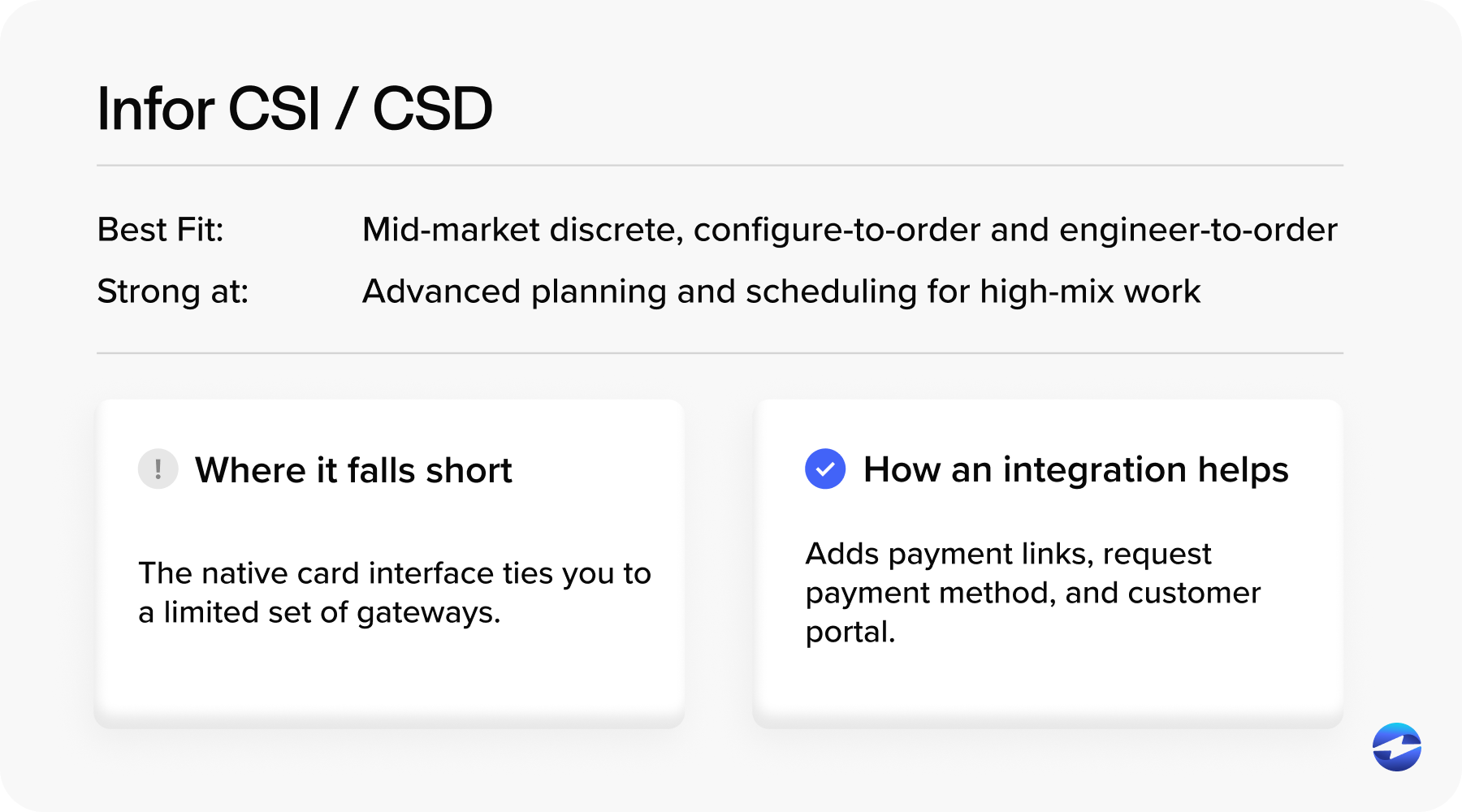
| Infor CSI / CSD | Mid-market discrete, CTO / ETO shops | Native card interface tied to limited gateways; no portal via integration | Payment links, request payment method, invoice automation, Customer portals |
Scroll to compare
The pattern across all six is the same. The ERP is where the invoice and the AR record live. The payment layer is what turns that record into collected cash, and how well it’s integrated is what decides whether your team spends its time reconciling or actually running AR.
The following sections will provide a look at the popular ERP systems in the manufacturing space, what each does well, where each falls short, and what an integrated manufacturing payment system can add.
Epicor Kinetic
Epicor Kinetic is built for mid-market discrete, mixed-mode, make-to-order, and engineer-to-order manufacturers, roughly in the $50M to $500M range. It’s commonly used in industries like industrial machinery, metal fabrication, automotive, aerospace, and medical devices.
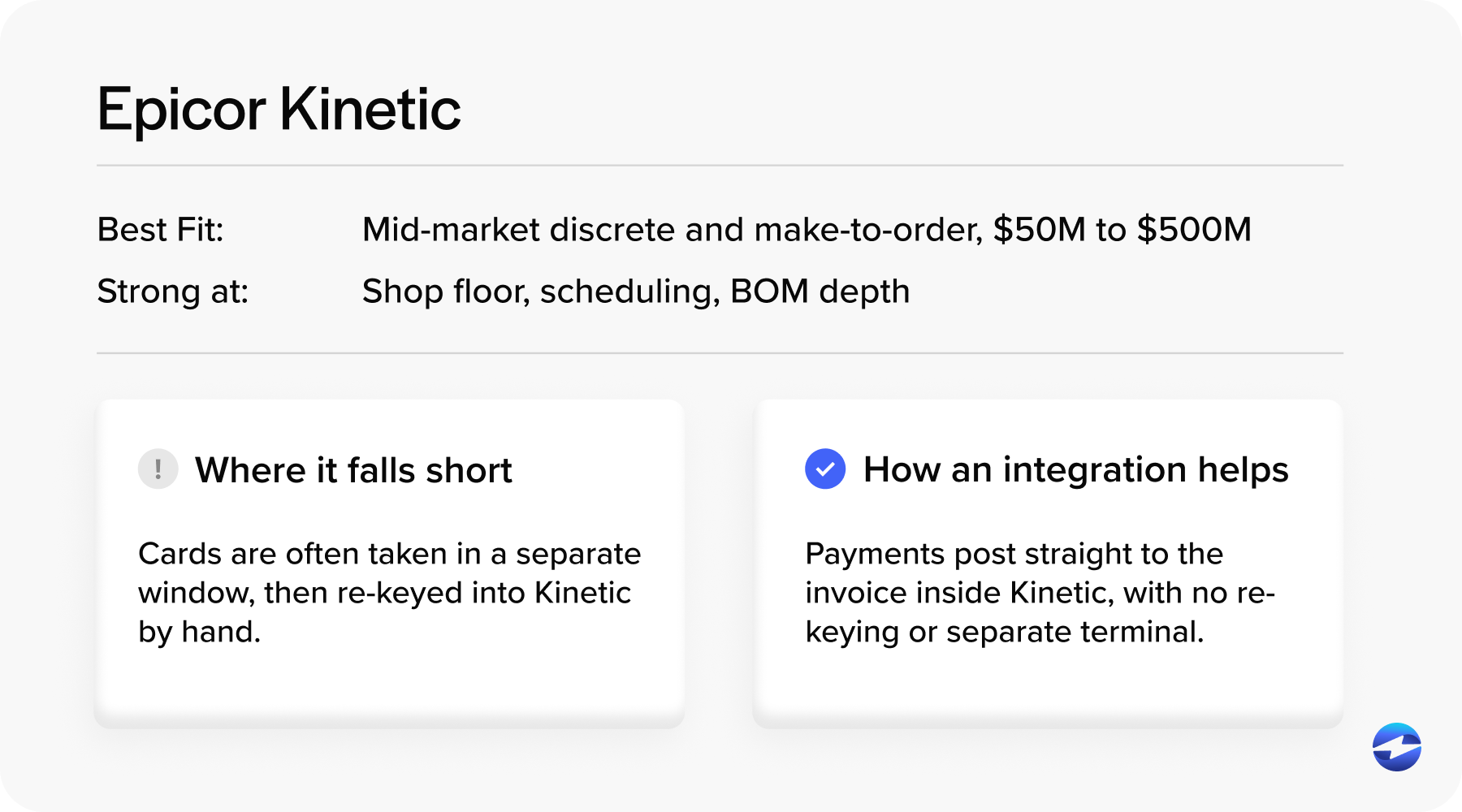
Why manufacturers choose it. Production management, scheduling, quality, and a strong product configurator are core to the system. It handles Bill of Materials (BOM) and routing especially well, which matters for manufacturers managing complex, multi-level products, and it delivers that depth at a lower cost than most comparable systems. It also deploys in the cloud, on-premise, or as a hybrid.
Where it falls short. The learning curve is steep even after the Kinetic interface refresh. Since the Epicor ecosystem is smaller, it may have fewer implementation partners than Microsoft or SAP ecosystems, and users report slow support resolution. Custom reporting may require add-ons to match what finance-first ERPs do out of the box.
The payments gap. Kinetic includes invoicing, credit and cash management, and multi-currency but it’s a system of record, so many teams still take card payments in a separate browser window and re-key the data, which is where posting delays and reconciliation errors can creep in. Since manufacturing scenarios like deposits, partial payments, and ACH/card processing are exactly where Epicor’s native functionality tends to be the thinnest, integrated payments can fill these gaps.
An Epicor Kinetic payment solution for manufacturing adds click-to-pay invoicing, auto-reconciliation, and surcharging directly inside the Kinetic screens your team already uses.
Oracle (Fusion Cloud and EBS)
Oracle fits large and upper-mid-market enterprises, especially finance-led organizations that need multi-subsidiary consolidation, multi-currency, and shared-services structures. It’s strong in pharmaceuticals, medical devices, and large multi-site manufacturers that have dedicated implementation teams.
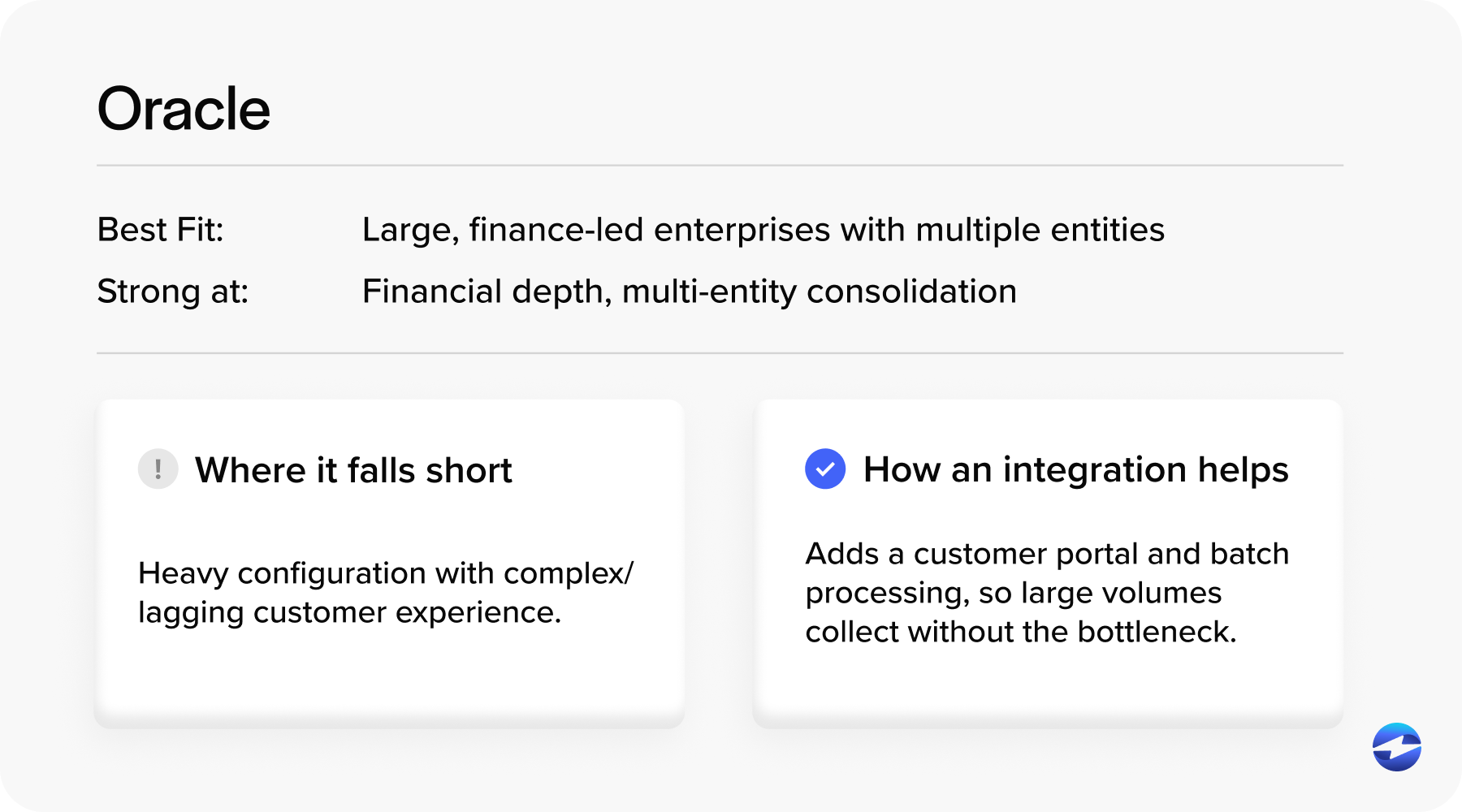
Why manufacturers choose it. Oracle offers best-in-class financial management and consolidation depth, rolls out continuous quarterly cloud updates, and is adding a fast-growing set of embedded AI features.
Where it falls short. Oracle’s manufacturing depth trails SAP’s for complex and process manufacturing, though it holds its own in discrete and mixed-mode environments. The screens are data-entry heavy, the licensing model is genuinely confusing, and cost frequently runs past expectations. It’s best suited for companies with sufficient internal teams and consulting partners to help run it properly.
The payments gap. Oracle can process cards and ACH natively with a self-service billing portal. The friction tends to show up in setup and experience rather than raw capability. Users commonly find the native payment portal powerful but heavy to configure and onboard customers into. The buyer-facing experience isn’t always as simple as a modern pay-link. Reconciliation of anything that doesn’t match cleanly also tends to fall back to manual work.
An Integrated Oracle manufacturing payment processor smooths those edges, giving buyers a frictionless branded way to pay and posting payments back automatically.
Microsoft Dynamics
Microsoft Dynamics comes in two manufacturing-relevant systems: Dynamics 365 Business Central (BC) and Dynamics 365 Finance & Supply Chain Management (F&SCM).
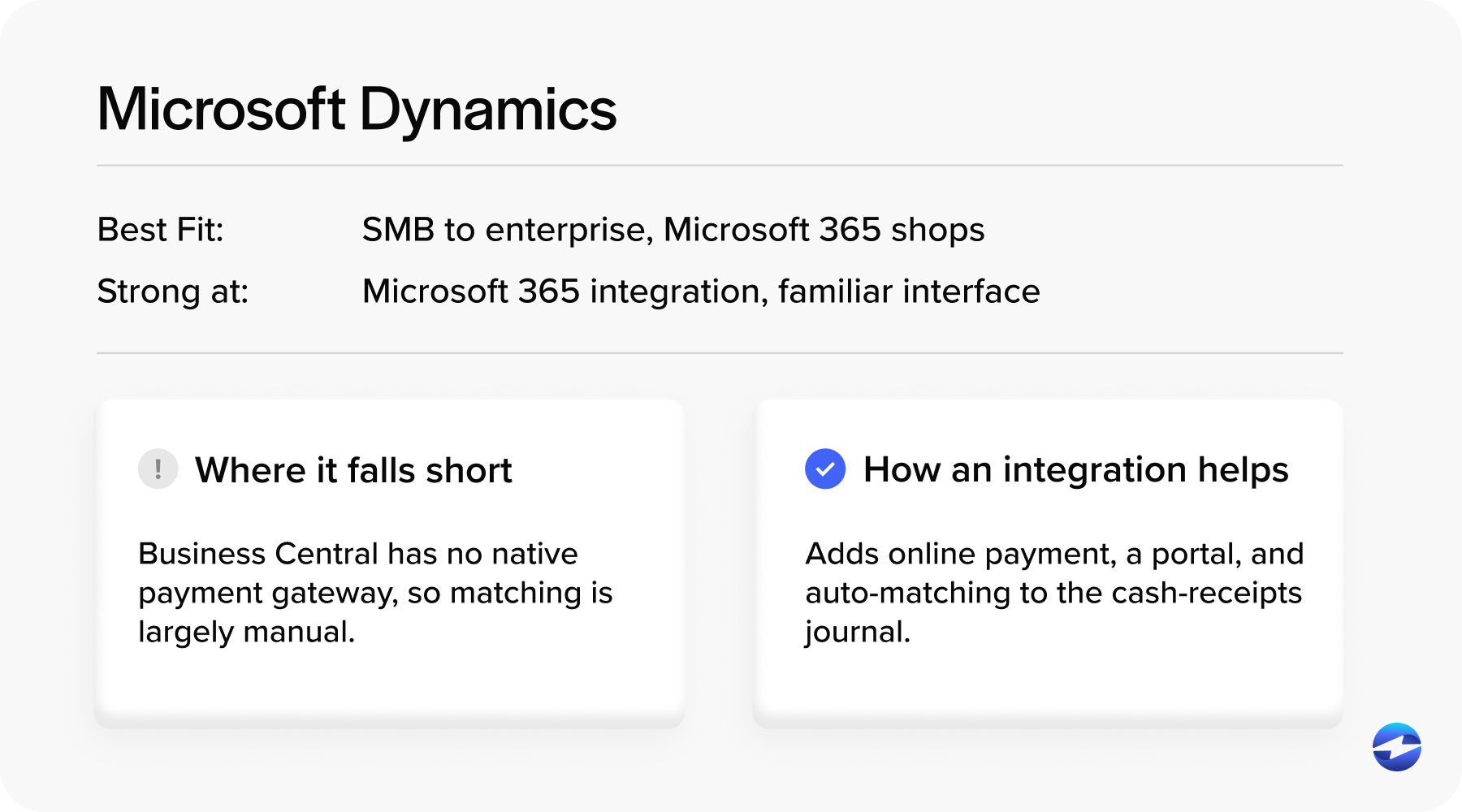
Here’s how Dynamics BC and F&SCM differ:
- Business Central: Fits small-to-mid manufacturers, roughly 10 to 300 users, running single-site discrete or mixed-mode production with straightforward BOMs, especially shops already invested in Microsoft 365.
- Finance & Supply Chain Management: Fits mid-to-large and enterprise manufacturers with complex, multi-site, multi-entity operations across discrete, process, and lean modes.
Why manufacturers choose them. Dynamics BC has genuinely a native integration with Microsoft 365, Teams, Outlook, Excel, and Power BI. A familiar interface cuts training time and implementation is the fastest of the group (typically three to six months).
Dynamics F&SCM adds enterprise-grade finance, advanced warehouse management, and mixed-mode manufacturing that Dynamics BC can’t handle.
Where they fall short. Dynamics BC isn’t built for advanced manufacturing. It lacks job-level finite scheduling, rules-based product configuration, native engineering-change or quality management, and it’s weak for process manufacturing. Support is forum-based, which frustrates buyers used to calling in, and the licensing tiers confuse people.
Dynamics F&SCM solves the manufacturing depth, but it comes at a cost. Users report a steep learning curve, scarce and expensive developers, and long, costly implementations.
The payments gap. This is one of the clearest gaps. Dynamics BC includes basic AR, but no native payment gateway, online invoice payment, payment links, or customer portal, and payment matching is largely manual out of the box.
Integrated embedded payment solutions for manufacturing in Microsoft add click-to-pay, self-service portals, ACH, Level 2 and Level 3 processing, and auto-reconciliation to the cash-receipts journal.
NetSuite
NetSuite fits cloud-first Small Businesses (SMB) to mid-market manufacturers and multi-entity businesses, roughly $10M to $500M in revenue, especially those trying to consolidate a pile of disconnected Software as a Service (SaaS) tools into one system. It’s best for light-to-medium manufacturing complexity.
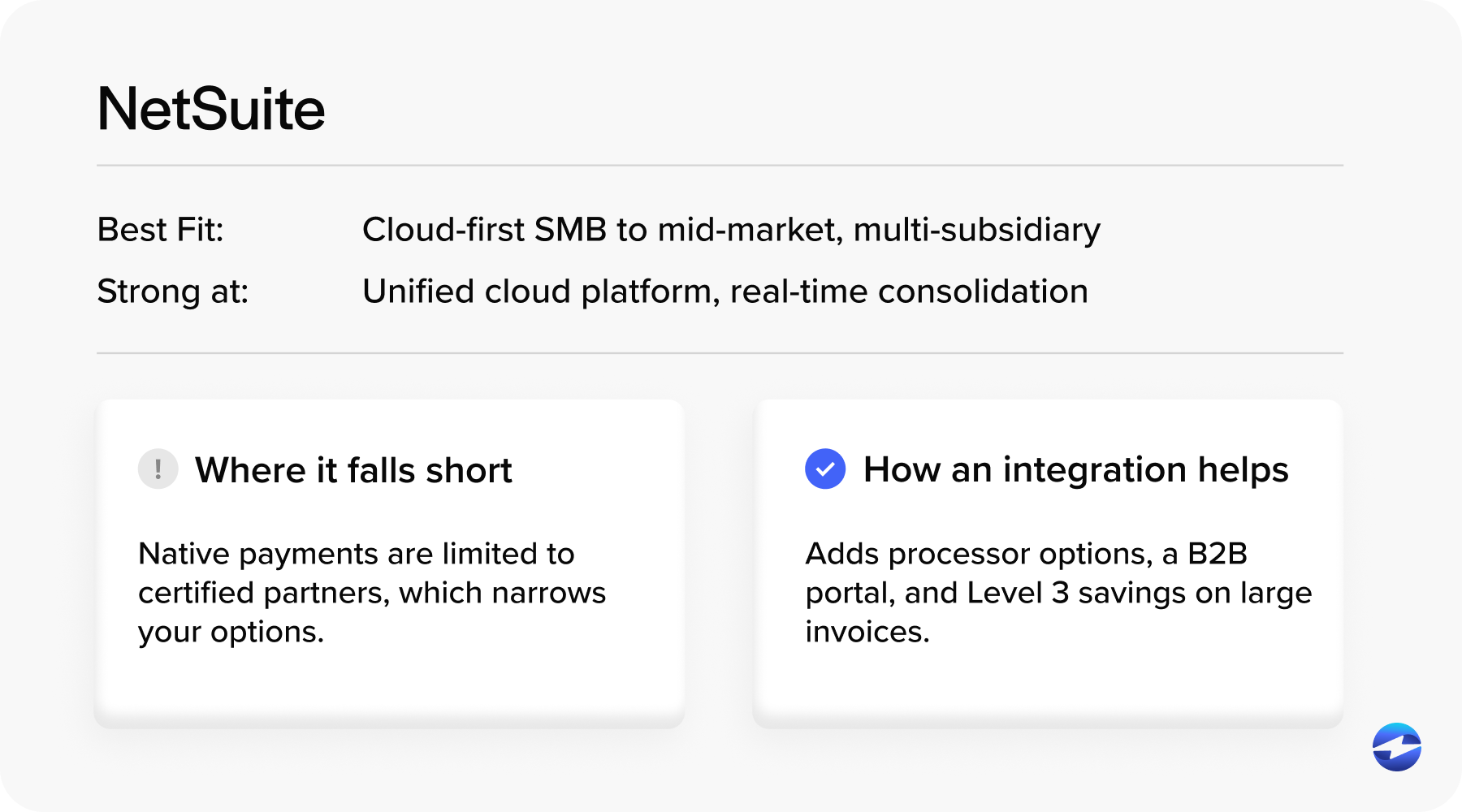
Why manufacturers choose it. It’s a unified cloud platform. One database for finance, inventory, order management, customer relationship management (CRM), eCommerce, with strong multi-subsidiary/multi-currency consolidation, real-time dashboards, and solid scalability. Its industry editions speed up manufacturing deployments.
Where it falls short. Cost and commitment are the top complaints, with users describing aggressive pricing and difficulty leaving once they’re committed. It’s not built for process manufacturing, the learning curve is steep, and it needs knowledgeable admins. Heavy manufacturing material requirements planning (MRP) may be better served elsewhere.
The payments gap. NetSuite offers native payment tools, but they’re limited to a small window of certified partners, which creates lock-in, limits processor choice, and often excludes modern payment methods without custom scripting. Multichannel reconciliation across eCommerce, phone, and B2B invoices is a frequent headache.
NetSuite manufacturing payment processing providers add B2B portals, the freedom to use the processor you want instead of NetSuite’s limited list Level 2 and Level 3 interchange savings, and native auto-reconciliation.
SAP (B1 and S/4HANA)
SAP also comes in two manufacturing-relevant systems: SAP Business One (B1) and SAP S/4HANA.
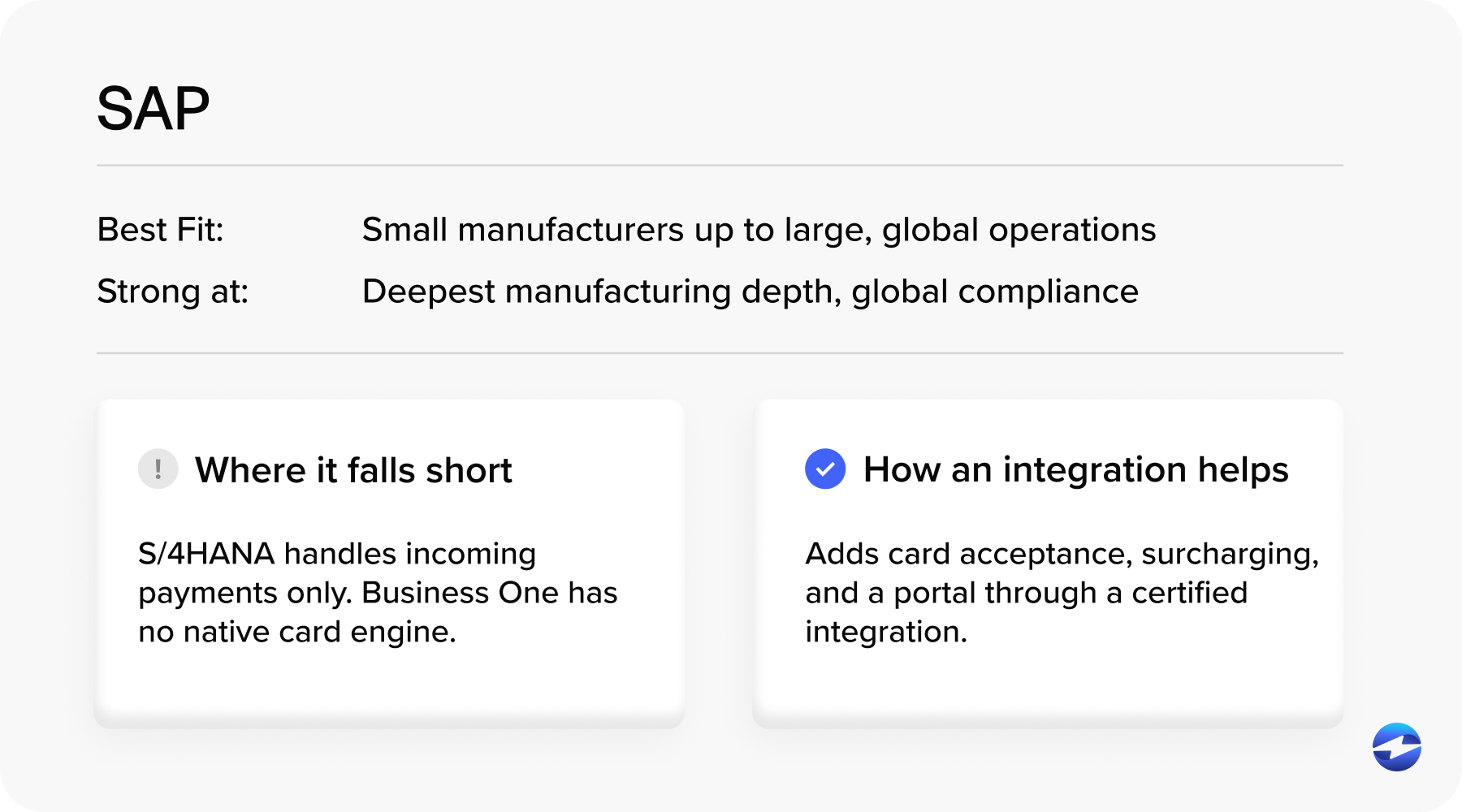
Here’s how SAP B1 and S/4HANA differ:
- Business One: Fits small and mid-sized companies and light manufacturers up to around 100 users who want an SAP-family platform at SMB scale.
- S/4HANA: Fits large and multinational enterprises with complex, multi-plant, multi-generally accepted accounting principles (GAAP) manufacturing, and it offers the deepest manufacturing capability in this whole comparison.
Why manufacturers choose them. SAP B1 integrates finance, inventory, production, and CRM on one system with strong MRP including hundreds of industry add-ons at a reasonable SMB price.
SAP S/4HANA brings in-memory real-time processing, deep costing/quality modules, and the strongest end-to-end manufacturing depth available, along with robust global compliance.
Where they fall short. SAP B1 isn’t meant for heavy manufacturing, report customization is hard, and add-on quality depends on the partner.
S/4HANA’s power comes with high complexity, a steep learning curve, heavy consultant dependency, and high total cost, along with long, risky implementations.
As an anecdote, Lidl scrapped a roughly €500 million SAP project after seven years, and Revlon’s S/4HANA go-live disrupted shipments badly enough to trigger a shareholder lawsuit. Those failures can trace back to customization, weak change management, and multi-plant complexity, which are the real cost drivers on any large ERP project.
The payments gap. S/4HANA offers a digital payments add-on that handles processor integration with tokenization to keep card data out of PCI scope. The payment add-on currently supports incoming payments only, has no card-terminal support, and caps transactions on the base package.
SAP B1 has no robust native card engine. It relies on SAP-certified add-ons for card/ACH acceptance, tokenization, Level 2 and Level 3 data, click-to-pay, and portals. Certified third-party SAP manufacturing payment processors fill these gaps for both editions.
Infor (CSI/SyteLine, and CSD)
Infor comes in two manufacturing-relevant systems: CloudSuite Industrial (CSI), also known as SyteLine, and CloudSuite Distribution (CSD).
Here’s how CSI and CSD differ:
- CloudSuite Industrial (CSI/SyteLine): Fits mid-market discrete and mixed-mode manufacturers, roughly 200 to 2,000 employees, in machinery, industrial equipment, electronics, and metal fabrication. It’s especially strong for configure-to-order (CTO) and engineer-to-order (ETO) shops.
- CloudSuite Distribution (CSD): Fits wholesale distributors that need inventory, order management, and fulfillment in one system.
Infor also offers LN and M3 for larger discrete and process manufacturers, but this section focuses on CSI and CSD.
Why manufacturers choose them. CSI’s standout is its advanced planning and scheduling engine. Finite capacity scheduling pulls in real-time machine, labor, and resource data, which makes it especially strong for mixed-mode/high-mix production. Tight configure-to-order tooling, strong BOM handling, and bundled industry packs round out a serious platform for complicated production.
CSD brings that same Infor foundation to distribution, with the inventory and order management a wholesale operation runs on.
Where they fall short. The biggest buyer problem is edition confusion. Infor’s product lines run on different codebases, and choosing the wrong one is effectively a re-implementation. The partner network is smaller than the SAP or Microsoft ecosystems, with recurring complaints about reseller competence. Users cite complicated navigation, heavy training needs, and a scarcity of available experts.
The payments gap. CSI and CSD have a solid native AR foundation. Cash receipts post to bank reconciliations, and you get real-time credit and collections visibility. Where they fall short is the customer-facing and automation side of getting paid. Collecting still leans on manual steps, there’s no native self-service portal for buyers to pay on their own, and recurring billing isn’t part of the native setup.
Integrated payment solutions for Infor add a customer portal, payment links, request payment method, ACH, and automatic posting, so payments flow back into Infor without re-keying.
In day-to-day terms, a good Infor AR application provides manufacturers with:
- Payments in Infor without the phone-and-retype routine. Payments are collected directly in Infor and posted against the invoice. There’s no separate terminal or re-keying.
- Infor invoice automation. Automated invoices send a secure pay link straight from the system, so customers pay in a click and payments are automatically applied.
- A self-service portal for their customers. The customer payment portal enables buyers and dealers to log in to view and pay their own invoices.
- Automatic payments in Infor. Request payment methods keep customers’ payment details on file and collect open invoices without chasing a card number every time.
The businesses Infor best serves typically run large, complex orders, so faster collections on those invoices is where the value shows up.
How EBizCharge works for manufacturing
EBizCharge provides an all-in-one payment solution with a built-in embedded approach and ERP-specific features for manufacturing businesses.
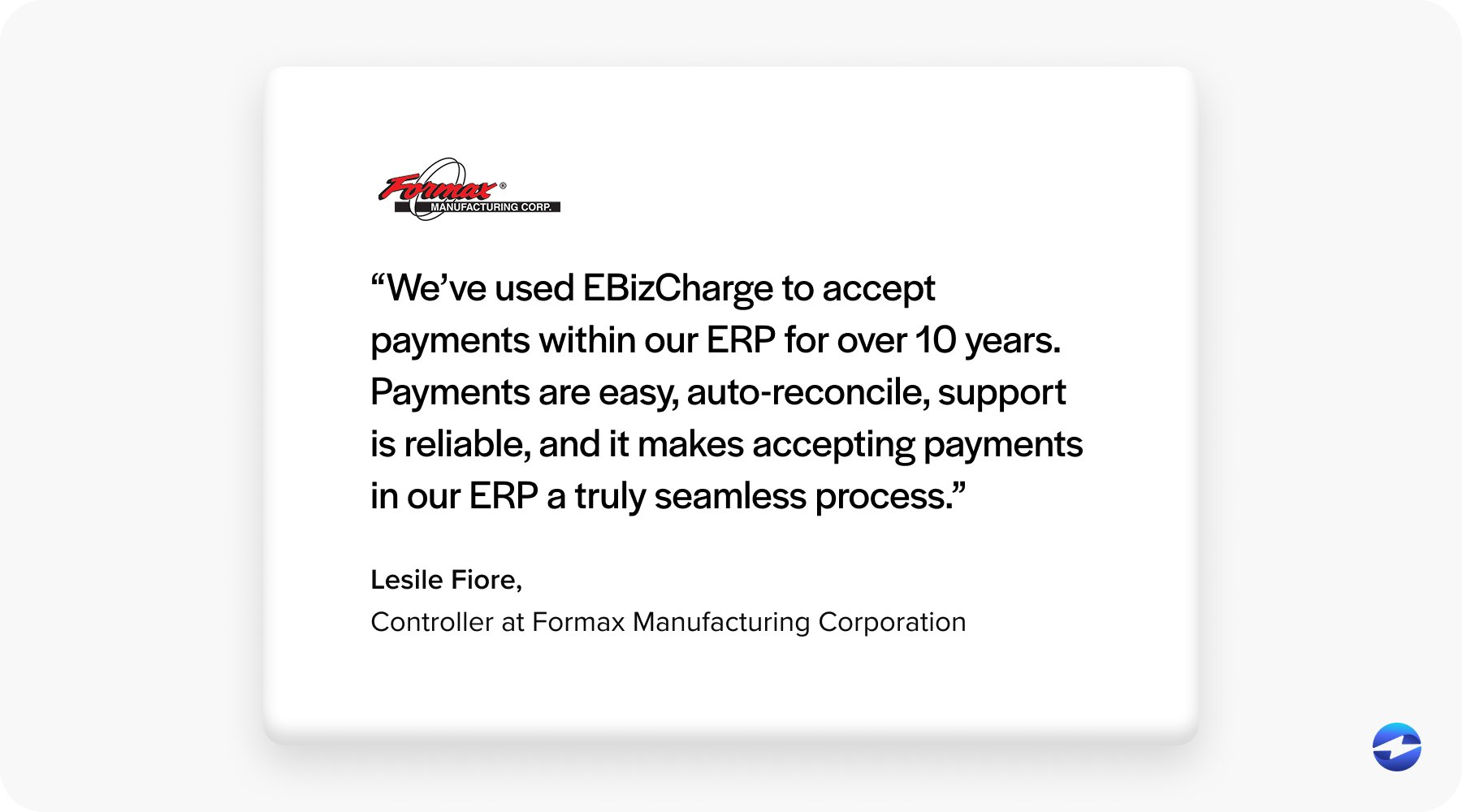
EBizCharge connects natively to Infor, SAP B1, Epicor, NetSuite, Oracle, Microsoft Dynamics, and more than a hundred other platforms, so payments post automatically inside the system your team already works in.
EBizCharge comes with complementary U.S.-based support ready to help you at any and every step along the way.
Here’s how EBizCharge meets the capabilities discussed in this article:
- Payment processing: EBizCharge enables you to accept and manage credit, debit, and ACH/eCheck payments directly inside your ERP system. Use click-to-pay links, email pay, and other collection features protected with enterprise grade secirity to make getting paid simple.
- Customer portal: EBizCharge enables B2B buyers and dealers to manage and pay their invoices using an online billing portal.
- Automation: EBizCharge provides automated reconciliation, recurring billing, and reminders with no manual intervention required. Save customers payment methods for schedlued payments, ensuring money comes in without the hassle and haggle.
- Cost control: EBizCharge offers competitive, customed pricing along with Level 2/3 processing, plus compliant surcharging options to offset processing fees when legally permitted.
On the large invoices typical in manufacturing, the gap between standard rates and properly qualified Level 3 processing adds up to real money. In a recent survey, the average business spent 3.65% of revenue on processing fees. For a company doing $2 million a year, that’s roughly $73,000 going to card costs alone.
It’s worth knowing what you can save. Book a free consultation today with EBizCharge to get a Level 3 savings estimate built around your actual volume and card mix.
Building the internal case
Most AR and finance managers don’t get to make this call alone. There’s usually a CFO or an operations lead who needs to sign off, so it helps to walk in with the case already built.
Four numbers tend to carry the conversation:
- DSO improvement: Working capital freed up by collecting faster (mentioned above), which usually lands hardest with finance.
- Labor: Hours your AR team currently spend on manual entry, reconciliation, and collection calls that automation gives back.
- Processing cost savings: Costs Level 3 qualification and surcharging can save on your specific invoice sizes.
- Risk reduction: PCI-certified security with built-in tokenization and encryption protect and mask sensitive card data, lowering compliance burden and exposure.
Framed that way, this stops being an IT or AR request and becomes what it actually is: a cash flow decision. You’ve already chosen the ERP and survived the implementation. Getting paid faster isn’t a new project. It’s simply turning on the last piece of your system.
Frequently asked questions
How do manufacturers accept B2B payments inside their ERP?
Through a native integration that connects the payment tool directly to their ERP. Payments are taken inside the system your team already uses, and each one posts against the correct invoice automatically, with no exporting or re-keying.
Can customers pay invoices without calling in?
Yes. Depending on your ERP, customers can pay through a self-service portal or a secure click-to-pay email or invoice link. They pay in a click, and it applies to the right invoice on your end.
How does integrated processing lower costs on large invoices?
Two ways. Level 2 and Level 3 processing submit extra transaction data that qualifies eligible B2B and corporate card payments for lower interchange rates, and optional surcharging passes processing fees to customers where it’s legally allowed. Both matter most on the high-ticket invoices that are common in manufacturing.
Does EBizCharge work with Infor CSI and CSD?
Yes. EBizCharge integrates natively with both Infor CloudSuite Industrial (CSI) and CloudSuite Distribution (CSD). Payments can be collected directly inside Infor using click-to-pay invoice links, request payment method to charge a saved card on file, and ACH, with each payment posting automatically against the correct invoice without re-keying.
What’s the difference between integrated and standalone payment processing?
A standalone processor runs separately from your ERP and requires manual reconciliation between the two systems. An integrated solution posts payments inside the ERP in real time, so your records stay accurate without the extra step.