
Blog > QuickBooks-Compatible Merchant Services: What to Look for Beyond QuickBooks Payments
QuickBooks-Compatible Merchant Services: What to Look for Beyond QuickBooks Payments

At some point, most growing businesses hit the same wall. QuickBooks Payments works fine in the early days, but the flat-rate pricing starts feeling expensive, the feature set hits a ceiling, and someone on the team starts asking whether there’s a better option out there. The answer is almost always yes. The harder question is which option actually delivers on what it promises.
The market is full of processors marketing themselves as QuickBooks-compatible merchant services. Technically, many of them are. They connect, they sync, and they move data back and forth. But “compatible” doesn’t mean it’s efficient or simple, and if you’ve ever spent an afternoon manually reconciling payments because your processor didn’t post them the right way, you already know that a loose connection is nothing like a real integration. Finding genuinely reliable QuickBooks-compatible merchant services takes a lot more scrutiny than most businesses expect going in.
This article is for finance managers, practice managers, controllers, and business owners who are done guessing. You need to know exactly what true QuickBooks compatibility looks like, which processors actually deliver it, and how to evaluate your options without getting misled by vague claims.
Why Businesses Start Looking for Alternatives
The reasons are consistent across industries. QuickBooks merchant services through Intuit’s own Payments product uses flat-rate pricing that never improves regardless of how much volume you process. There’s no negotiation, no interchange-plus option, and no meaningful break for processing $2 million a year versus $200,000. QuickBooks merchant services rates stay the same no matter what, and the merchant services fees compound quietly the longer you stay on the platform.
Beyond pricing, the feature set has real limits. Recurring billing, payment plans, multi-entity support, and Level 2 and Level 3 processing for B2B transactions are either missing or underdeveloped. For a small business with simple needs, that’s manageable. For a growing company or a medical office handling complex billing workflows, it becomes a genuine problem.
So, businesses look for a third-party payment processor that integrates just as smoothly as QuickBooks Payments, but without the pricing drawbacks. That’s a completely reasonable thing to want. The problem is that integration quality varies enormously, and the term “compatible” is used very loosely across the industry.
What “QuickBooks-Compatible” Actually Means
There are three levels of QuickBooks integration, and understanding the difference between them saves a lot of frustration down the road.
The first level is manual import and export. A payment processor at this level gives you a CSV file you upload into QuickBooks yourself. It works, but it requires human effort every single time and introduces plenty of room for error. This is the lowest form of compatibility, and it defeats most of the purpose of having integrated software.
The second level is an application programming interface (API) connection with partial sync. Some data moves automatically, but gaps remain. Maybe payments post to QuickBooks eventually, but not in real time. Maybe invoices don’t update correctly, or the general ledger entries need to be reviewed and cleaned up by hand. This is where a lot of processors live, and it’s also where a lot of finance teams quietly lose hours every month without ever tracing it back to their payment solution.
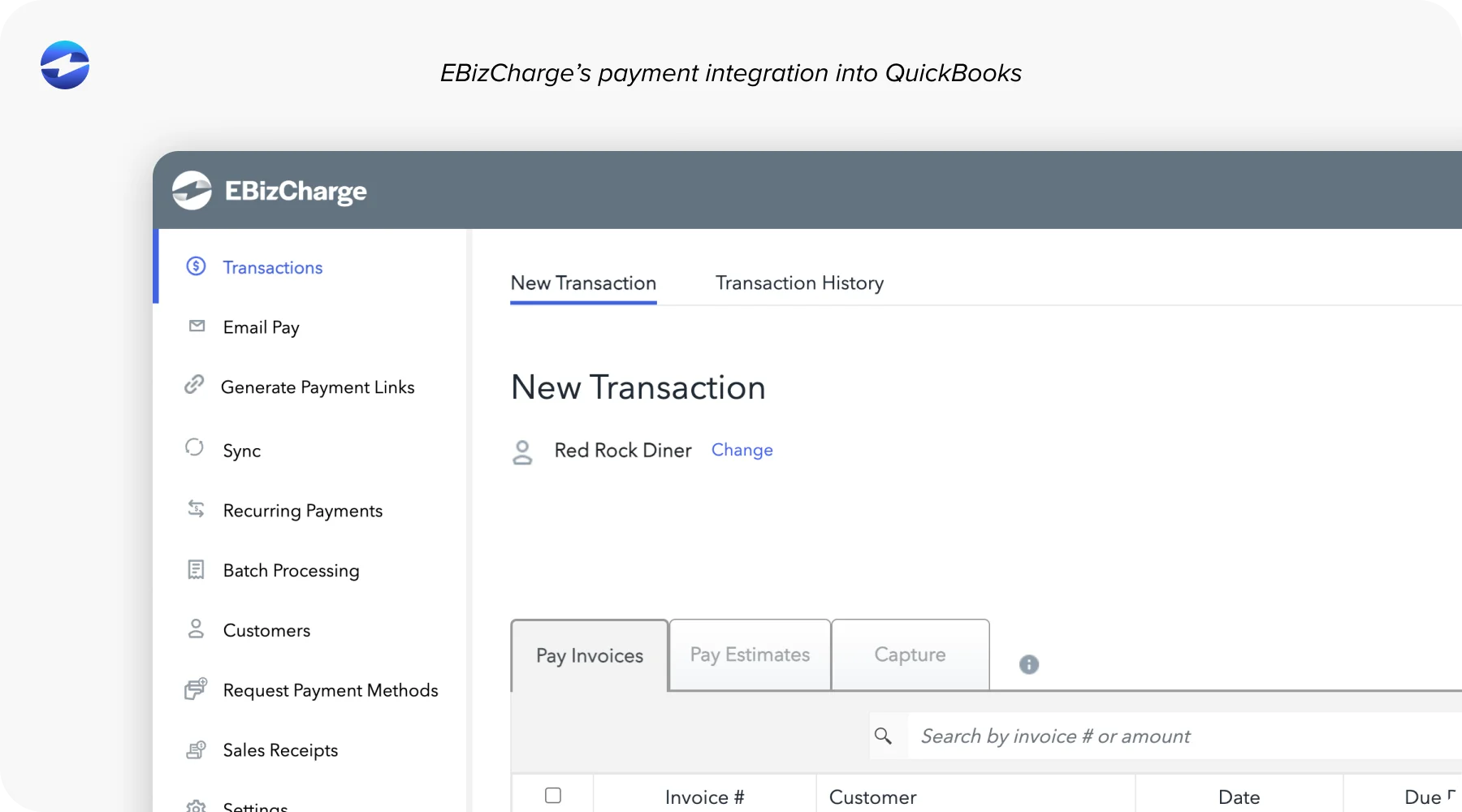
The third level is a true native integration. Payments are processed and posted directly inside QuickBooks. Accounts receivable updates automatically. Invoices are marked as paid the moment a transaction is approved. Nothing requires a manual step, a middleware plugin, or a batch sync running overnight. This is what real merchant services for QuickBooks should look like, and it’s the standard worth holding every provider to.
The Features That Define True Integration
When evaluating any payment processing solution for QuickBooks, these are the things that separate a real integration from a surface-level connection.
Real-time payment posting. Payments should hit QuickBooks the moment a transaction is approved. Batch syncing that runs at the end of the day creates reconciliation gaps that compound over time and create more manual work, not less.
Automatic AR and general ledger updates. Manual entry is where errors happen and hours disappear. A genuinely integrated payment processing solution removes the human step entirely, so your accounts receivable and general ledger stay accurate without anyone touching them.
Automatic invoice management. Invoices should flip to paid status the moment a payment clears, not after someone logs in and triggers a sync. This sounds minor until you’re trying to figure out which invoices are actually outstanding and which ones just haven’t been updated yet.
Support for all QuickBooks versions. QuickBooks Desktop, Online, and Enterprise each have distinct integration requirements. Any payment solution that only supports QuickBooks Online leaves a large portion of businesses without a real answer.
Recurring billing and payment plans. For subscription businesses, professional service firms, and medical offices, this is non-negotiable. Recurring billing that doesn’t sync automatically back into QuickBooks breaks the entire workflow.
Level 2 and Level 3 processing. Passing enhanced transaction data with B2B and government card purchases qualifies those transactions for lower interchange rates. Most processors skip this entirely. The ones that support it consistently deliver lower effective merchant services fees on qualifying transactions, which adds up meaningfully over a full year.
Red Flags to Watch for Before You Commit
Vague language is the biggest warning sign. If a provider says it “works with QuickBooks” but can’t explain specifically how posting works, that vagueness is your answer. Find out whether the integration requires third-party middleware, whether it covers your specific QuickBooks version, and whether manual reconciliation is still part of the daily workflow after setup.
Also, pay attention to whether QuickBooks integration is a core part of the product or an afterthought bolted on later. A payment solution built around QuickBooks from the start feels entirely different from one that added a connector to a product designed for something else.
How the Major Processors Stack Up
QuickBooks Payments has the deepest native integration by default, which is exactly why it holds onto users for so long. The pricing drawbacks and feature limitations are well-documented, but the workflow is genuinely smooth. Every alternative needs to meet this standard before it’s worth considering.
Stripe has a wide developer ecosystem and works well for tech-forward teams, but QuickBooks integration typically requires third-party tools or a custom build. It’s not natively embedded in QuickBooks and doesn’t meet the native integration standard without additional setup.
Square is a strong standalone POS, but it isn’t built for invoice-heavy or B2B workflows. The QuickBooks integration is shallow compared to what finance teams at growing companies actually need day to day.
PayPal and Braintree work better as supplemental payment options than as a primary merchant services provider for a QuickBooks-dependent business. The integration depth simply isn’t there for complex billing environments.
EBizCharge is the clearest example of what purpose-built QuickBooks integration looks like in practice. It was designed specifically to function as a native payment processor inside QuickBooks and supports Desktop, Online, and Enterprise without any middleware. Payments post to AR and GL in real time. Invoices are automatically marked as paid. Level 2 and Level 3 processing is built in. Recurring billing and payment plans are native features, not add-ons.
As for QuickBooks merchant services rates, EBizCharge uses interchange-optimized pricing rather than flat-rate, which means your effective rate can come down as your volume and card mix allow. That’s a fundamentally different approach from QuickBooks Payments, and the difference compounds significantly over a full processing year.
For medical offices and professional services firms specifically, EBizCharge is particularly well-matched. Higher average ticket sizes, complex recurring billing, and the need for a clean AR workflow all point toward needing merchant services for QuickBooks that were built for exactly this, not adapted from something else.
If you’re evaluating the best merchant services provider for a QuickBooks-heavy environment, EBizCharge consistently earns that position based on integration depth, pricing transparency, and the breadth of features that actually matter for growing businesses. It’s the benchmark worth holding other options against when you’re looking for the best merchant services provider for your specific setup.
How to Evaluate Your Setup and Make the Switch
Start by auditing what you currently have. Is your integration truly native, or is there a sync running in the background that you’ve never closely examined? Identify where the friction is: manual reconciliation, reporting gaps, recurring billing limitations.
From there, request demos focused specifically on QuickBooks workflow, not general feature walkthroughs. Watch how transactions actually flow from payment approval to AR to GL inside the version of QuickBooks you use. Compare effective rates, not just headline percentages. And confirm that onboarding support is specific to your QuickBooks environment.
Finding A Solution That’s More Than Just Compatible
“Compatible with QuickBooks” means almost nothing without more context. What matters is how deep that compatibility goes and whether it actually eliminates the manual work your team is absorbing every week without giving it much thought.
The right QuickBooks merchant services setup isn’t about finding the lowest advertised rate or the most familiar brand name. It’s about finding a payment processor that fits cleanly into how your team already works, posts payments accurately the first time, and delivers pricing that reflects your actual volume. That combination is harder to find than the market makes it seem, which is exactly why it’s worth evaluating carefully before you sign anything.