

Resources | Comparisons
EBizCharge vs QuickBooks Payments: Why B2B Companies Are Switching

20,000 businesses have chosen EBizCharge over alternatives







What separates EBizCharge
Unlimited US-Based Support
Every EBizCharge account includes complimentary, unlimited U.S.-based support, onboarding, training, and upgrades, all handled by an in-house team with no additional support fees.
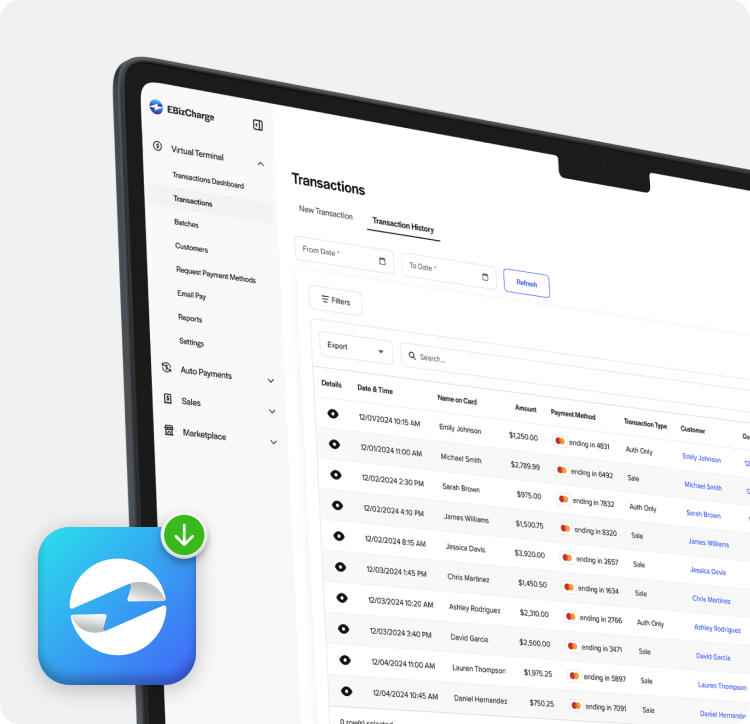
More Competitive Rates
EBizCharge’s capped, flat ACH fees keep costs predictable, while built in surcharging automatically passes eligible card fees to customers, helping protect your margins at any volume.

No Hidden Fees or Surprises
With next day funding, transparent pricing, and no cancellation fees, EBizCharge keeps payments simple from day one.
As QuickBooks users look to scale their businesses, they may reach a point where their platform and payment processing capabilities start to feel limited — payment features plateau, AR workflows extend across multiple systems, and card processing fees climb higher than they should.
While providers like QuickBooks Payments may cover the basics, they often lack flexibility and advanced functionality to support this business growth. That’s where EBizCharge stands out.
EBizCharge is a top-rated and certified payment solution for QuickBooks, built natively for QuickBooks Online, Desktop, and Enterprise. With deep integration and support for complex business-to-business (B2B) payment workflows, it’s a go-to choice for finance teams looking to simplify operations and cut down on manual work.
By embedding payments directly into QuickBooks, EBizCharge unifies invoicing, processing, and reconciliation in one connected system. Invoices match automatically, accounts receivable (AR) updates in real time, and the general ledger (GL) stays current without manual entry. The result is tighter control, fewer errors, and a faster invoice-to-cash cycle.
Finding a reliable payment processing solution inside QuickBooks can be the difference between a system that simply processes payments and one that manages your entire payment workflow.
Not every solution delivers both.
01 The Problem: Where QuickBooks Payments Falls Short
Since QuickBooks Payments is built into QuickBooks, it’s easy to activate and capable of handling the basics. The problem is that most B2B payment workflows require far more.
Based on G2 review data, the largest independent software review platform, QuickBooks Payments complaints tend to cluster around the same four themes:
- Unexpected fund holds
- Manual reconciliation that eats up hours
- Fees that don’t improve with volume
- Customer support is available but slow when it matters
01 / Cash Flow
Funds held without warning
Transactions delayed unpredictably, disrupting cash flow at the worst possible moments.
02 / Operations
Manual reconciliation
Payments do not automatically match to invoices. Someone has to do it by hand. Every time.
03 / Slow support cycles
Funds held without warning
Payment issues stall while you wait in queue. Time lost is revenue lost.
04 / Pricing
Fixed pricing, no give
No surcharging, no volume flexibility. You absorb processing costs regardless of volume or card mix.
These frictions aren’t scale-dependent. They cost you time, money, and cash flow from the very first transaction. The question is how much you’re willing to tolerate before looking for a better solution.
02 The Better Alternative: EBizCharge. Built for the Full Workflow (Not Just Transactions)
EBizCharge isn’t a payment button bolted onto QuickBooks. It’s a fully embedded payment application, deeply integrated so that accounting and payment operations are consolidated into one system.
That difference becomes clear in your day-to-day workflows.
What that looks like in practice:
- Payments are automatically matched to the correct invoice
- Data syncs in real time
- Transactions are instantly reflected in reporting
- No manual or double-data entry
The result:
Your AR team spends less time verifying transaction data and more time analyzing it.
Where EBizCharge Goes Beyond the Basics
EBizCharge delivers a deeper set of native payment tools for B2B companies, whereas QuickBooks Payments offers them in a more limited form:
- Customer payment portals
- Secure invoice and email click-to-pay links
- Recurring billing and auto pay for variable statement balances
- Automated Clearing House (ACH)/eCheck support
- Compliant surcharging to offset processing costs
These tools make payment collections simpler and more efficient. They’re designed to shorten the gap between sending an invoice and getting paid.
The contrast becomes even more clear when you compare EBizCharge and QuickBooks Payments side by side.
EBizCharge vs QB Payments: Feature Comparison
While EBizCharge and QuickBooks Payments provide similar payment features at face value, the differences can be seen in how each is executed.
This can be seen across eight core features:
| Feature | QuickBooks Payments | EBizCharge |
|---|---|---|
| Credit & debit cards |  Included Included
Flat-rate pricing |
Included
Interchange-plus + Level 3 data |
| ACH transfers | Included
Standard processing |
Included
Integrated with AR automation |
| eCheck processing | Included
Digital/phone authorization |
Included
Bulk processing, invoice linked |
| Hosted payment pages | Included
Basic payment links |
Included
Fully branded, customizable |
| Customer payment portal |  Limited Limited
Single invoice view only |
Full portal
Branded, multi invoices, saved payment methods |
| Embedded invoice links | Included
Basic Pay Now buttons |
Included
Auto-reminders, tokenization, smart retry |
| Recurring billing engine | Included Autopay & fixed schedules |
Included
Variable amounts, tokenization, smart retry |
| Compliant surcharging | Manual
Requires workaround |
Automated
State-compliant, disclosure built in |
Scroll to compare 
Source: G2 reviews and publicly available product data (2026)
The pattern is clear. While some features may initially appear similar, EBizCharge goes further in every category, offering Level 3 data on card transactions, multi-invoice branded payment portals, smart retry logic for recurring billing, AR automation, customizable payment pages, and state-compliant surcharging without workarounds.
QuickBooks Payments checks a box whereas EBizCharge builds out the full functionality.
Head-to-Head: Where the Gaps Show
The operational impact behind the features
When you look beyond the feature list, the real differences come down to how each solution performs in day-to-day operations. These gaps become most visible across five key areas that directly impact efficiency, cost, and growth.
Between EBizCharge and QuickBooks Payments, those differences show up most clearly in the following areas:
- AR automation
- Reconciliation
- Cost control
- Customer experience
- Scalability
In each category, the same pattern emerges. QuickBooks Payments provides basic functionality while EBizCharge delivers a more complete, end-to-end solution:

QuickBooks Payments
|

EBizCharge
|
|
|---|---|---|
| Meets requirements | 8.2  |
9.5  |
| Ease of use | 8.1  |
9.5 |
| Ease of setup | 8.9  |
9.2  |
| Ease of admin | 8.3  |
9.5 |
| Quality of support | 7.3  |
9.6  |
| Good business partner | 7.9  |
9.7  |
| Product direction (% positive) | 8.2 |
9.8  |


Scroll to compare
Source: G2 review data and feature comparisons, EBizCharge vs. QuickBooks Payments (2026)
Across every category, EBizCharge outperforms QuickBooks Payments in both capability and execution.
Where EBizCharge stands out:
- Deeper integrations into 100+ accounting, enterprise resource planning (ERP), customer relationship management (CRM), and eCommerce systems
- End-to-end automation for invoicing, payments, and reconciliation
- Flexible payment options built for B2B businesses
- Real-time reporting and visibility
- Greater control over processing costs
EBizCharge connects invoicing, payments, and reconciliation into one system, giving you a single source of truth.
The impact:
- Less manual work
- Faster, more predictable cash flow
- Lower processing costs
The real question is what those gaps are costing your business in time, efficiency, and missed revenue, and why more B2B companies are turning to EBizCharge to solve them.
03 The case for switching: 4 Reasons B2B Companies Choose EBizCharge
For B2B companies, the decision to switch isn’t about adding features but rather removing friction from the entire payment process. These are the key reasons teams choose EBizCharge to simplify operations and scale more efficiently.
 1. EBizCharge eliminates manual work that compounds over time
 1. EBizCharge eliminates manual work that compounds over time
Manual payment entry, reconciliation, and follow-ups add up quickly, and so do the errors that come with them. EBizCharge removes that burden by automatically matching payments, updating invoices in real time, and syncing transaction data directly to your AR and GL.
Instead of chasing payments and fixing discrepancies, your team works from accurate, up-to-date financial data without manual intervention.
The impact is immediate: businesses save up to 12 hours per week on AR tasks, reduce errors during closing, and scale operations without adding headcount.
 2. EBizCharge accelerates cash flow, not just transactions
 2. EBizCharge accelerates cash flow, not just transactions
Late payments usually aren’t about unwilling customers; they’re more often the result of payment friction. EBizCharge removes that friction, making it faster and more effortless for customers to pay the moment an invoice arrives.
With streamlined payment experiences built into your workflow, payments happen sooner and more consistently.
The result is measurable: many businesses reduce days sales outstanding (DSO) from 40–45 days to under 10 days, shorten aging cycles, and gain more predictable cash flow.
 3. EBizCharge puts money back in your pocket
 3. EBizCharge puts money back in your pocket
EBizCharge is built to reduce costs from the start with interchange-plus pricing, Level 3 processing that can lower B2B card fees by up to 1.5%, and fully compliant surcharging options that all work together to cut unnecessary expenses.
These cost savings options are built-in advantages that solidify the lowest rates alongside top-rated payment processing software for your business.
 4. EBizCharge consolidates your payment stack
 4. EBizCharge consolidates your payment stack
Managing separate gateways, processors, and accounting systems creates unnecessary complexity and reconciliation issues. EBizCharge brings everything together by unifying your gateway, merchant services, and ERP systems such as QuickBooks into one integrated platform.
With one login, one support team, and an all-in-one payment application that integrates into 100+ business systems and is trusted by over 400,000 satisfied users, businesses get a centralized, real-time source for all their payments.
What the benefits look like:
EBizCharge G2 reviews consistently reflect advantages in time saved, faster collections, and fewer manual steps across the entire workflow. Here’s what happens when payments run automatically:
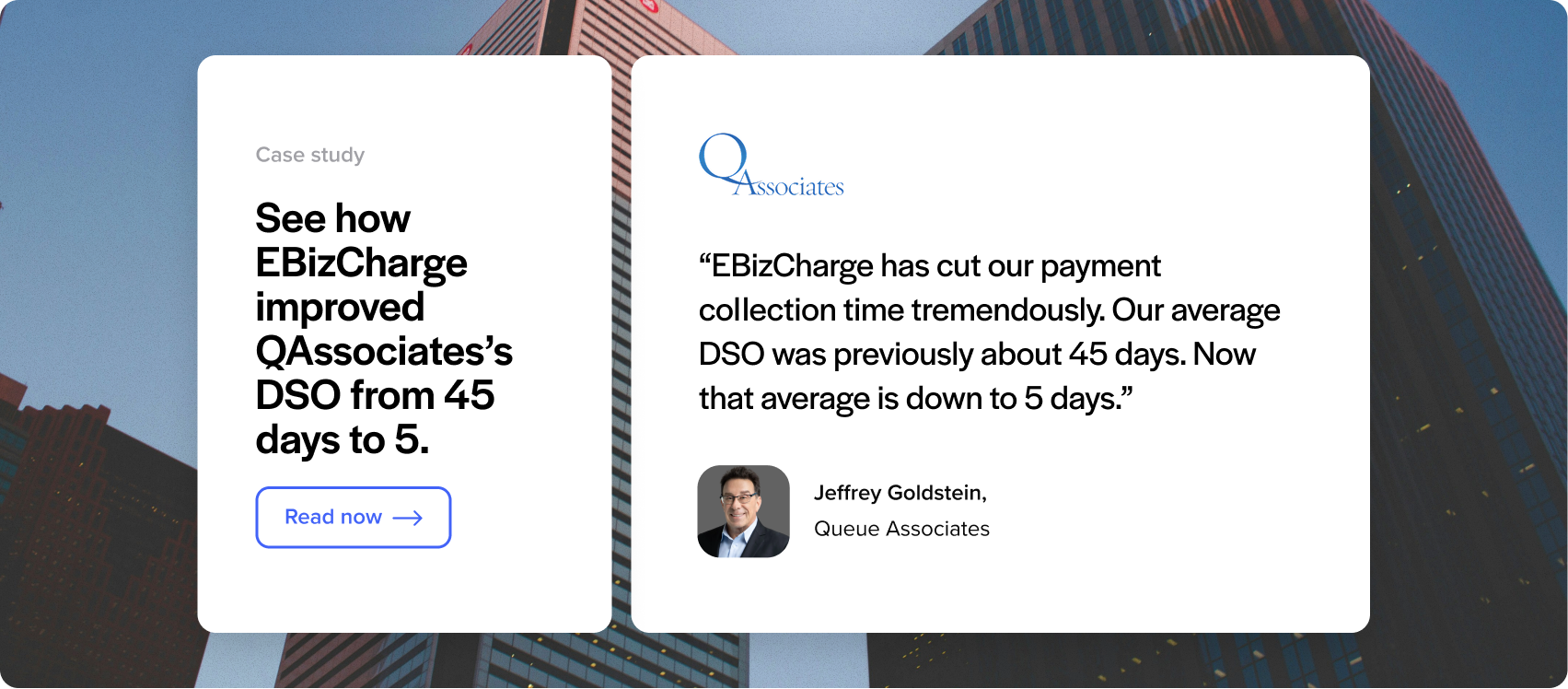
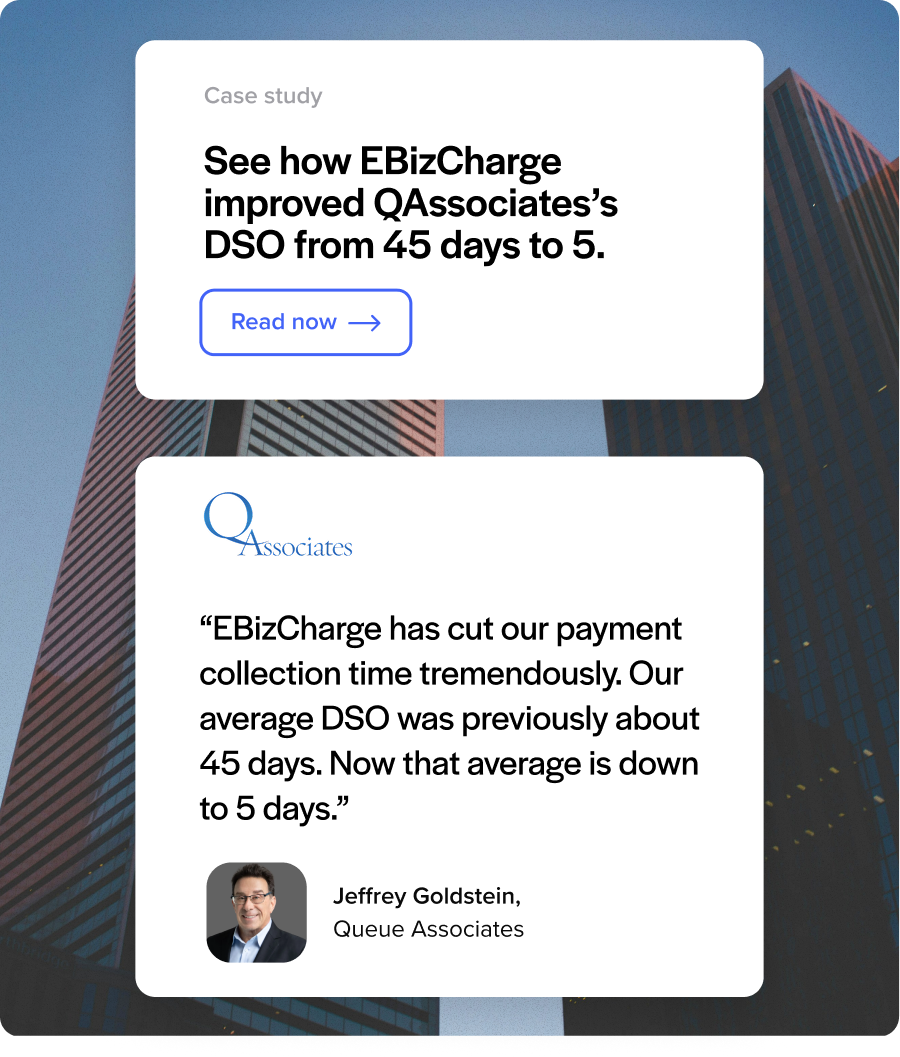
Each metric on its own is meaningful. Together, they describe a fundamentally different operating rhythm for finance teams. The result is a faster, more efficient payment cycle, with fewer manual tasks, quicker collections, and real-time reconciliation across your entire workflow.
04 The Reviewer consensus: Not Just Our Analysis. Independent Reviewers Agree.
When compared to QuickBooks Payments, EBizCharge is consistently commended for its usability and installation by independent G2 reviewers.
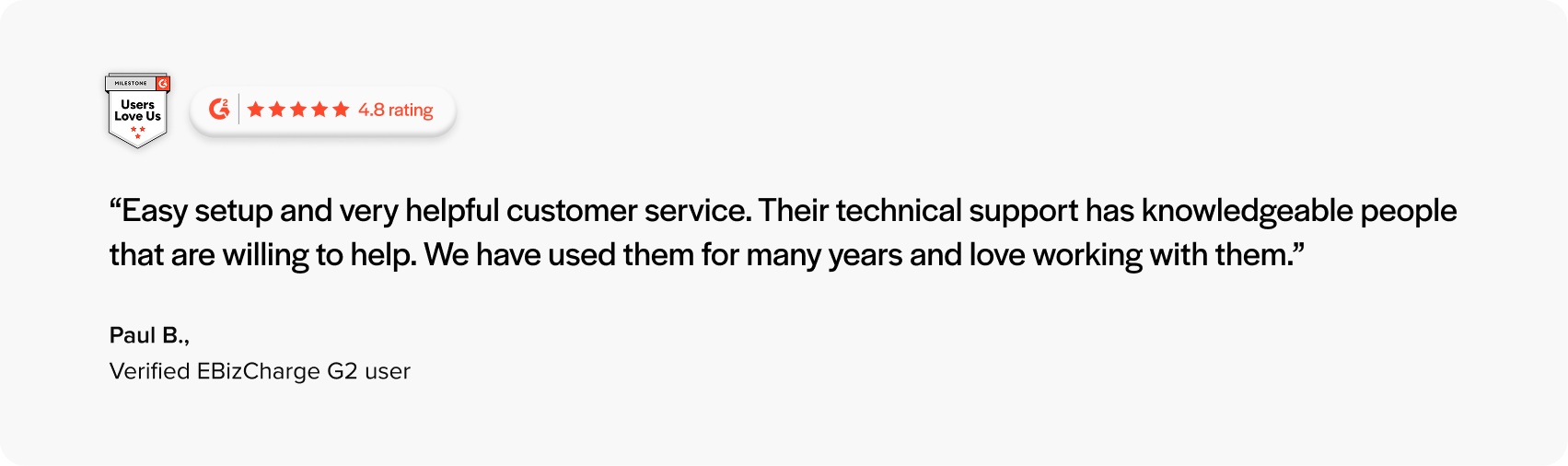
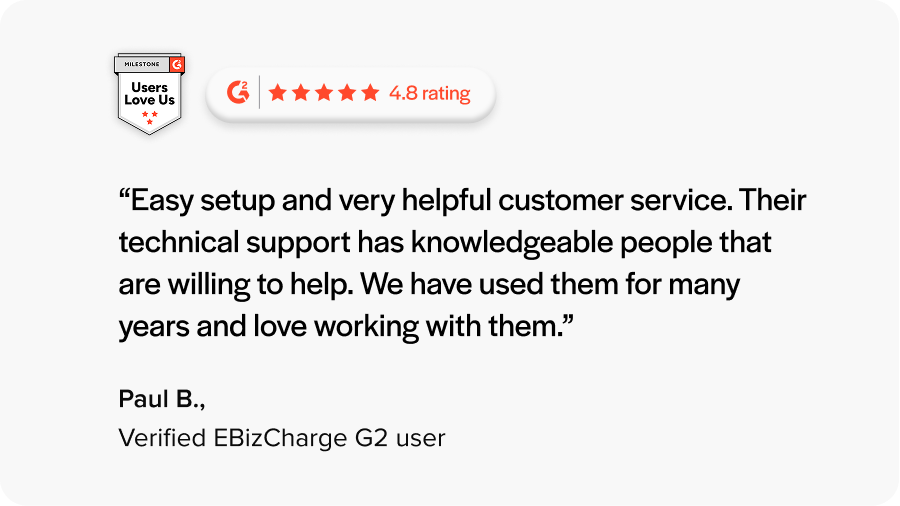
G2 reviewers rated EBizCharge higher than QuickBooks Payments, highlighting ease of use, stronger support, and better alignment with business needs.
05 The Bigger Question: Why Settle for a Tool that Does the Minimum?
Most finance leaders evaluate payment platforms the wrong way. They ask, “Does it work?”
This is a low bar.
QuickBooks Payments automates parts of the payment process and covers the basics, such as recurring billing, stored payment methods, automatic reminders, and payment-to-invoice matching.
For simple, fixed, low-dollar transactions inside QuickBooks, that’s often enough.
However, as soon as you introduce variable invoice amounts, higher transaction values, multi-entity operations, and ERP-driven processes, the automation starts to fall short. These scenarios often require manual oversight or additional tools to manage effectively.
This is where EBizCharge raises the standard.
EBizCharge is an all-in-one payment software for QuickBooks that provides:
- Embedded payments directly inside QuickBooks
- AR automation to eliminate time-consuming manual operations
- Significant cost reductions on every transaction
- Complimentary payment collection tools that include secure email payment links, an online customer billing portal, and recurring billing
- Unlimited support with 24/7 access to a dedicated team at no additional cost
- Enterprise-grade payment security with tokenization, encryption, and other advanced measures to protect sensitive payment data
It’s designed from day one to automate and connect the entire payment lifecycle across your systems. Payments aren’t just processed; they’re integrated into your invoicing, reconciliation, and reporting in real time.
06 The Verdict: EBizCharge is The Better Way to Get Paid in QuickBooks
For B2B companies that want to accept card and ACH payments seamlessly, improve and accelerate AR operations in QuickBooks, and keep payment operations running as efficiently as the rest of their business, EBizCharge is the clear choice.
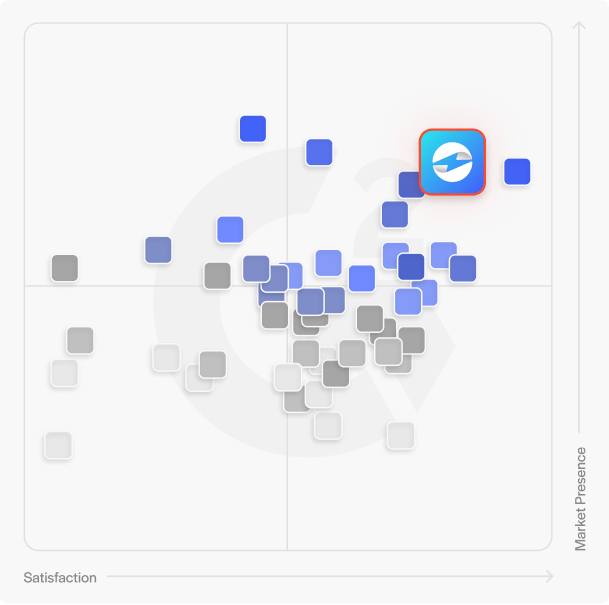
Thanks to its top-rated embedded payment processing, responsive support, scalable technology, and an unmatched user experience in QuickBooks, EBizCharge earns a 4.8-star rating on G2 — outshining QuickBooks Payments and other leading providers.
If you want to accept payments in QuickBooks without dealing with limited features or steep processing fees, choosing EBizCharge as your credit card processor is a no-brainer.

Hear why EBizCharge is
the number 1 choice
Hear why EBizCharge is the number 1 choice
Contact our sales team to learn more about why EBizCharge is consistently chosen over alternatives.
$0 Cancellation Fees | Unlimited Support
