


- Breaking Down the Basics: NetSuite and Acumatica at a Glance
- What is NetSuite?
- What is Acumatica?
- Similarities: NetSuite & Acumatica
- Differences: NetSuite & Acumatica
- Comparative Analysis of Functionalities
- NetSuite vs Acumatica: Industry-Specific Offerings
- Pricing and Licensing
- Implementation & Support Services
- Choosing the Best ERP Solution for Your Business
Most companies only choose an ERP system once every decade. That single decision ends up shaping how finance, sales, and operations work together for years to come. Pick well, and your teams get one clear source of truth. Pick poorly, and you end up buying a second system just to patch the gaps in the first one.
For a growing, mid-sized company, the decision usually narrows to two options: NetSuite or Acumatica. Get it wrong, and you’re not just stuck with a clunky system; you’re looking at a second implementation project, a second round of staff training, and another year of workarounds before you’re back where you started.
This guide skips the sales pitches and lays out how the two platforms compare, from pricing and features to industry fit and setup time, so you can figure out which one makes sense for your business.
Breaking Down the Basics: NetSuite and Acumatica at a Glance
Both products are full cloud ERPs that cover financials, order management, inventory, and reporting. The table below sums up the structural differences most buyers care about before they get into module detail. Read it as a starting map, not a scorecard, because the weight of each row changes with your business.
 |
 |
|
|---|---|---|
| Owner | Oracle | Independent, backed by EQT Partners |
| Founded | 1998 | 2008 |
| Customers | 37,000+ across 200+ countries | About 3,870. Strongest in North America |
| Deployment | Cloud only, hosted by Oracle | Public cloud, private cloud, or self-hosted |
| Licensing basis | Per user | Usage-based, unlimited users |
Scroll to compare 
What is NetSuite?
NetSuite is a cloud-based ERP system owned by Oracle. It runs entirely in Oracle's cloud, so Oracle handles the hosting, maintenance, and software updates. Financials, CRM, inventory, ecommerce, and other business functions are built into one connected system.
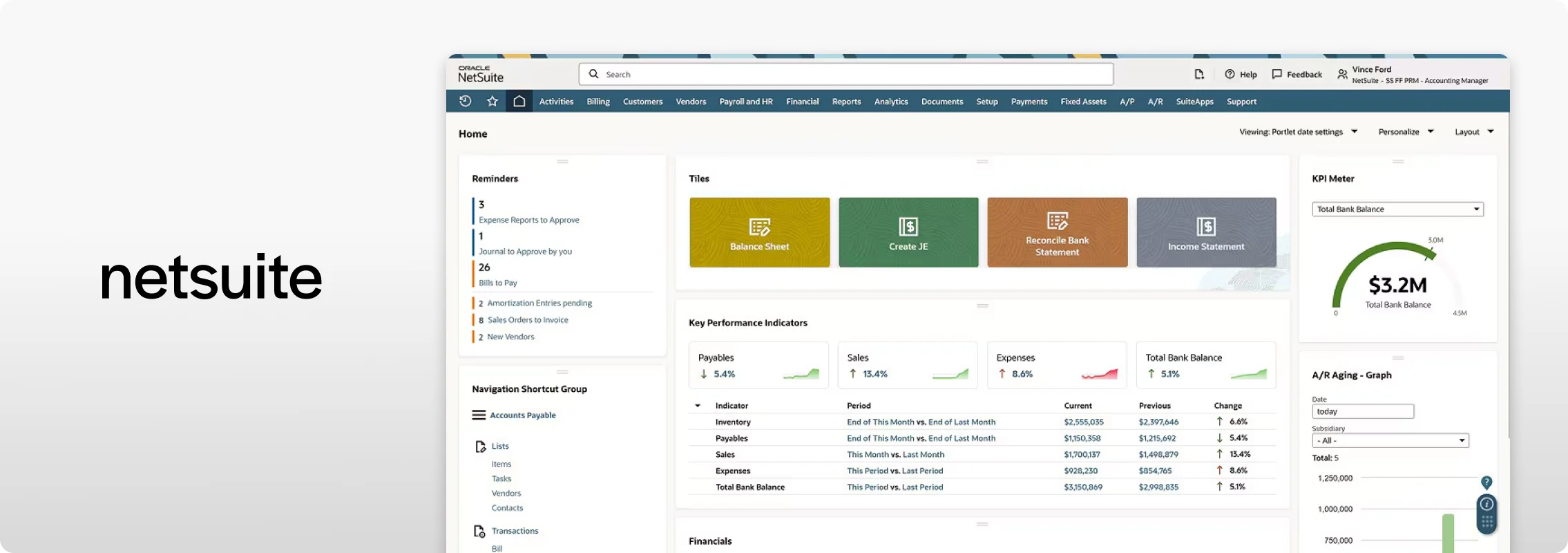
NetSuite screen via netsuite.com
What is Acumatica?
Acumatica is a cloud-based ERP system sold primarily through independent partners, who typically help businesses set up and support the software. It offers several hosting options, allowing businesses to run it in the public cloud, a private cloud, or on their own servers while using the same core product.
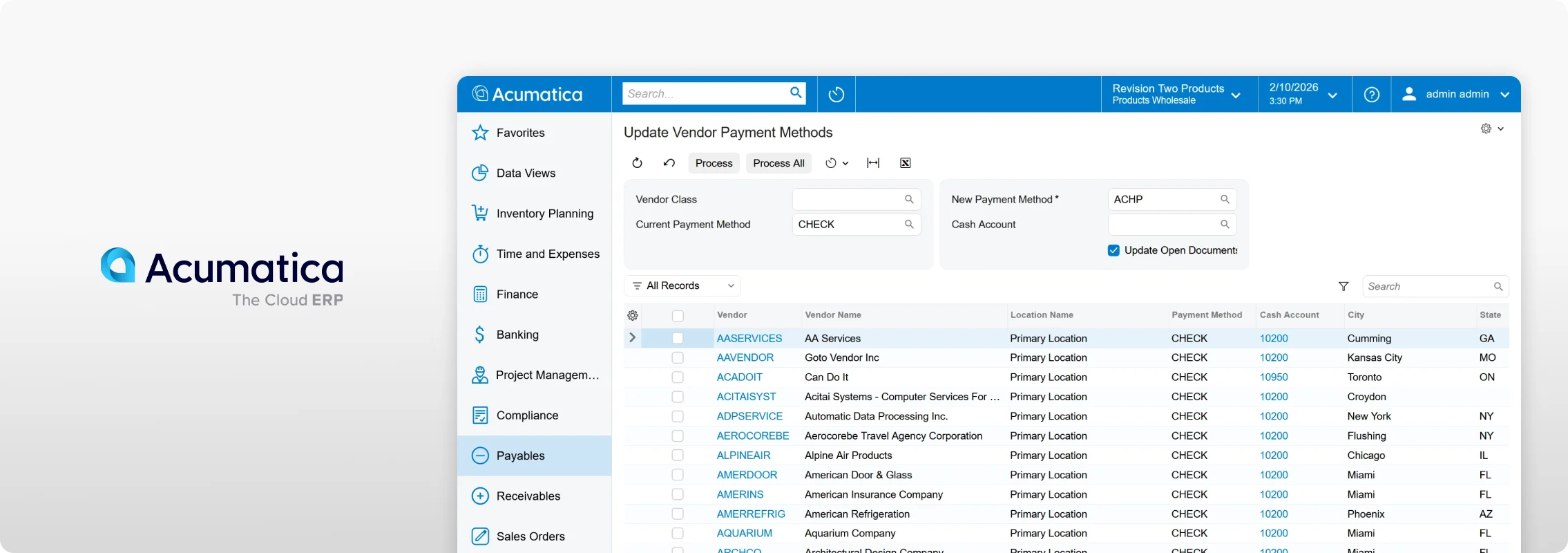
Acumatica screen via community.acumatica.com
Similarities: NetSuite & Acumatica
At their core, NetSuite and Acumatica are built to do many of the same things for a growing business.
- Cloud-based: NetSuite and Acumatica are modern, cloud-based ERP systems.
- Core ERP functions: Each brings financials, inventory, order management, and other business functions into one connected system.
- Growing businesses: The two are commonly used by growing and mid-sized companies that need more than basic accounting software.
- Reporting and CRM: Each provides tools for reporting, customer management, and other day-to-day business operations.
- Customization and integrations: Both can be customized and connected with other business applications.
- Mobile access: Users can access common ERP functions from mobile devices.
Differences: NetSuite & Acumatica
Beyond how each platform is built, a handful of concrete differences shape the buying decision. Here's where the similarities end and the real tradeoffs begin.
- Ownership. NetSuite is owned by Oracle. Acumatica operates independently, backed by investment firm Vista Equity Partners.
- Hosting. NetSuite only runs on Oracle's cloud. Acumatica can run in the public cloud, a private cloud, or on your own servers.
- Pricing. NetSuite charges per user. Acumatica charges based on usage and includes unlimited users.
- Data updates. NetSuite updates data right away. Acumatica has traditionally used more batch style updates behind the scenes, which can affect how fast certain reports refresh.
Comparative Analysis of Functionalities
|
|
|
|---|---|---|
| Multi-entity consolidation | Built in (OneWorld) | Available, set up during implementation |
| Revenue recognition | Built in (ASC 606 / IFRS 15) | Available, set up during implementation |
| CRM | Included, unified with ERP | Available; many companies choose to pair it with a dedicated CRM |
| Reporting | Strong native tools (SuiteAnalytics) | Built-in tools, often extended with Power BI or Tableau |
| Customization | No code tools (SuiteFlow, SuiteBuilder) plus code-level scripting (SuiteScript) | No code tools (Customization Project Editor, Workflow engine) plus code-level development (. NET,C#) |
| Ecosystem | Large, mature marketplace | Growing marketplace with a strong regional partner network |
| Mobile | Solid, general-purpose access | Strong focus for field service teams |
Scroll to compare
An ERP modules comparison shows that both platforms offer robust functionality tailored to different operational requirements. The two platforms, however, ask something different from the teams using them. NetSuite fits teams that want more functionality ready to go from day one, while Acumatica fits teams that are comfortable building and shaping the system around how their business already works.
Beyond these differences, businesses should also consider how each platform performs in the areas that matter most to their operations. Data accessibility, global capabilities, cost structure, and scalability can all play a role in determining the right fit. Evaluating these factors can provide a clearer picture of which ERP is better positioned to support both current operations and future growth.
NetSuite vs Acumatica: Industry-Specific Offerings
Every industry has its own processes, challenges, and priorities, which means businesses may look for ERP solutions that align with their specific needs. Both NetSuite and Acumatica offer industry-specific capabilities, including tools, workflows, and reporting designed to support a variety of business operations. While their approaches may differ, both platforms give businesses the flexibility and functionality to find a solution that fits their industry and supports their goals.
NetSuite offers ready-made industry versions across many sectors, each with built in tools made for that industry, including:
- Software and Tech (project management, revenue recognition)
- Retail and E-commerce (built in POS, omnichannel fulfillment)
- Nonprofit (fund accounting, grant tracking, donation management)
- Manufacturing (production management, demand planning)
Acumatica focuses on fewer industries but goes deeper, with dedicated editions for:
- Construction (job costing, change orders, AIA billing, subcontractor compliance tracking)
- Distribution (warehouse management, advanced inventory)
- Manufacturing (shop floor control, make to order work)
- Retail-Commerce
- Field Service (scheduling, dispatch, mobile asset management)
Fit usually comes down to how closely your industry matches these editions. Construction, distribution, and field service companies tend to find Acumatica a closer fit right away. Global, ecommerce, and subscription based companies tend to be better served by NetSuite’s wider industry coverage.
Industry fit is only part of the equation. The next question most businesses ask is what it will actually cost to buy and run.
Pricing and Licensing
Every ERP conversation eventually comes down to money. Here’s how each platform actually gets there.
NetSuite charges a base platform fee, along with per-user costs and additional fees for optional add-ons. As businesses add more users or functionality, their overall costs can increase. Businesses should also account for potential price changes when it comes time to renew.
Acumatica takes a different approach, offering unlimited users and pricing based largely on the resources and transaction volume a business requires. Starting prices can be around $6,396 per year, while costs for mid-sized businesses may reach $25,000 or more depending on usage, features, and other requirements. Since pricing isn’t based on the number of users, businesses can expand their teams without adding per-user fees, although higher transaction volumes and additional functionality can increase overall costs.
Source: ERP Research
| NetSuite User-Based Pricing | Acumatica Resource-Based Pricing | |
|---|---|---|
| Cost Predictability | High (Fixed cost per user) | Variable (Depends on resource consumption) |
| Scalability | Adjustable (Add/remove users easily) | Adjustable (Resource scale with usage) |
| Businesses with Rapid User Growth | Cost increases with each additional user | No extra cost per user, focus on resource use |
| Financial Planning | Straightforward budgeting | Requires monitoring resource use for budgeting |
Scroll to compare
Which platform costs less really comes down to your team. More light or occasional users tend to favor Acumatica, while fewer users with heavy transaction volume tends to favor NetSuite. Either way, the license fee is just the starting point, since setup and ongoing support add to the total. That’s why it’s worth comparing cost over two to three years instead of just the first invoice.
Implementation & Support Services
Choosing the right ERP goes beyond features and functionality. How the system is implemented and the support available afterward can also play an important role in deciding between NetSuite and Acumatica.
NetSuite (SuiteSuccess method):
Businesses using NetSuite have several options when it comes to implementation and ongoing support. They can work directly with NetSuite’s professional services and support teams or choose from a network of partners, including regional providers and specialists with expertise in specific industries. NetSuite also provides global support resources to assist customers when they need help.
- Follows a set path with clear steps and a fixed plan
- Gets you up and running faster, but leaves less room for changes
- Only moves over your starting balances by default (think current totals, not every past transaction); bringing over your full history has to be planned and priced separately
- Custom changes are made using SuiteScript, a type of code written specifically for NetSuite, so it usually takes a developer familiar with NetSuite to write it
Acumatica (FastTrack method):
Businesses using Acumatica work with a network of certified partners for implementation and ongoing support, since Acumatica sells and supports the platform primarily through this partner channel rather than a direct team of its own.
- Starts by learning how your business works before building anything
- Also aims for a fast, fixed-cost setup
- Right now, this fast option is only available for the General Business, Distribution, and Construction versions
- Custom changes are made using .NET and C#, common coding languages used across many industries, so it’s often easier to find a developer who already knows them
- Which one fits your business depends on how much you expect to customize versus how fast you need to be up and running.
Choosing the Best ERP Solution for Your Business
Choosing between NetSuite and Acumatica isn’t about finding the objectively better platform, it’s about finding the one that fits how your business actually operates today, and where it’s headed next. NetSuite tends to suit companies with global operations, multiple entities, or industries like software and retail that benefit from its broader built in coverage. Acumatica tends to suit companies with many light or occasional users, project heavy or inventory heavy operations, or a preference for controlling where the system runs.
In practice, this decision usually lands on the desks of the people responsible for both the budget and the outcome, often a CFO, controller, or operations leader, since it touches finance, reporting, and day to day workflows all at once. Getting it right starts with the same steps for either platform:
- Request a demo built around your actual processes, not a generic walkthrough
- Get a quote based on your real user count and transaction volume, not a standard price sheet
- Talk to reference customers in your industry about what implementation was really like
There’s no shortcut around that homework. But a platform chosen to match your business, rather than picked off a features list, is what turns an ERP system into something that actually keeps up as the business grows.
