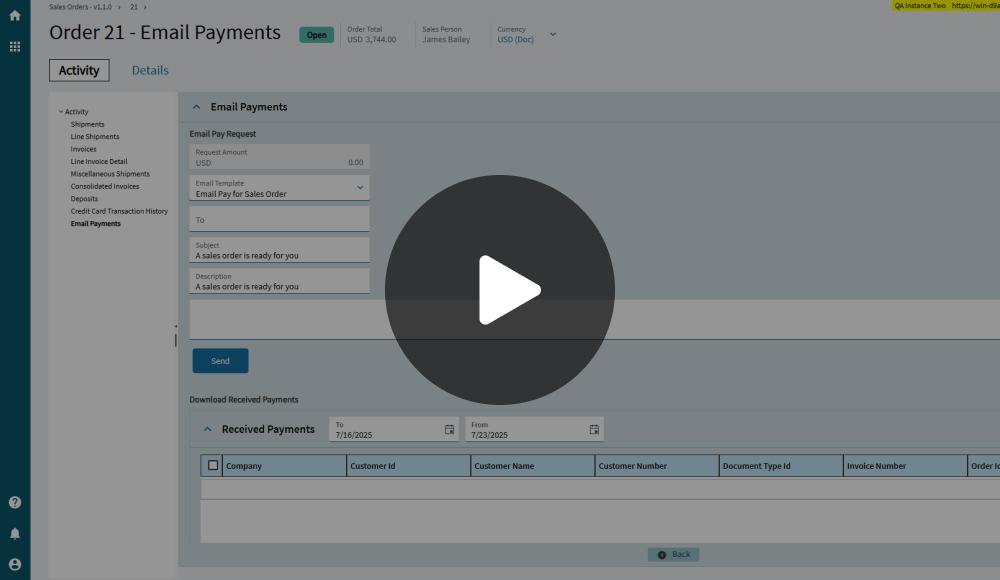
Blog > Setting Up Customer Payment Portals for Epicor ERP
Setting Up Customer Payment Portals for Epicor ERP
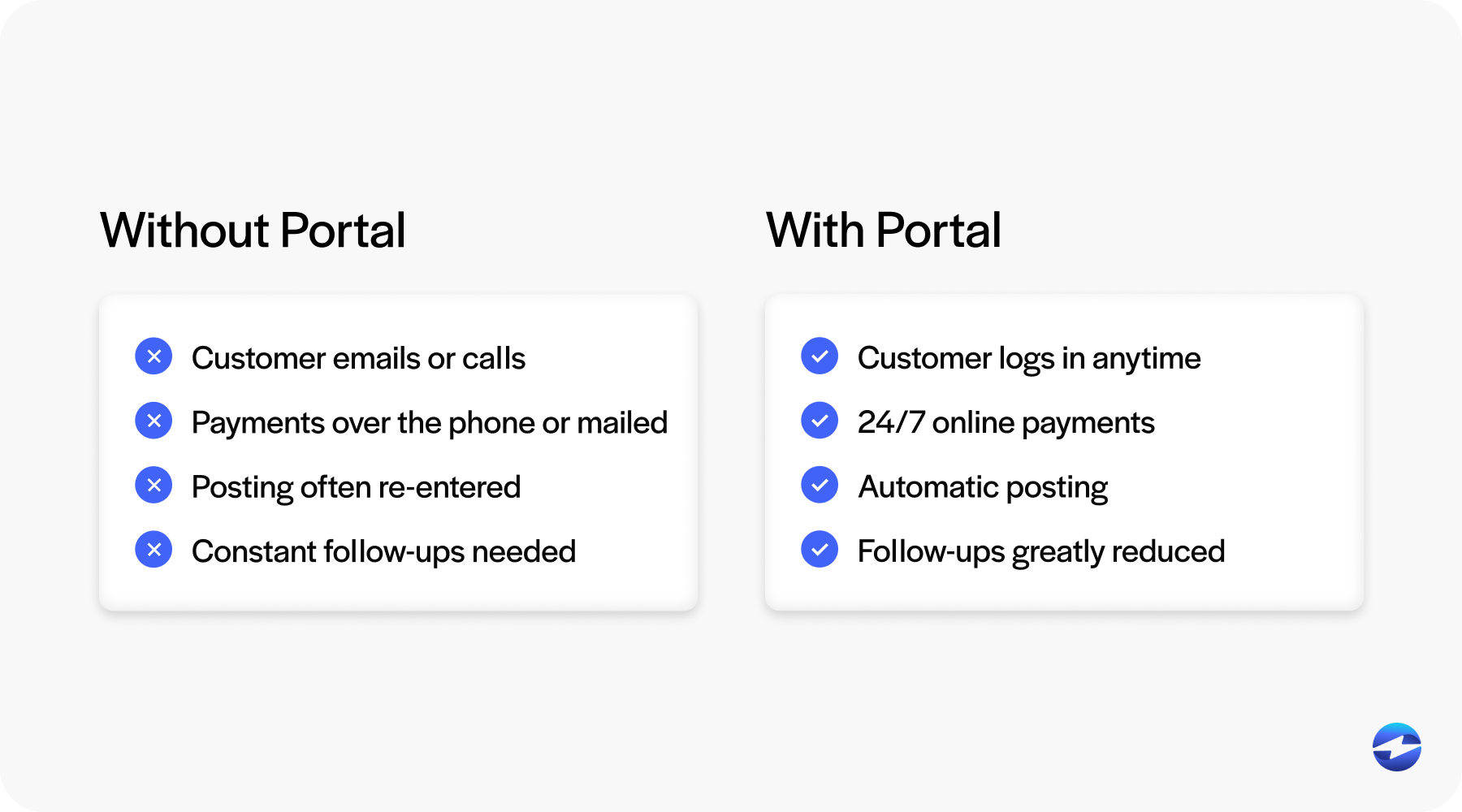
For many Epicor users, collecting payments is still more manual than it needs to be. Invoices go out on time, but payments come back through email, phone calls, or separate systems. Accounting teams then spend hours matching payments to invoices and answering customer questions that should be easy to resolve.
If you work in finance, accounting, or operations, you’ve probably felt this friction firsthand. Epicor is designed to centralize critical business data, yet payments often sit just outside that ecosystem. That gap slows collections and adds unnecessary work.
Setting up an Epicor customer portal is one of the most practical ways to fix this. A well-integrated portal gives customers a clear path to pay while keeping everything connected to Epicor ERP. Done right, it improves cash flow, reduces follow-ups, and makes life easier for both your team and your customers.
What a Customer Payment Portal Looks Like in Epicor
A customer payment portal connected to Epicor is more than a payment page.
At its core, an Epicor payment portal gives customers secure access to their invoices, balances, and payment history. Customers can log in, see exactly what they owe, and submit payment without calling or emailing your team.
Unlike standalone tools, an Epicor-connected portal stays in sync with the ERP. Invoice status updates automatically. Payments are applied correctly. There is no need to manually reconcile activity across systems.
When portals are tightly connected through proper Epicor integration, they feel like an extension of the ERP rather than a separate application.
Why Customer Payment Portals Matter for Epicor Users
Customer payment portals change how collections work day to day.
Instead of back-and-forth emails asking for invoice copies or payment instructions, customers can help themselves. This shift toward Epicor customer self-service reduces interruptions for AR teams and speeds up payment timelines.
Portals also make it easier for customers to pay on time. Clear access to invoices and simple Epicor online payments removes common delays.
Over time, these improvements add up. Faster payments mean lower days sales outstanding (DSO) and more predictable cash flow without increasing collection pressure.
How Customer Payment Portals Integrate with Epicor ERP
Integration quality determines whether a payment portal actually delivers value.
When a customer submits a payment, that data should flow directly into Epicor ERP. The invoice should update immediately. Customer balances should reflect today’s status, not yesterday’s.
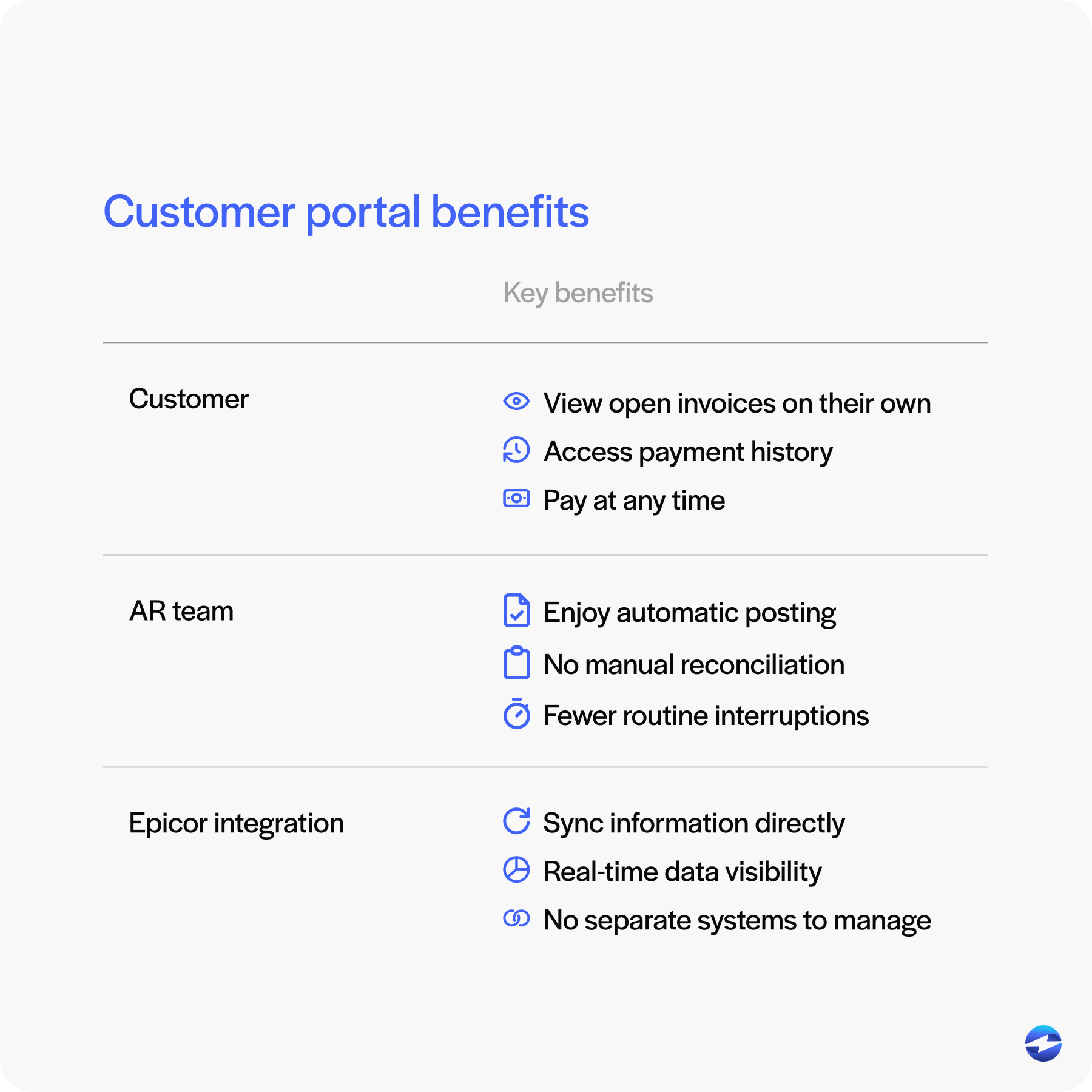
Strong Epicor integration ensures payments are posted automatically and accurately. This reduces errors, improves visibility, and builds trust in the system.
Poor integration does the opposite. Delayed posting and mismatched data recreate the same problems portals are meant to solve.
Payment Processing Options for Epicor ERP Users
Epicor users have several options when it comes to payment processing.
Some rely on standalone systems that operate completely outside Epicor. These tools can accept payments, but they require manual posting and reconciliation.
Others use semi-integrated tools that push data back to Epicor later. This reduces some work, but still leaves room for delays.
The most effective approach is a fully integrated payment processing solution that works directly within Epicor. With this setup, payments are accepted, processed, and posted in one continuous flow.
Choosing the right payment processor is critical. Experience with Epicor software makes a real difference in how smoothly payments move through AR workflows.
Setting Up Customer Payment Portals in Epicor
Implementing a customer payment portal starts with understanding your existing workflows and where payments currently slow things down.
Begin by reviewing how invoices are generated, delivered, and followed up on inside Epicor. From there, decide which invoices customers should be able to view, which payment methods you want to offer, and how customer access will be managed. These decisions should mirror how your AR team already works inside Epicor, so the portal supports existing processes rather than reshaping them.
From a setup standpoint, most Epicor-connected portals are configured to pull open invoices directly from the ERP and return payments in real time. Once payment methods, permissions, and posting rules are defined, payments submitted through the portal can automatically apply to the correct customer and invoice.
A good payment portal fits naturally into daily operations instead of forcing new habits. When setup is done carefully and tested against real workflows, adoption is smoother for both internal teams and customers.
Supporting Recurring and Automated Payments Through Portals
Recurring payments are a natural fit for many Epicor users.
For service contracts, maintenance agreements, or repeat orders, automation removes the risk of missed due dates. Customers appreciate not having to remember when to pay, and AR teams benefit from predictable cash flow.
When recurring payments are managed through an Epicor customer portal, payments post automatically and stay tied to the correct invoices.
This approach reduces late payments and supports consistent Epicor online payments without added administrative effort.
Epicor Payment Exchange vs. Third-Party Portals
Epicor Payment Exchange, or EPX, is often the first option users consider.
EPX provides basic payment functionality within Epicor, but many teams find its portal capabilities limited as needs grow. Customization, flexibility, and customer experience can become constraints.
Third-party options like EBizCharge offer more robust portal features while maintaining deep Epicor integration. The difference often comes down to how much control and flexibility your team needs.
Security, Compliance, and Customer Trust
Security is non-negotiable when handling payments.
A properly designed Epicor payment portal uses PCI-compliant security measures like tokenization and encryption to protect sensitive data. Payment information is not stored in the ERP, reducing internal risk.
Customers are more willing to adopt portals they trust. Clear security measures build confidence and encourage portal use.
Best Practices for Maximizing Portal Adoption
Technology alone doesn’t guarantee success. Adoption depends on how clearly the portal is introduced and supported.
Customers need to understand why the portal exists and how it makes their lives easier. Simple instructions, short walkthroughs, and consistent reminders help set expectations and reduce hesitation. When customers know exactly where to log in and what they can do there, they’re far more likely to use it.
Encouraging Epicor customer self-service gradually shifts routine tasks away from your AR team. Support requests drop, payments come in faster, and timelines become more predictable. Tracking portal usage, payment speed, and customer feedback gives teams real insight into what’s working and where small adjustments can make an even bigger impact.
Why EBizCharge Is a Great Fit for a Seamless Epicor Payment Portal
EBizCharge is designed specifically for Epicor users who want a portal that works the way their ERP works.
It provides a seamless Epicor customer portal experience that connects payments directly to invoices. Payments post automatically inside Epicor ERP, reducing manual work and follow-up.
EBizCharge also supports multiple payment methods, recurring billing, and secure tokenization while keeping everything synchronized through reliable Epicor integration.
With a flexible payment processing solution and an experienced payment processor behind the scenes, EBizCharge helps Epicor users create a payment portal that customers actually use and accounting teams can trust.
- What a Customer Payment Portal Looks Like in Epicor
- Why Customer Payment Portals Matter for Epicor Users
- How Customer Payment Portals Integrate with Epicor ERP
- Payment Processing Options for Epicor ERP Users
- Setting Up Customer Payment Portals in Epicor
- Supporting Recurring and Automated Payments Through Portals
- Epicor Payment Exchange vs. Third-Party Portals
- Security, Compliance, and Customer Trust
- Best Practices for Maximizing Portal Adoption
- Why EBizCharge Is a Great Fit for a Seamless Epicor Payment Portal