Blog > What Is AR Automation? How Accounts Receivable Automation Works
What Is AR Automation? How Accounts Receivable Automation Works

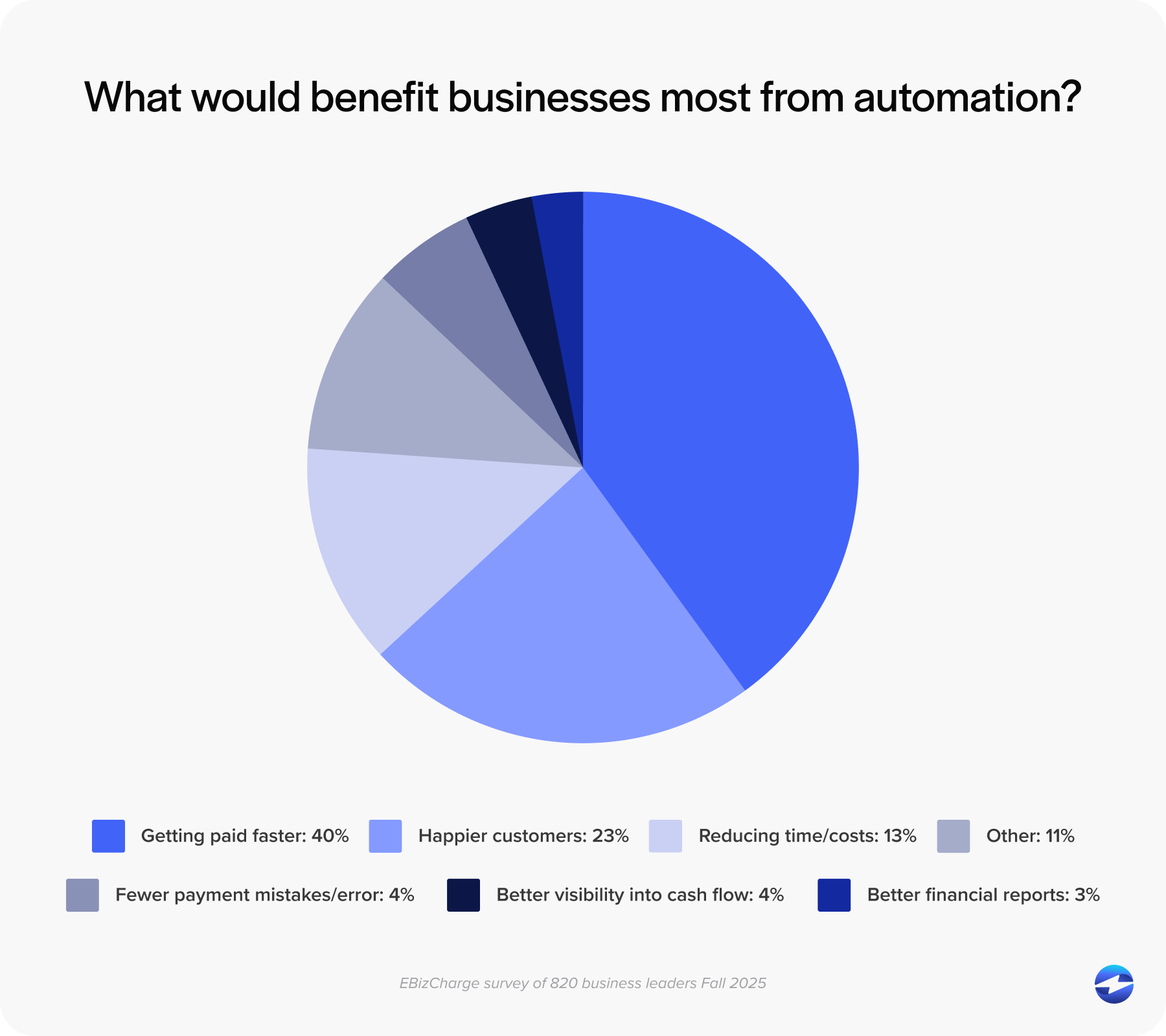
Most finance teams know their AR process has friction in it. Payments that take too long to apply, aging reports that don’t quite reflect reality, collections activity going out on invoices that were already paid, etc. The inefficiencies are visible, but when it comes to evaluating automation, a lot of teams aren’t sure where to start or what the term even means in practice.
This article is written for CFOs and AR managers who are early in that evaluation. No vendor pitch, no jargon. Just a clear explanation of what AR automation covers, what it actually does for a finance team, and what to look for before you start talking to software vendors.
What Is AR Automation?
At its core, AR automation is the use of software to handle the repetitive, rules-based tasks in your accounts receivable process that would otherwise require someone to do them manually. That covers a wider range of work than most people initially assume.
Accounts receivable as a function includes issuing invoices, collecting payments, applying cash to the right open balances, managing collections outreach, resolving disputes, and reporting on where things stand. AR automation can touch all of those areas. The goal isn’t to remove people from the process. It’s to remove people from the parts of the process that don’t require their judgment, so they can spend their time on the work that does.
One common misconception worth addressing early is that AR automation isn’t just about sending invoices by email or accepting credit cards online. Those are entry points. The full picture includes cash application, collections workflow management, real-time reporting, and the way all of it connects to your ERP. Understanding the full picture makes it possible to evaluate AR automation solutions honestly rather than comparing feature lists.
What the Manual Process Actually Looks Like
Before getting into automation, it helps to name what it’s replacing.
In a manual AR environment, invoices are generated and sent individually. Follow-up on unpaid invoices is handled by someone reviewing a report and deciding who to contact. Payments arrive through multiple channels, each with different data attached, and someone has to match each one to the right invoice, resolve any discrepancies, and post the result to the ledger. Collections outreach is tracked in a spreadsheet or a CRM note. Reports are pulled from the ERP, cleaned up, and shared with leadership, reflecting AR as it stood at the time of the export.
The cumulative cost of all that manual work isn’t just the hours. It’s the errors introduced by repetitive data entry, the delays created when someone is out of the office or behind on matching, and the decisions made on AR data that are always slightly out of date. For CFOs and AR managers who have lived this, the description will feel familiar. That familiarity is the starting point for understanding what automation actually changes.
What AR Automation Covers

Invoice delivery and tracking. Automated invoice generation tied to ERP data means invoices go out when a sale is completed or an order is fulfilled, without a manual step in between. The system tracks delivery, confirms opens, and sends reminders on a defined schedule. Your team doesn’t have to monitor a list of upcoming due dates and draft individual follow-up emails.
Payment collection. A customer payment portal gives customers a self-service way to view their invoices, select what they’re paying, and submit payment by card, ACH, or eCheck. Email pay links and payment buttons cover customers who prefer to pay outside a portal. Autopay enrollment handles recurring accounts automatically. For B2B accounts receivable automation, covering the full range of payment methods your customers use, credit and debit, ACH, eCheck, virtual card, and check, is a baseline expectation. Any gaps in payment method coverage create exceptions that still require manual handling.
Cash application. This is where the accounts receivable automation benefits show up most clearly in day-to-day operations. Automated cash application software reads remittance data from multiple input formats, matches payments to open invoices based on rules and confidence scoring, and posts clean matches to the ledger without human input. Exceptions, partial payments, deductions, and missing remittances are routed to a structured review workflow rather than sitting in a suspense pile. The result is faster posting, more accurate aging, and a significant reduction in unapplied cash balances.
Collections workflow. Rather than someone manually reviewing aging reports and drafting reminder emails, automated collections sequences trigger based on actual AR data. Invoices past a certain age threshold get a reminder. No response after a defined period triggers an escalation. The system logs every touchpoint. Your team steps in for accounts that genuinely need personal attention, not for every routine follow-up.
Reporting and visibility. When cash application is accurate and real-time, every report built on AR data becomes more reliable. Real-time aging is tied to posted payments rather than scheduled syncs. DSO tracking reflects actual cash flow. Unapplied cash dashboards surface unresolved items before they become a month-end problem.
AP and AR Automation: How They Connect
CFOs evaluating AR automation often ask where AP fits in. The short answer is that AR automation handles cash coming in, and AP automation handles cash going out. Together, they cover working capital management, but they don’t have to be implemented at the same time to deliver value.
For most mid-market companies, AR is the higher-priority starting point because cash inflow directly affects liquidity. The benefits of accounts receivable automation are immediate and measurable: faster collections, lower DSO, and more accurate reporting. AP can follow. Some platforms market themselves as combined AP and AR automation solutions, but the depth on both sides varies significantly. Evaluate each function on its own merits rather than assuming a combined platform handles both equally well.
Why ERP Integration Is the Most Important Variable
AR automation software is only as useful as its connection to your system of record. For most B2B companies, that is the ERP.
There are two meaningful integration models. The first is a standalone AR automation tool that connects to the ERP via an application programming interface (API) or middleware, syncing data on a schedule or trigger. Payments are matched in the AR tool and transferred to the ERP ledger through a sync process. The second is native ERP integration, where the AR automation and payment functionality live inside the ERP itself, with payments posting directly to the ledger in real time at the moment of transaction.
The practical difference is significant. In a standalone tool, there’s always a gap between the AR platform and the ERP. That gap is where reconciliation errors originate, where unapplied cash accumulates, and where reporting accuracy degrades. For CFOs evaluating the best AR automation software in 2026, the architectural question of native versus middleware integration should come before any feature comparison. A feature-rich standalone tool with a weak ERP connection will underperform a simpler native integration in real-world use.
Where EBizCharge Fits
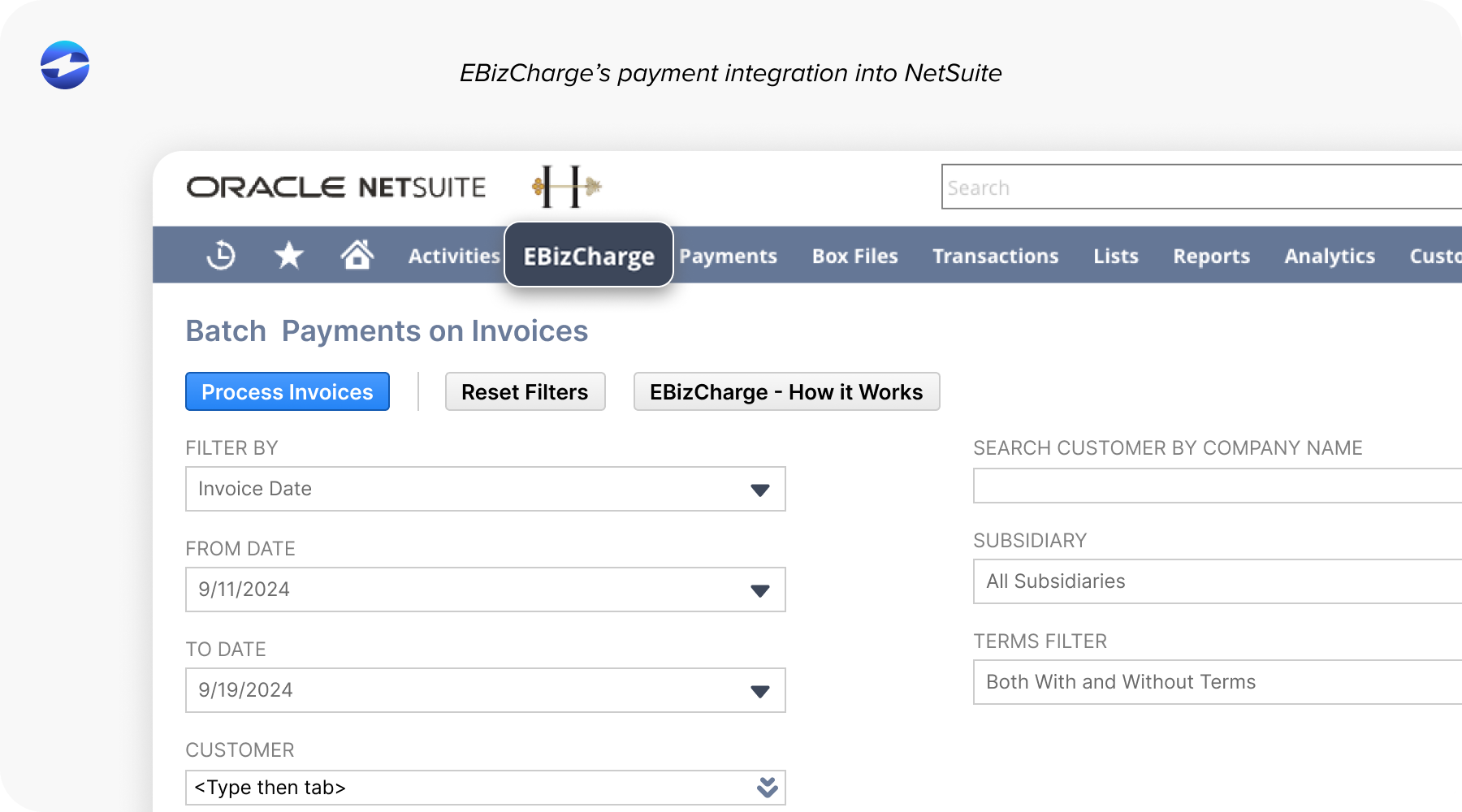
EBizCharge’s payment solution is built as a native integration inside the ERP, not as a separate layer that connects to it. It embeds directly inside 100+ ERP, accounting, eCommerce, and CRM platforms, including NetSuite, Sage, Microsoft Dynamics, Epicor, Acumatica, SAP, Infor, QuickBooks, and Oracle. Payments post to the ERP ledger in real time. Cash application is complete at the moment of the transaction. AR aging is always current because the payment and the ledger record are part of the same event.
As a payment processing solution, EBizCharge covers the full payment method mix: credit and debit cards, ACH, eCheck, virtual card, Level 2 and Level 3 B2B processing, and surcharging. The customer portal lets customers select the invoices they’re paying at the point of payment, which structures remittance at the source and reduces matching exceptions before they reach your team. Autopay enrollment, email pay, and payment links cover the full range of how B2B customers actually prefer to pay.
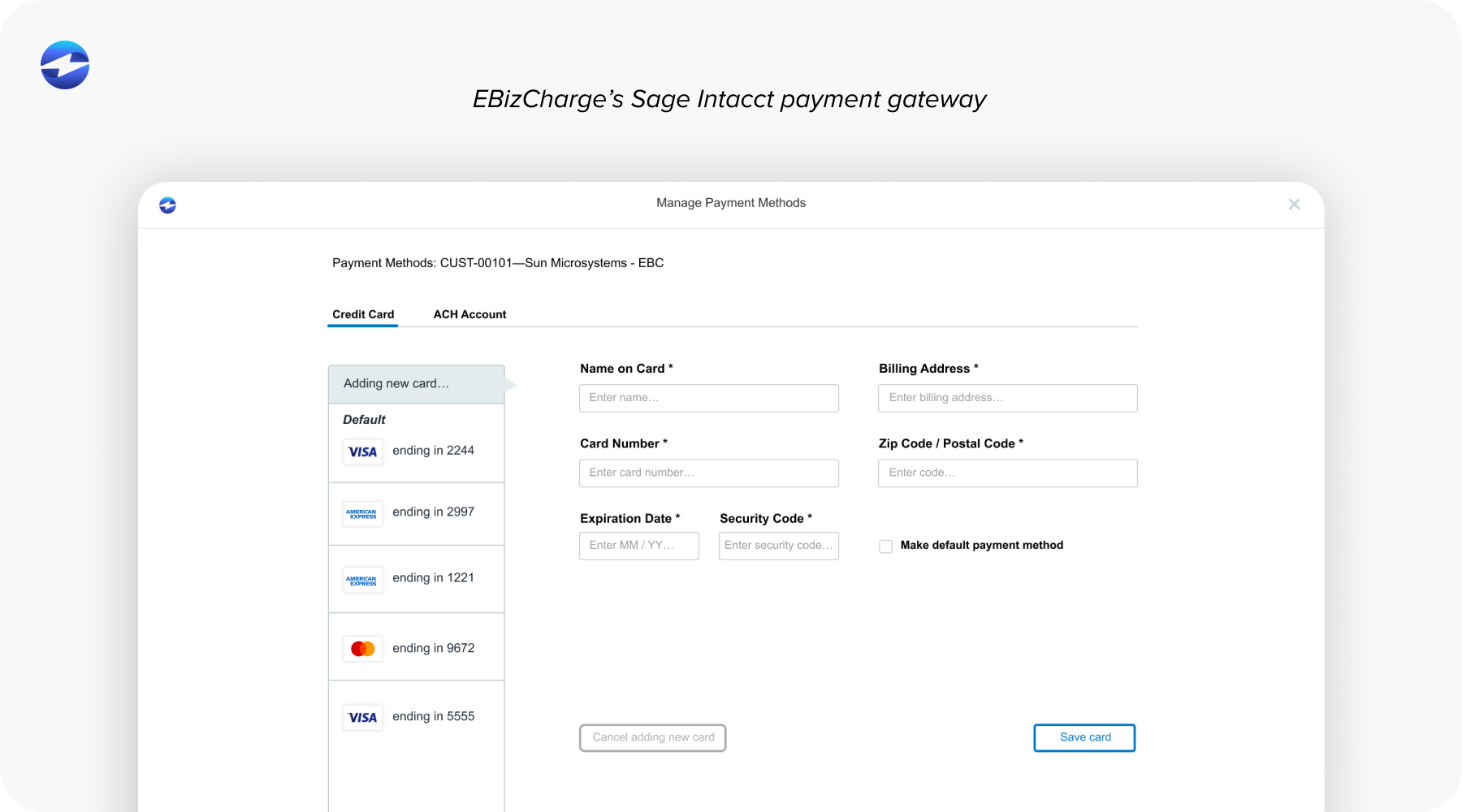
Among AR automation solutions built for mid-market B2B operations, EBizCharge stands out specifically because the automation happens inside the ERP rather than alongside it. That’s a meaningful distinction when the accuracy of your AR data affects every financial report your team produces.
Twenty-plus years in embedded payments, over 400,000 users, publisher-certified integrations with the major ERP platforms, and US-based support and implementation measured in days. These are what make EBizCharge a top-rated payment solution.
See It Inside Your ERP
If this article has given you a clearer picture of what AR automation covers, the next practical step is seeing how it works inside your specific ERP.
EBizCharge has dedicated integration pages for NetSuite, Sage, Microsoft Dynamics, Epicor, Acumatica, QuickBooks, and other platforms it supports natively. Each page shows exactly how the payment and AR automation workflow operates within that ERP environment.
You can also schedule a demo and see the full workflow, invoice delivery, payment collection, cash application, collections, and reporting running inside your ERP rather than alongside it. That’s what good AR automation software looks like in practice, and it is the clearest way to evaluate whether a payment processor is actually the right fit for how your team works.