Blog > Epicor 10 Credit Card Processing: Integration Options Beyond EPX
Epicor 10 Credit Card Processing: Integration Options Beyond EPX

Epicor 10 software sits at the heart of accounting, inventory, order management, and customer data for many manufacturers and distributors. When it works well, everything downstream works better.
Credit card processing, however, is often where things start to feel clunky. Payments don’t always move at the same pace as the rest of the system. Teams jump between tools. Reconciliation takes longer than it should.
That’s why Epicor 10 credit card processing deserves more attention than it usually gets. This article is written for Epicor users who want practical guidance, not marketing noise. It’ll explore how payments work in Epicor 10 today, where EPX fits in, and what integration options exist beyond it.
Understanding Credit Card Processing in Epicor 10
At its core, the Epicor 10 ERP is built to manage financial data cleanly. Invoices, customers, and accounts receivable all live in one place. From a structural standpoint, payments should fit neatly into that picture.
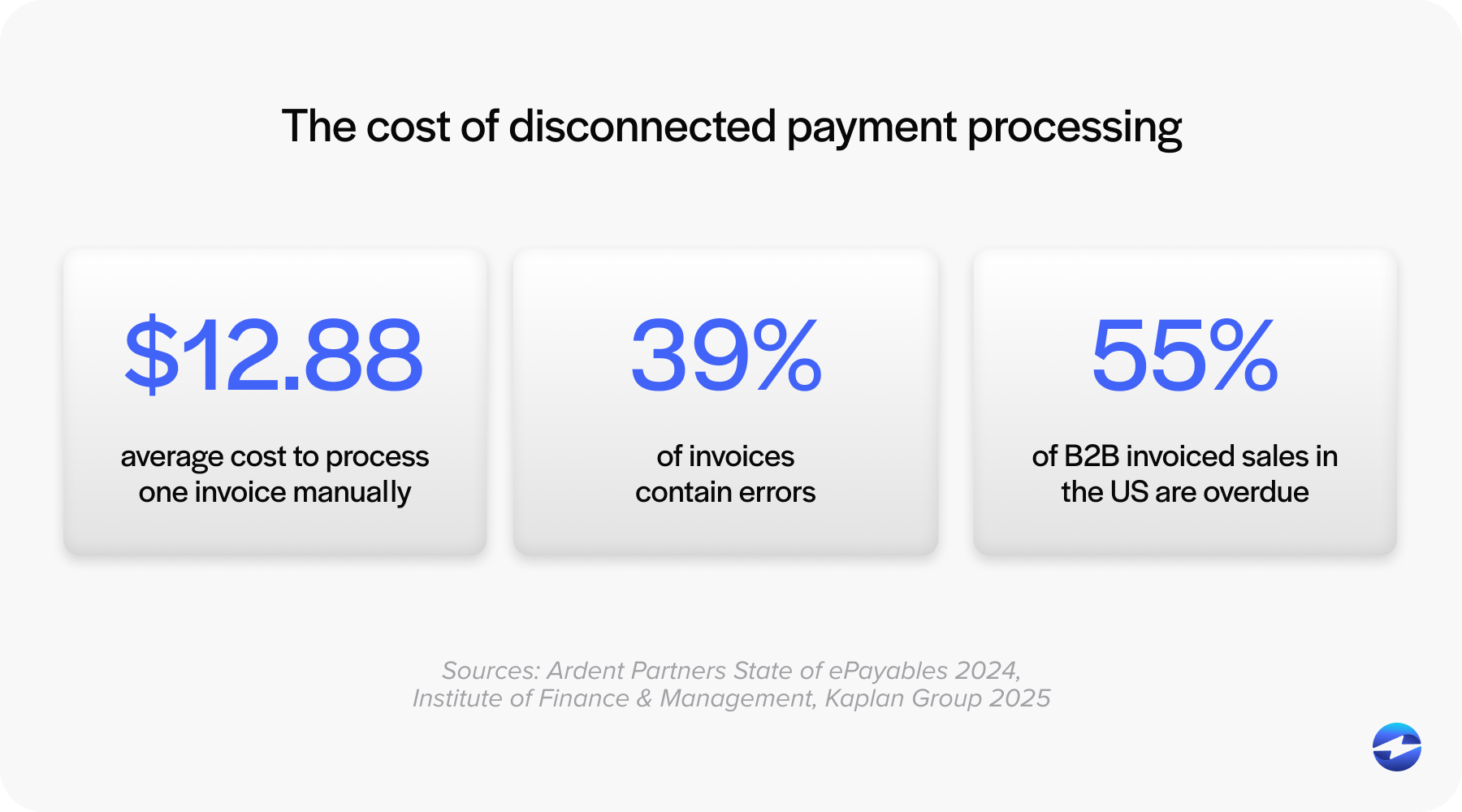
In reality, credit card payments often travel a more complicated path. Many Epicor users rely on external tools to process cards, then manually bring payment details back into Epicor. Others use partial integrations that still require cleanup work later.
This creates friction. Payment data may lag behind reality. Reports don’t always match bank deposits. Staff spend time fixing issues that shouldn’t exist in the first place.
A well-designed Epicor 10 payment integration keeps payments connected to invoices and customers from start to finish. When that connection is missing, even small payment volumes can become hard to manage.
Limitations of EPX for Epicor 10 Users
Epicor Payment Exchange (EPX) is often the default option Epicor users encounter. It provides a built-in way to accept credit card payments inside Epicor.
EPX does some things well. It’s tightly coupled to Epicor and provides a basic framework for processing payments. For smaller teams with simple needs, it may be enough.
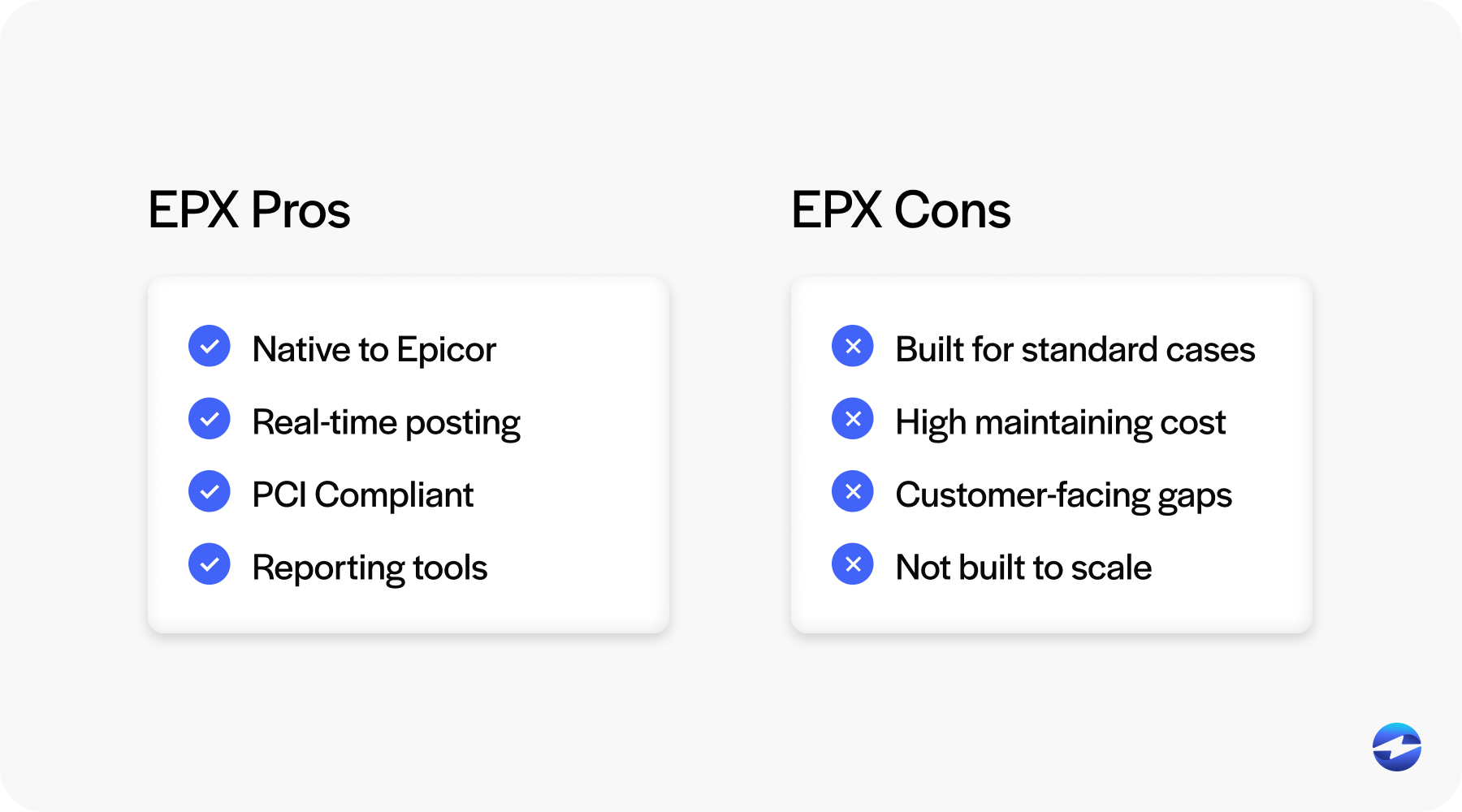
That said, many businesses eventually run into limitations. Reporting can feel restrictive. Custom workflows may be difficult to support. Customer-facing payment experiences are often limited.
As transaction volumes grow or payment requirements become more complex, teams start looking beyond EPX. They want more flexibility without sacrificing visibility inside Epicor 10 payments.
Epicor 10 Credit Card Processing Options Beyond EPX
Going beyond EPX doesn’t mean abandoning Epicor-native workflows. It means choosing a solution that integrates more deeply or more flexibly.
Some businesses use standalone systems paired with a payment gateway. Payments are processed externally, then manually reconciled. This works, but it increases workload and risk.
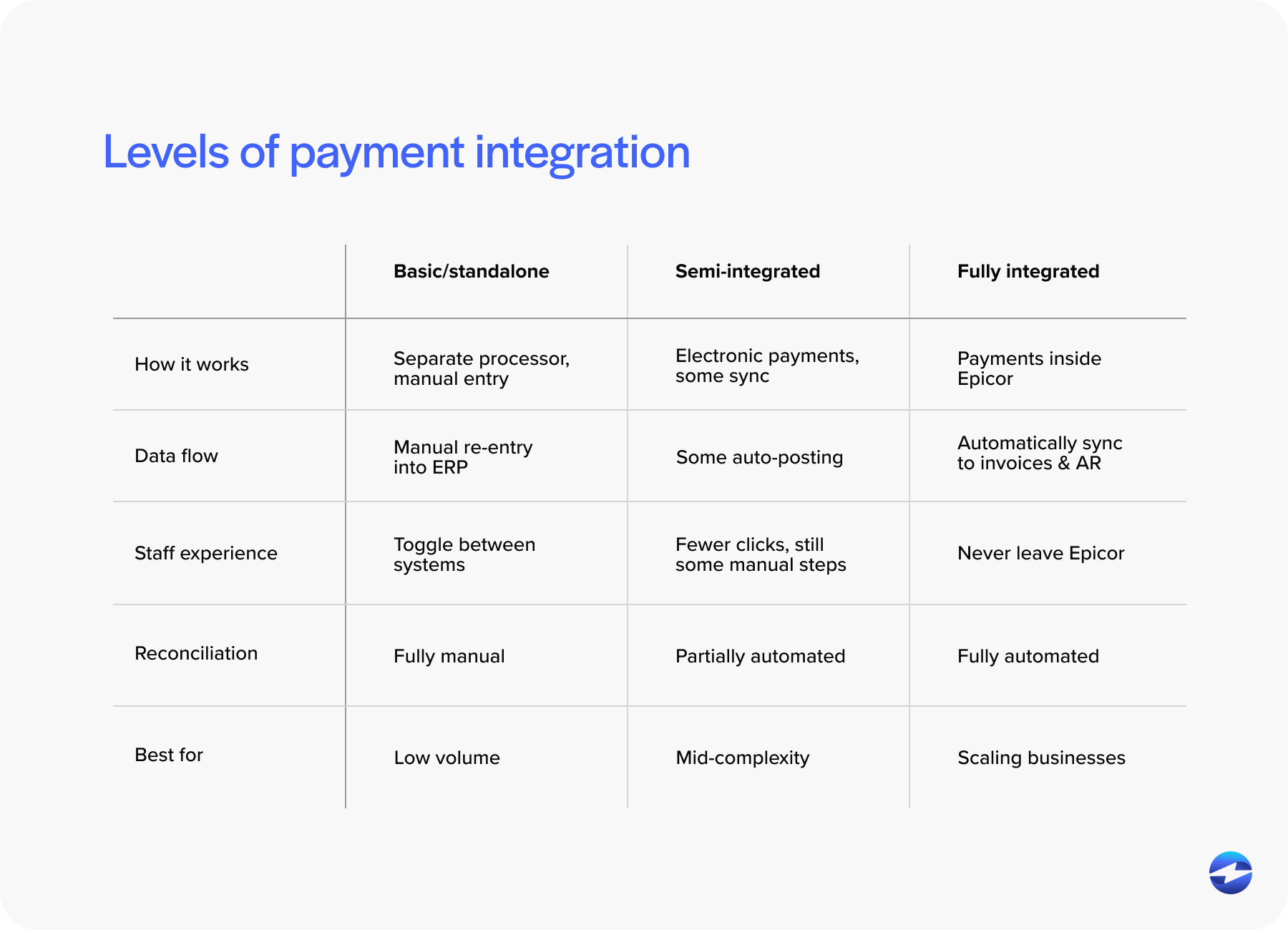
Others use semi-integrated tools that pass data back to Epicor after the fact. These reduce some manual steps but still leave gaps.
The strongest option is a fully integrated payment solution designed specifically for Epicor. With this approach, credit card transactions are initiated, processed, and posted directly inside Epicor 10 screens.
For Epicor users, “beyond EPX” really means choosing control, visibility, and efficiency—without breaking the ERP connection.
Integration Approaches for Epicor 10 Payments
How a payment system integrates with Epicor matters just as much as what it can do.
Application programming interface (API) and middleware-based approaches connect Epicor to an external payment processor, but they often require more maintenance. Every Epicor upgrade becomes a checkpoint.
Embedded integrations work differently. Payments are processed directly inside Epicor screens, using the same workflows your team already knows. From a user perspective, it feels native.
Customer-facing payment portals add another layer of convenience. Customers can pay invoices online, and payments flow back into Epicor automatically. When done well, this approach improves both internal efficiency and customer experience.
A strong Epicor 10 integration reduces steps, not adds them.
Reducing Manual Payment Entry in Epicor ERP
Manual payment entry is one of the most common sources of frustration for Epicor users.
Disconnected systems force staff to re-enter transaction details, match payments to invoices, and correct posting errors. Even when people are careful, mistakes happen.
Automating credit card posting inside Epicor eliminates those issues. Payments are applied correctly the first time. Reconciliation becomes faster and more reliable.
Over time, reducing manual entry improves morale as much as accuracy. Teams spend less time fixing problems and more time doing meaningful work.
Improving Cash Flow and Reducing DSO in Epicor
Integrated payments don’t just save time – they improve cash flow in ways that show up quickly.
When customers have clear, easy ways to pay, invoices tend to get settled faster and with fewer follow-ups. When payments post immediately inside Epicor, finance teams aren’t left waiting for systems to catch up – they can see the true state of accounts receivable as it changes.
This visibility matters for reducing DSO. Faster payments, clearer insight into what’s been paid, and fewer delays all work together to improve predictability.
Well-integrated Epicor 10 payments turn payment processing into an active part of cash flow strategy rather than something that only gets attention after problems appear.
Epicor Kinetic Payment Processing Considerations
Many Epicor 10 users are thinking about the future. Epicor Kinetic is part of that conversation.
Payment decisions made today can affect how smooth a future migration will be, so choosing a payment processing solution that supports both Epicor 10 and Epicor Kinetic will reduce disruptions later.
Consistency matters here. Teams work more efficiently when payment workflows stay familiar, even as the ERP evolves behind the scenes.
Key Features to Look for in an Epicor 10 Credit Card Integration
Not all payment tools are built with Epicor in mind, and that difference becomes obvious once payments hit real-world workflows.
Look for solutions that feel native to Epicor screens and align with how your team already works. PCI-compliant security features like tokenization and encryption should be built in from the start, not added later as workarounds.
Support for both cards and ACH matters, especially in B2B environments where payment preferences can vary by customer and transaction size. Clear reporting and audit trails also make reconciliation easier and reduce questions at month-end.
Just as important is the payment processor behind the scenes. Reliability, uptime, and hands-on Epicor experience make a real difference over time, especially as transaction volume grows and system changes become more frequent.
Choosing the Right Payment Partner for Epicor 10
Epicor experience matters more than generic payment expertise, especially when payments are tightly tied to day-to-day operations.
A partner that truly understands Epicor 10 software knows how upgrades work in the real world, how workflows shift over time, and where issues tend to surface first. That familiarity helps prevent small problems from turning into ongoing disruptions.
It’s worth asking practical questions early:
How are payments posted back into Epicor?
What does support look like during upgrades?
How are unexpected issues handled when something changes?
The right partner brings clarity and stability, making payments feel like a natural part of Epicor instead of another system your team has to manage.
Why EBizCharge Is a Great Fit for Epicor 10 Credit Card Processing
EBizCharge’s payment processing solution is built for Epicor users who want their payment workflows to feel simpler and more predictable, not patched together.
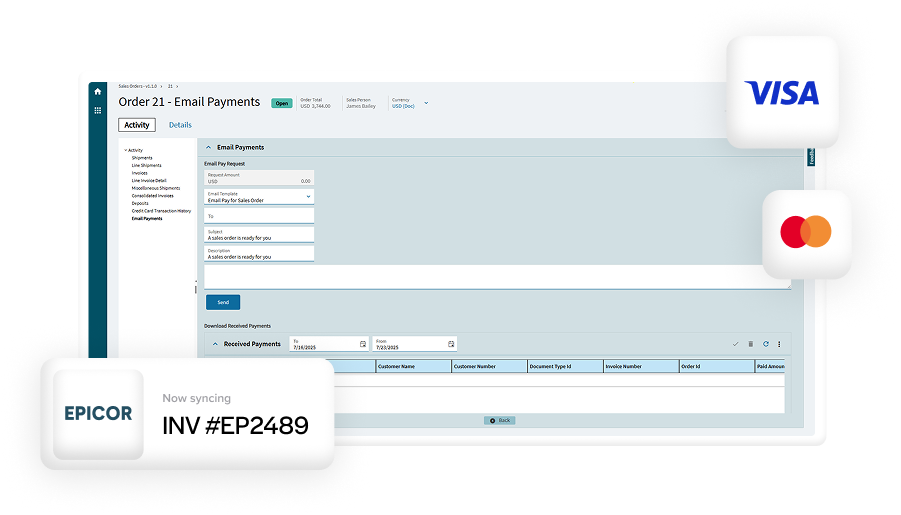
Instead of forcing teams to jump between systems, it brings Epicor 10 credit card processing directly into Epicor screens with its native Epicor integration. Payments are processed and posted automatically, reducing manual entry and helping keep records accurate without extra effort.
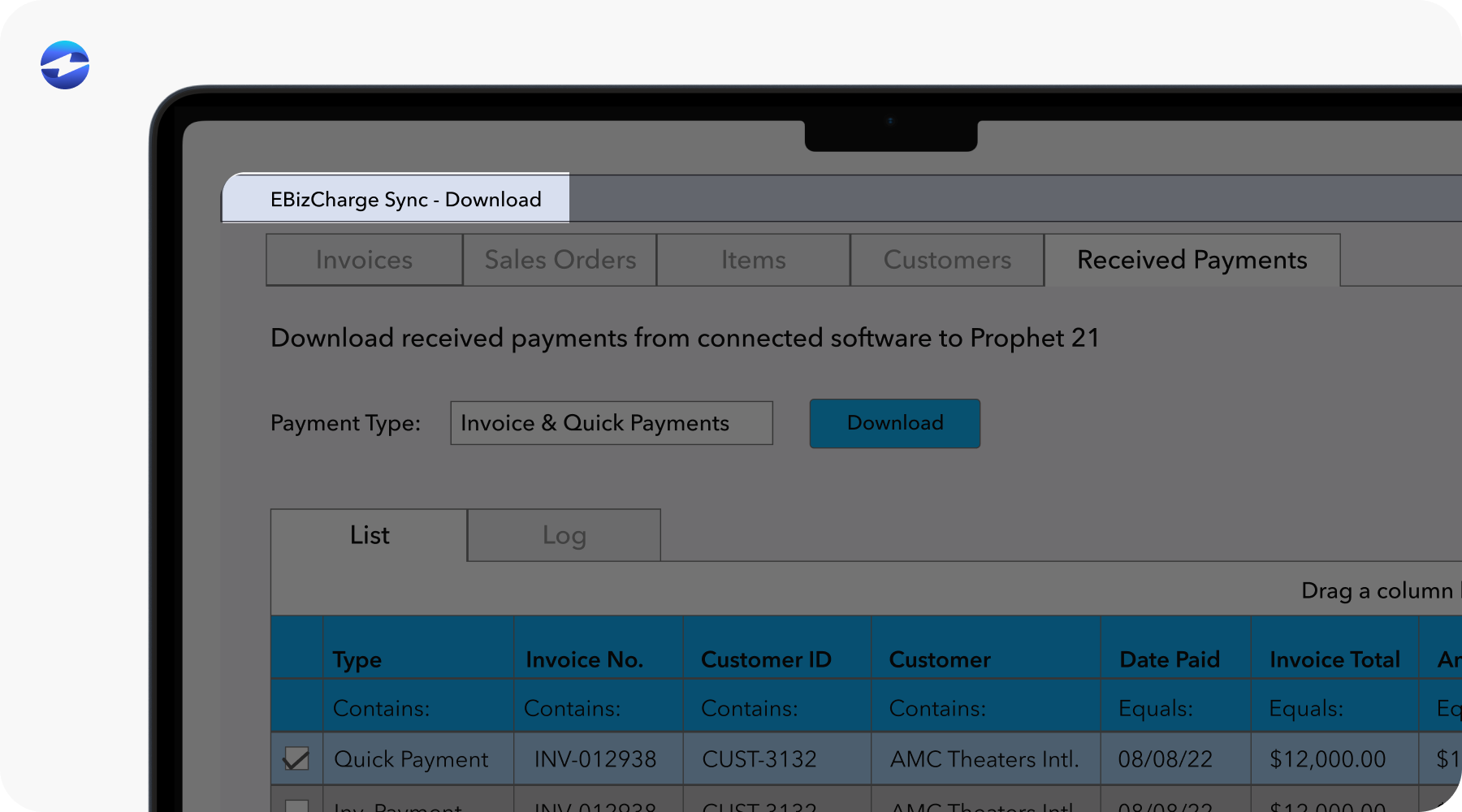
Security is handled behind the scenes through tokenization and other controls that limit PCI exposure. At the same time, customer payment portals give customers an easier way to pay invoices, helping remove friction on both sides of the transaction.
For teams focused on streamlining Epicor 10 payment integration now while keeping future changes in mind, EBizCharge fits naturally into Epicor rather than feeling like another system layered on top.