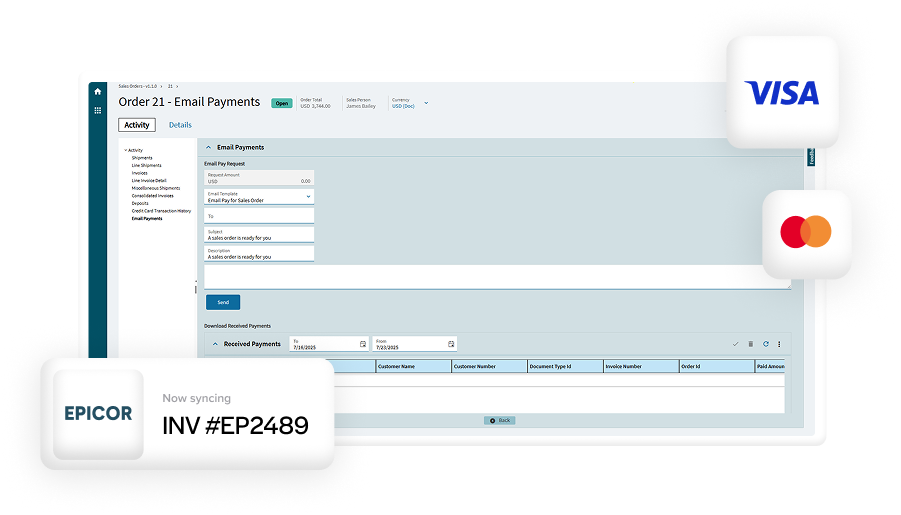
Blog > Eliminating Manual Payment Entry in Epicor ERP
Eliminating Manual Payment Entry in Epicor ERP
If you work in accounting or finance inside Epicor, you already know how much time gets lost to small, repetitive tasks. One of the most common is manual payment entry. Even teams running otherwise efficient operations still find themselves rekeying payment data, double-checking totals, and correcting posting issues.
Epicor manual payment entry is rarely intentional. It usually grows out of disconnected systems, legacy processes, or payment tools that were never designed to work closely with Epicor. Over time, those small gaps create real costs: Cash comes in slower, errors slip through, and staff spend more time fixing problems than preventing them.
This article is written for Epicor users who live with these workflows every day. It’ll walk through what manual payment entry looks like in practice, why it causes so many downstream issues, and how Epicor payment automation can remove the problem at its source.
What Manual Payment Entry Looks Like in Epicor
Manual payment entry appears in more places than most teams realize.
Payments might be processed through an external terminal or online tool and then typed into Epicor later. Credit card batches may settle overnight, leaving staff to manually match totals the next morning. ACH payments arrive, but invoice application happens days later.
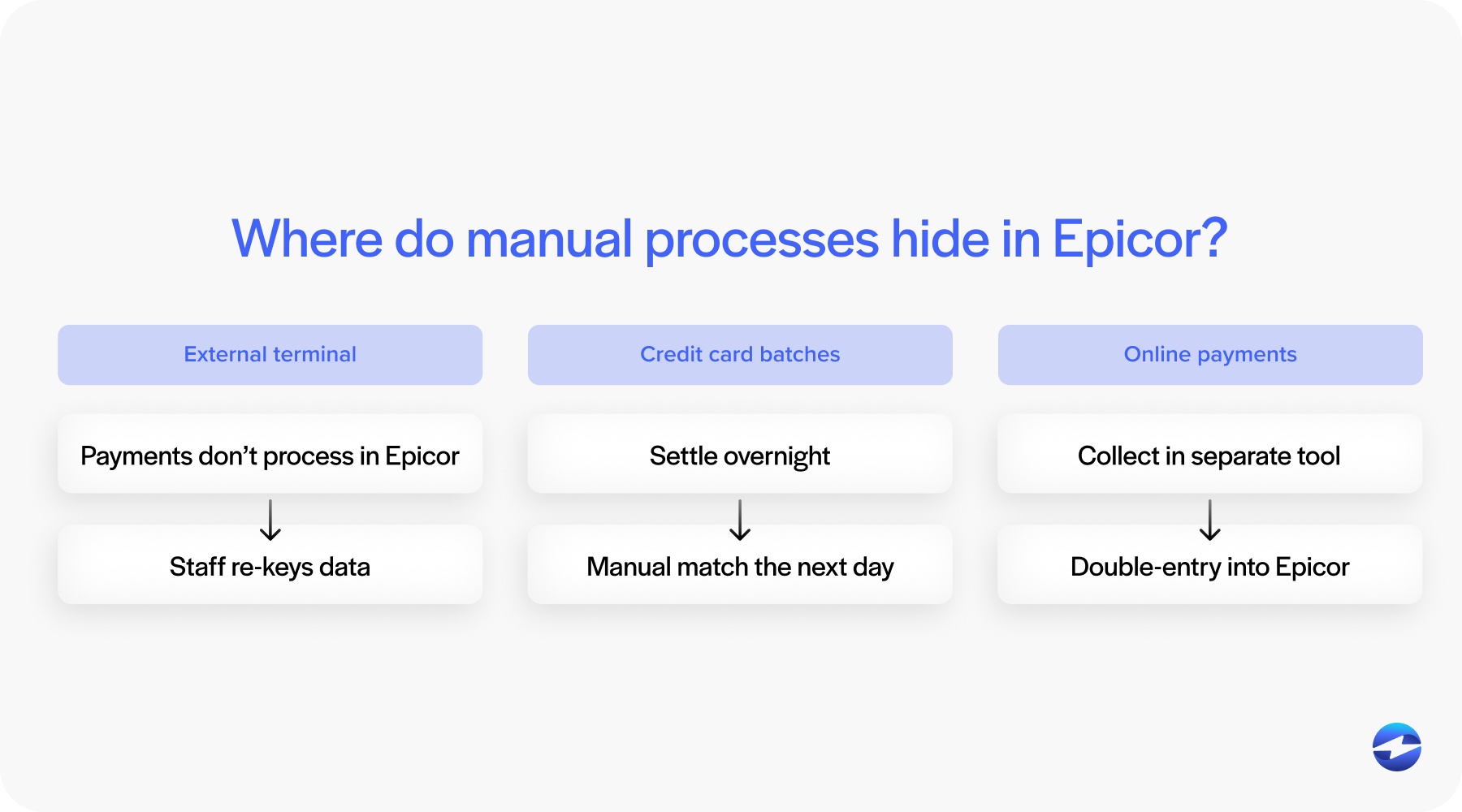
These workflows often lead to Epicor double-entry. The same payment data is handled once by the payment system and again inside Epicor. Each handoff increases the chance of delays or mistakes.
Even when teams are careful, this approach puts pressure on accounting staff. The work is repetitive, time-consuming, and easy to fall behind on during busy periods.
How Manual Payment Entry Affects Epicor Accounting and AR
The most immediate impact of manual entry is delayed posting.
When payments aren’t recorded promptly, invoice statuses become unreliable. Accounts receivable reports no longer reflect reality. Teams spend time researching what has been paid versus what is still outstanding.
Manual entry also increases the risk of errors. Payments can be applied to the wrong invoice or customer. Totals may not match bank deposits. Fixing these issues later takes even more time.
All of this affects Epicor cash receipts processing. Instead of flowing smoothly from payment to posting to reconciliation, cash receipts become a bottleneck. Over time, this slows reporting and weakens confidence in the data inside Epicor ERP.
Why Eliminating Manual Payment Entry Matters
Removing manual payment entry isn’t just about saving time. It changes how the entire AR process functions.
When payments are posted automatically, invoice statuses stay up to date. Teams can trust what they see on screen, and follow-up efforts become more targeted instead of reactive.
Automation also reduces internal friction. Accounting teams are no longer chasing information across systems or correcting avoidable errors. This creates space for higher-value work like analysis, forecasting, and process improvement.
At a system level, Epicor payment automation turns payment processing into a consistent, repeatable workflow rather than a daily scramble.
Payment Processing Options for Epicor ERP Users
Epicor users typically choose between a few payment processing approaches.
Some rely on standalone tools that operate completely outside Epicor. These can work, but they typically require manual posting.
Others use semi-integrated tools that send data back to Epicor after processing. This reduces some work, but still leaves room for delays.
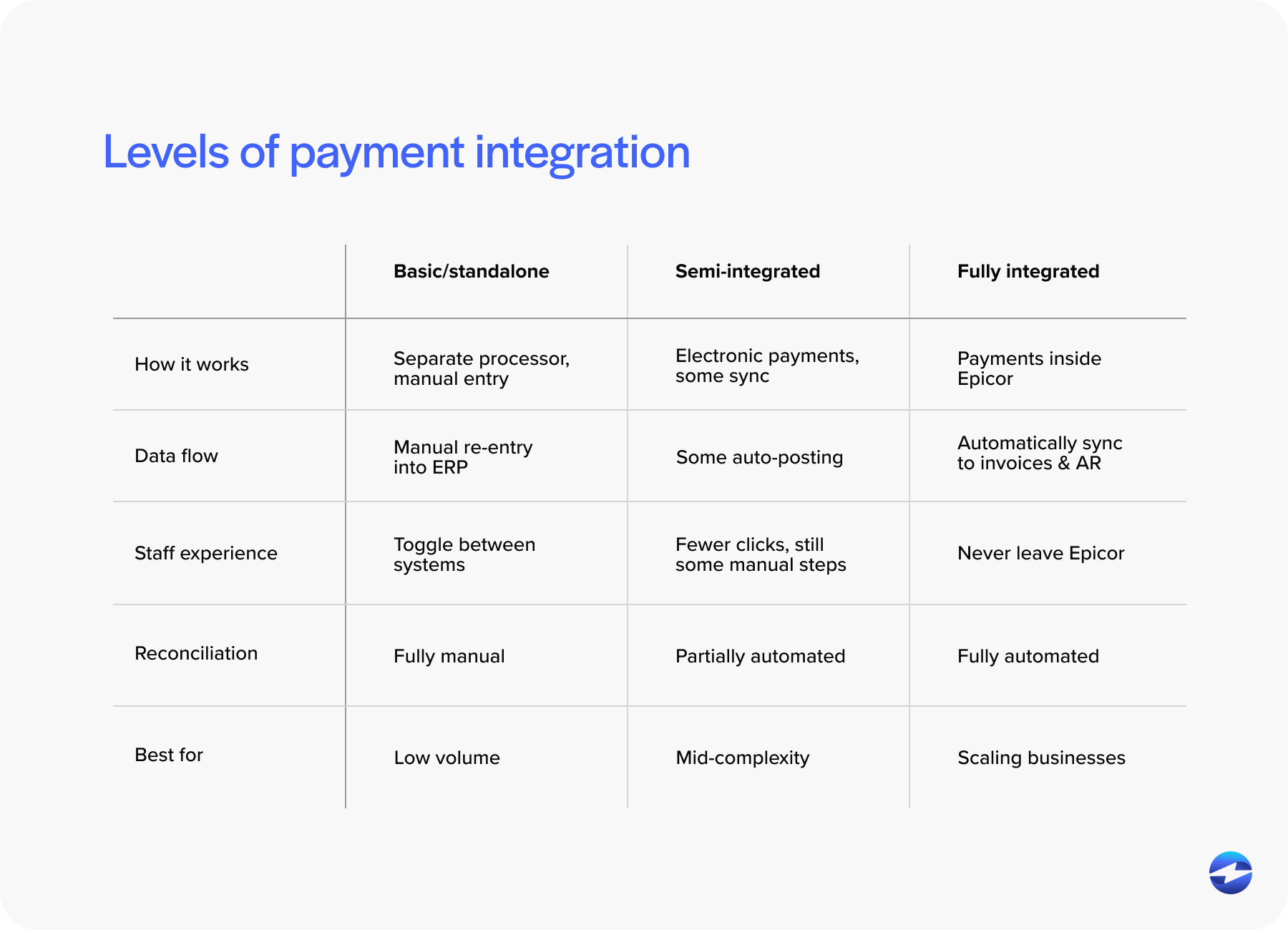
The most effective option is a fully integrated payment processing solution that works directly within Epicor. With this approach, payments are processed and posted in one continuous flow.
This is where choosing the right payment processor really matters. A processor with Epicor experience understands how payments should move through AR without creating extra steps.
Integration Strategies That Remove Manual Payment Entry
Embedded integrations allow payments to be accepted directly inside Epicor screens. From a user perspective, this feels natural; no switching systems or exporting data.
Application programming interface (API) or middleware approaches can work, but they often introduce maintenance challenges. Upgrades require testing, and small changes can have unexpected effects.
A strong Epicor integration prioritizes reliability and simplicity. The goal is fewer touchpoints, not more. When done right, manual payment entry disappears because there is no gap left to fill.
Epicor 10 and Epicor Kinetic Payment Integration Considerations
Epicor environments aren’t all the same. Epicor 10 and Epicor Kinetic handle interfaces and workflows differently. Payment tools need to account for those differences without forcing teams to redesign processes every few years.
Many Epicor 10 users are also evaluating credit card processing options beyond EPX. The same principles apply. Eliminating manual entry requires deeper integration, not just a different front-end tool.
Choosing a solution that supports both versions protects long-term investment and keeps Epicor software workflows consistent as systems evolve.
Using Customer Payment Portals to Reduce Internal Work
One of the simplest ways to eliminate internal payment entry is to let customers do the work.
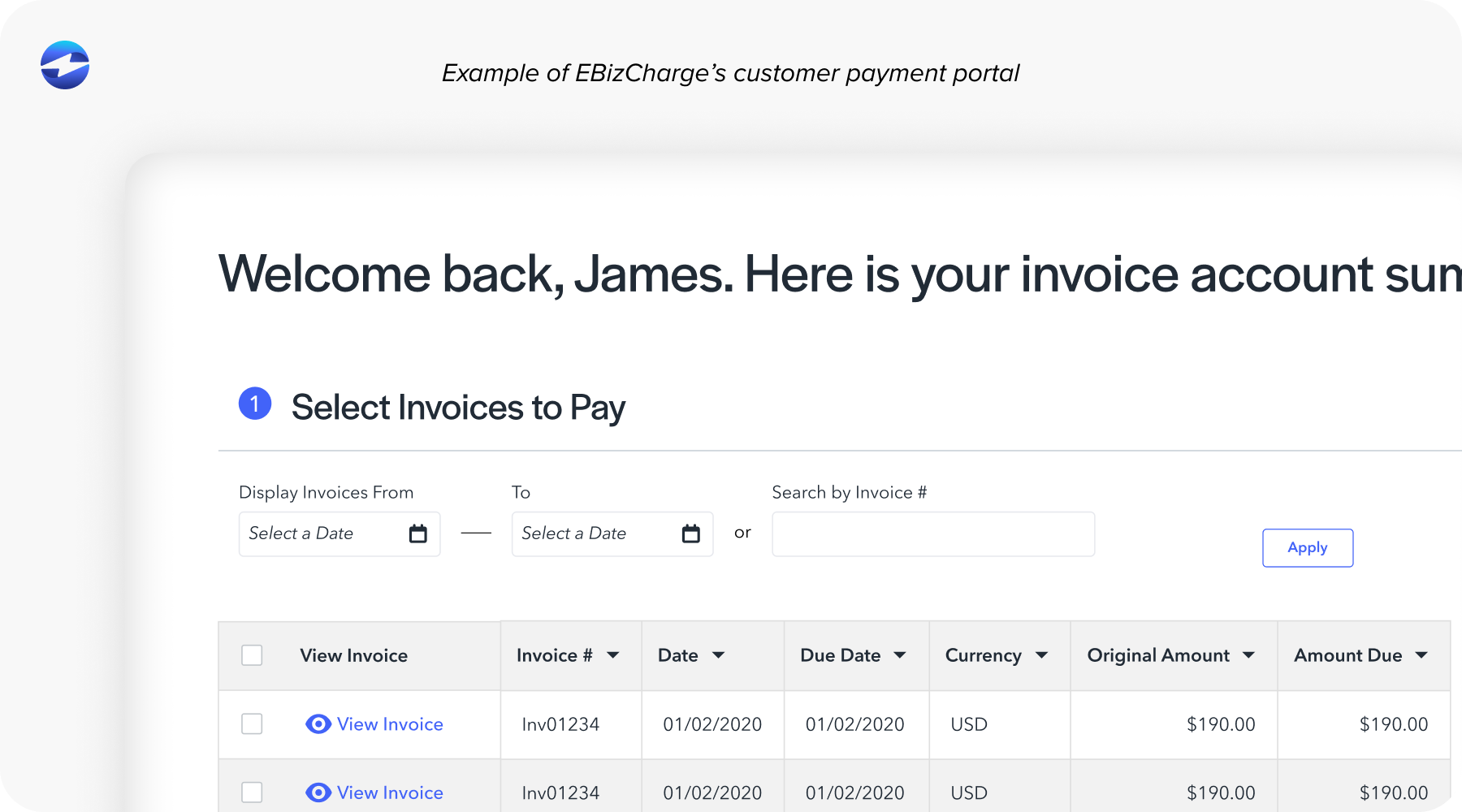
A connected payment portal gives customers access to invoices and payment options without involving staff. Payments submitted through the portal are posted directly back into Epicor.
This reduces emails, phone calls, and manual application work. It also improves customer experience by making payments straightforward.
When combined with automation, a payment portal becomes a reliable extension of AR rather than another system to manage.
Improving Accuracy and Reconciliation in Epicor
Automation has a direct impact on reconciliation. When payments are posted automatically, totals align more closely with bank deposits, audit trails are cleaner, and exceptions stand out instead of blending in.
This improves confidence in Epicor cash receipts and reporting, meaning teams spend less time verifying data and more time acting on it.
Accuracy isn’t just about avoiding mistakes. It’s about creating trust in the system.
Building a Scalable, Entry-Free Payment Workflow in Epicor
Eliminating manual entry shouldn’t be a short-term fix. As transaction volume grows, weak processes break down quickly. Automation needs to scale without adding complexity.
A durable Epicor integration supports growth, upgrades, and new payment types without recreating manual work.
When payment workflows are built with the future in mind, teams avoid slipping back into Epicor manual payment entry as conditions change.
Why EBizCharge Is a Great Fit for Automating Payment Entry in Epicor ERP
EBizCharge is designed to remove the root causes of manual payment entry rather than work around them.
Operating directly inside Epicor ERP eliminates Epicor double-entry and supports true Epicor payment automation. Payments are accepted, processed, and posted automatically.
Customer-facing tools like an integrated payment portal make it easier for customers to pay while ensuring that data flows back into Epicor accurately.
With a purpose-built payment processing solution and a payment processor experienced in Epicor environments, EBizCharge helps teams eliminate manual entry, improve accuracy, and build payment workflows that actually hold up over time.