

Blog > Best AR Automation Software in 2026: Features and Honest Comparisons
Best AR Automation Software in 2026: Features and Honest Comparisons

If you’ve been evaluating AR automation software for your business this year, you already know the market is crowded. There are tools positioning themselves as full-stack solutions, tools built around a single niche like invoice delivery, and everything in between.
This article will explore four of the most commonly evaluated AR automation platforms right now, VersaPay, BillerGenie, Paystand, and Lockstep, and give an honest read on what each one does well and where each one runs into problems. It’ll also explore why native ERP integration outperforms standalone tools on the dimensions that actually matter to your day-to-day operations.
What the Evaluation Criteria Should Be
Before diving into the tools themselves, it helps to agree on what you’re actually measuring. The benefits of AR automation are only real if the tool you pick delivers them cleanly inside your existing workflow. So, the right criteria aren’t just feature lists. They’re things like integration depth with your ERP, real-time posting accuracy, payment method coverage, how cash application actually works, total cost of ownership, and what support looks like when something goes wrong.
VersaPay
VersaPay is one of the more mature AR automation solutions in this category, and it’s a reasonable choice if your primary pain point is invoice disputes and customer communication. The collaboration portal is well-built. It gives your customers a place to view invoices, flag discrepancies, and communicate with your AR team without a flood of back-and-forth emails.
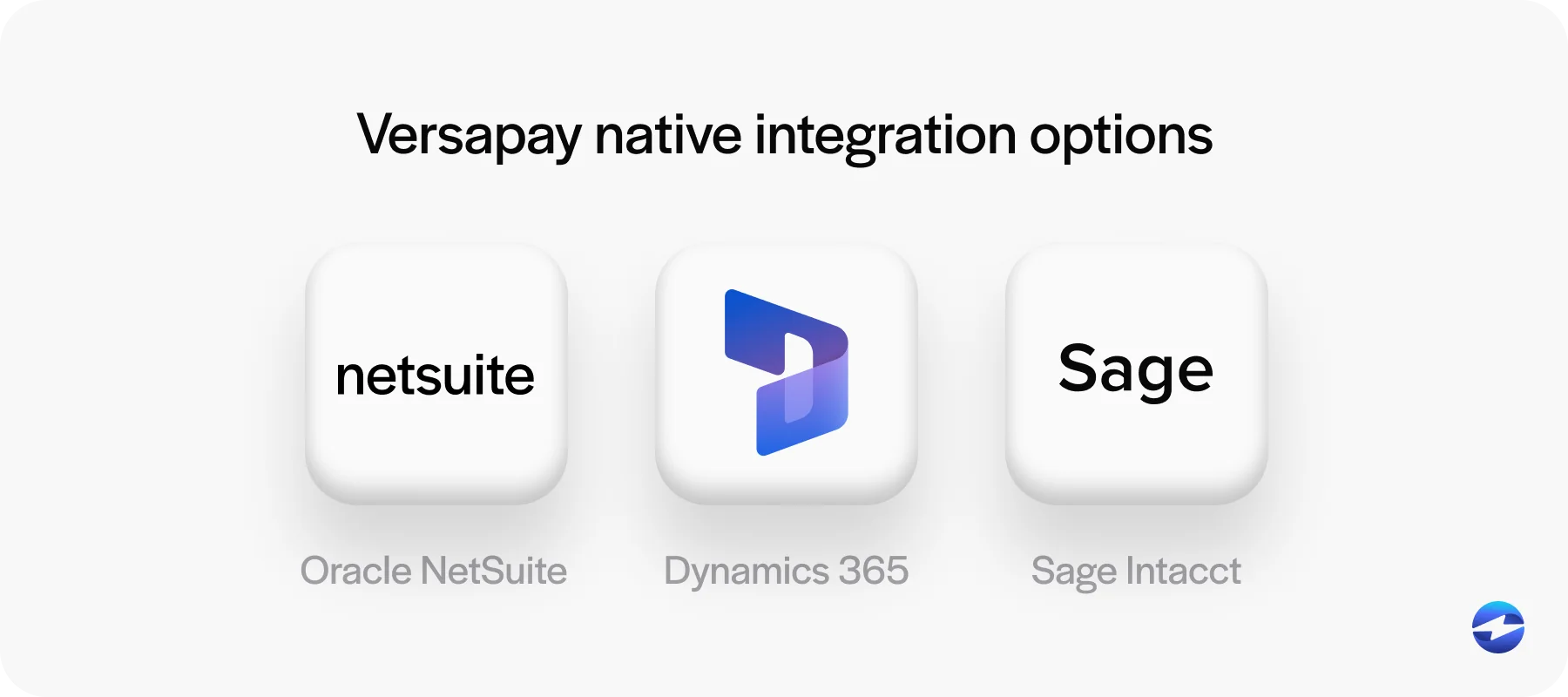
Where VersaPay gets complicated is on the integration side. It connects to several major ERPs, but the depth of those connections varies by platform. Some are solid. Others require middleware or custom configuration to work correctly. And because VersaPay is fundamentally a workflow and communication tool, the payment processing layer is often handled by a separate provider underneath. That means you’re managing two vendor relationships instead of one and hoping they play nicely together.
BillerGenie
BillerGenie is purpose-built for QuickBooks, and for small businesses running on QuickBooks, it does the job. Automated invoice delivery is easy to set up. Recurring billing works. Onboarding is fast.
The problem is the ceiling. Outside the QuickBooks ecosystem, BillerGenie doesn’t extend in any meaningful way. Multi-entity operations, complex payment terms, and mid-market transaction volumes push well past what the platform was designed for. It’s a solid AR automation platform for smaller operations, but companies with growing complexity will outgrow it quickly and need to migrate.
Paystand
Paystand has one of the more creative pitches in the accounts receivable software space: a subscription-based model that eliminates per-transaction fees by routing payments through ACH and eCheck rails. For high-volume ACH payers, the math can work in your favor.
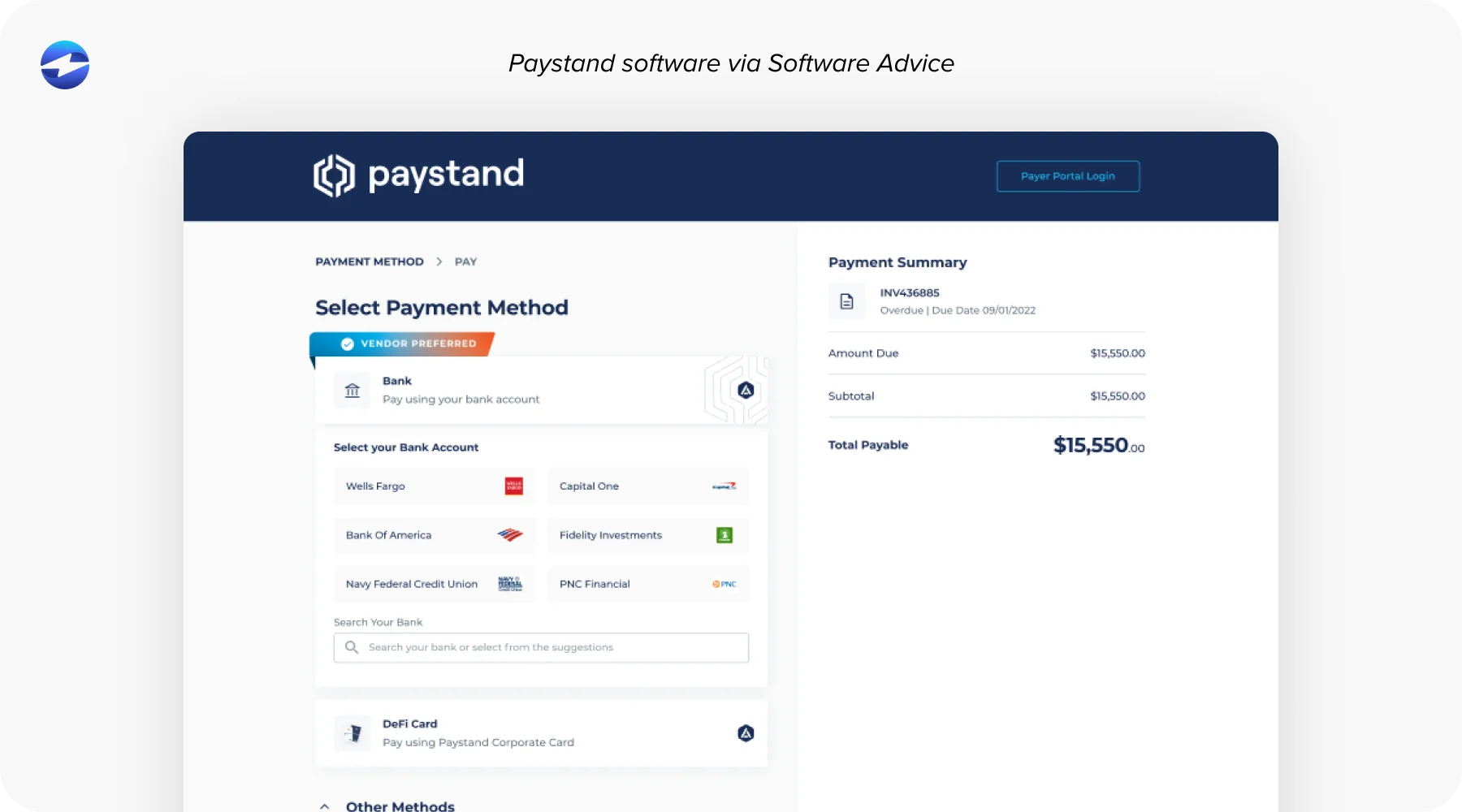
The nuance is that the zero-fee story depends on volume commitments, and the ERP integrations rely on middleware. That means payments confirmed in Paystand still need to be reconciled back to your ERP, and in most environments, that reconciliation process has manual steps built in. The transaction fee savings can get absorbed quickly by the time your team spends managing the sync between systems. Worth evaluating if cutting payment network costs is the primary objective, but go in with realistic expectations about what the reconciliation workflow actually looks like.
Lockstep
Lockstep was acquired by Sage, which tells you a lot about where it fits. The core idea is an AP/AR network where both buyers and sellers are connected, so invoice and payment data flow automatically between trading partners.
In practice, the value is tightly tied to the Sage ecosystem. If your customers and vendors are also on Sage, the network effect works as advertised. If they’re not, the platform’s biggest differentiator doesn’t apply. And like VersaPay, Lockstep isn’t a full-stack payment processor. It layers on top of existing payment infrastructure rather than replacing it. If you’re already committed to Sage, it’s worth a look. For everyone else, the fit is limited.
The Structural Problem with Standalone AR Tools
Every standalone accounts receivable software shares one fundamental characteristic: it sits outside your ERP. That sounds obvious, but the practical implications are significant.
When AR automation platforms live outside your ERP, every payment creates a data synchronization event. Invoices have to move in one direction. Payments have to move back the other way. Customer records have to stay consistent across both systems. When the sync works, it’s fine. When it breaks, your AR team ends up troubleshooting which system has the correct data instead of doing actual AR work.
The promise of AR automation software, fewer manual touches, faster cash application, and real-time visibility into aging starts to fall apart at that boundary. A payment can close in the standalone platform and still require a manual step to post in your ERP. Real-time reporting is hard to guarantee when authoritative data lives in two places.
There’s also the support accountability gap. When something breaks, the AR tool points to the ERP. The ERP vendor points back to the AR tool. That gap is where reconciliation errors can sit for days or weeks.
The benefits of AR automation are very real. But they’re only fully delivered when the payment and the ERP record are part of the same system.
Why Native ERP Integration Wins
Native integration means the payment module lives within the ERP itself, using the ERP’s own data structures. Payments post directly to the ledger in real time. There’s no sync job, no middleware layer, and no reconciliation gap between what the AR tool shows and what the ERP shows.
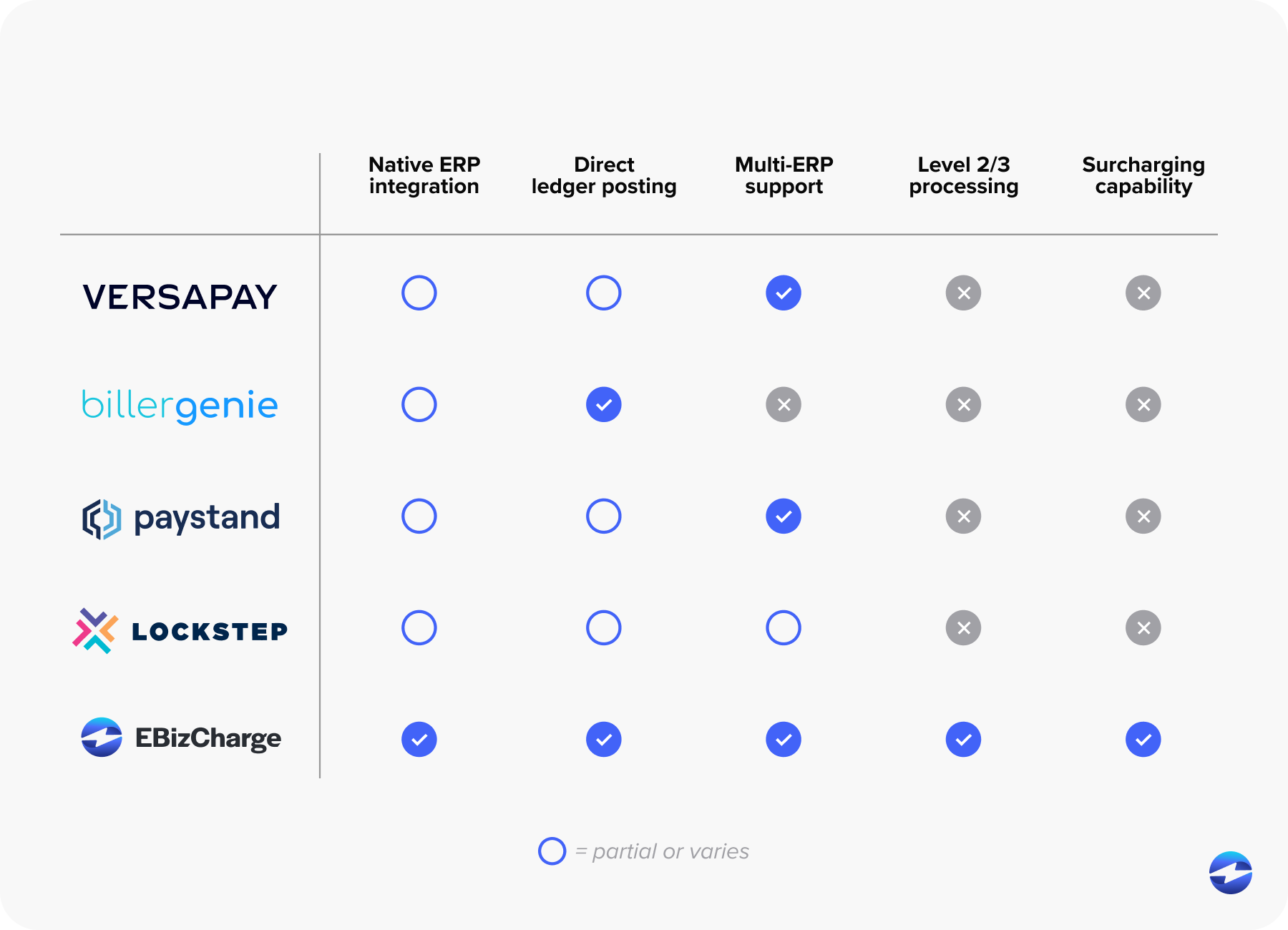
That’s the architecture EBizCharge’s embedded payment solution is built on. With native integrations across 100+ ERP, accounting, eCommerce, and CRM platforms, including NetSuite, QuickBooks, Sage, Microsoft Dynamics, Acumatica, Epicor, SAP, Oracle, and Infor, the payment experience lives inside the tools your team already works in every day. Many of these partnerships have been in place for 15 to 20 years, several carrying formal publisher certifications like Epicor Gold Vendor status.
For AR managers, controllers, and CFOs evaluating the best accounts receivable automation software right now, the practical difference is that your team doesn’t leave the ERP to manage payments. Customers get a clean self-service portal, payments post directly to open invoices, aging updates in real time. Collections reminders go out automatically, and support accountability is unified because one vendor owns the entire experience.
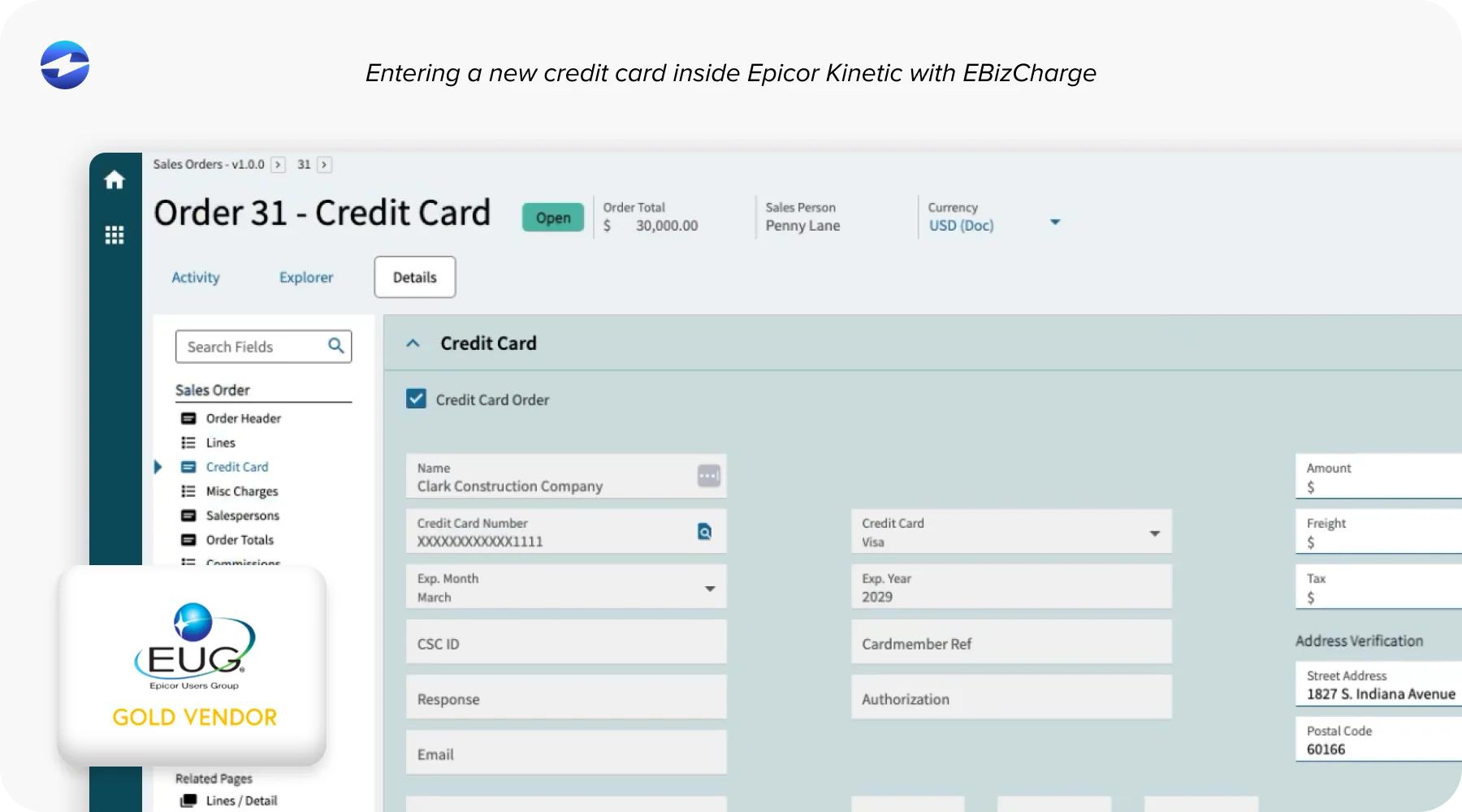
EBizCharge also covers the payment side more completely than most AR automation solutions in this comparison. Credit and debit cards, ACH, Level 2 and Level 3 processing for B2B interchange savings, and surcharging to offset or eliminate processing costs entirely. It’s a more complete payment processing solution than what any of the standalone tools above are built to deliver.
Implementation takes days. Support is US-based. Pricing is transparent, with no hidden fees stacked on top of processing rates.
The Questions Worth Asking Before You Commit
When you’re evaluating the best AR automation software for your team, a few questions cut through vendor demos quickly. Does this integrate natively into my ERP, or does it sync through middleware? Where does the payment actually post? Who do I call when something doesn’t reconcile? What does implementation actually require from my IT team? What’s the true all-in cost?
The answers reveal more than any feature comparison chart.
Removing Friction with AR Automation
The best accounts receivable automation software isn’t necessarily the one with the longest feature list. It’s the one that removes the most friction from how your team actually operates. VersaPay, BillerGenie, Paystand, and Lockstep each have legitimate use cases, and this comparison isn’t meant to dismiss them.
But if your ERP is the system of record for your business, your AR automation needs to live there too. Not alongside it, not synced to it on a schedule. Inside it. That’s the argument for native integration, and it’s a practical one.