Blog > Affordable Alternative to QuickBooks Payments: Payment Links, Recurring Billing and More
Affordable Alternative to QuickBooks Payments: Payment Links, Recurring Billing and More

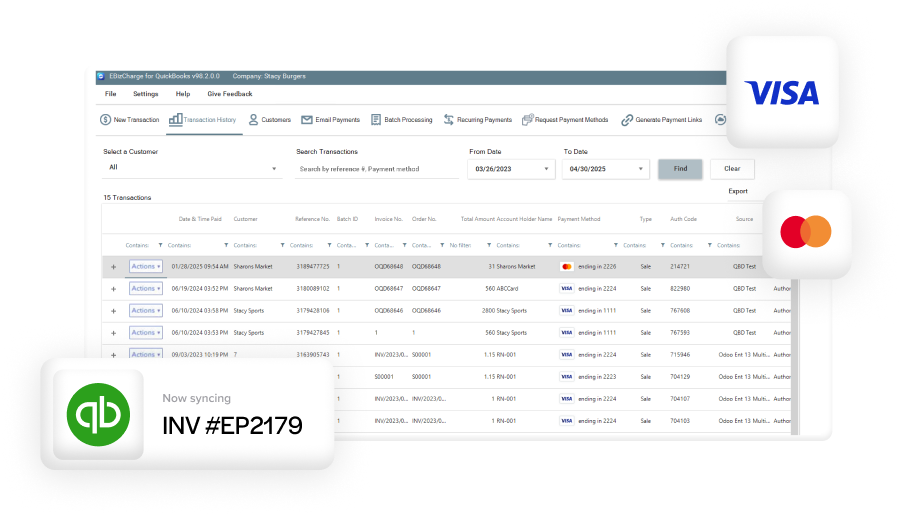
If you’re looking for a QuickBooks Payments alternative that actually reduces your processing costs, EBizCharge is the best. It’s a payment processing solution that integrates natively with both QuickBooks Online and QuickBooks Desktop, so you can accept credit card, debit, and ACH payments without leaving your accounting software.
When a transaction is approved, EBizCharge marks the invoice as paid then updates your Accounts Receivable, and posts to the General Ledger automatically. No manual entry, no reconciliation at the end of the month. It also passes line-item details with every transaction to qualify your cards for the lowest interchange rates through Level 2 and Level 3 processing (which is where most businesses see the biggest savings compared to flat-rate processors). Your customers can also view and pay outstanding invoices online through a built-in payment portal that comes included at no extra cost, among other features.
Best payment processors that integrate with QuickBooks
There are several payment processors that integrate with QuickBooks, and the right choice depends on your transaction volume, business type, and what features matter most to you.
- EBizCharge integrates natively with both QuickBooks Online and Desktop and is geared toward B2B companies and accounting firms that process corporate or purchasing cards. It posts payments directly to Accounts Receivable and the General Ledger in real time, supports Level 2 and Level 3 data processing for lower interchange rates, and includes a customer payment portal at no extra cost.
- Best for: B2B businesses, accounting firms, and high-volume processors looking for deep QuickBooks integration and cost savings.
- QuickBooks Payments is the default option built directly into QuickBooks and works well for basic invoicing needs. Setup is minimal, and the experience is familiar, but flat-rate pricing makes it less cost-effective as transaction volume and invoice sizes grow.
- Best for: small businesses with modest volume and straightforward invoicing workflows.
- Authorize.Net is a widely used standalone gateway that connects to QuickBooks through third-party middleware. It offers broad payment method support and strong fraud tools, but requires separate configuration and manual reconciliation steps that add administrative overhead.
- Best for: businesses that need a flexible standalone gateway and don’t require deep native QuickBooks syncing.
- Stripe offers a developer-friendly API and flat-rate pricing with a QuickBooks integration primarily suited to eCommerce and subscription businesses.
- Best for: eCommerce businesses and software companies with development resources.
- Square provides a simple POS and payment solution with a QuickBooks integration aimed at retail and food service businesses. It works well for in-person transactions but has limited functionality for B2B invoicing, recurring billing, or complex AR workflows.
- Best for: retail and brick-and-mortar businesses processing primarily in-person transactions.
The key differentiator for most B2B businesses comes down to whether the processor can pass Level 2 and Level 3 data automatically. If you’re processing corporate cards, purchasing cards, or government cards, that capability alone can save you more per year than any other single feature.
Why businesses switch from QuickBooks Merchant Services
Most teams don’t plan to switch processors. They grow into the need. QuickBooks Payments works fine for basic transactions, but as volume increases the limitations become harder to ignore. They tend to appear in four areas:
- Cost structure. The flat-rate pricing model seems straightforward at first but becomes expensive as invoice sizes and monthly volume grow. You pay the same percentage on every transaction regardless of card type, which adds up quickly when running debit cards or corporate purchasing cards that would qualify for lower rates elsewhere. Even ACH payments, which should be the cheapest option, come with fees that dilute the savings for higher-volume businesses.
- Workflow bottlenecks. The built-in tools work smoothly for basic invoicing but don’t scale well for recurring billing, multi-entity accounting, B2B transactions requiring Level 2 and Level 3 data, or stored payment profiles and subscription-based payments. This leaves accounting teams with more manual cleanup than expected.
- Reconciliation gaps. QuickBooks Payments can automate recurring charges and autopay, but posting and reconciliation often still fall to the accounting team. Split lump-sum payments, limited batch/deposit visibility, and thin AVS/CVV validation are common pain points. Customer self-service is also limited, since a payment portal isn’t included by default.
- Complex use cases. As soon as payments need to support more complicated workflows such as deposits across departments, franchise structures, or multi-location operations, the limitations become apparent quickly. For accountants managing payments across multiple clients, reconciliation time adds up fast.
What growing businesses actually need from a payment processor
By the time most companies start exploring alternatives, their requirements are clear. They’re not just looking for lower fees — they need a payment processing solution that matches how modern businesses operate inside QuickBooks. Most teams are looking for:
- Predictable pricing that scales with transaction volume without compounding costs
- Stronger support for recurring payments and ACH billing
- Real-time syncing with fewer manual adjustments and posting errors
- Customer payment portals that feel professional and easy to use
- Robust security including tokenization and encrypted card storage
- A stable QuickBooks integration that stays accurate over time
In short, businesses want a processor that improves QuickBooks, not one they constantly have to work around.
How to choose a QuickBooks payment integration
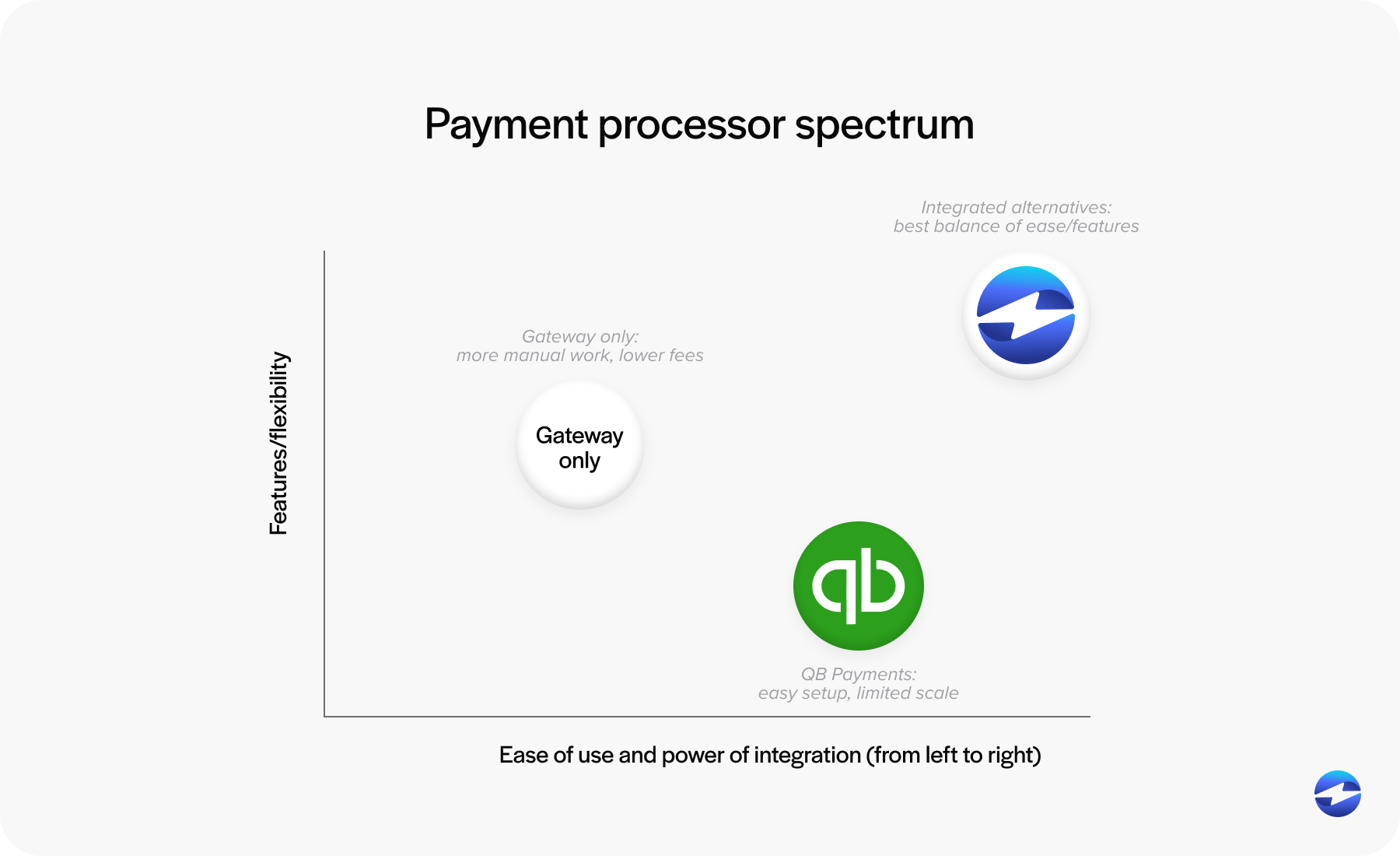
Not every business needs to switch away from QuickBooks Payments, and not every third-party solution fits the same way. There are generally three paths QuickBooks users end up taking:
Stay with QuickBooks Payments. The default option and the easiest to set up. It works well for small teams with modest transaction volume and straightforward bookkeeping needs. The tradeoff is fixed pricing and fewer workflow customization options as your business grows.
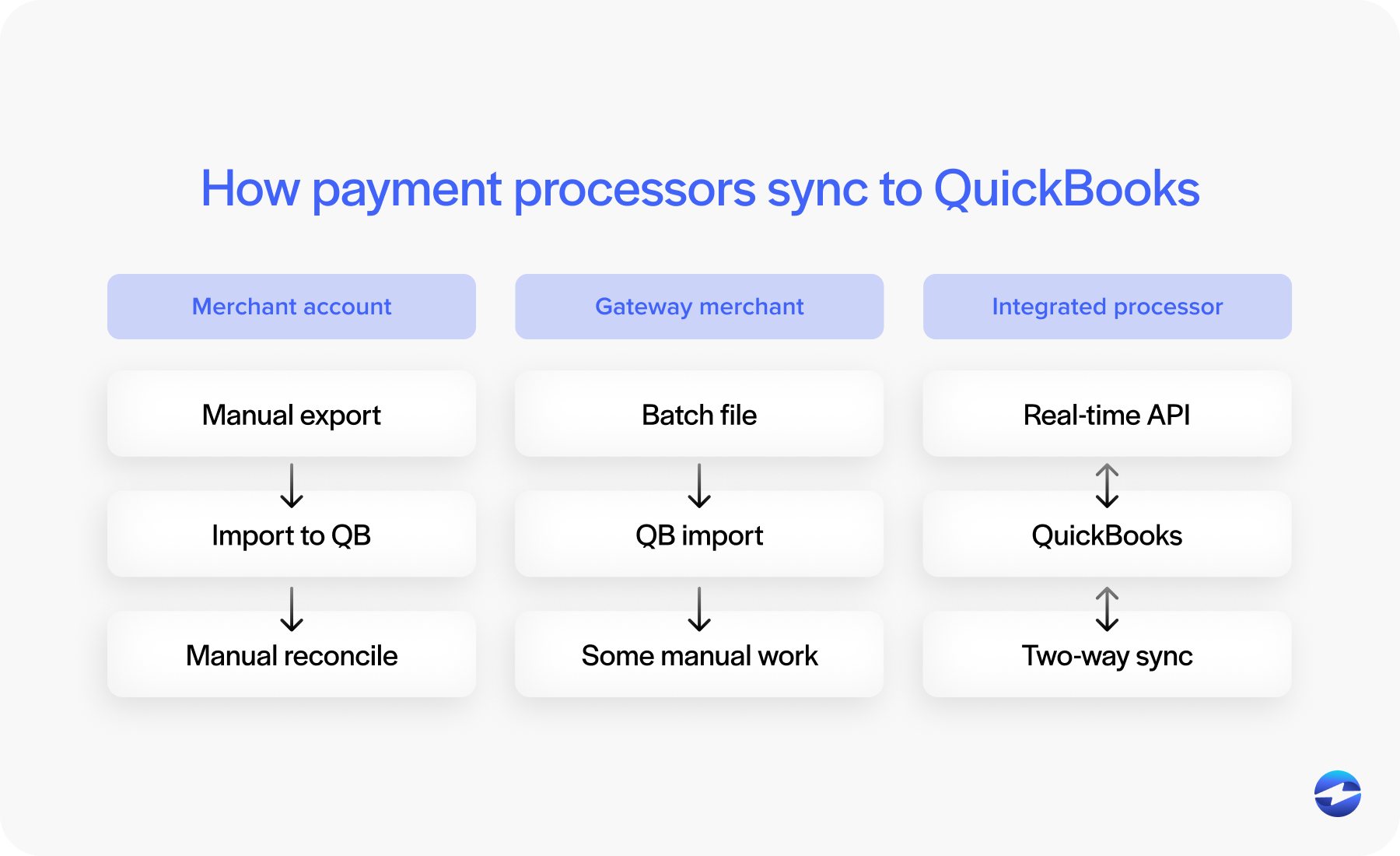
Use a standalone payment gateway. Gateways can offer better pricing or broader functionality, but they introduce extra steps — batch exports, manual matching, and delays in transaction posting. For low-volume businesses this may be manageable, but for growing teams the added reconciliation work becomes a real burden.
Choose a native third-party integration. This is where most scaling businesses find the best long-term fit. A strong native integration posts transactions automatically into QuickBooks, maps refunds and adjustments correctly, and reduces manual work significantly. It acts as a true extension of QuickBooks rather than a separate system running alongside it.
Is EBizCharge the best option for QB alternative credit card processing?
EBizCharge is an all-in-one payment gateway that plugs into your QuickBooks system, allowing you to easily accept payments in QuickBooks. Our secure credit card processing QuickBooks integration is an alternative to Intuit Merchant Services and offers the lowest merchant fees available.
EBizCharge for QuickBooks provides access to unlimited transaction history and customizable reports with over 45 different search criteria. Our secure payment gateway gives you the freedom to accept credit, debit, and ACH payments directly inside of QuickBooks from anywhere.
Here are some more key features designed to streamline the accounting process and make payment processing in QuickBooks as easy as possible:
Payments and invoicing
- Posts payments automatically to Accounts Receivable and General Ledger
- Marks invoices as paid on transaction approval
- Emails invoices to customers for immediate payment with automatic QuickBooks sync
- Accepts payments at all stages: Sales Orders, Sales Receipts, Invoices, Received Payments, and Credits and Refunds
- Fast processing of credits, voids, and returns with immediate release of funds
Cost and fees
- $0 setup, upgrade, and maintenance fees
- Flat rate processing options
- Next-day funding options
- One simplified statement and one point of contact
Security and compliance
- Advanced encryption and tokenization technology
- Off-site storage of customer card information on PCI-compliant servers
Customer tools
- Customer payment portal included
- Electronic invoicing
- Mobile app for iOS and Android
Reporting and management
- Unlimited transaction and batch history
- Powerful search across 45+ criteria with ability to sort by category
- Ability to assign users and manage access limits
Support
- 24/7 in-house customer support at no charge
- Integrations developed and maintained by in-house software developers
- No call centers or long wait times. Live representatives available at all times
QuickBooks payment links: what they are and why they matter
A QuickBooks payment link is a secure URL sent to customers that takes them directly to a payment page for a specific invoice. There’s no account creation required, no portal login, and no paper invoice to track down. The customer clicks the link, enters their payment information, and the transaction is complete.
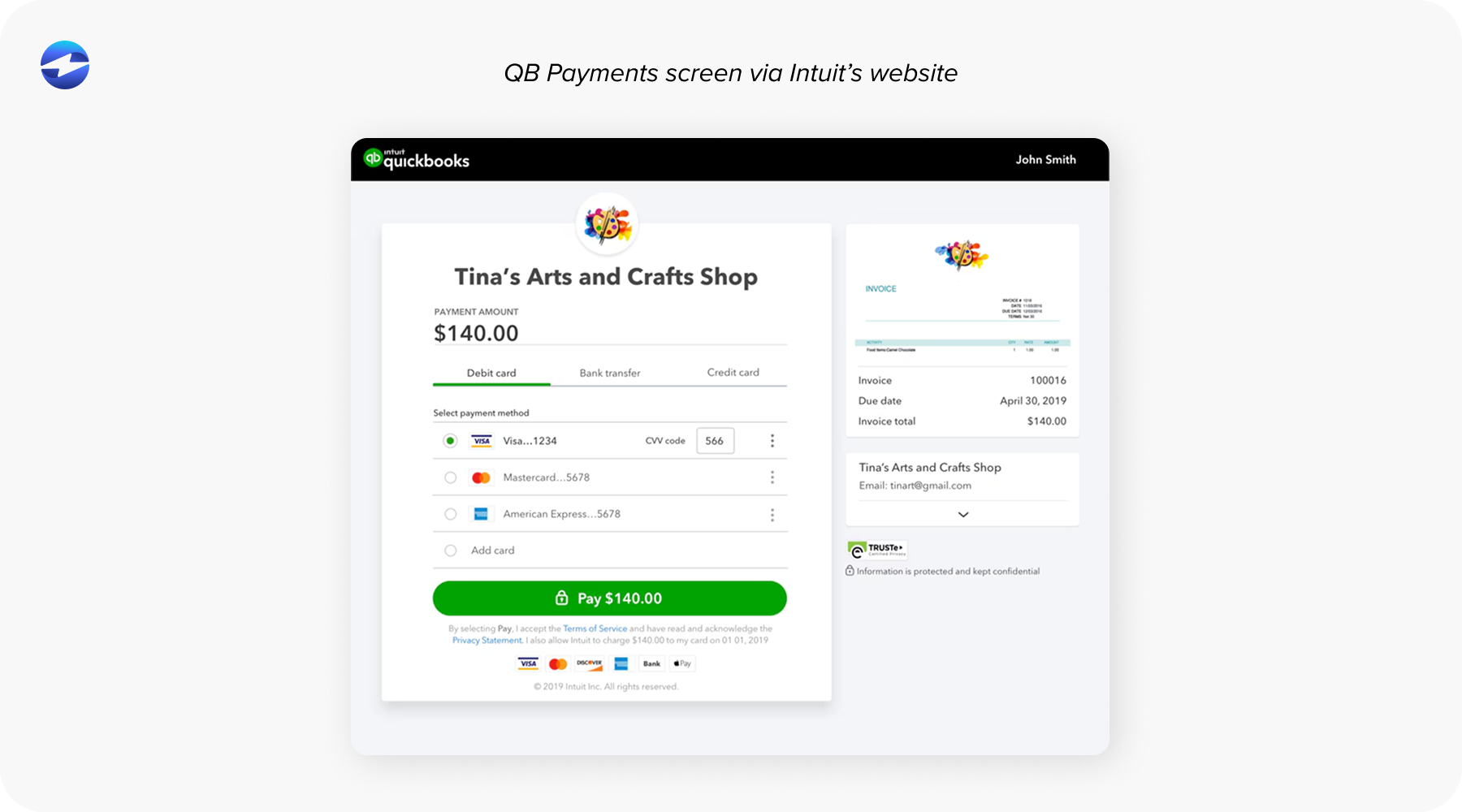
The real value is in what happens next. When a customer pays through the link, that payment automatically matches to the invoice in QuickBooks, updates the customer’s account, and marks the invoice as paid. No manual data entry, no reconciliation headaches. For AR teams managing dozens or hundreds of invoices monthly, this automation is essential.
QuickBooks Payments includes a basic payment link feature, but it has limitations that become apparent as your invoicing grows more complex. The payment pages can’t be fully branded, the percentage-based fees scale with revenue, and support for partial payments and recurring billing is limited. Understanding what’s available beyond the native solution starts with knowing which processors actually integrate well with QuickBooks.
What makes a better payment link solution
Knowing what you need from a processor is one thing; knowing what to look for in a payment link solution specifically is another. Not all payment link tools are created equal, and before evaluating specific alternatives it’s worth understanding what separates a basic payment link from one that actually improves your collections process:
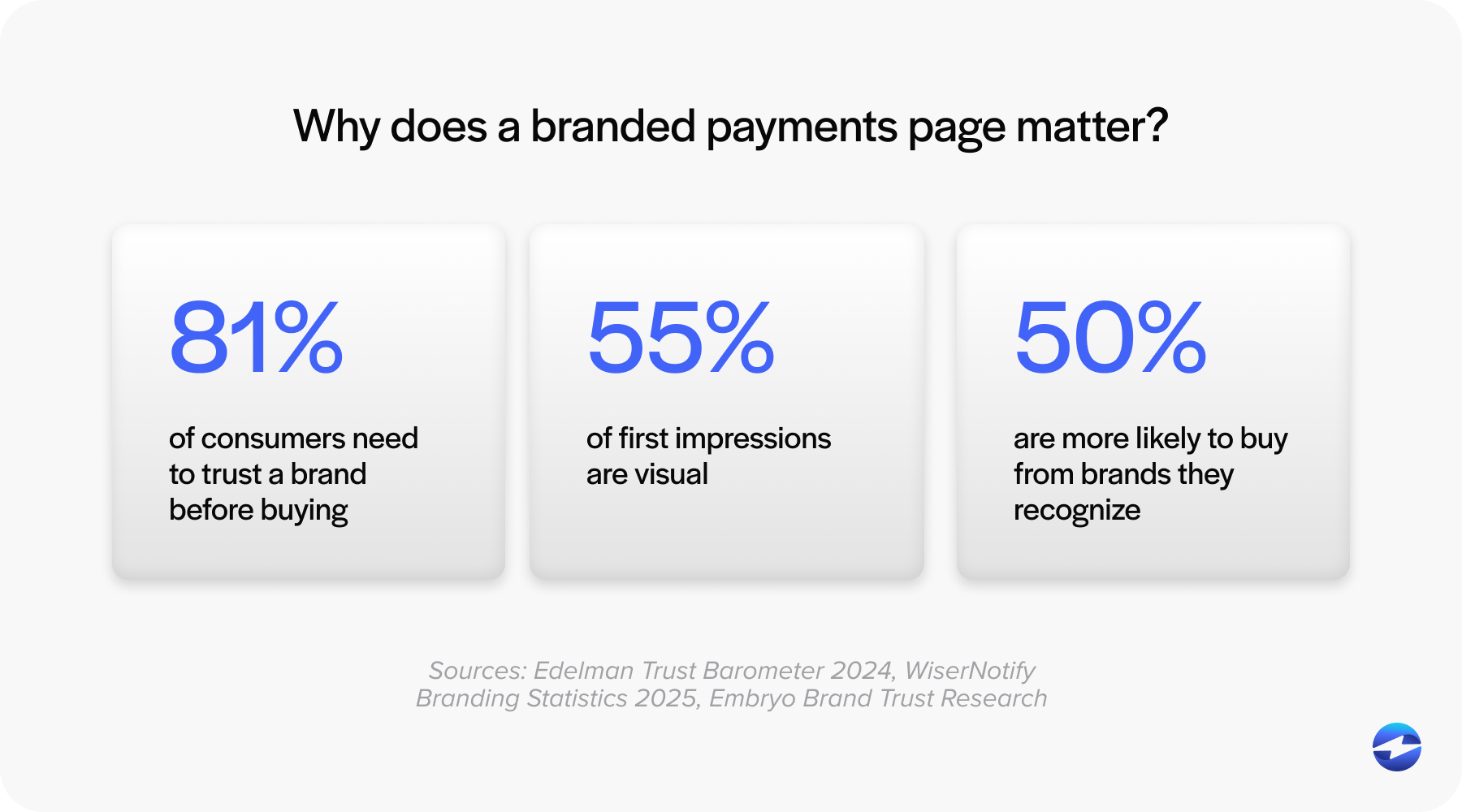
- Customization. Your payment page is often the last touchpoint before a customer pays you. A branded page with your logo, colors, and messaging builds trust and credibility. Generic payment pages that look like QuickBooks pages rather than your company’s page miss this opportunity.
- Payment method flexibility. Some customers prefer credit cards, others want ACH for lower fees, and increasingly customers expect digital wallet options. A good payment link solution supports multiple methods without requiring you to manage multiple systems. This is especially important for B2B customers who may prefer bank transfers over card payments.
- Integration depth. Surface-level integration means payments come through but you’re still matching them to invoices manually. Deep QuickBooks integration means invoice syncing, customer record updates, and real-time reconciliation happen automatically. The difference shows up clearly at volume.
- Security and compliance. Any alternative needs to handle PCI DSS compliance properly, use encryption and tokenization, and have fraud prevention built in. This protects your customers and protects your business from liability during audits.
With these criteria in mind, the next step is understanding how to evaluate your integration options.
QuickBooks Online vs. QuickBooks Desktop: Payment Processing Differences
One thing worth noting is that payment processing works a bit differently depending on whether you’re on QuickBooks Online or QuickBooks Desktop. QuickBooks Online has Intuit’s payment tools more tightly built in, while Desktop users have historically had more flexibility to connect third-party processors.
EBizCharge integrates with both. For QuickBooks Online users, EBizCharge syncs payments, invoices, and customer records automatically. For QuickBooks Desktop users, the integration connects directly to your local instance and processes payments without needing to leave the QuickBooks interface. In both cases, payments post to your Accounts Receivable and General Ledger automatically, and your customers can pay through the same online portal regardless of which version you’re running.
Why standalone gateways create more work than they save
Standalone gateways are sometimes positioned as a cost-effective middle ground between QuickBooks Payments and a full native integration. In practice, the savings often get offset by operational overhead. Transactions don’t post directly into QuickBooks, requiring batch exports, manual matching, and periodic imports that introduce both delays and room for error. As payment volume grows, that reconciliation burden grows with it. For businesses that process a high number of invoices or run recurring billing, a gateway that doesn’t sync natively tends to create more accounting work than it eliminates.
Signs your current QuickBooks payment setup is holding you back
Not every problem announces itself clearly. Some payment workflow issues build slowly until they become a daily frustration. A few reliable indicators that your current setup may no longer be the right fit:
- Frequent posting errors that require manual corrections after deposits land.
- Unpredictable or rising fees that are difficult to forecast month to month.
- Time-consuming reconciliation that pulls your accounting team away from higher-value work.
- Customer requests payment options, such as online portals or ACH, that your current tools don’t support.
If any of these sound familiar, the issue usually isn’t QuickBooks itself. It might be the payment layer sitting on top of it.
When does it make sense to switch?
The friction signals above are useful for diagnosing a problem, but knowing when to act on them is a separate question. Not every business needs to move away from QuickBooks Payments. If you’re a small business with straightforward invoicing needs, moderate volume, and basic payment requirements, the native solution may be perfectly adequate.
But if you’re processing serious volume, need payment pages that reflect your brand, want more control over payment methods and fees, need recurring billing or partial payment support, or require the kind of support that treats payment processing as mission-critical, then it’s worth evaluating alternatives.
The businesses that make the switch usually aren’t doing it because QuickBooks Payments stopped working. They’re doing it because their needs have evolved beyond what the basic system was designed to handle. Run the numbers on your current processing fees, list out the features you wish you had, and be honest about what’s creating extra work for your team. That assessment usually makes the answer clear. Once you’ve decided to move forward, the implementation process is more straightforward than most teams expect.
How the options compare: cost, automation, accuracy, and scalability
When comparing QuickBooks Payments to external gateways and native integrations, the differences fall into four categories that matter most for growing businesses:
- Cost. QuickBooks Payments uses flat-rate pricing that compounds quickly as invoice sizes increase. Gateways may offer lower rates, but native integrations typically deliver the best balance of cost savings and automation.
- Automation. QuickBooks Payments handles basic syncing, but advanced automation like recurring billing or Level 2 and Level 3 data processing is limited. Native integrations handle these workflows without manual intervention.
- Accuracy. Gateway-based setups often require manual adjustments after transactions post, increasing the risk of reconciliation errors. Native integrations post in real time with no cleanup required.
- Scalability. As payment volume grows, so does the strain on systems not built for complex workflows. A native integration scales with your business without adding administrative overhead.
Making the switch: what to expect
If you’ve decided to move to an alternative, the implementation is more straightforward than you might expect. Most QuickBooks integration solutions handle the technical setup as part of onboarding. You’re swapping one integrated payment system for another, not rebuilding your entire payment infrastructure.
Data migration is the most important piece to get right. Existing customer payment methods, recurring billing schedules, and payment history need to transfer cleanly. A good provider handles this systematically with clear verification steps so you know everything transferred correctly and customers don’t need to re-enter their payment information.
Team training is usually the easiest part. Because the new system still operates within QuickBooks, the workflow stays familiar. Your AR team isn’t learning an entirely new platform; they’re learning slightly different steps within a system they already know. Most teams are comfortable within a few days. With the right provider handling implementation and your team up to speed quickly, the transition tends to have far less disruption than most businesses anticipate going in.
How EBizCharge Compares to QuickBooks Payments
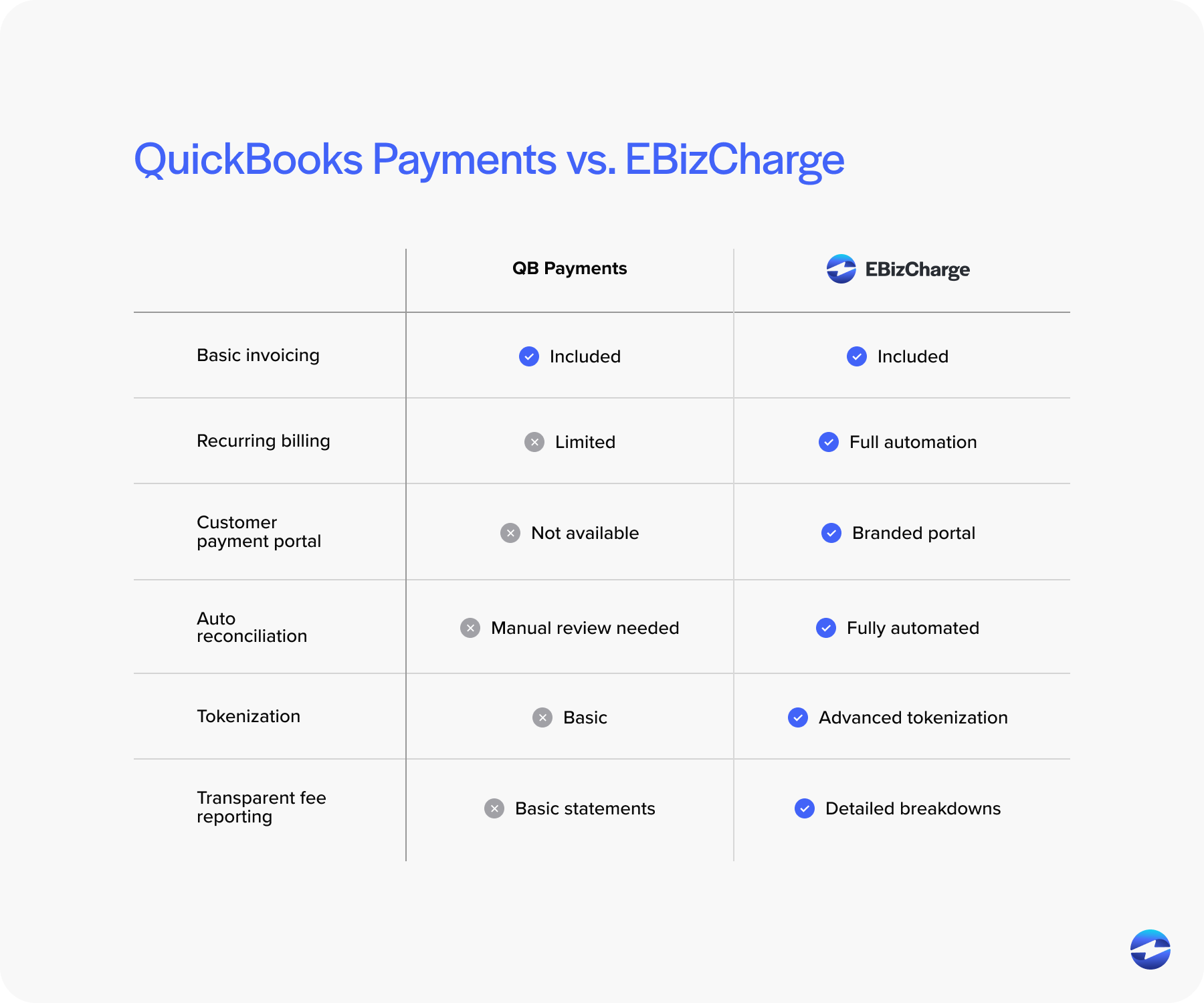
| Feature | QuickBooks Payments | EBizCharge |
|---|---|---|
| B2B card optimization | Limited | Full Level 2 and Level 3 data processing |
| Customer payment portal | Not included | Included at no extra cost |
| QuickBooks Online support | Yes | Yes |
| QuickBooks Desktop support | Limited | Yes |
| Auto-post to AR and GL | Partial | Full auto-sync |
| Chargeback management | Basic | Proactive management team |
| Setup fees | None | None |
| 24/7 customer support | Limited hours | 24/7 in-house support |
| ACH/eCheck payments | Yes | Yes |
For businesses processing B2B transactions, the Level 2 and Level 3 optimization is where the biggest cost savings show up. QuickBooks Payments processes every card at the same flat rate, while EBizCharge automatically sends the line-item data needed to qualify for the lowest interchange rates on corporate and purchasing cards.
Lower Your QuickBooks Processing Fees with Level 2 and Level 3 Data
Most payment processors don’t pass Level 3 data, which means interchange rates stay higher than they need to be. EBizCharge automatically sends nearly twenty fields of line-item detail with every transaction, including invoice number, PO number, item commodity code, freight amount, and unit of measure, pulling this information directly from what’s already stored in your QuickBooks system.
This matters because corporate and purchasing cards qualify for significantly lower interchange rates when that data is present. Many merchants see rates reduced by as much as 1.5% per transaction compared to flat-rate processors that don’t support Level 3. For businesses processing B2B payments at any real volume, that difference adds up quickly.
Ensure Advanced Payment Security
Without proper credit card security, a data breach could potentially destroy your business. The average data breach costs nearly $4 million in losses, according to IBM Security.
EBizCharge protects against this with multiple layers of security. Tokenization replaces credit card information with a unique token so the original card data is never stored or reused, drastically reducing legal and financial liability. All sensitive data is housed offsite on PCI-compliant servers, and the platform adheres to all Payment Card Industry specifications to reduce security risks for businesses that process or transmit credit card information.
Make it Easy for Your Customers to Pay Any Bill Online
Are you wasting valuable hours contacting your customers and coordinating a specific time and date to settle outstanding invoices?
With the EBizCharge Connect customer payment portal, you no longer have to spend time collecting payments. Your customers can view outstanding invoices and process payments online at their convenience.
EBizCharge Connect gives your customers the freedom to make full or partial payments on single or multiple invoices. Customers simply login, review their invoices, and submit payments securely and remotely from anywhere.
Best of all, EBizCharge Connect integrates seamlessly with QuickBooks. Paid invoices are synced to your QuickBooks accounting system, posting payments to your invoices, Accounts Receivable and General Ledger.
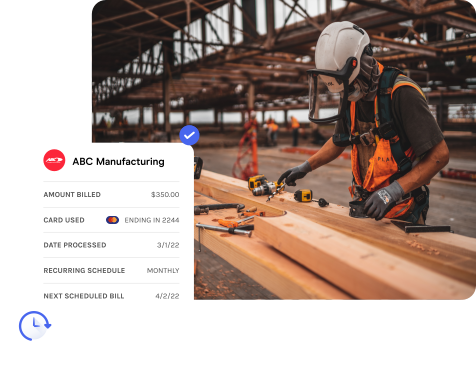
Get Affordable QuickBooks Payment Services
Our EBizCharge payment gateway is completely complimentary, so you can get an affordable alternative to QuickBooks Payments fees without having to worry about any additional costs.
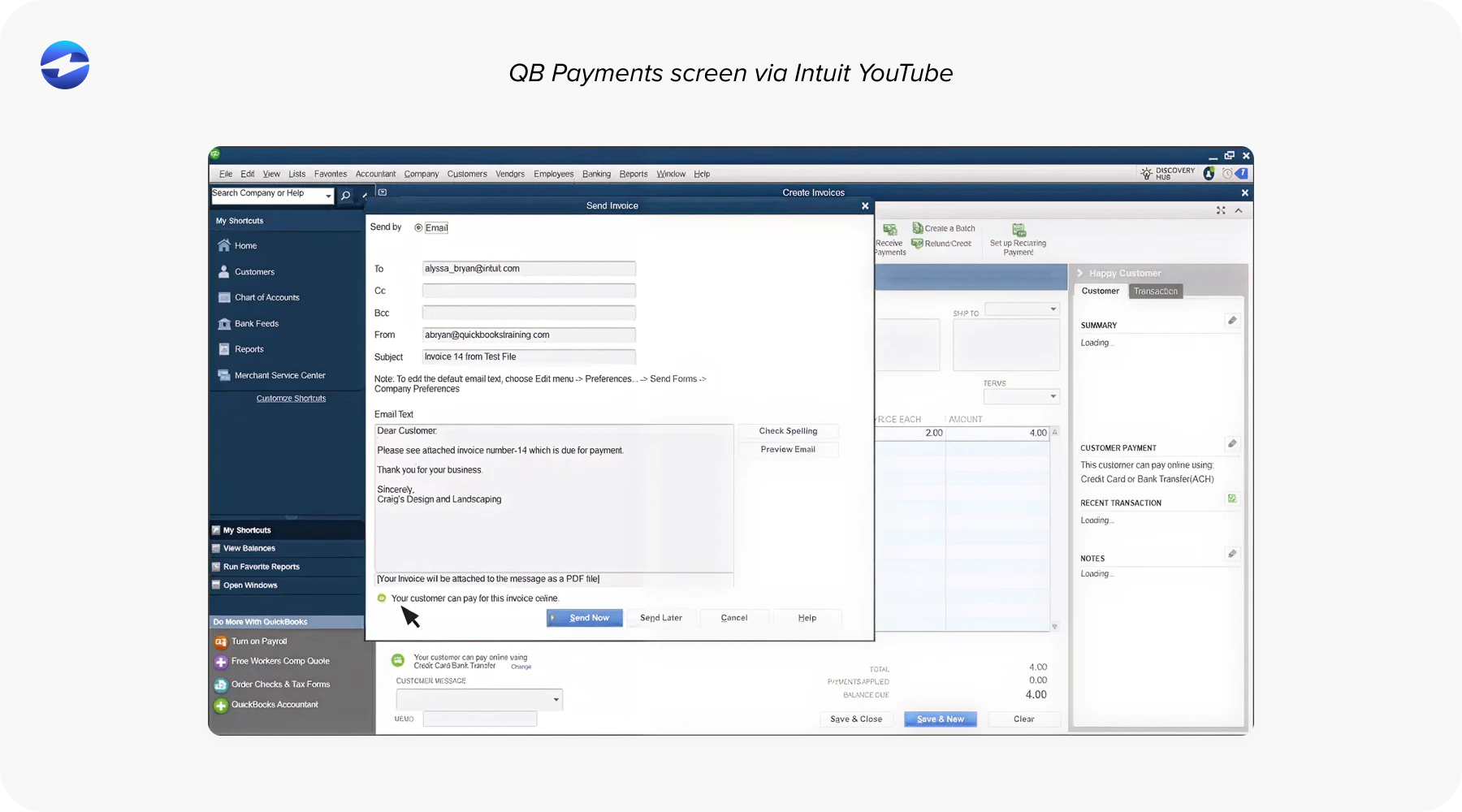
EBizCharge integrates seamlessly with your existing software, allowing you to accept payments in QuickBooks with ease. Our payment application automatically sends line-item details to our proprietary payment gateway to help you achieve the lowest QuickBooks merchant fees for your business.
EBizCharge stores all sensitive data off-site on PCI compliant servers, and utilizes advanced data encryption and tokenization technology to fully protect your credit card information.
In addition, EBizCharge comes with a complimentary customer payment portal that allows your customers to securely pay invoices online from anywhere.
Frequently Asked Questions
What are the best alternatives to QuickBooks Payments?
The most common alternatives include EBizCharge, Authorize.Net, Stripe, and Square. For B2B businesses that need lower interchange rates and automatic AR posting inside QuickBooks, EBizCharge is designed specifically for that workflow.
Does EBizCharge work with QuickBooks Online?
Yes. EBizCharge integrates with both QuickBooks Online and QuickBooks Desktop. Payments, invoices, and customer records sync automatically in both versions.
How much can I save by switching from QuickBooks Payments?
Savings depend on your transaction volume and card mix, but B2B businesses that process corporate or purchasing cards often see significant reductions by moving from flat-rate pricing to interchange-plus with Level 2 and Level 3 optimization. Many merchants save hundreds to thousands per year.
What is Level 3 processing and why does it matter?
Level 3 processing sends detailed line-item data (invoice number, tax amount, item descriptions) along with each transaction. This qualifies corporate and purchasing cards for lower interchange rates. Most flat-rate processors like QuickBooks Payments don’t support it.
Can my customers pay invoices online with EBizCharge?
Yes. EBizCharge includes a complimentary customer payment portal where your customers can view open invoices and pay by credit card, debit card, or ACH from any device. Payments sync automatically to QuickBooks.
Is EBizCharge PCI compliant?
Yes. EBizCharge stores all sensitive card data offsite on PCI-compliant servers and uses encryption and tokenization to protect payment information. No card data is stored inside your QuickBooks system.
Is EBizCharge a good fit for accountants managing payments in QuickBooks?
Yes. EBizCharge auto-syncs payments to QuickBooks, marks invoices as paid on approval, and includes a customer payment portal so clients can pay on their own time. For accountants managing AR across multiple QuickBooks company files, it simplifies reconciliation and eliminates manual payment matching.