Blog > Accounts Receivable Automation Best Practices: How to Get the Most Out of AR Automation
Accounts Receivable Automation Best Practices: How to Get the Most Out of AR Automation

AR automation isn’t a switch you flip. It’s a process you implement, and how well you implement it determines how much value you actually get out of it.
Many finance teams invest in AR automation software and still find themselves doing significant manual work months later. Not because the tool failed, but because the rollout didn’t address the right problems in the right order. The automation went in, but the friction stayed.
This article is written for AR managers and CFOs who are either actively evaluating automation or already in the middle of rolling it out. It covers eight practical accounts receivable automation best practices, sequenced in the order that produces the best results, drawn from how AR automation actually works inside a live business environment rather than how it looks in a product demo.
1. Audit Your Current AR Process First
Before evaluating any tool, map the process you have today.
Most teams skip this step because it feels like extra work before the actual work. But automating a process you don’t fully understand is how you end up with a tool that handles the easy cases and leaves the hard ones exactly where they were.
A useful process audit doesn’t have to be elaborate. Walk through how invoices are generated and sent, what happens when they go unacknowledged, how payments arrive and what remittance data typically accompanies each, how long cash application takes from payment receipt to ledger posting, where unapplied cash accumulates, and how collections follow-up is currently managed. Attach rough time estimates to each step.
What you’re looking for is the highest-friction, highest-cost manual work in your current accounts receivable workflow. That’s where automating accounts receivable should start, not with the easiest features to configure.
2. Prioritize Cash Application and Remittance Matching
Cash application is the highest-value automation target in any AR process. It’s the most time-intensive, the most error-prone, and the one most directly responsible for unapplied cash, aging inaccuracies, and misdirected collections activity.
Good cash application software reads remittance from multiple input formats, matches payments to open invoices using rules and confidence scoring, posts clean matches to the ERP ledger without manual input, and routes exceptions to a structured workflow. That covers the full cycle rather than just the easy cases.
Remittance matching deserves specific attention here. B2B customers frequently pay in lump sums covering multiple invoices with inconsistent or missing remittance. Manual remittance interpretation at scale is where most AR teams spend a disproportionate amount of time relative to the value the work produces. Automated cash application software that handles this directly, inside the ERP, reduces unapplied cash at the source rather than cleaning it up after the fact.
One important architectural note: cash application software that processes matches outside the ERP and syncs results back in creates a reconciliation gap. Cash application that posts directly to the ERP ledger in real time does not. Confirm which model a tool uses before committing.
3. Set Up Automated Payment Reminders Before Manual Ones
Most AR teams send reminders reactively. Someone reviews the aging report, identifies overdue accounts, and drafts emails one at a time. It’s slow, inconsistent, and dependent on whoever has bandwidth that day.
Automated reminder sequences fix this by running on actual AR data rather than on someone’s availability. Reminders trigger at defined intervals before and after the due date. Different sequences apply to different customer segments. Every touchpoint is logged in the ERP, so the AR team can see the full communication history without digging through email threads.
The dependency here is important: automated reminders are only useful when they run on accurate AR data. A reminder on an invoice that’s already paid is worse than no reminder at all. This is why cash application accuracy is a prerequisite for reliable collections automation, not a parallel track.
4. Build a Customer Self-Service Payment Portal
One of the highest-leverage moves in how to automate accounts receivable is making it easy for customers to pay without phone calls, check processing, or manual remittance communication.

A well-configured payment portal lets customers view all open invoices, select what they’re paying, and submit payment by card, ACH, or eCheck. Invoice selection at the point of payment structures remittance before it ever reaches the AR team. The matching problem is largely solved at the source. Payment posts directly to the ERP. The invoice closes. Aging updates immediately.
The downstream effect compounds. Portals that capture invoice selection reduce remittance-matching errors, which reduce unapplied cash, which improves aging accuracy, which makes collections sequences more reliable. Each improvement feeds the next.
Not every customer will use the portal immediately. Email pay links and payment buttons handle customers who are not yet portal users, and autopay handles the rest. Adoption grows over time when the portal is branded professionally and introduced clearly.
5. Automate Recurring Billing for Repeat Customers
Recurring revenue customers are the easiest accounts to automate completely, and most AR teams still process them manually every cycle.
Automating accounts receivable for repeat customers means setting up customer-authorized automatic charges on a defined schedule tied to their records in the ERP. Charges run on the configured date. Invoices are generated and closed inside the ERP. The AR team does not touch the transaction.
The cash flow benefit is real. Predictable, consistent collections on enrolled accounts with near-zero manual work per transaction. The unapplied cash benefit is also real: recurring charges with known amounts produce the cleanest remittance data in any AR environment, which means cash application on these accounts is essentially automatic.
Start with your most consistent, highest-volume repeat customers. Early wins on familiar accounts build internal confidence in the rollout.
6. Measure DSO Before and After
AR automation is an investment. Without a baseline measurement before implementation, it’s impossible to demonstrate what it delivered afterward.
Calculate your current days sales outstanding (DSO) from the last 90 days of AR data before go-live. Add collection effectiveness index alongside DSO, unapplied cash as a percentage of total AR, average days from payment receipt to ledger posting, and manual AR hours per week. These five numbers give you a clear before picture that can be compared directly against post-implementation results.
Measure monthly for the first six months after go-live, then quarterly. Well-implemented AR automation typically produces measurable DSO reduction within 60 to 90 days, driven by faster cash application, more consistent reminders, and higher portal adoption.

Share the results with leadership. AR automation is easier to expand and invest in when the outcomes are quantified.
7. Integrate Directly with Your ERP (Not a Standalone Tool)
This is the most important architectural decision in any AR automation implementation, and it’s one of the core AR automation best practices that gets underweighted during software evaluation.
Standalone AR automation software connects to the ERP via API or middleware, processes transactions in its own environment, and syncs data to the ERP on a schedule. Native ERP integration means the automation lives inside the ERP itself, using the ERP’s own data structures, with payments posting to the ledger at the moment of the transaction.
The practical consequences of the standalone approach are predictable: ERP aging is always behind the AR tool’s data, collections sequences trigger on unreconciled information, unapplied cash builds in the gap between the tool and the ledger, and month-end close still requires a reconciliation catch-up. Two vendor relationships instead of one, with a support gap when something breaks.
Native integration resolves all of these structurally. One ledger. One real-time view. Cash application complete at the moment of transaction.
Before committing to any AR automation software, ask the vendor directly where the payment posts. In the ERP ledger at the moment of transaction, or in the vendor’s system with a sync to the ERP afterward. Make that the first question, not an afterthought.
EBizCharge as the Native AR Automation Layer
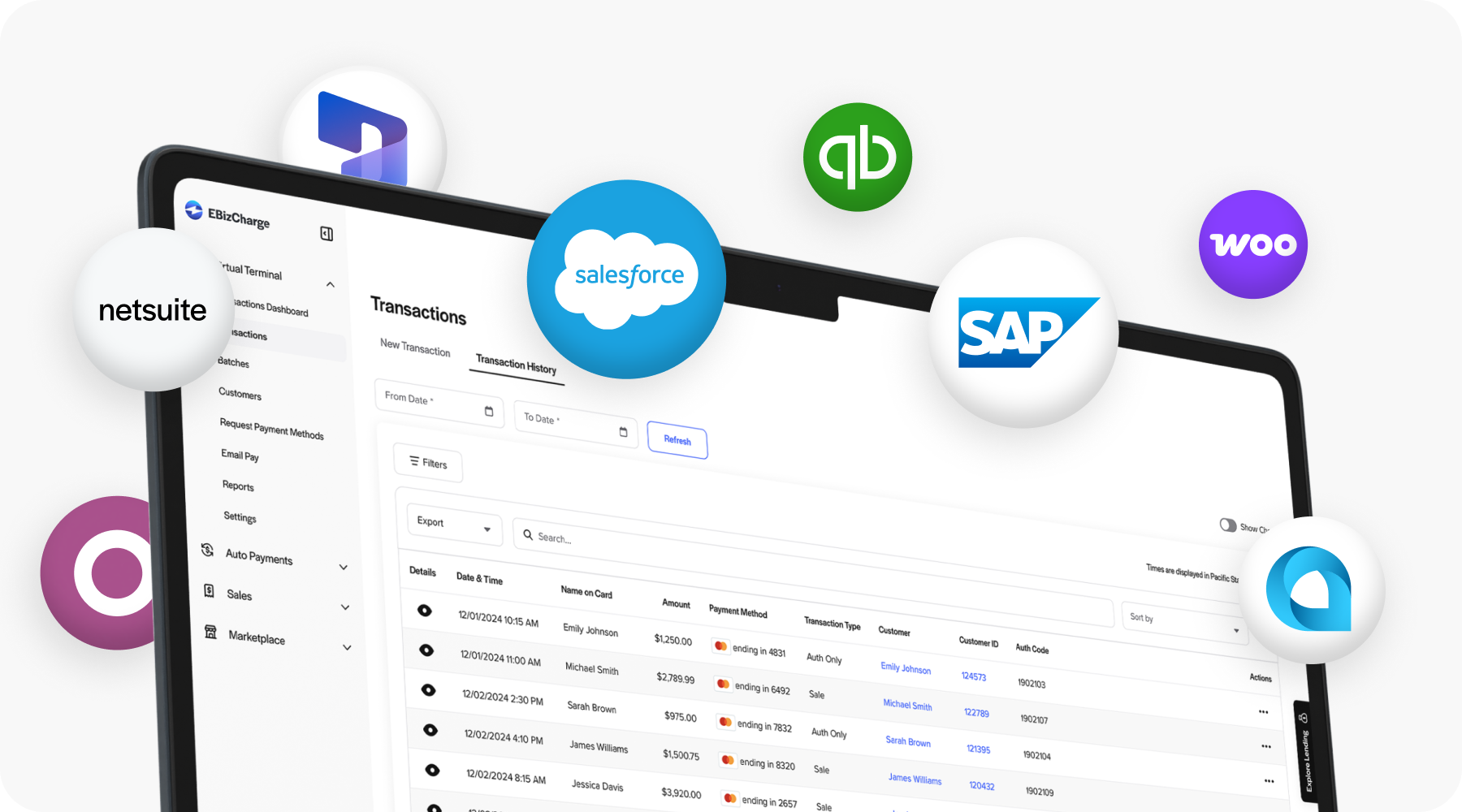
EBizCharge embeds payment capabilities directly inside 100+ ERP, accounting, eCommerce, and CRM platforms, including NetSuite, Sage, Microsoft Dynamics, Epicor, Acumatica, SAP, Infor, QuickBooks, and Oracle. Payments post to the ERP ledger in real time using each platform’s own data structures. No middleware, no sync dependency, no second system for the AR team to manage.
As a payment processing solution, EBizCharge covers the full payment method mix: credit and debit cards, ACH, eCheck, virtual card, and surcharging to offset or eliminate card costs entirely. The automated cash application software is built in, handling remittance ingestion, matching, real-time ledger posting, and exception workflows inside the ERP without a separate tool.
The customer payment portal captures invoice selection at the point of payment. Autopay and recurring billing run on ERP customer records. Collections sequences tie to live AR data. Reporting reflects posted cash in real time.
As a payment processor with over 20 years in embedded payments, 400,000-plus users, and publisher-certified integrations across the major ERP platforms, EBizCharge brings one vendor relationship and US-based support to the full payment experience inside the ERP.
Following accounts receivable automation best practices means choosing a payment processing solution that lives inside your system of record, not one that connects to it from the outside. That’s the practical case for EBizCharge, and it’s the reason the integration is built the way it is.
See how EBizCharge works inside your specific ERP at EBizCharge’s integration pages, or schedule a demo to walk through the full AR automation workflow in action.