Blog > AR Automation for NetSuite: A Practical Guide for Finance Teams
AR Automation for NetSuite: A Practical Guide for Finance Teams

NetSuite is one of the most widely used ERP platforms for mid-market B2B companies, and for good reason. It handles a lot of ground: general ledger, inventory, procurement, project accounting, and more. But like most ERPs, NetSuite is a system of record, not a payment processor. The gap between what NetSuite tracks and how payments actually get collected, matched, and posted is where many AR teams spend more time than they should.
NetSuite AR automation fills that gap. This article explains what it covers, how it works in practice, and what to look for when evaluating AR automation software for a NetSuite environment specifically.
What NetSuite Does Well and Where AR Gets Complicated
NetSuite gives finance teams strong visibility into NetSuite accounts receivable as a ledger function. Open invoices, aging buckets, customer balances — the data is there. The challenge is the workflow that surrounds that data. Collecting payments, matching remittances to invoices, posting cash to the correct open balances, and following up on overdue accounts are all processes that NetSuite tracks but doesn’t automate on its own.
That’s a meaningful distinction. Knowing that an invoice is 45 days past due isn’t the same as having a system that automatically sends a reminder, accepts a payment through a portal, matches the remittance to the correct invoice, and posts the result to the ledger in real time. Accounts receivable automation is the layer that makes the second scenario possible.
For NetSuite users specifically, the integration architecture matters enormously. Accounts receivable automation NetSuite implementations generally fall into two categories: tools that connect to NetSuite via middleware or API sync, and tools that operate natively inside the NetSuite environment using NetSuite’s own data structures. The difference shows up in reconciliation accuracy, reporting reliability, and how much manual work remains after the automation is in place. NetSuite accounts receivable automation that’s native to the platform eliminates the sync gap entirely. Tools that connect from outside it do not.
The Manual AR Problem in a NetSuite Environment
Before getting into what automation looks like, it helps to be specific about where the manual work actually lives.
Invoices go out from NetSuite, but payment collection happens outside of it. Customers pay by check, ACH, wire, or credit card, each through a different process, often with inconsistent or missing remittance data attached. Someone on the AR team has to retrieve that remittance, figure out which invoices it covers, enter the match manually, and post the payment to the ledger. For a team processing a few payments a week, that’s manageable. For a team processing hundreds, it’s a significant time commitment with real error risk.
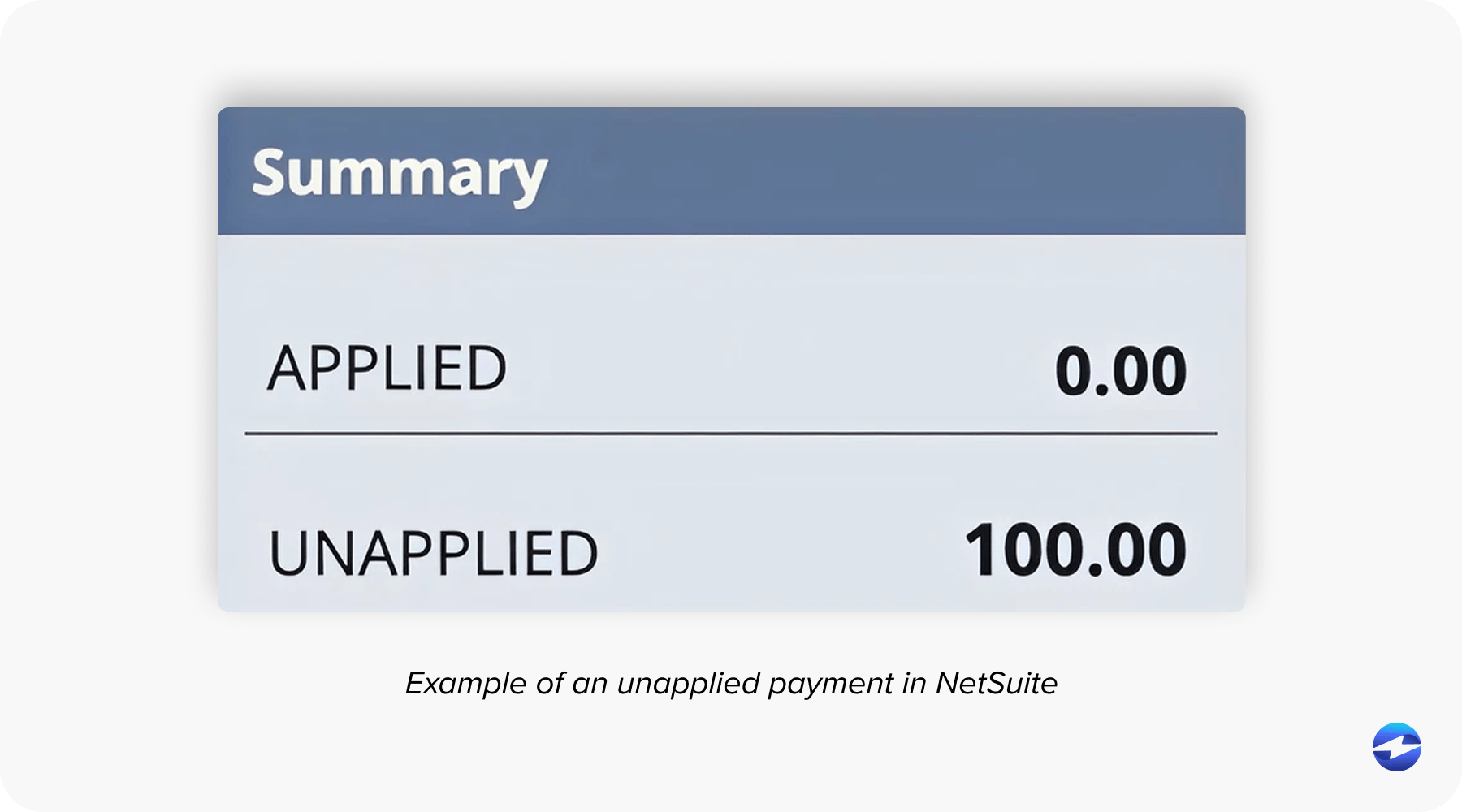
Unapplied cash accumulates when remittance is missing or ambiguous. NetSuite accounts receivable aging shows open invoices that may already be paid but haven’t been posted yet. Collections reminders go out on balances that customers have already settled. Month-end close slows down because payment posting is always the last thing to finish.
None of this is a NetSuite limitation. It’s a gap that AR automation software is designed to fill.
What NetSuite AR Automation Actually Covers
NetSuite accounts receivable automation, when implemented correctly, covers the full receivables workflow rather than just one piece of it.
Invoice delivery. Automated invoice generation tied to NetSuite transaction data means invoices go out when a sale is completed or an order is fulfilled, without a manual step in between. Delivery confirmation, open tracking, and automated reminders for invoices approaching or past due all run without someone managing a follow-up list by hand.
Payment collection. A customer self-service portal lets customers view their open invoices, select what they are paying, and submit payment by card, ACH, or eCheck. Autopay enrollment removes manual payment initiation entirely for recurring accounts. Email pay links and payment buttons cover customers who prefer to pay on their own schedule without using a portal.
Cash application. This is where automating accounts receivable delivers the most visible day-to-day benefit. When a customer pays and selects invoices at the point of payment, remittance is structured before it ever reaches the AR team. Payments match automatically to the correct open invoices and post to the ledger in real time. Exceptions — partial payments, deductions, missing remittance — go to a structured review workflow rather than a suspense pile.
Collections workflow. Aging-based reminder sequences trigger automatically based on actual posted AR data. Routine follow-up runs without manual intervention. Accounts that need personal attention get flagged rather than buried in a list of everything overdue.
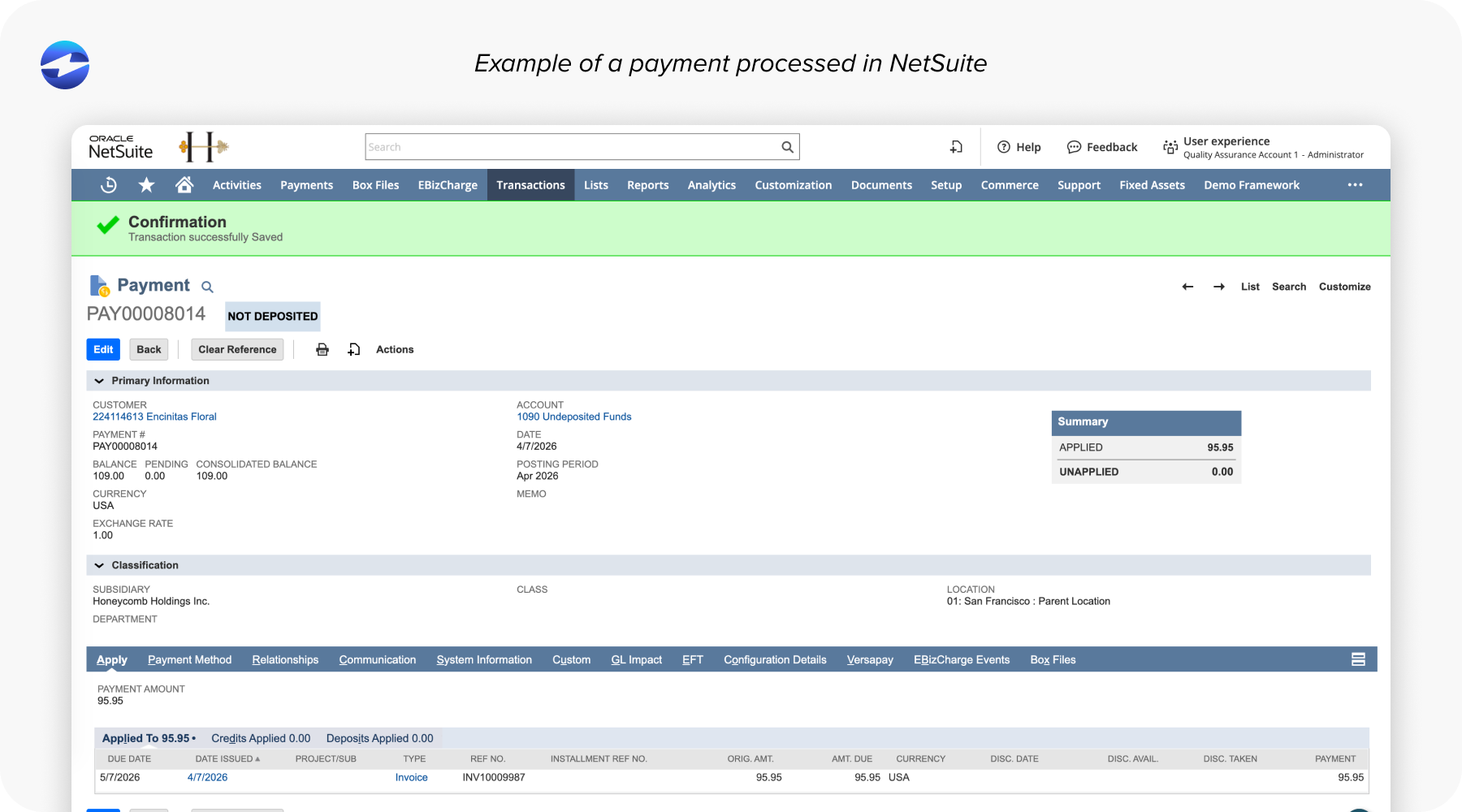
Reporting. When cash application posts in real time, every report that draws on AR data is accurate. Aging reflects posted payments. Days Sales Outstanding (DSO) calculations use live data. Month-end close doesn’t require a reconciliation catch-up because the ledger has been up to date all along.
What to Look For in Accounts Receivable Software for NetSuite
For AR managers and controllers evaluating accounts receivable software for a NetSuite environment, the integration architecture is the first question to ask, not the last.
A middleware-connected tool processes payments in its own environment and pushes data to NetSuite on a schedule or trigger. That sync gap is where reconciliation errors originate and where unapplied cash builds. A native integration processes payments and posts them inside NetSuite’s own AR module in real time, with no transfer step in the middle.
Beyond integration depth, look for payment method coverage that matches what your customers actually use. Credit and debit cards, ACH and eCheck, virtual cards, and check processing each generate different remittance data. AR automation software that handles only some of those methods creates its own exceptions. Good accounts receivable software covers the full range cleanly without routing each method through a different process.
Also, look at collections workflow flexibility, reporting tied to live NetSuite data, implementation timeline, and who owns the support relationship when something goes wrong. Having a single payment processor accountable for the full payment experience is meaningfully different from a scenario where a payment vendor, a middleware vendor, and NetSuite support are all pointing at each other when a reconciliation issue surfaces.
How EBizCharge Handles AR Automation for NetSuite
EBizCharge is an Oracle-certified NetSuite payment integration built on over 15 years of partnership with Oracle’s NetSuite team. It operates natively inside NetSuite’s AR module, not as a connector layer that syncs to it. Payments are processed and posted inside NetSuite using NetSuite’s own data structures, which means AR aging is always current, cash application is complete at the moment of transaction, and collections activity is based on accurate posted data.
NetSuite AR automation through EBizCharge covers the complete receivables workflow: invoice delivery, payment collection, cash application, collections sequences, and real-time reporting, all running inside the NetSuite environment your team already uses every day. There’s no second system to log into, no sync job to monitor, and no reconciliation step between the payment platform and the ERP ledger.
Accounts receivable automation NetSuite implementations with EBizCharge include a customer payment portal with invoice selection at the point of payment, autopay enrollment, email pay, payment links, and automated collections reminders tied to live AR data. Every payment method your customers use is covered: credit and debit cards, ACH, eCheck, virtual card, and Level 2 and Level 3 B2B processing for interchange savings.
As a payment processing solution, EBizCharge also supports surcharging, enabling businesses to offset or eliminate card processing costs entirely. Automating accounts receivable inside NetSuite rather than alongside it is the practical difference EBizCharge is built around. When the payment processor lives inside the ERP, there’s no sync dependency to manage, no reconciliation gap to close, and no second system for your team to monitor.
As a payment processing solution, EBizCharge brings transparent pricing, no hidden platform fees, US-based support, and implementation measured in days rather than months.
A Few Questions Worth Asking Before You Commit
A few direct questions reveal more than any demo.
- Does this post payments directly inside NetSuite’s AR module, or does it sync after the fact?
- How does cash application handle partial payments, deductions, and missing remittances?
- What payment methods does it cover?
- Who is accountable when a payment does not reconcile?
- What is the all-in cost across platform fees, processing rates, and implementation?
The answers separate AR automation software that automates the full workflow from tools that automate most of it and leave your team managing the rest.
When the Integration Lives Inside the System
Accounts receivable automation for NetSuite is most effective when it lives inside NetSuite rather than being connected to it from outside. The integration architecture isn’t a technical footnote. It determines whether your accounts receivable automation produces accurate data, whether your team has less manual work or just different manual work, and whether the payment processor you choose actually closes the loop or moves the gap somewhere else.
EBizCharge closes it inside NetSuite at the moment of the transaction. See how it works at EBizCharge’s NetSuite integration page, or schedule a demo to walk through the full AR workflow live.