
Blog > Modern Accounts Receivable Automation for NetSuite Users
Modern Accounts Receivable Automation for NetSuite Users

Let’s face it—traditional accounts receivable (AR) processes don’t scale well. When managing dozens or even hundreds of invoices manually, things start slipping through the cracks. Whether it’s delayed follow-ups, misapplied payments, or long reconciliation cycles, the inefficiencies add up fast.
That’s where automation steps in. For NetSuite users, the opportunity to modernize accounts receivable workflows is built right into the platform. With a combination of native tools and the right integrations, accounts receivable automation on NetSuite can dramatically reduce manual work, speed up cash collection, and give your finance team more time to focus on strategy instead of chasing payments.
This article explores what effective accounts receivable automation for NetSuite looks like, from core tools to real-world workflows, and how to make it work for your business.
Core AR Challenges Faced by NetSuite Users
Even with a strong ERP like NetSuite, many AR teams still struggle with outdated processes that haven’t evolved with their business. As invoice volumes grow and customer expectations shift, relying on spreadsheets, calendar reminders, or email threads becomes more of a liability than a solution.
- Manually creating, sending, and following up on invoices
- Disconnected systems for billing and payment processing
- Limited visibility into real-time AR metrics and cash flow
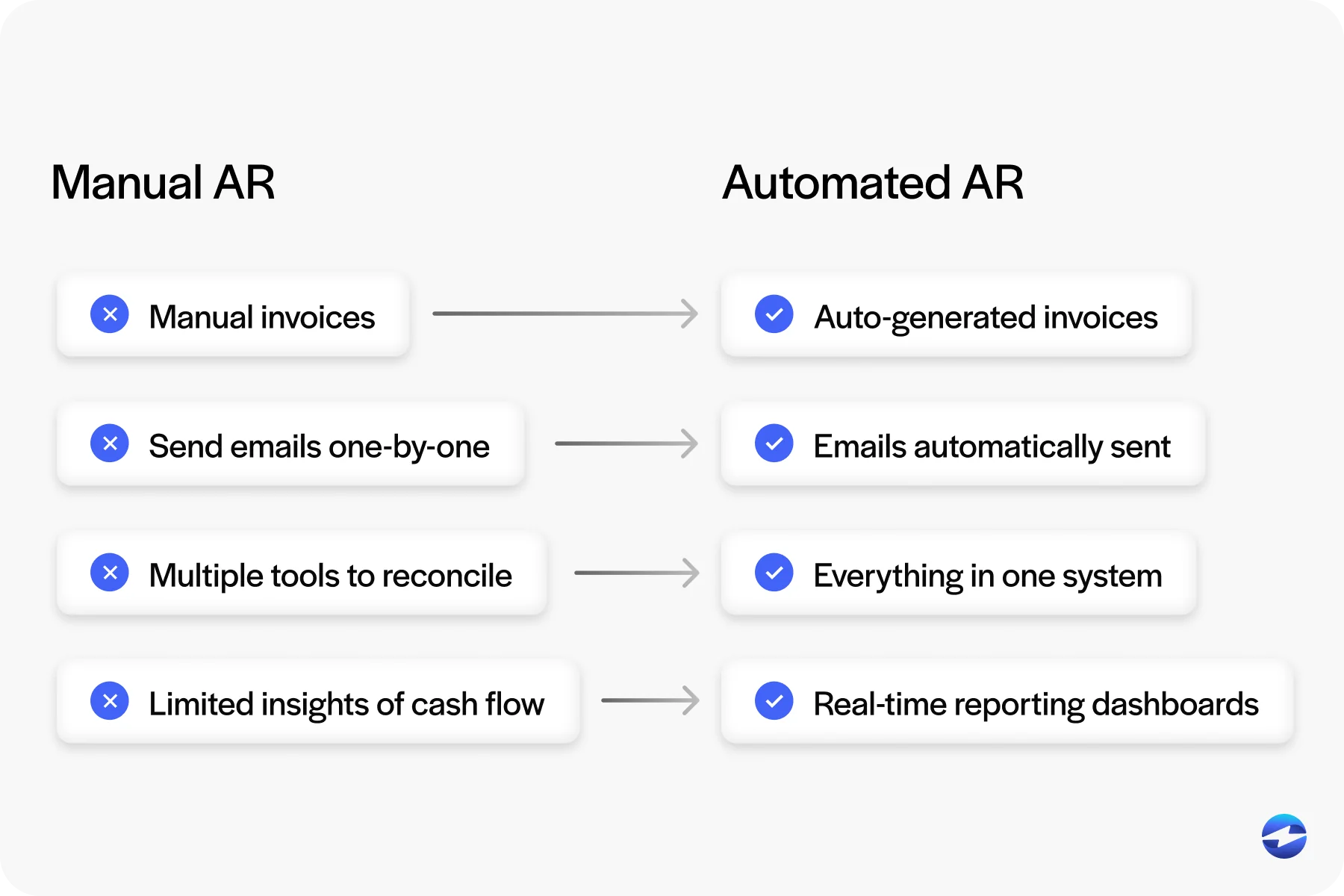
If this sounds familiar, you’re not alone. These challenges make it harder to stay on top of receivables and forecast with confidence—two areas where NetSuite accounts receivable automation can make an immediate impact.
What AR Automation Looks Like in NetSuite
So, what does automated receivable management with NetSuite actually look like?
It starts with NetSuite billing. You can generate invoices automatically from sales orders, projects, or subscriptions. From there, you can schedule email delivery and attach payment links—making it easier for customers to pay promptly.
You can also automate reminders using triggers based on due dates or customer behavior. And once a payment is made, NetSuite can auto-apply it to the correct invoice, reducing the need for manual reconciliation. This kind of workflow is the foundation of effective accounts receivable automation NetSuite users are building today.

Leveraging NetSuite Tools for AR Automation
NetSuite provides several tools out of the box that support AR automation.
SuiteFlow allows you to create approval rules and workflows based on custom triggers, like invoice amounts or customer segments. Saved searches and dashboard KPIs let you track overdue balances, time-to-payment, and follow-up results—all in real time.
You can also configure customer terms, payment preferences, and credit limits to fit your billing strategy. These small details play a big role in effectively scaling accounts receivable automation with NetSuite.
Best AR Automation Tools That Integrate with NetSuite
There are several AR automation platforms that work with NetSuite, and the right choice depends on the size of your AR team, your transaction volume, and how deeply you want the tool embedded in your ERP.
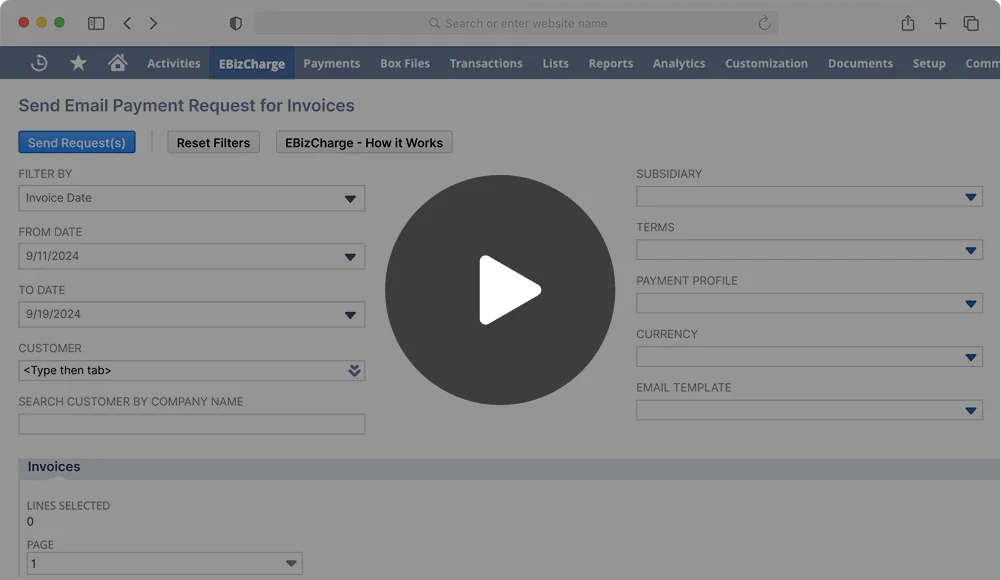
EBizCharge takes a different approach by integrating directly inside NetSuite rather than running as a separate platform. It handles payment collection, auto-application, email invoicing, and customer portals from within your existing ERP workflow. For teams that want automation without adding another dashboard to manage, that native integration makes a meaningful difference in adoption and daily efficiency.
The key question when evaluating tools is whether you need a standalone AR platform or a payment-first solution that automates collection and reconciliation within NetSuite. For most mid-market teams, the latter gets you 80% of the value with significantly less implementation overhead.
AI-Powered AR Automation in NetSuite
AI is starting to play a bigger role in accounts receivable, and for NetSuite users, the applications are practical rather than theoretical. The most common use cases fall into three areas: payment prediction, collections prioritization, and cash flow forecasting.
Payment prediction uses historical payment behavior to estimate when a customer is likely to pay a given invoice. Instead of treating every overdue invoice the same way, your team can focus follow-up efforts on the accounts that are actually at risk of going significantly past due. This is especially useful for teams managing hundreds of open invoices where manual prioritization isn’t realistic.
Cash flow forecasting builds on that payment prediction data to give finance teams a clearer picture of expected cash inflows over the coming weeks and months. Rather than relying on static aging reports, AI-driven forecasting adjusts dynamically as customer behavior shifts.
Embedding Payment Automation with a Payment Solution
A big piece of AR automation is how you collect payments—and this is where many teams hit a wall. Collecting payments is often the most manual and error-prone part of the accounts receivable cycle. From tracking down unpaid invoices to entering payment details and updating records, each step can create bottlenecks and delays.
Integrating a payment processor into NetSuite enables automated payment collection for NetSuite across multiple channels. Whether it’s ACH, credit card, or payment link, payments can be accepted and applied automatically. Customers can pay directly from an email invoice or self-service portal, reducing friction and accelerating collection.
The key is using a payment processing solution that syncs directly with your NetSuite environment. Without integration, teams are stuck with batch uploads, manual application, and frustrating delays. With it, AR teams can streamline their daily tasks, reduce errors, and improve cash flow visibility. It’s not just about speed—it’s also about having confidence that every transaction is recorded accurately and in real time.
Cash Application Automation in NetSuite
Cash application is the process of matching incoming payments to the correct open invoices. It sounds simple, but for businesses processing high volumes, it’s one of the most time-consuming parts of the AR cycle. Payments come in through different channels, reference numbers don’t always match, and partial payments or batch payments make manual matching even harder.
In NetSuite, cash application can be automated when your payment processor is directly integrated. When a customer pays through an email link, portal, or stored payment method, the payment is automatically applied to the correct invoice. There’s no manual matching, no batch uploads, and no guessing which invoice a check was meant to cover.
For companies that still receive a mix of electronic and manual payments, automation handles the electronic side while flagging exceptions for your team to review. Over time, this reduces your unapplied cash balance and gives your finance team a much cleaner picture of what’s actually been collected versus what’s still outstanding.
AR automation in practice
Here’s a quick look at how automation works in practice.
Imagine a growing distribution company that spends hours each week manually following up on unpaid invoices. By introducing automated reminders and embedded payment links through their NetSuite billing setup, they can reduce the time spent chasing payments and collect cash faster.
In another scenario, a service-based business struggling with delayed month-end reconciliations decides to integrate a payment processor directly into its NetSuite environment. This gives them real-time visibility into transactions and significantly simplifies their close processes.
And for companies that deal with recurring payments, offering customers self-service options, like secure portals or saved payment methods, helps reduce friction, improve satisfaction, and ensure more on-time payments.
These types of improvements are what make accounts receivable automation for NetSuite such a valuable upgrade. It’s not just about saving time; it’s about building more predictable, scalable, and customer-friendly processes.
Scaling AR Automation as Your Business Grows
One of the advantages of building AR automation inside NetSuite is that it scales with you. What works for a team processing 200 invoices a month can handle 2,000 without requiring a fundamentally different setup. The workflows, rules, and payment integrations you configure early on carry forward as your volume increases.
That said, scaling does require some planning. As invoice volume grows, make sure your dunning sequences are segmented by customer type or risk level rather than treating everyone the same. Review your payment terms periodically to make sure they still reflect your customer mix. And if you’re expanding into new entities or subsidiaries, confirm that your AR automation and payment processing tools support multi-entity environments so you don’t end up managing separate workflows for each business unit.
The businesses that get the most out of NetSuite AR automation are the ones that treat it as infrastructure rather than a one-time project. Build it right from the start, and it becomes the backbone of your cash collection process rather than something your team has to constantly maintain and adjust.
EBizCharge: A Modern AR Automation Tool for NetSuite
EBizCharge is one of the top accounts receivable platforms compatible with NetSuite. It integrates directly into your ERP and simplifies AR workflows from invoice generation all the way through to final payment and reconciliation. For teams using NetSuite daily, having an AR tool that fits seamlessly into existing processes makes a huge difference in both adoption and impact.
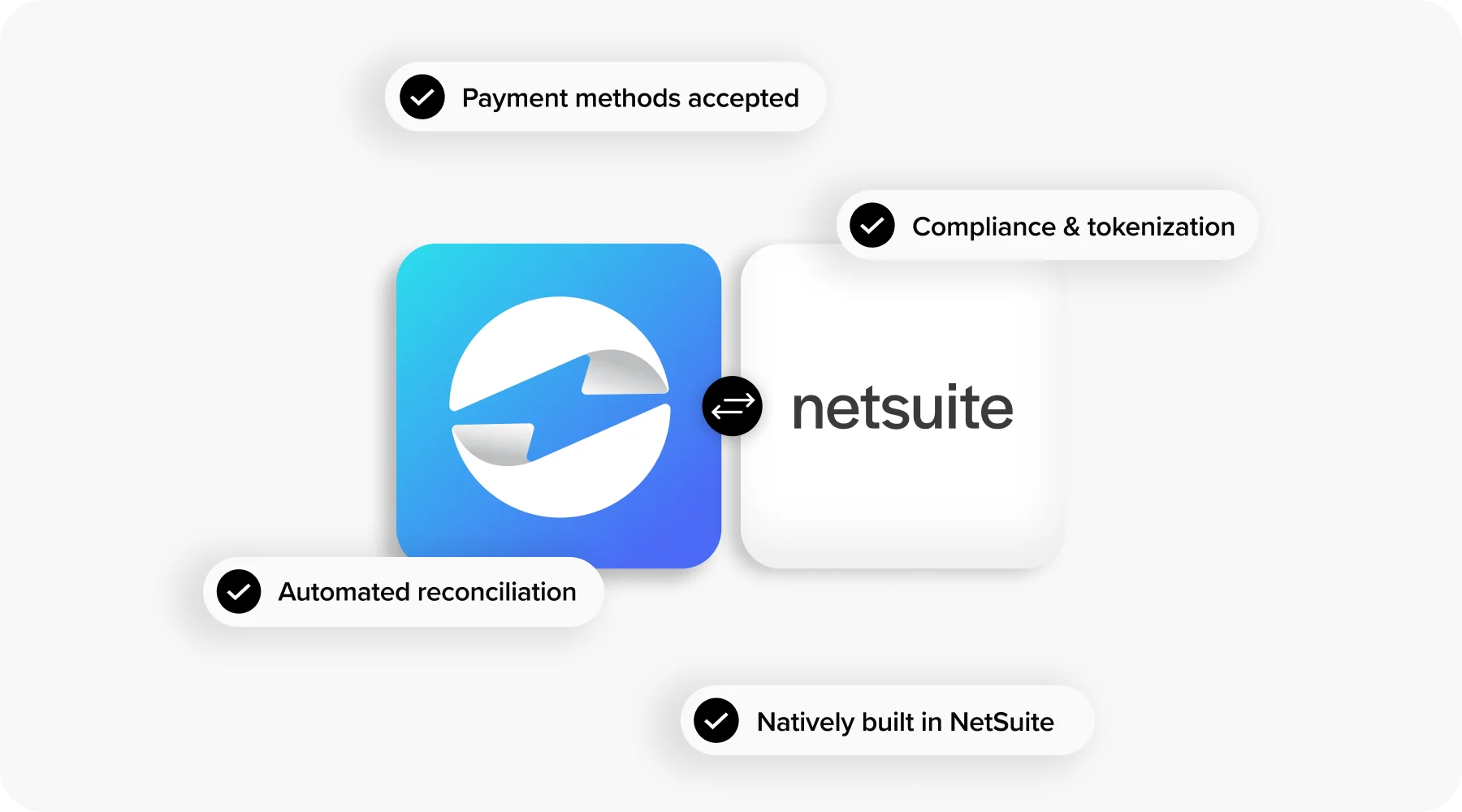
It supports automated payment collection for NetSuite via ACH, credit card, and email-based payment links. Payments are auto-applied to the correct invoices, and can be monitored through dashboards and saved reports—giving your team real-time visibility without any extra effort.
What makes EBizCharge especially effective is how deeply it embeds into NetSuite. There’s no jumping between portals or juggling multiple tools—it’s one continuous experience. Teams can enable features like stored payment methods, auto-bill rules, and scheduled follow-ups, all from within their existing workflow.
Many companies using EBizCharge have reported measurable improvements in days sales outstanding (DSO), reduced reconciliation time, and fewer errors throughout the AR cycle. By enabling truly automated receivable management with NetSuite, EBizCharge helps teams scale without sacrificing accuracy or customer experience.
Ready to Streamline Payments? Automate Smarter in NetSuite
If your AR team is still bogged down by manual tasks, now is the time to make a change. NetSuite accounts receivable automation gives you the tools to do more with less—faster billing, quicker payments, and fewer headaches.
Start by identifying the biggest friction points in your current process. Look at where things are getting delayed, duplicated, or dropped. Then explore how NetSuite billing and a payment processing solution like EBizCharge can work together to streamline your operations.
Because in today’s finance environment, accounts receivable automation on NetSuite isn’t just a nice-to-have—it’s a must-have for growing teams that want to stay ahead.
Frequently Asked Questions
What is NetSuite AR automation?
NetSuite AR automation uses built-in tools and third-party integrations to automate accounts receivable tasks like invoice generation, payment reminders, cash application, and reconciliation within the NetSuite ERP platform.
What are the best AR automation tools for NetSuite?
Popular options include EBizCharge for native payment automation, Tesorio for cash flow forecasting and collections, YayPay for AI-driven collections workflows, and Billtrust for broader order-to-cash automation. The best fit depends on your team size, transaction volume, and whether you want a standalone platform or an embedded solution.
How does cash application work in NetSuite?
When a payment processor is integrated with NetSuite, incoming payments are automatically matched to the correct open invoice. Electronic payments through portals, email links, or stored payment methods are applied instantly, while manual payments can be flagged for review.
Can AI improve AR automation in NetSuite?
Yes. AI-powered tools can predict payment dates based on customer behavior, prioritize collections efforts on high-risk accounts, and generate dynamic cash flow forecasts. These capabilities help AR teams focus their time on the accounts that need the most attention.
Does NetSuite AR automation scale for enterprise businesses?
Yes. NetSuite’s workflow tools, saved searches, and payment integrations support high-volume invoice processing and multi-entity environments. Businesses processing thousands of invoices per month can use the same automation framework they started with, with adjustments for segmentation and complexity.
How quickly can I deploy AR automation in NetSuite?
Deployment timelines depend on complexity. Basic automation like invoice scheduling and payment reminders can be set up in days. Deeper integrations involving payment processing, cash application, and custom workflows typically take a few weeks with the right implementation partner.
Can I automate collections in NetSuite?
Yes. You can configure automated dunning sequences that send payment reminders based on due dates, aging thresholds, or customer segments. When paired with a payment processor that embeds pay links in those reminders, collections become largely hands-off for routine follow-ups.
- Core AR Challenges Faced by NetSuite Users
- What AR Automation Looks Like in NetSuite
- Leveraging NetSuite Tools for AR Automation
- Best AR Automation Tools That Integrate with NetSuite
- Embedding Payment Automation with a Payment Solution
- AR automation in practice
- EBizCharge: A Modern AR Automation Tool for NetSuite
- Ready to Streamline Payments? Automate Smarter in NetSuite
- Frequently Asked Questions