

Blog > What is an ACH Authorization Form: How to Create One (Template Included)
What is an ACH Authorization Form: How to Create One (Template Included)

Before a business can debit and charge money from its clients’ checking accounts using the Automatic Clearing House (ACH) Network, it needs to gain authorization to do so. To receive this authorization, your client has to fill out an ACH authorization form.
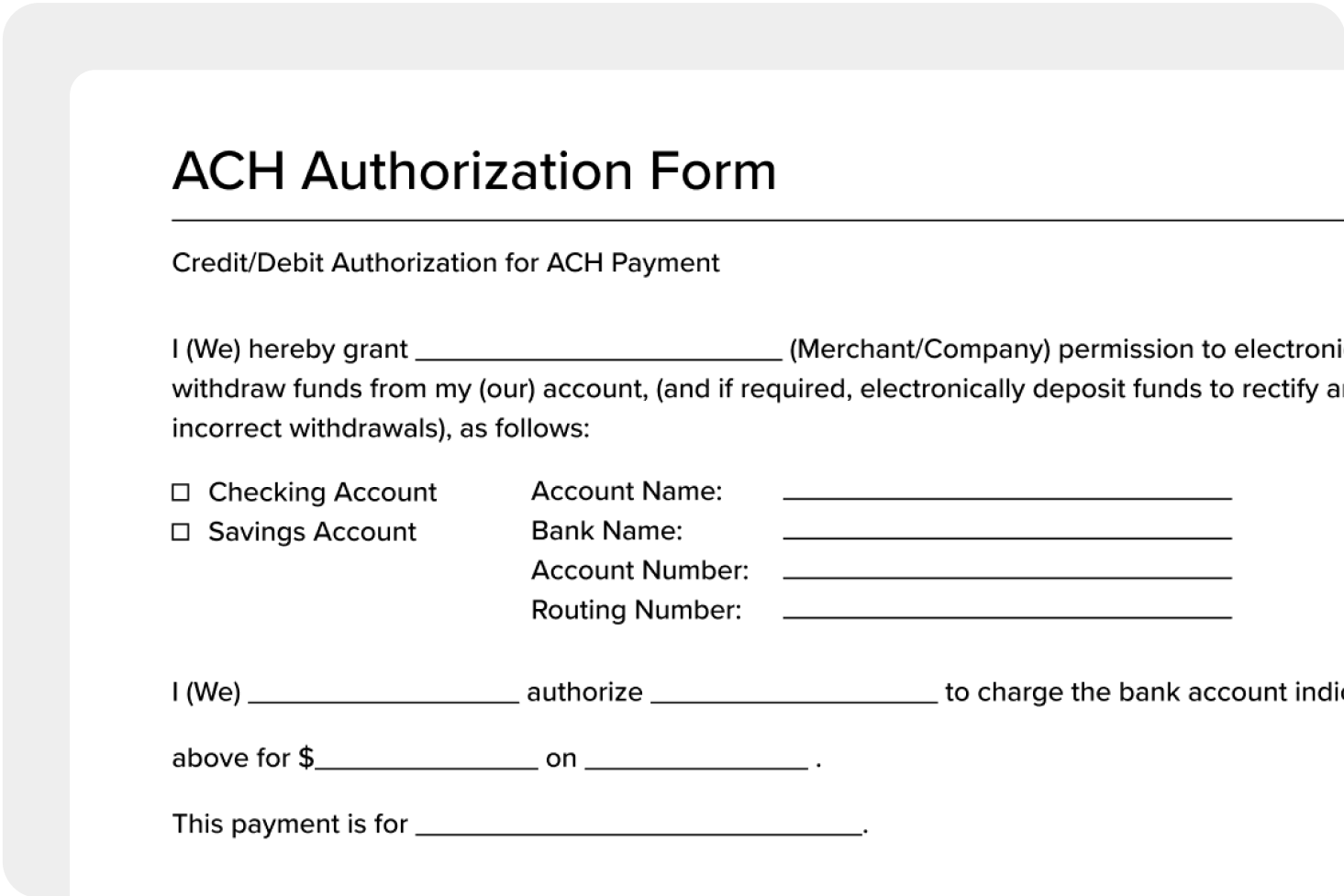
What is an ACH form?
An ACH authorization form, also known as an ACH payment form, is an essential component of electronic transactions used to grant permission to a financial institution to debit or credit an individual or business account, allowing for the transfer of funds between bank accounts.
There are different types of forms designed for specific transaction needs. These include ACH credit authorization forms for depositing funds, ACH debit authorization forms for making payments, recurring ACH payment authorization forms for regular debits, and stop payment request forms for canceling scheduled transactions. Each type serves a specific purpose, ensuring efficient and secure electronic fund transfers through the ACH network.
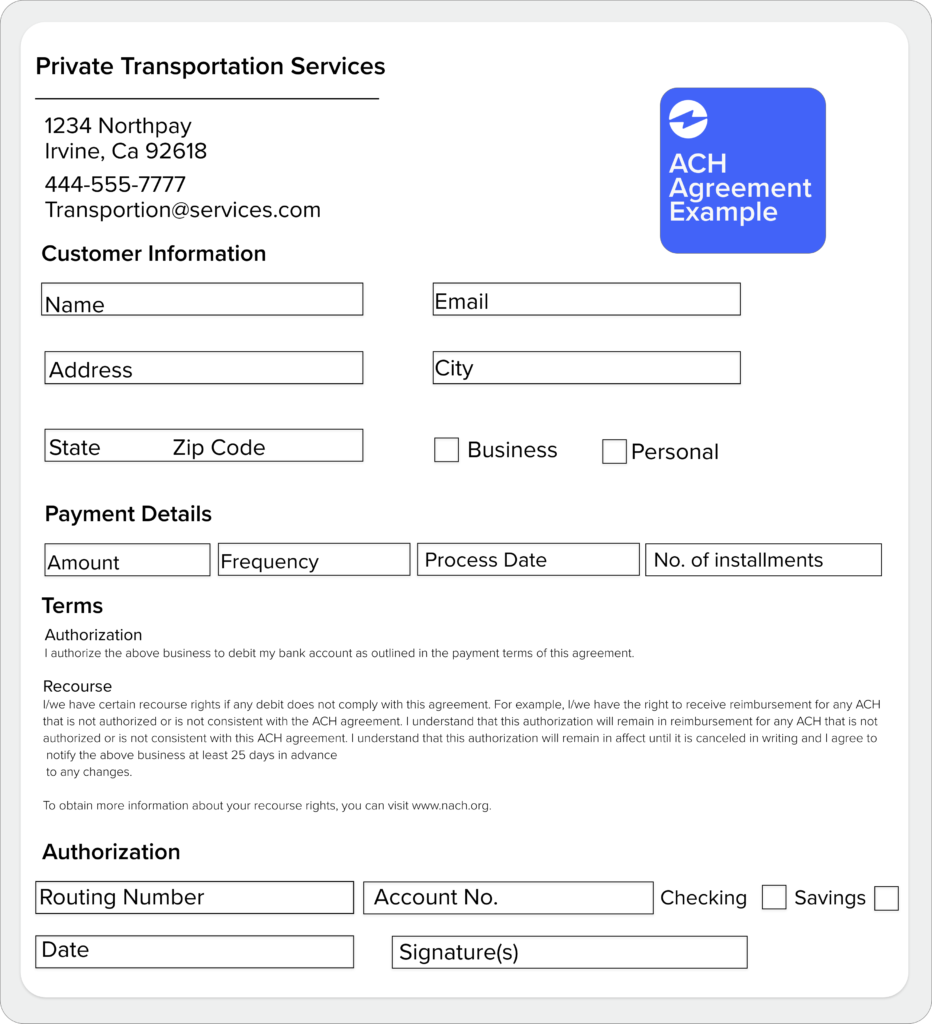
ACH Agreement Example
What is ACH authorization?
ACH is an electronic payment system that facilitates the transfer of funds between bank accounts.
The process of ACH authorization goes as follows:
- The ACH electronic payment process begins with a request for payment.
- The requestor submits the necessary information, including the amount to be debited or credited, the account number, and the routing number of the financial institution.
- The financial institution processes the request and transfers the funds.
The entire process typically takes a few business days, as opposed to the several days or even weeks that traditional payment methods may take.
The benefits of using ACH forms include lower costs compared to other payment methods, improved accuracy and efficiency, and the ability to process payments quickly. ACH forms also ensure more secure transactions since they require the account holder’s signature to authorize the transfer of funds.
How to Verify ACH Information Before Processing Payments
Some businesses search for an ACH verification form, but verification is actually a process rather than a standalone document. While an ACH authorization form collects permission and bank account details from a customer, ACH verification is the step where you confirm those details are accurate and the account is real before any money moves.
Skipping verification can lead to failed transactions, returned payments, and costly ACH return fees. For businesses that collect recurring ACH payments, verifying account information upfront saves significant time and money down the line.
Why ACH verification matters
When a customer fills out an ACH authorization form, they provide their routing number, account number, and account type. But there is no built-in guarantee that the information they provide is correct. Typos, outdated account numbers, or even fraudulent details can all make it through if there is no verification step in place.
ACH verification helps businesses:
- Reduce returned payments. Catching errors before the first debit means fewer NSF (non-sufficient funds) returns and fewer disruptions to cash flow.
- Prevent fraud. Confirming that the account belongs to the person who signed the authorization form protects your business from unauthorized transactions.
- Speed up onboarding. Verifying account details during setup means payments process smoothly from day one, with no back-and-forth to correct bad information.
- Stay compliant. Some payment processors and financial institutions require account verification as part of their risk management policies before activating ACH services.
Common ACH verification methods
There are several ways to verify bank account information for ACH payments. Each method offers a different balance of speed, cost, and security.
Micro-deposit verification is the most traditional approach. Your business or payment processor sends two small deposits (usually under $1.00) to the customer’s bank account. The customer then confirms the exact deposit amounts, proving they have access to the account. This method is reliable but typically takes 1 to 3 business days to complete.
Instant account verification uses third-party services like Plaid or Finicity to confirm bank account information in real time. The customer logs into their bank through a secure portal, and the service validates the account details instantly. This method is faster and increasingly preferred by businesses that want to reduce friction during customer or vendor onboarding.
Prenote verification (pre-notification) is a zero-dollar test transaction sent through the ACH network to validate the routing and account numbers before any live payments go through. If the prenote comes back with an error, you know the account information is incorrect before any real money is involved. Prenotes typically take 3 to 4 business days to process.
ACH verification vs. ACH authorization
Since these terms are often used interchangeably, here is a simple breakdown of how they differ:
| ACH Authorization | ACH Verification | |
|---|---|---|
| What is it | A signed form granting permission to debit or credit a bank account | A process that confirms the bank account details are accurate and valid |
| When it happens | Before any ACH transaction can be initiated | Before or during the setup of a new ACH payment relationship |
| Who handles it | The account holder fills out and signs the form | The business or payment processor runs the verification |
| Required? | Yes, required under NACHA Operating Rules | Recommended best practice; required by some processors and banks |
Think of it this way: authorization is about permission and verification is about accuracy. Most businesses need both. The customer signs an ACH authorization form to approve the transaction, and the business runs a verification step to make sure the account information is correct before processing payments.
How to verify ACH information step by step
- Collect the account holder’s bank details using a secure ACH authorization form that captures the routing number, account number, account type, and account holder name.
- Choose a verification method based on your business needs: micro-deposits for low-cost validation, instant verification for speed, or prenotes for a no-cost network-level check.
- Run the verification through your bank or payment processor. If using micro-deposits, wait for the customer to confirm the deposit amounts. If using instant verification, the confirmation happens in real time.
- Confirm the results before scheduling any live ACH debits or credits. If the verification fails, request corrected bank information from the account holder and re-verify.
- Keep records of the verification results alongside the signed ACH authorization form for compliance and dispute resolution purposes.
Payment processors like EBizCharge simplify this entire workflow by combining digital ACH authorization forms, built-in account verification, and automated recurring payment collection, all synced directly to your ERP or accounting software so you can skip the manual data entry.
What Information is Needed for an ACH Payment?
To process an ACH payment, you need specific banking and transaction details from the account holder. Whether you are setting up a one-time ACH debit, enrolling a customer in recurring payments, or initiating an ACH transfer to a vendor, the information needed is the same.
Here is a quick overview of the ACH information required:
| Information | What It Is | Where to Find It |
|---|---|---|
| Account holder name | The full legal name on the bank account | Bank statement, check, or online banking portal |
| Routing number (ABA number) | A 9-digit number that identifies the bank or financial institution | Bottom-left corner of a check, or by contacting the bank |
| Account number | The unique number tied to the specific checking or savings account | Printed on checks or available in online banking |
| Account type | Whether the account is a checking account or a savings account | Bank statement or online banking portal |
| Transaction type | Whether you are authorizing a debit (pulling funds) or a credit (depositing funds) | Determined by the nature of the payment |
| Transaction amount | The dollar amount to be debited or credited per transaction | Per the agreement between both parties |
| Payment frequency | How often the transaction will occur (one-time, weekly, monthly, etc.) | Per the agreement between both parties |
| Account holder signature | Written or electronic consent from the account holder authorizing the transaction | Collected on the ACH authorization form |
Where to find your routing number and account number
The two pieces of information that cause the most confusion are the routing number and the account number. Here is how to find them:
On a check: The routing number is the first set of nine digits printed along the bottom-left edge of the check. The account number is the second set of numbers, typically 10 to 12 digits, printed directly to the right of the routing number. The third number is the check number, which is not needed for ACH payments.
Through online banking: Most banks display your routing number and account number on your account details or settings page. If you cannot find them, contact your bank directly.
By calling your bank: If you do not have a check and cannot access online banking, your bank’s customer service line can provide both numbers after verifying your identity.
What additional information might be required?
Depending on your payment processor or bank, you may also need to collect:
- Business name and EIN (for B2B ACH payments between companies)
- Bank name and address (some ACH authorization forms require this for additional verification)
- Purpose of payment or invoice number (helpful for reconciliation, especially when processing multiple ACH transactions for the same customer)
- Voided check or bank letter (some processors require a voided check or a letter from the bank on official letterhead to verify account details before activating ACH services)
Tips for collecting ACH information from customers
Getting accurate ACH details from customers does not have to be a hassle. A few best practices can save you from returned payments and processing delays:
Use a standardized ACH authorization form. A consistent form ensures you collect all the required information every time, with no missing fields or incomplete submissions. You can download a free ACH form template in PDF or Word format online.
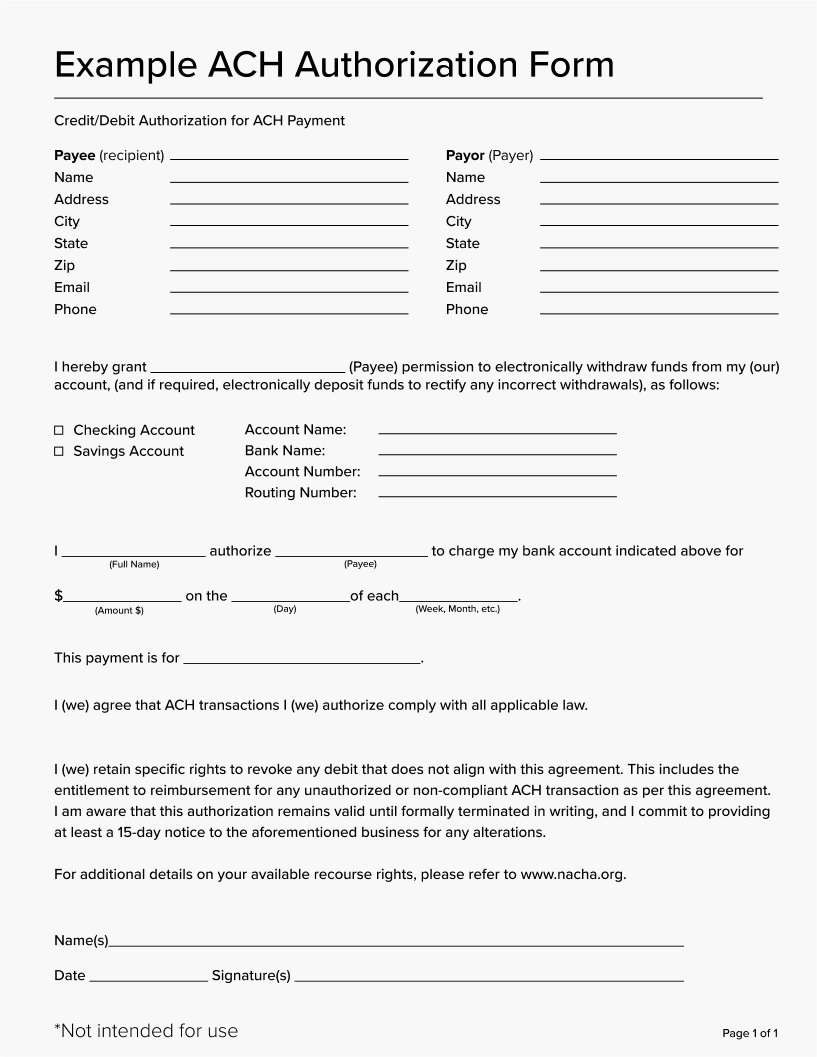
Collect information digitally when possible. Paper forms are prone to errors from illegible handwriting and manual data entry mistakes. Digital ACH authorization forms reduce errors and speed up the onboarding process.
Verify account details before processing. Running a verification step through micro-deposits, instant verification, or a prenote helps you catch bad account numbers before they result in a returned transaction. See the section above on how to verify ACH information.
Store ACH information securely. Bank account details are sensitive data. Make sure you are storing authorization forms and account information in a secure, encrypted system that meets PCI and NACHA compliance standards.
Cancellation of an authorization
With ACH transactions, there are payor and payee protections and laws that must be followed, such as a cancellation period for ACH authorizations.
ACH authorization forms must include information on how ACH payments can be canceled. This can be done by either filling out a form, sending a request by mail, or by placing a phone call. Once the request for the ACH payment is submitted to be canceled, you’re required to cancel the payment.
How to use an ACH authorization form
The first step in using an ACH authorization form is to request this form from your bank or financial institution, or by downloading a template from the internet. It’s important to make sure the ACH bank form you use is up-to-date and compliant with regulations.
Once you’ve obtained a bank authorization form, the next step is to complete it. This involves filling in the required information — your name, bank account, authorization for the transfer of funds, etc. Ensure you input all the information accurately and the form is complete for a smooth transaction process, free of any mistakes.
After the form is complete, submit it for approval by sending the form to your bank or financial institution, either in person, by mail, or electronically.
It’s also important to keep a copy of the ACH agreement for record-keeping purposes. This will provide you with a record of the transaction and help to resolve any disputes or questions that may arise in the future.
Common mistakes to avoid when using an ACH authorization form
One of the most common mistakes made when using the ACH request form is misinterpreting the terms and conditions. It’s imperative that you read and understand the terms and conditions carefully before signing the form since they outline the details of the transaction, including the amount, frequency, and date of the transfer.
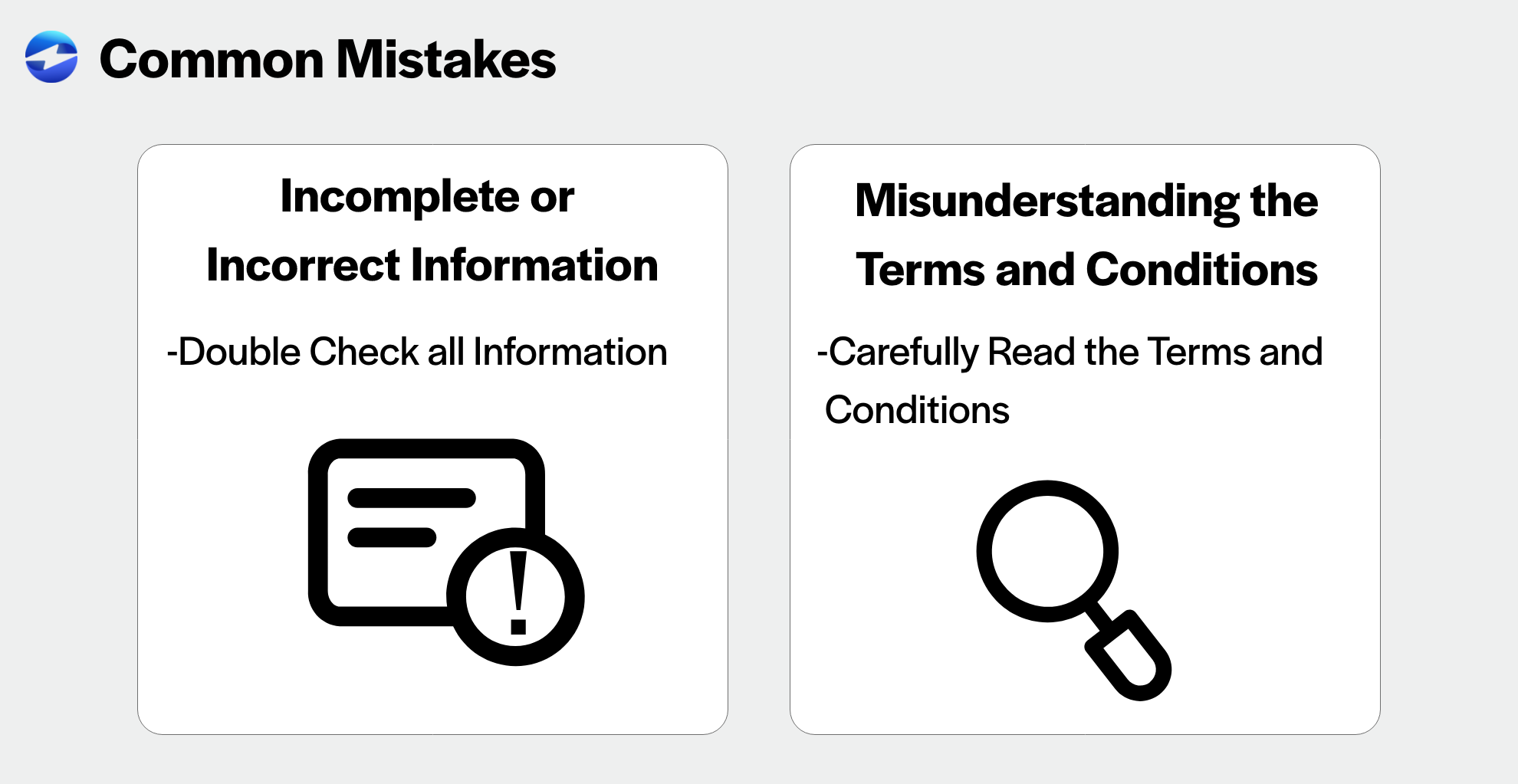
Another common mistake is providing incomplete or incorrect information on the ACH form. To avoid this, double-check all information to ensure it’s accurate and up-to-date. Incorrect information can lead to errors and delays in the transfer process.
Take advantage of the benefits of an ACH authorization form
ACH authorization forms play a critical role in the electronic payment process by providing a secure and efficient way to transfer funds.
In today’s technology-driven world, electronic transactions offer numerous benefits, including speed, cost savings, efficiency, and convenience. By using ACH authorization forms and following the steps outlined in this article, you can take advantage of these benefits to streamline your financial transactions. Having the right ACH processing solution in place makes a big difference here, because the fewer manual steps between collecting authorization and actually pulling the payment, the less room there is for things to go wrong.
Payment solutions like EBizCharge take it a step further by automating the entire ACH process, from digital authorization forms to recurring payment collection. With NetSuite payment processing and Sage payment integration, every ACH transaction syncs directly to your accounting software — so your books stay accurate without manual data entry.
Frequently asked questions
What does ACH form mean?
ACH stands for Automated Clearing House, which is the electronic network used to process bank-to-bank payments in the United States. An ACH form is a document that collects the banking information and authorization needed to send or receive payments through this network. The most common type is an ACH authorization form, which gives a business permission to debit or credit a customer’s bank account. ACH forms are used for a wide range of transactions including direct deposit, recurring bill payments, vendor payments, and one-time bank transfers.
How to set up an ACH payment?
To set up an ACH (Automated Clearing House) payment, follow these steps:
- Select a Payment Processor: Choose a bank or a third-party service provider that supports ACH payments.
- Collect Information: You’ll need your bank account number and routing number.
- Complete an Authorization Form: Fill out a form that authorizes the processor to debit your account.
- Submit Details: Provide the collected information and the completed form to your payment processor.
- Verification: Follow any verification procedures the processor requires, such as confirming micro-deposits in your account.
How do I get an ACH form from my bank?
Most banks provide ACH authorization forms upon request. You can visit your local branch and ask for a blank ACH form, call your bank’s customer service line, or check your bank’s website where downloadable forms are often available in the business or commercial banking section. If your bank does not offer a standard form, you can also use a generic ACH authorization form template. Many payment processors, including EBizCharge, provide digital ACH forms that your customers can complete and sign electronically, which eliminates the need to go through your bank for paper forms at all.
How to request ACH payment from customer?
To request an ACH payment from a customer, you should:
- Provide an Authorization Form: Send the customer an authorization form to complete.
- Gather Required Information: Ensure the form includes their bank account and routing numbers.
- Submit the Form: Send the completed form to your ACH payment processor.
- Set Up the Payment: Arrange the payment details with your processor, including the amount and frequency.
- Confirm with Customer: Verify the setup and payment details with the customer.
How to fill out ACH form?
To fill out an ACH form, start by entering your name and contact details, then add your bank’s routing number and account number (both found on your checks). Choose whether it’s a checking or savings account, specify if you’re authorizing debits or credits, include how much and how often the transactions will occur, and don’t forget to sign it to make it official.
How to make an ACH payment?
To make an ACH payment:
- Log In: Access your online banking platform or the platform of your ACH payment processor.
- Enter Payment Details: Input the recipient’s bank account and routing numbers.
- Specify Amount: Enter the amount to be transferred.
- Schedule the Payment: Choose whether it’s a one-time or recurring payment and set the date.
- Review and Submit: Double-check all the details and submit the payment.
Why did I get an ACH credit?
An ACH credit means money was transferred into your account. Possible reasons include:
- Direct deposit from your employer
- Refunds from businesses
- Government payments like benefits or tax refunds
- Transfers from another account you own
What does ACH hold mean?
An ACH hold indicates that a transaction involving an ACH transfer is in progress and not yet completed. Reasons for the hold can include:
- Processing time required by banks
- Verification of funds
- Compliance checks
The hold typically lasts a few business days until the transaction is finalized.
How can I automate ACH payment collection?
Payment processors like EBizCharge let you send digital authorization forms, set up recurring debits, and automatically reconcile payments in your accounting software. The key is finding an ACH processing solution that connects directly to your accounting or ERP system, so payments post automatically and your team isn’t stuck entering transactions by hand.
Summary
- What is an ACH form?
- What is ACH authorization?
- How to Verify ACH Information Before Processing Payments
- What Information is Needed for an ACH Payment?
- Tips for collecting ACH information from customers
- Cancellation of an authorization
- How to use an ACH authorization form
- Common mistakes to avoid when using an ACH authorization form
- Take advantage of the benefits of an ACH authorization form
- Frequently asked questions
