Blog > Sage Payments Virtual Terminal: Limitations and Alternatives
Sage Payments Virtual Terminal: Limitations and Alternatives
The Sage Payments virtual terminal has been a reliable tool for businesses that need to process credit card transactions without a physical swipe terminal. It’s web-based, accessible from any browser, and connects to the Sage gateway for authorization. For phone orders, mailed-in payments, and back-office processing, it gets the basic job done.
But the product has changed hands multiple times over the past several years. Sage Payment Solutions became Paya in 2018, and Paya was later acquired by Nuvei. Through all of that, the virtual terminal interface has stayed largely the same. But expectations around B2B payment processing have moved forward significantly. If you’re an AR manager, billing specialist, or IT lead running Sage and still relying on the Sage Payments virtual terminal for daily transactions, it’s worth taking an honest look at where this tool helps and where it holds you back.
What the Sage Payments Virtual Terminal Does
Sage Payments’ virtual terminal covers the basics reasonably well. You can manually key in credit card and ACH transactions through a secure web interface. It’s available around the clock from any internet connection. Transactions are processed through the Sage gateway, with AVS and CVV verification for fraud prevention, and the system is PCI compliant.
On the reporting side, you can view transaction history, pull batch summaries, check expiring card reports, and export data to Excel or PDF. There’s also a recurring payments feature that lets you charge customers a fixed amount on a set schedule. The virtual terminal works alongside Sage 300, Sage 100, and other Sage software products that have payment processing modules enabled.
For a small business processing a handful of card-not-present transactions each week, this setup can be perfectly adequate. The friction starts when volume grows, when your team needs payments tied to specific invoices, or when the manual steps between the virtual terminal and your Sage system start eating into hours that could be spent on higher-value work.
Where the Sage Virtual Terminal Falls Short
The most significant limitation is that the virtual terminal lives outside of Sage. It’s a separate web application with its own login. When you process a transaction there, it doesn’t automatically show up inside your Sage ERP. Someone on your team still has to go into Sage and manually record that payment, match it to the right invoice, and post it to the correct AR record and general ledger account.
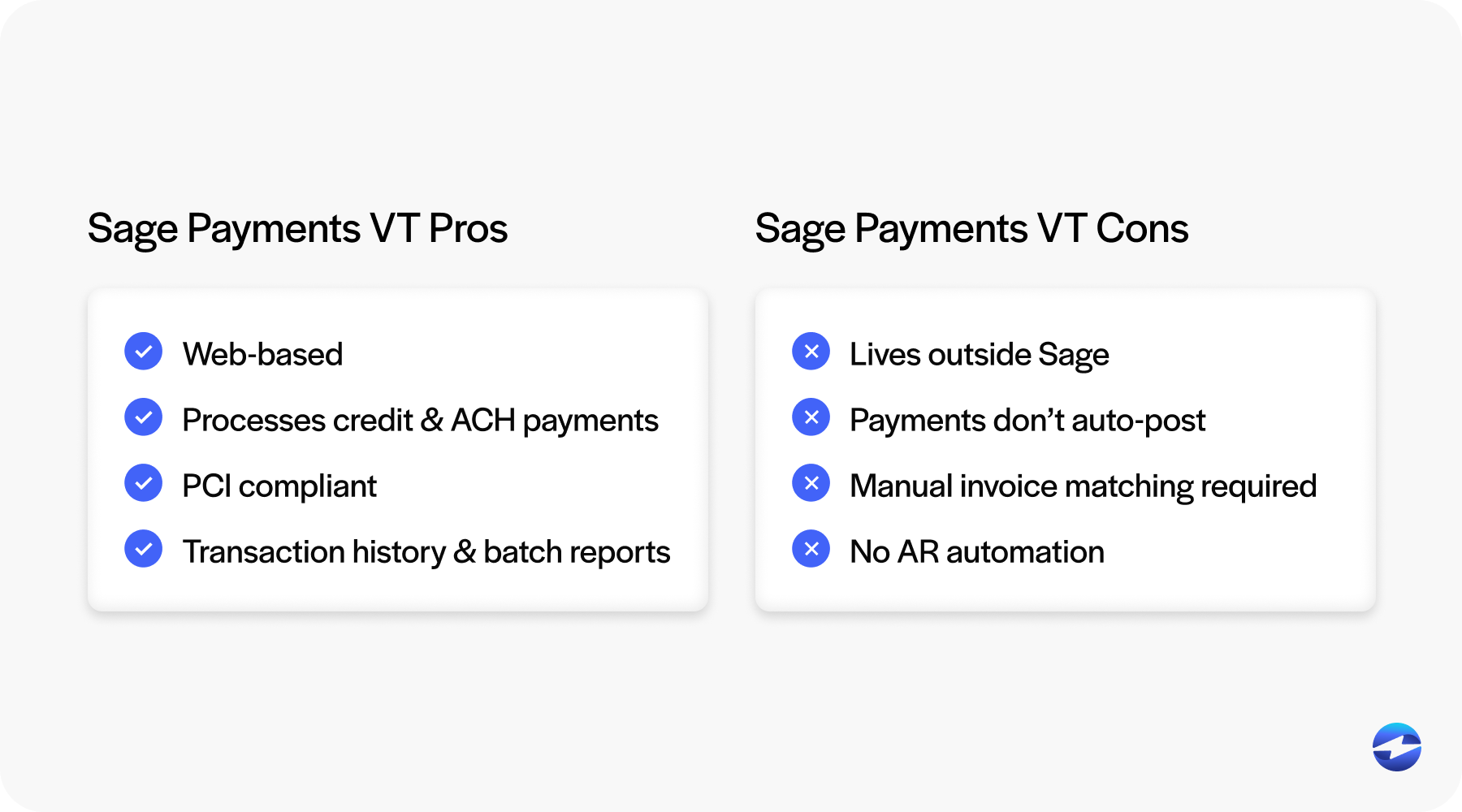
For teams handling a few transactions a day, the extra step is annoying but manageable. For teams processing dozens or hundreds of payments, it becomes a serious time drain and a consistent source of reconciliation errors. The end-of-day routine of cross-referencing the virtual terminal with your Sage system is exactly the kind of manual work that modern payment tools should eliminate.
The virtual terminal also lacks meaningful AR automation. It can process a payment and set up basic fixed-amount recurring charges, but it can’t send an email payment link tied to a specific open invoice. It doesn’t offer a self-service portal where your customers can log in and view what they owe, it won’t automatically send payment reminders based on invoice aging, and it doesn’t handle variable recurring billing for customers whose balances change month to month. These are the capabilities that make the difference between a payment processor and a genuine AR workflow tool.
Reporting is another gap. You can see transactions and batches, but there’s no real-time view into your receivables that shows what’s paid, what’s pending, and what’s overdue all in one place. Most teams end up running separate reports inside their Sage system to get the full picture, which adds yet another manual step to the process.
Then there are the practical concerns around the product itself. Reviews of Sage Payments (now Paya/Nuvei) consistently mention early termination fees, auto-renewing contracts, PCI non-compliance charges, and uneven support quality. For IT managers evaluating the long-term viability of their payment stack, the lack of visible development investment in the virtual terminal raises questions about where this product is heading.
What to Look for in an Alternative
If you’re evaluating replacements, the criteria should go beyond transaction fees and basic processing capability. What matters most for Sage users is how tightly the payment solution integrates with the ERP itself.
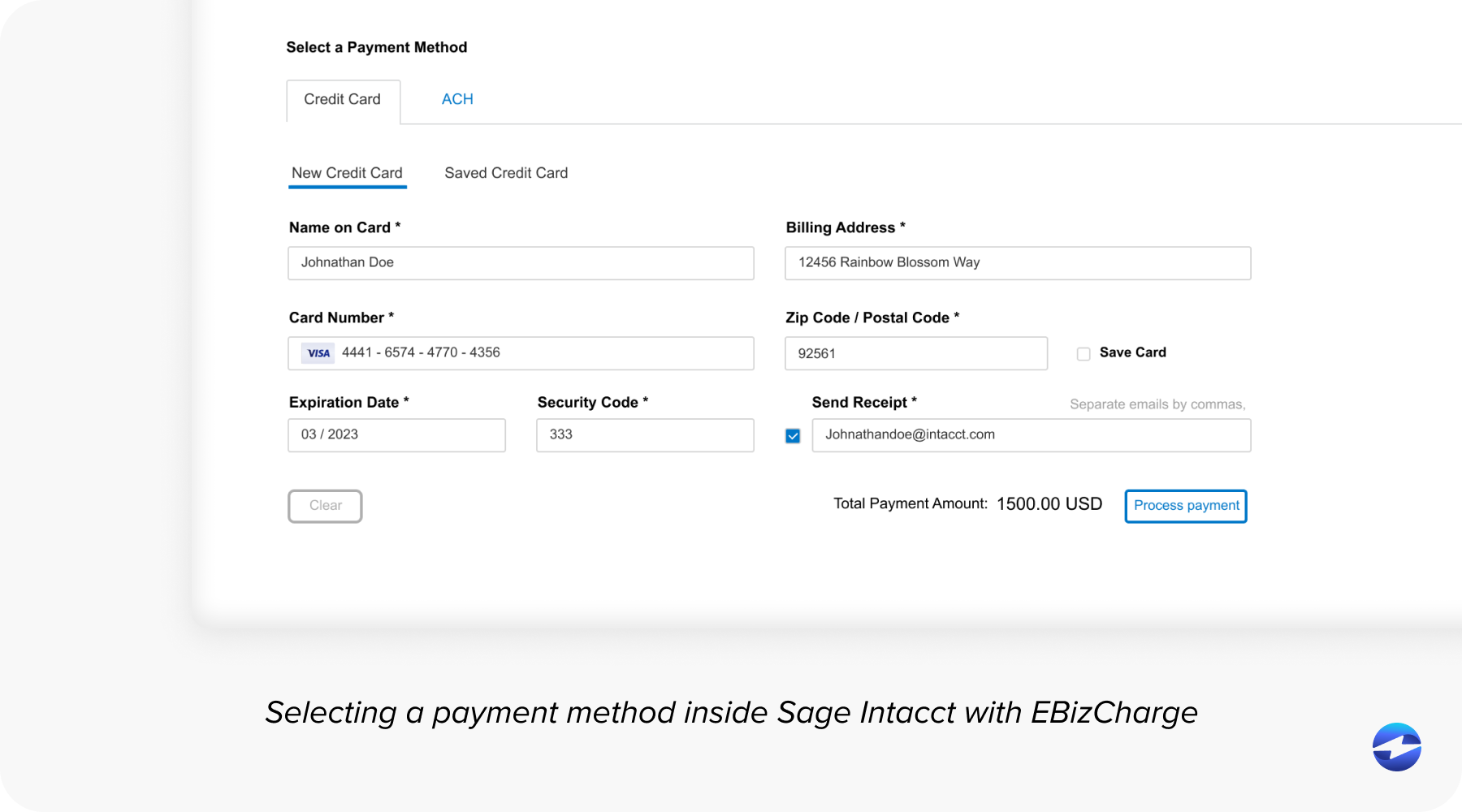
The biggest upgrade over a standalone virtual terminal is a payment processing solution that lets you process transactions from inside your Sage system rather than in a separate browser window. When payments are processed natively within the ERP, they can automatically match to the correct invoice, post to the right customer record, and update the general ledger without anyone manually bridging the two systems. That single change eliminates double entry, reduces errors, and gives your AR team their time back.
Beyond native integration, look for the automation features the virtual terminal doesn’t have. Email payment links tied to specific invoices, a customer payment portal, automated reminders, and flexible recurring billing are what turn a basic payment tool into something that actually improves how your team operates. These aren’t nice-to-haves anymore. For B2B companies managing complex receivables, they’re the standard.
Support and pricing transparency also matter. Find out whether the provider offers in-house support or outsources to a call center. Ask about contract terms upfront. And make sure there aren’t hidden charges like PCI non-compliance fees quietly added to your statement each year.
Why EBizCharge Is One of the Best Alternatives
For Sage users specifically, EBizCharge stands out because it addresses every major limitation of the Sage Payments virtual terminal while adding a full layer of AR automation that the original product was never designed to offer.
The core difference is where the software lives. EBizCharge is natively built inside Sage 100, Sage Intacct, Sage 50, and over 100 other ERP, accounting, and CRM systems. There’s no separate website to log into. Your team processes credit and debit cards as well as ACH transactions directly from within Sage. When a payment comes through, it automatically matches to the open invoice and posts to the correct AR record and general ledger account in real time. No double entry. No end-of-day reconciliation between two systems.
On top of that native Sage integration, EBizCharge includes the automation tools that modern AR teams rely on. Email Pay lets you send payment links tied to specific invoices directly from within your Sage ERP. Customers click, pay, and the transaction posts automatically. There’s a self-service customer payment portal where buyers can log in, view all their open invoices, and pay on their own schedule. Automated payment reminders go out based on invoice aging, so your system handles follow-ups instead of your staff. Additionally, recurring billing supports both fixed and variable amounts, adapting to customers whose balances change month to month.
The real-time visibility is a notable step up as well. Instead of pulling separate reports from the virtual terminal and then cross-referencing inside Sage, your AR team can see what’s paid, pending, and overdue all from within the Sage system they already work in.
Security is handled through PCI Security Council certification, along with encryption and tokenization on every transaction. Card numbers never sit on your servers. Unlike some Sage Payments plans, there are no annual PCI non-compliance fees.
EBizCharge also offers interchange optimization, which automatically routes each transaction into the lowest cost rate category. For B2B companies processing corporate and purchasing cards at higher volumes, this can meaningfully reduce processing costs without requiring any manual work from your team.
On the support side, everything is in-house. When you call, you’re reaching the people who built the Sage integration. Support is free and available around the clock. And the development team has maintained compatibility with Sage software through years of version updates, so you’re not at risk of a broken integration after your next Sage upgrade.
Other Options Worth a Look
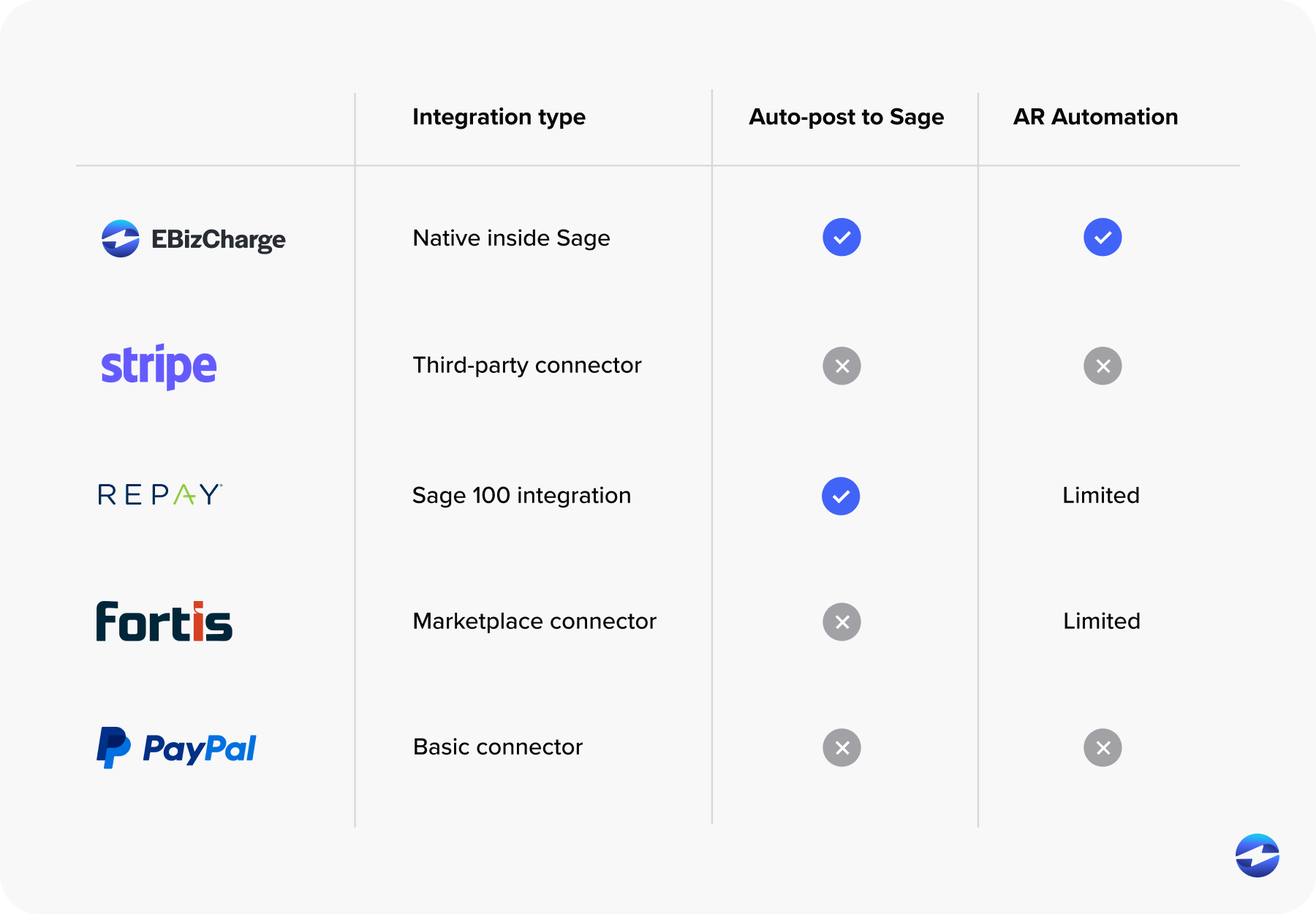
Stripe connects to Sage through third-party connectors and is a strong choice for simple online payments and e-commerce. But it doesn’t offer ERP-level posting, invoice matching, or AR automation. REPAY provides Sage 100 payment processing with click-to-pay and AP/AR functionality, though the product has undergone its own recent ownership changes. FortisPay has built a following in healthcare and B2B recurring billing, connecting through marketplace connectors rather than native embedding. PayPal is familiar and easy to set up as a basic payment option on invoices, but doesn’t include any of the ERP-level reconciliation or automation that B2B teams typically need.
The Bottom Line
The Sage Payments virtual terminal was designed for a time when keying card numbers into a web browser was a meaningful step up from paper-based processing. For businesses that only need occasional card-not-present entry, it still works. But for finance teams managing B2B receivables inside a Sage ERP who need payments to post automatically, invoices to match without manual effort, and collections to follow up on themselves, the virtual terminal creates more work than it saves.
Moving from a standalone virtual terminal to a natively integrated payment solution inside your Sage system is one of the most practical upgrades an AR team can make. Evaluate your options based on how they actually work inside Sage, not just whether they can process a transaction.