Blog > QuickBooks Payment Integration Options: Native Alternatives
QuickBooks Payment Integration Options: Native Alternatives
If you’ve ever found yourself troubleshooting missing syncs, cleaning up deposits, or feeling unsure whether to keep using the default system or explore QuickBooks alternatives, you’re not alone. Many finance teams reach a point where they need deeper automation, clearer reporting, lower fees, or simply a more reliable way to connect payments to accounting. That’s where understanding your QuicakBooks payment integration options becomes essential.
This guide walks through how payments work inside QuickBooks today, the different integration paths available, and why so many organizations transition from the built-in tools to a more flexible payment processing solution. Whether you’re running a lean operation or scaling rapidly, choosing the right integration can make daily financial work noticeably easier.
How Payment Processing Works in QuickBooks
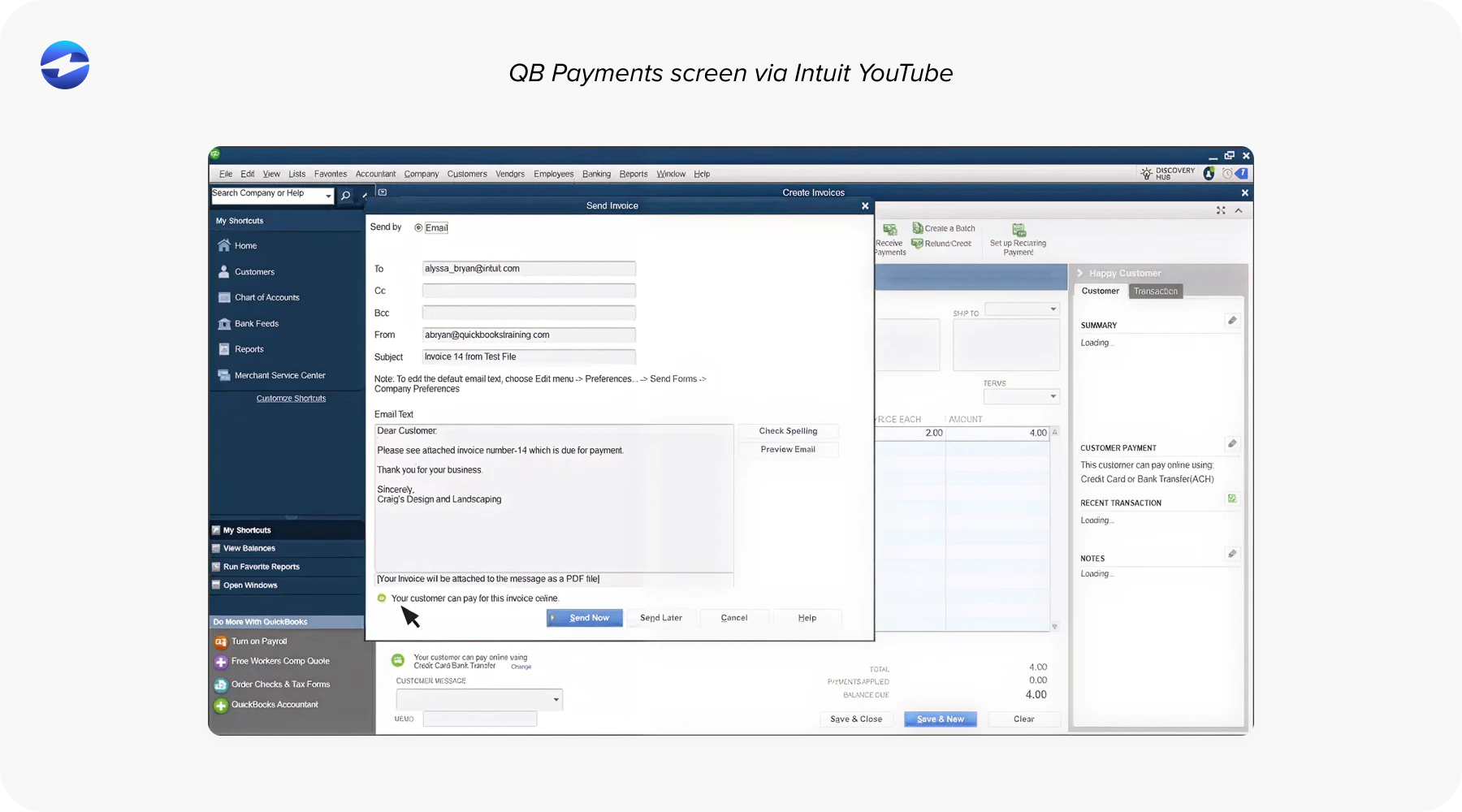
Before exploring alternatives, it helps to understand what happens behind the scenes when you use QuickBooks Payments. The built-in tool is designed to keep things simple: send an invoice, receive a payment, and let QuickBooks record the transaction. This workflow suits small teams well, especially when the goal is straightforward bookkeeping.
But QuickBooks wasn’t designed to handle every type of billing environment. As volume increases, QuickBooks ERP users often notice limitations—delayed syncing, incomplete refund mapping, or manual adjustments that need to be made after deposits land. When businesses try to integrate QuickBooks Payments with more advanced workflows, such as multi-entity accounting or recurring billing, the system doesn’t always keep up.
That’s why so many teams start looking into other payment tools that still work within QuickBooks but offer more reliability and control.
Payment Processing Options for QuickBooks Users
QuickBooks users generally end up choosing from three categories of payment tools. Each one works, but each supports growth differently.
1. Stay with QuickBooks Payments. The easiest option, and often the default. It’s already linked to invoicing, fully embedded, and requires no configuration. But it’s also tied to fixed pricing, limited automation, and fewer workflow customization options.
2. Use a standalone QuickBooks payment gateway. Gateways offer flexibility and sometimes lower rates, but they introduce extra steps—batch exports, manual matching, and delays in transaction posting. For businesses with low volume, this may be manageable. For growing teams, it becomes a burden.
3. Choose a native third-party integration. This is where many organizations find the best long-term fit. A strong native integration posts transactions automatically into QuickBooks, ensures refunds and adjustments map correctly, and significantly reduces manual work. These tools act as a true extension of QuickBooks rather than a separate system.
Understanding these categories helps clarify which path will support your operations both today and as your business evolves.
Setting Up Payment Processing in QuickBooks
Setting up payments isn’t just flipping a switch—it’s choosing a workflow that will affect reconciliation, reporting, and customer experience. When teams evaluate how to integrate QuickBooks Payments or adopt a different processor, they often consider:
- How cleanly data will sync into QuickBooks ERP
- Whether automation will reduce or increase manual steps
- How fees will scale as the business grows
- Security standards and PCI compliance responsibilities
Built-in tools can be activated quickly, but gateways and native alternatives may offer stronger long-term efficiency. The setup process varies, but a thoughtful foundation prevents issues later—especially when transaction volume spikes.
QuickBooks Payments vs Payment Gateway Alternatives
Comparing QuickBooks payment processing with external payment gateways reveals some meaningful differences.
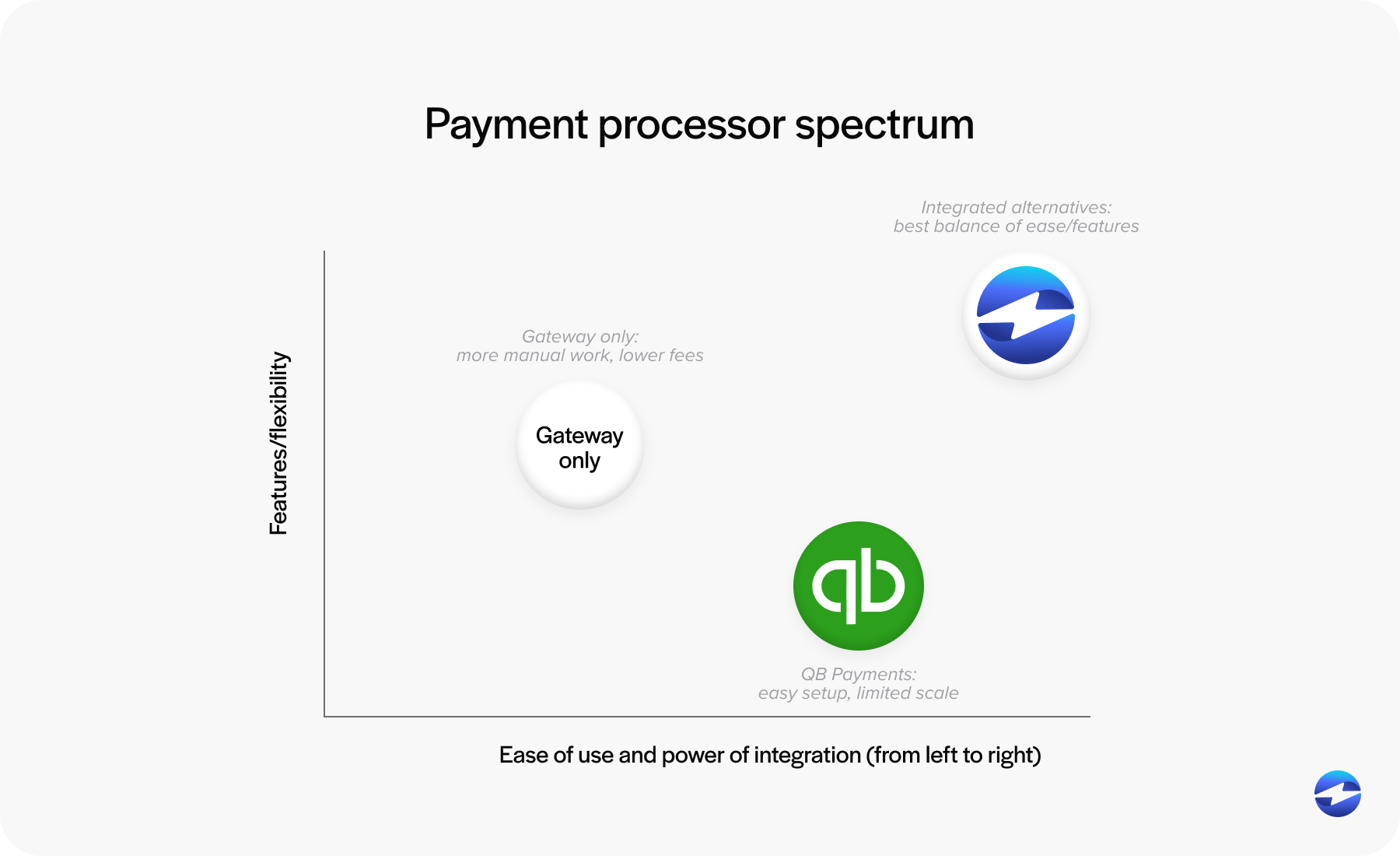
Intuit QuickBooks Payments shines in convenience. Everything is connected immediately, the setup is minimal, and invoices link smoothly to hosted payment experiences. But simplicity has limits. Costs are fixed, and automation doesn’t always extend into complex workflows.
Payment gateways sometimes offer better pricing or broader functionality, but the tradeoff is additional effort. Teams often spend extra time reconciling mismatches or manually importing batch files. As your payment environment grows, that administrative overhead grows with it.
For businesses juggling higher payment volume, multi-entity accounting, or recurring invoices, neither option may feel fully sufficient. That’s where native alternatives come in.
Native Alternatives: What Makes Them Different
Native QuickBooks integrations take the best parts of each approach—simplicity and control—and blend them into a single workflow. These systems post payments automatically, sync refunds accurately, support secure card storage, and reduce the amount of PCI exposure handled internally.
Another advantage is data consistency. Because these solutions plug directly into QuickBooks ERP, financial data stays aligned without needing daily oversight. Reporting becomes cleaner, and month-end reconciliation becomes easier.
For many companies, native tools offer the most efficient balance of automation, cost savings, and reliability.
QuickBooks Payments vs EBizCharge
When teams compare Intuit QuickBooks Payments to an external option, EBizCharge often rises to the top because it behaves like a native extension of QuickBooks rather than a loosely attached gateway.
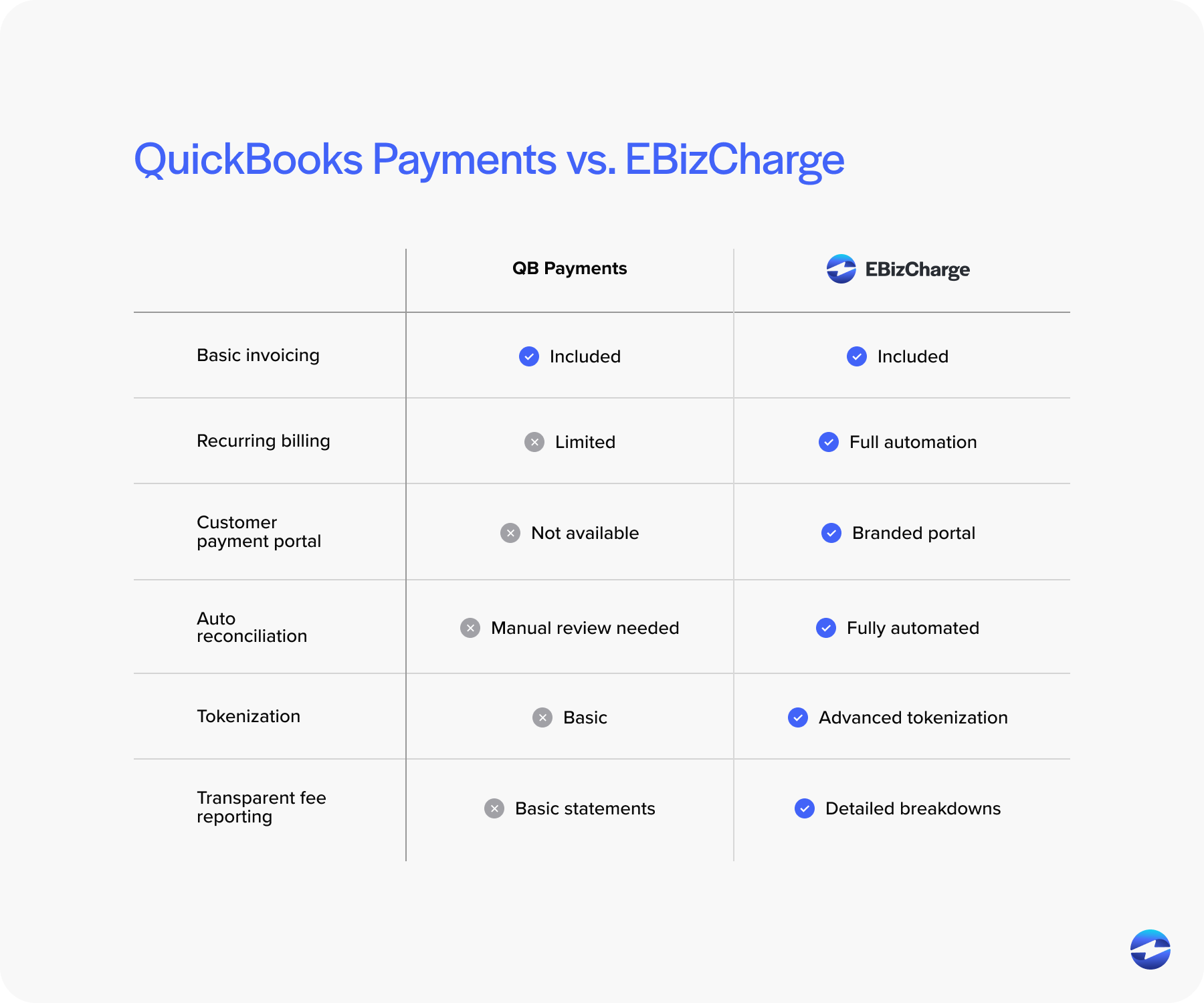
EBizCharge reduces processing costs by using optimized pricing instead of fixed, percentage-based models. For companies that feel constrained by QuickBooks payment processing fees, this alone can make a meaningful difference.
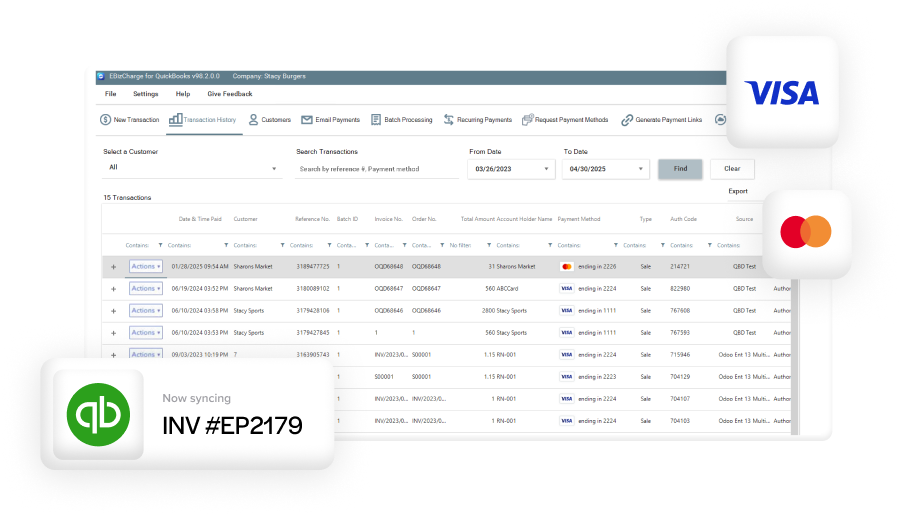
The workflow improvements go even further. EBizCharge posts payments and refunds instantly, stores customer cards securely with tokenization, supports recurring billing, and provides customizable payment portals—all while keeping everything synced through a deep QuickBooks integration.
Many businesses choose EBizCharge not because QuickBooks Payments is unusable, but because they need more flexibility, automation, and scalability than the built-in tools were designed to offer. A strong native integration bridges that gap.
How to Choose the Right Integration Path
Selecting a payment processing solution for QuickBooks isn’t just an accounting decision—it’s an operational one. Here are a few guiding principles that can help you choose the right integration path:
- If convenience is your top priority and your transaction volume is modest, QuickBooks Payments may still work well.
- If you want lower fees but don’t mind extra reconciliation work, a gateway might fit your needs.
- If you want accuracy, automation, lower fees, and long-term scalability, a native integration—like EBizCharge—usually delivers the strongest balance.
As your team assesses options, look for signs of friction: frequent posting errors, unpredictable fees, time-consuming reconciliation, or customer requests for features your current tools don’t offer. These are reliable indicators that the payment setup is holding you back.
Charting a Better Path for QuickBooks Payment Workflows
QuickBooks remains a powerful financial system, but the payment processor you pair with it determines how smoothly money moves through your operations. Exploring QuickBooks alternatives isn’t about replacing QuickBooks ERP—it’s about strengthening it.
The right payment processor reduces manual work, improves accuracy, and lowers costs without disrupting your existing accounting structure. Whether you stick with QuickBooks Payments, experiment with gateways, or adopt a native integration, the goal is the same: make your payment workflows cleaner, faster, and easier to manage.
Choosing wisely today gives your team a more efficient tomorrow—and a payment system that finally works the way you always hoped it would.
- How Payment Processing Works in QuickBooks
- Payment Processing Options for QuickBooks Users
- Setting Up Payment Processing in QuickBooks
- QuickBooks Payments vs Payment Gateway Alternatives
- Native Alternatives: What Makes Them Different
- QuickBooks Payments vs EBizCharge
- How to Choose the Right Integration Path
- Charting a Better Path for QuickBooks Payment Workflows