Blog > Payment Processing Options for QuickBooks Users: 2026 Guide
Payment Processing Options for QuickBooks Users: 2026 Guide
Choosing the right payment setup inside QuickBooks isn’t always straightforward. Many businesses start with QuickBooks Payments because it’s built in and easy to turn on. But as companies grow, they begin to notice the cracks—fees that quietly add up, limited automation, manual clean‑up work, and security needs that outpace the default tools. Before long, teams start looking for stronger options, often comparing their current setup to a QuickBooks alternative for payment acceptance.
This guide offers a grounded, practical look at how payment processing works inside QuickBooks in 2026. It also considers how businesses use QuickBooks ERP alongside third‑party tools, why some teams seek an alternative to QuickBooks for payment handling, and how choosing the right payment processor can noticeably improve day‑to‑day operations. It explains where the system shines, where it falls short, and what to consider if you’re evaluating other tools. You’ll also see how new solutions integrate with QuickBooks Online, how ACH fits into the mix, what PCI compliance looks like today, and where a more advanced payment processing solution may save time and money.
The Current State of Payment Processing in QuickBooks
For many small businesses, using QuickBooks Payments feels like the natural choice. It’s already in the software, it’s easy to activate, and it works smoothly for simple invoicing. You send an invoice, the customer pays, and QuickBooks logs it.
But the bigger the company gets, the more these workflows begin to strain. The fixed percentage rates for QuickBooks credit card processing start to feel expensive once invoice sizes climb. Manual reconciliation becomes more common. Multi‑entity businesses struggle with posting accuracy. And companies processing a high monthly volume often feel the limits of the built‑in tools.
At this point, businesses begin seeking an alternative to QuickBooks for payment handling—not because they want to leave QuickBooks, but because they want a stronger, more flexible system layered on top of it.
Why Businesses Switch From QuickBooks Payments
Even long‑time QuickBooks users eventually reach a point where the built‑in payment system isn’t keeping up. The software still works, and QuickBooks accounting software remains familiar, but the payment tools no longer match the company’s operational demands. Three common reasons come up repeatedly:
- High or unpredictable fees. Flat‑rate pricing may look simple, but the real costs increase quickly—especially for businesses processing large invoices, card‑not‑present transactions, or a high monthly volume. Extra charges for ACH, chargebacks, and certain card types make month‑end costs difficult to predict.
- Limited automation for real businesses. Growing organizations need recurring billing, stored payment profiles, customer portals, automatic reconciliation, and clean posting rules. QuickBooks Payments handles the basics but isn’t built for deeper automation.
- Scalability challenges. Once a business adds multiple departments, entities, or locations, the cracks being to widen. Manual adjustments grow more frequent. Posting rules don’t always hold. At this point, companies begin comparing solutions and searching for a stronger payment processor that fits inside QuickBooks.
These frustrations tend to build slowly. And once fees and manual tasks begin consuming too much time, companies naturally explore a QuickBooks alternative for payments while continuing to use QuickBooks for accounting.
Comparing Payment Processing Options in 2026
QuickBooks users in 2026 have more payment options than ever. Some processors focus on fee reduction, others on automation, and others on advanced invoicing tools. What matters most is selecting a payment processing solution that supports your workflow, not one that forces you to bend to its limitations.
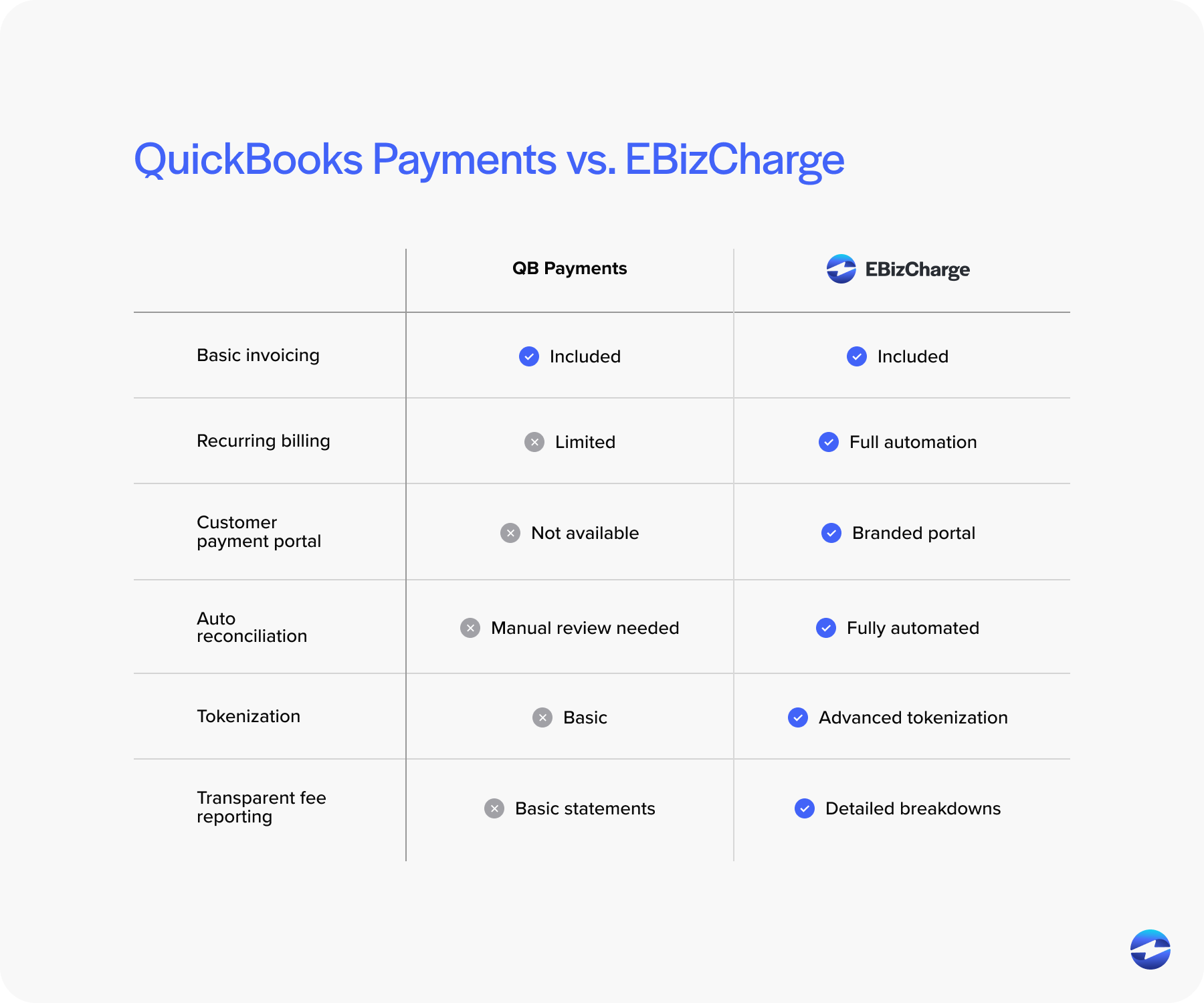
Many teams start by reviewing traditional merchant accounts, gateway‑based solutions, and all‑in‑one platforms. QuickBooks Payments often ends up in the “simple but limited” category—a convenient starting point, but not always the best long‑term fit.
Businesses that switch typically want clearer pricing, better ACH support, deeper automation, and smoother integration with systems they already rely on.
Alternatives to QuickBooks Merchant Services
Organizations exploring alternatives to QuickBooks merchant services are usually trying to reduce fees, improve automation, or simplify reconciliation. Instead of thinking in terms of checklists or feature grids, most teams are looking for a smoother overall experience – something that makes everyday work noticeably easier.
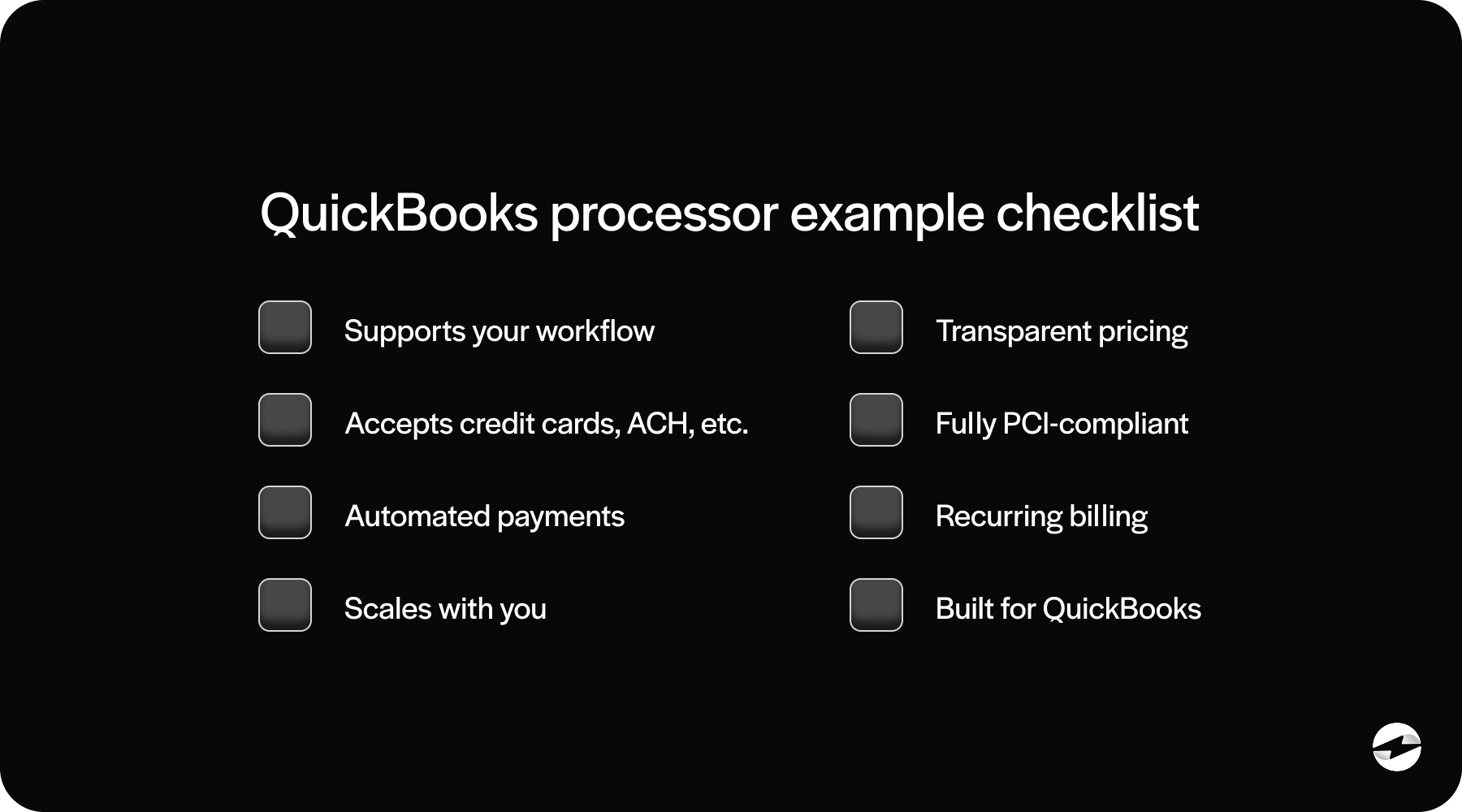
A strong alternative typically supports recurring billing, securely saved payment profiles, branded customer payment portals, and automatic posting that lands cleanly inside QuickBooks without needing manual corrections. Rather than relying on disconnected tools or extra steps, businesses want payment activity to flow naturally through their accounting environment.
What really separates the best alternatives is how they handle the details. Pricing transparency becomes a major factor, especially for companies tired of unpredictable fee structures. Many modern processors also support multiple payment types, provide flexible posting controls, and include stronger security tools such as tokenization and advanced fraud filtering. As payment volume grows, these protections and efficiencies become increasingly important and often make a noticeable impact on workload and accuracy.
ACH Payment Processing for QuickBooks
ACH payments have become one of the most reliable tools for lowering costs, especially for B2B companies billing large invoices. ACH fees are significantly lower than QuickBooks credit card processing, and settlement speeds have improved dramatically over the last few years.
QuickBooks does offer ACH through QuickBooks Payments, but the fees reduce some of the savings. Many businesses turn to third‑party ACH providers because they offer:
- Lower per‑transaction costs
- Faster or guaranteed settlement timelines
- Automated syncing into QuickBooks Online
- Better support for recurring ACH billing
Because ACH is predictable, inexpensive, and widely trusted, businesses processing recurring retainers, service fees, donor contributions, or subscription‑style invoices see an immediate benefit.
Security & PCI Compliance in QuickBooks vs. Alternatives
Security has become a major decision point for finance teams. QuickBooks payment processing includes fundamental protections—encrypted communication, PCI‑aligned workflows, and secure hosted payment pages—but doesn’t offer the deeper, layered protections found in more advanced systems.
Many alternative solutions include full tokenization, secure payment vaults, customizable fraud prevention rules, and stronger encryption. These tools reduce the amount of sensitive data your team handles directly, which lowers your PCI scope and compliance burden.
In short, QuickBooks does enough for basic compliance, but many organizations outgrow those limits and want more support.
Cost Breakdown: QuickBooks Payments vs. Alternatives
Costs are often what push companies to explore an alternative to QuickBooks for payment handling. While QuickBooks Payments looks simple, the actual fees can be higher than expected. Percentage-based processing, extra ACH costs, chargeback fees, and higher rates for certain card types create unpredictable monthly expenses.
Many processors offer interchange-optimized pricing rather than flat percentage rates, which means transactions are automatically routed through the lowest-cost categories. Statements tend to be clearer and easier to understand, without hidden markups. ACH fees are often significantly lower as well, and some processors even use membership-style pricing models to keep monthly costs predictable.
When you combine stronger automation, cleaner reconciliation, and more transparent pricing, the long-term ROI often shifts toward these specialized processors. Businesses not only save money – they also save the time and manual effort that usually come with managing payment data inside QuickBooks.
Choosing the Right Payment Processor for QuickBooks
Choosing the right solution isn’t about abandoning QuickBooks ERP or switching accounting platforms—it’s about supporting QuickBooks with tools that eliminate extra work.
As you compare options, ask whether the processor:
- Posts payments automatically
- Supports recurring billing and stored cards
- Integrates fully into QuickBooks Online or Desktop
- Reduces manual reconciliation
- Improves PCI compliance
A great payment processing solution should enhance your current workflow—not complicate it.
Small businesses with simple billing processes may stick with QuickBooks Payments, but once needs start to expand, a more powerful payment processor makes all the difference.
Streamlining QuickBooks payments with EBizCharge
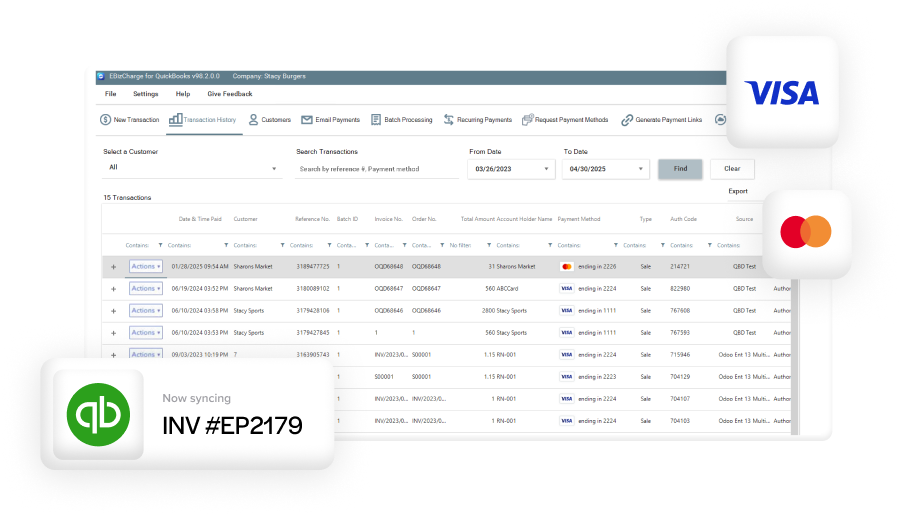
Many QuickBooks users don’t want to replace QuickBooks accounting software—they simply want better payment tools layered on top of it. That’s why EBizCharge has become a leading QuickBooks alternative for payments. Its native QuickBooks integration posts payments instantly, saves cards securely, automates reconciliation, and offers lower, optimized rates.
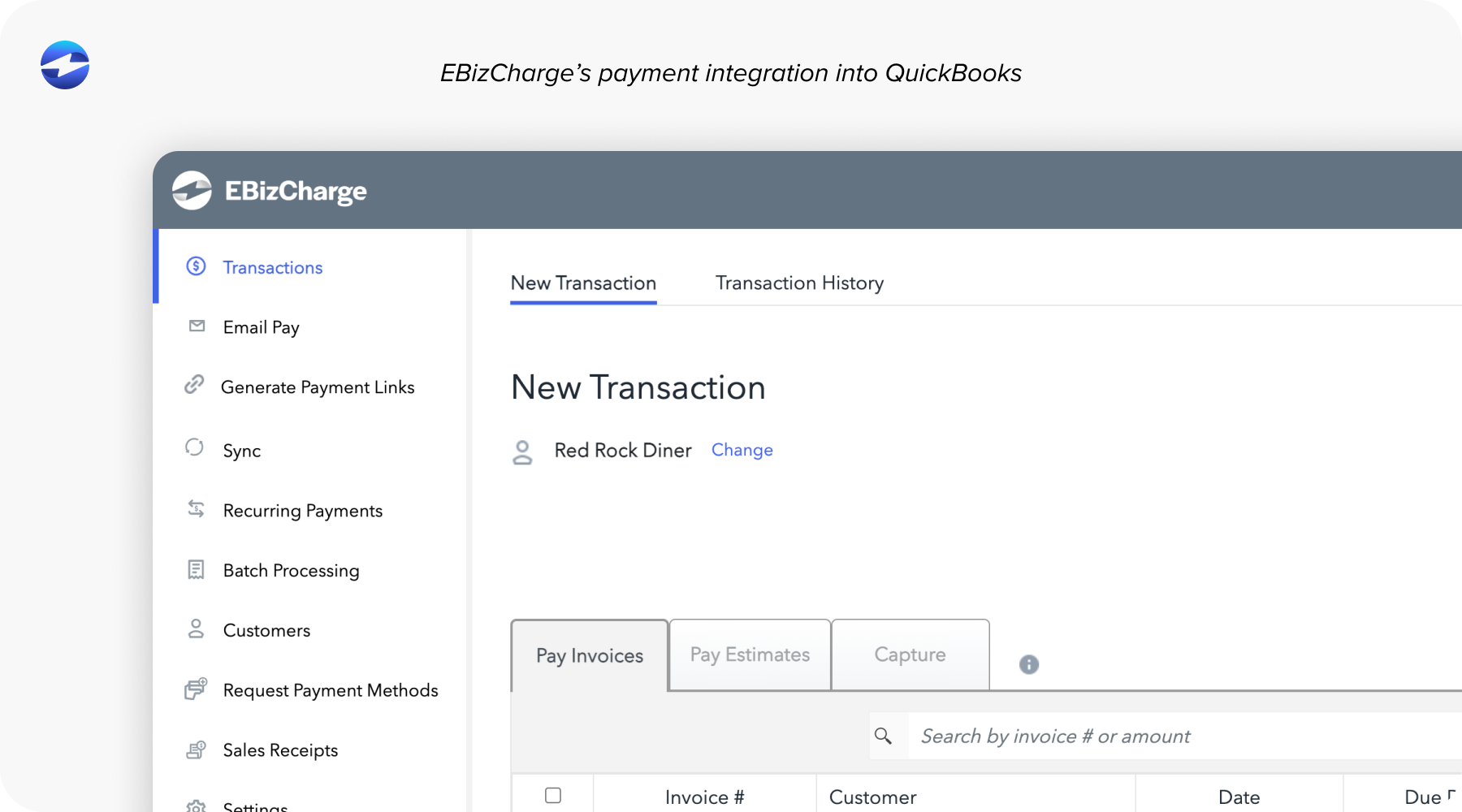
Features like tokenization, payment links, Level 2/3 processing, branded payment portals, and recurring billing give companies a more secure and efficient system without disrupting accounting workflows. It also reduces PCI scope, providing peace of mind for teams handling sensitive billing information.
In 2026, improving QuickBooks payment processing isn’t about leaving QuickBooks. It’s about choosing the payment processing solution that finally unlocks the automation, security, and efficiency your team has been missing.
- The Current State of Payment Processing in QuickBooks
- Why Businesses Switch From QuickBooks Payments
- Comparing Payment Processing Options in 2026
- Alternatives to QuickBooks Merchant Services
- ACH Payment Processing for QuickBooks
- Security & PCI Compliance in QuickBooks vs. Alternatives
- Cost Breakdown: QuickBooks Payments vs. Alternatives
- Choosing the Right Payment Processor for QuickBooks
- Streamlining QuickBooks payments with EBizCharge