Blog > Payment Processing for Job Shops Using Epicor Kinetic
Payment Processing for Job Shops Using Epicor Kinetic
Job shops live on speed and flexibility. Orders come in fast, requirements change quickly, and customers expect work to move without delays. That pace puts pressure on every part of the operation, including payments.
If you work in a job shop using Epicor Kinetic, you’ve likely seen how payment workflows can either support that pace or slow everything down. Invoices may be created on time, but payments lag. Deposits need to be tracked. Partial payments come in out of sequence. Suddenly, the finance team is chasing details instead of keeping things moving.
This article is written for job shop owners, finance teams, and operations leaders who manage Epicor Job Shop payments every day. The focus is practical guidance on Job Shop payment processing inside the Epicor Kinetic ERP system, with an emphasis on speed, accuracy, and visibility.
Understanding Payment Challenges in Job Shops
Job shops deal with constant variability; production runs are short, order values swing from small rush jobs to larger custom work, and some customers pay immediately while others require invoicing and follow-up. That mix makes Job Shop credit card acceptance and other payment methods harder to standardize.
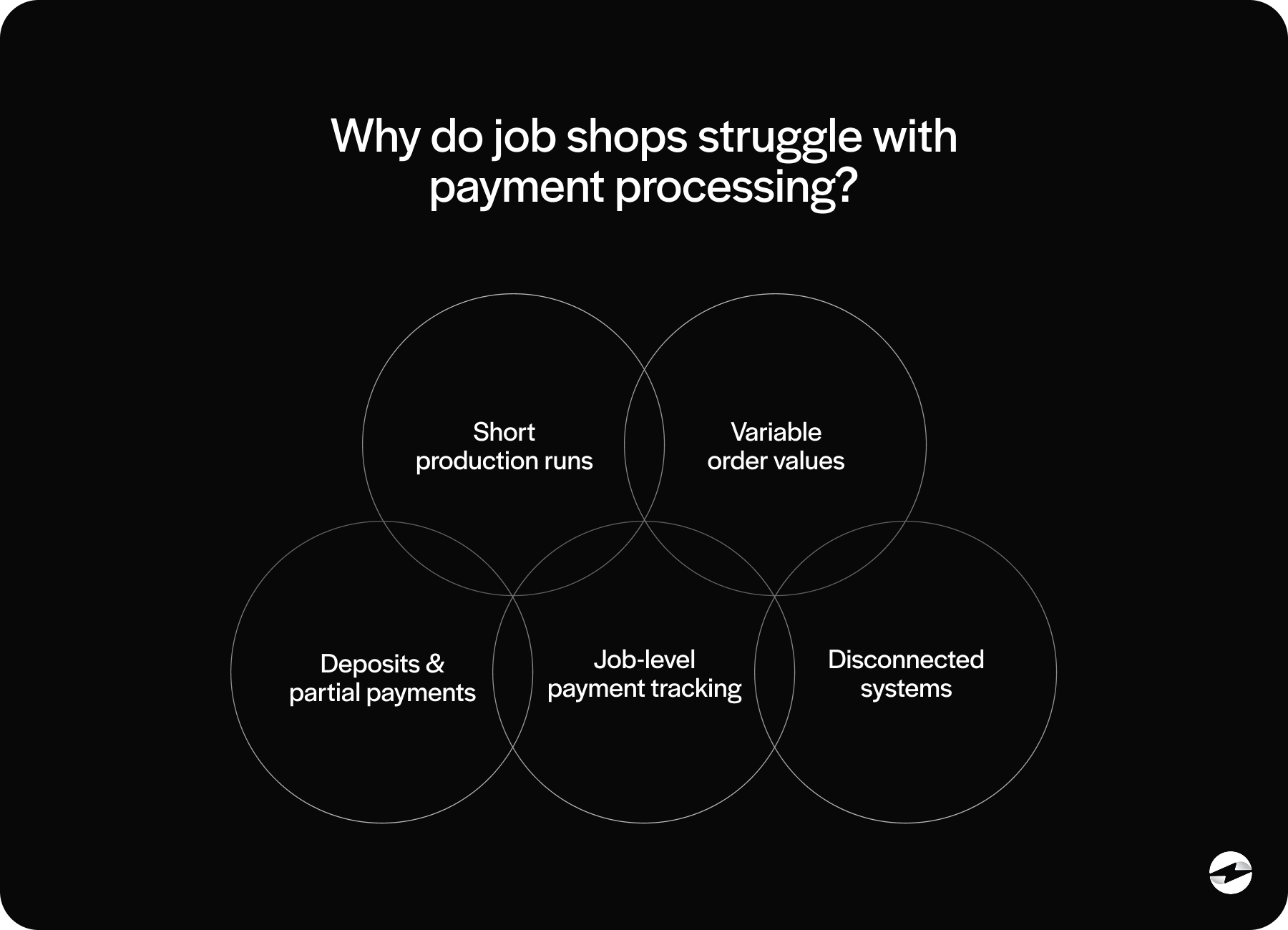
Generic payment tools struggle in this environment. They’re built for repeat transactions, not for job-based work where every order can look different. When payments are handled outside the ERP, teams often resort to manual work to keep records aligned.
Over time, those workarounds slow down Job Shop payment processing and make cash flow less predictable.
How Epicor Kinetic Supports Job Shop Payment Workflows
Epicor Kinetic is designed to connect operational and financial data. Jobs link to sales orders. Sales orders link to invoices. Invoices flow into accounts receivable. This structure allows Epicor Kinetic ERP to reflect what is actually happening on the shop floor.
Payment processing fits into that flow by closing the loop. When payments are properly integrated, invoice status updates automatically and AR data stays current.
Without strong Epicor integration, payments can become disconnected from jobs and invoices. That’s when delays, errors, and extra follow-up work start to appear.
Payment Processing Options for Epicor ERP Users
Job shops running on Epicor ERP generally have a few payment processing paths to choose from. Some rely on standalone tools that operate outside the ERP. These tools can accept payments, but posting and reconciliation usually require manual effort.
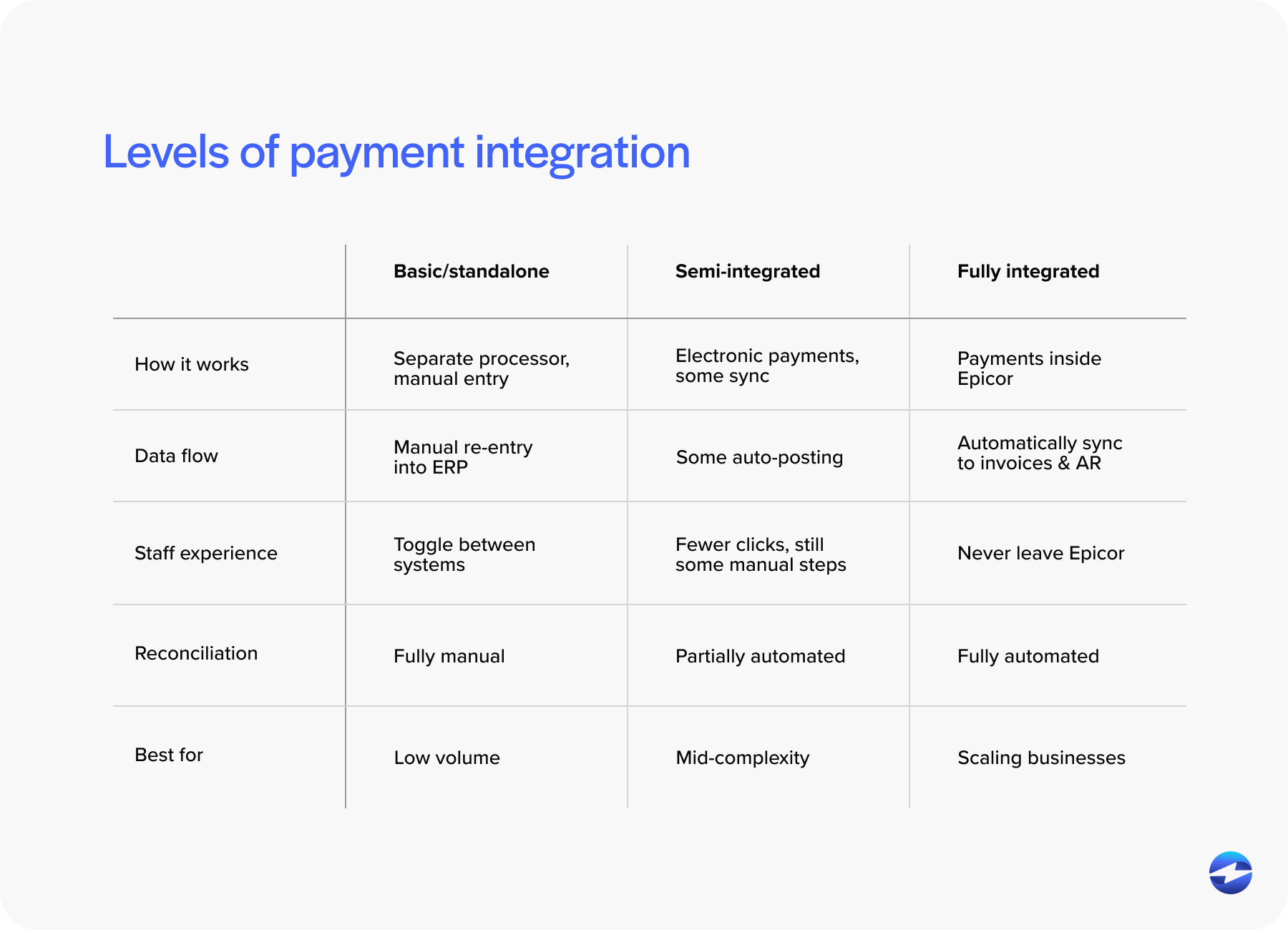
Others use semi-integrated tools that push payment data back into Epicor after processing. This reduces some work, but delays are still common.
The most effective option for job shops is a fully integrated payment processing solution that works directly inside Epicor. Payments are initiated, processed, and posted as part of the same workflow.
Choosing the right payment processor is just as important as choosing the integration approach. Epicor experience makes a measurable difference in daily operations.
Integrating Payments into Epicor Kinetic for Job Shops
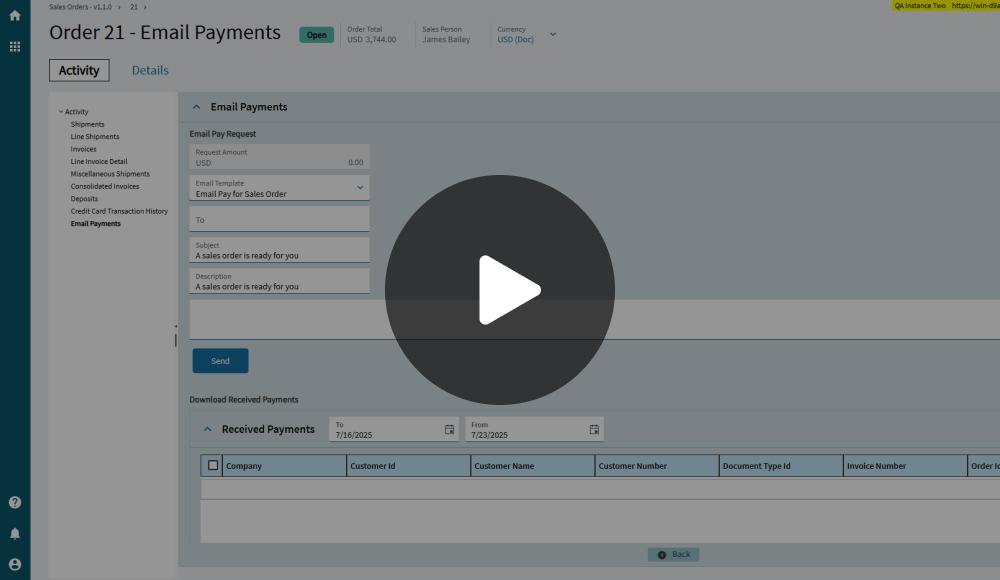
In job shops, payments cannot be an afterthought. Tight Epicor integration allows payments to be accepted directly within Epicor Kinetic screens. This reduces manual entry and keeps payments tied to the correct job and invoice.
Embedded payment processing works especially well when orders are moving quickly. Teams do not need to switch systems or reconcile data later. Everything stays in sync.
This approach supports accurate Epicor Job Shop payments without slowing down production or billing.
Handling Deposits, Partial Payments, and Quick Turn Billing
Deposits are common in job shops, especially for custom or rush work. Partial payments are also common. Customers may pay in stages or split payments across methods. Handling these scenarios cleanly requires payment tools that understand job-based billing.
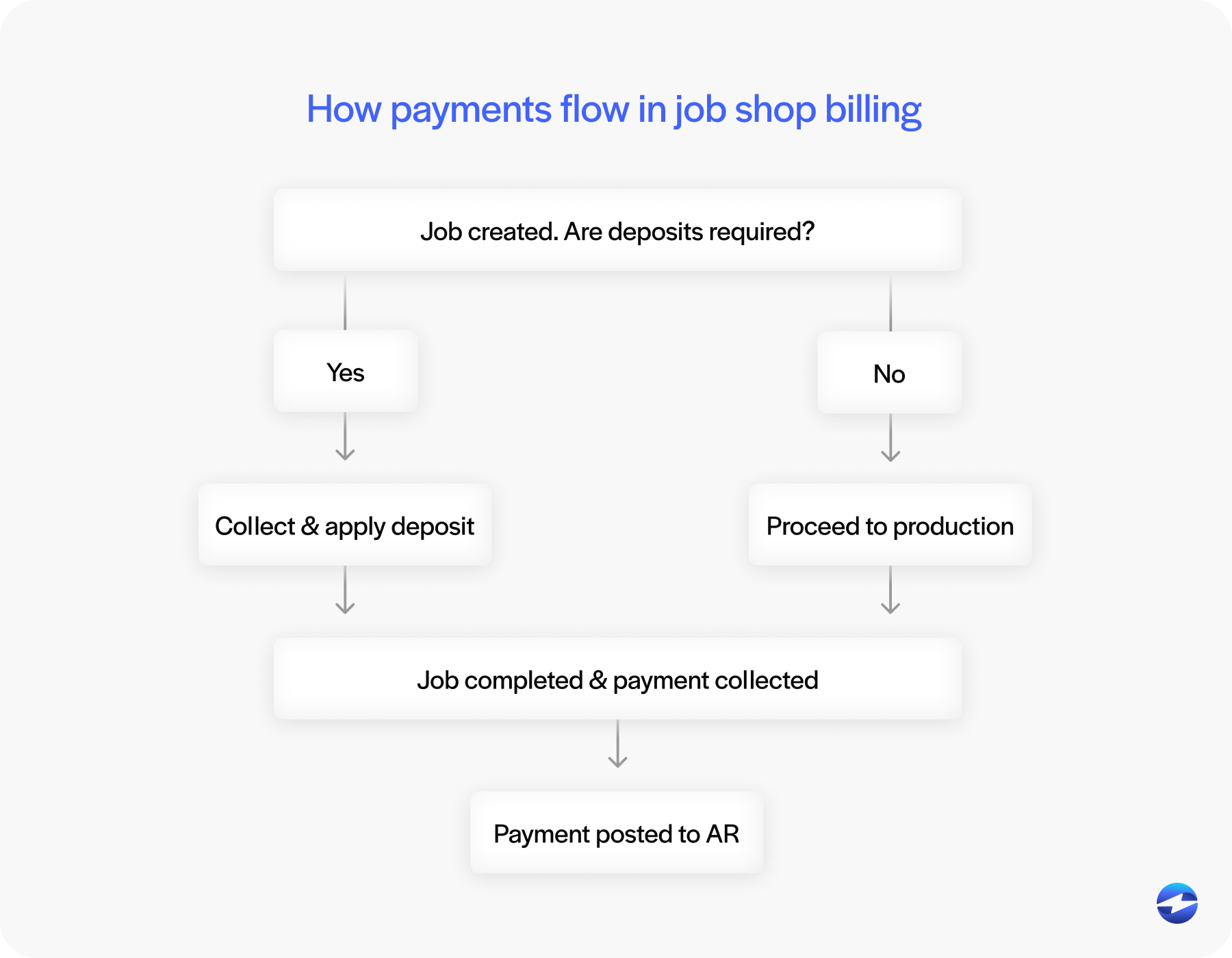
When payments are integrated into Epicor Kinetic ERP, deposits and partial payments can be applied correctly without confusion. Invoice balances remain accurate, and finance teams do not have to guess where money belongs.
Quick-turn billing also benefits from automation. Faster posting means faster follow-up and better cash flow.
Job Shops, Discrete Manufacturing, and Epicor
Job shops are part of the broader world of discrete manufacturing. Like other discrete manufacturers, job shops deal with custom work, variable pricing, and nonstandard payment terms. The difference is speed. Job shops often have less time to correct mistakes.
Industrial manufacturers on Epicor may deal with larger transactions and longer sales cycles, but the underlying need for accurate, integrated payments is the same.
Well-designed Epicor integration supports both environments without forcing different systems or processes.
Epicor Kinetic Payment Processing Integration Considerations
Many job shops have migrated or are planning to migrate to Epicor Kinetic from earlier versions.
Payment workflows can change slightly between versions, but the need for tight integration remains constant. Solutions built specifically for the Epicor Kinetic ERP system reduce disruption during upgrades.
Some job shops start with built-in tools, but outgrow them as payment complexity increases. Choosing a solution designed for Epicor Kinetic helps protect long-term efficiency.
Improving Cash Flow and Payment Speed in Job Shops
Cash flow is imperative in job shops, especially when work moves quickly and margins can be tight.
Integrated payments reduce delays between invoicing and posting, which means finance teams don’t have to wait days to understand what has actually been paid. When payments are posted automatically, AR data stays current and easier to trust.
This visibility helps job shops follow up faster and more accurately, without chasing invoices that have already been settled. Over time, better job shop payment processing leads to steadier cash flow, fewer end-of-month surprises, and more confidence when planning work and expenses.
Key Features to Look for in a Payment Processing Solution for Job Shops
Job shops need payment tools that can keep up with fast-moving, job-based work. A solution that works well in a high-volume environment may fall short when orders, pricing, and payment timing change from job to job.
When evaluating options, there are a few core features that consistently matter most for job shops using Epicor:
- Epicor-native experience: Payments should feel like a natural part of Epicor, not a separate system. A native experience reduces training time and keeps workflows efficient.
- Support for job-based billing scenarios: Look for tools that handle job shop credit card acceptance, deposits, partial payments, and split payments without workarounds.
- Real-time posting and visibility: Payments should post immediately to the correct job and invoice so AR data stays accurate.
- Strong security and audit trails: Built-in, PCI-compliant security, tokenization, and clear audit trails help protect sensitive data and simplify reconciliation.
- Epicor-specific expertise: The experience of the payment processor behind the integration matters. Deep Epicor knowledge improves reliability, reduces friction during upgrades, and supports growth as transaction volume increases.
Taken together, these features help job shops avoid manual work, reduce errors, and build payment workflows that scale alongside production rather than slowing it down.
How EBizCharge Streamlines Payment Processing for Job Shops Using Epicor Kinetic
The EBizCharge payment processing solution is built for job shops that need payments to move at the same pace as production, without adding friction behind the scenes.
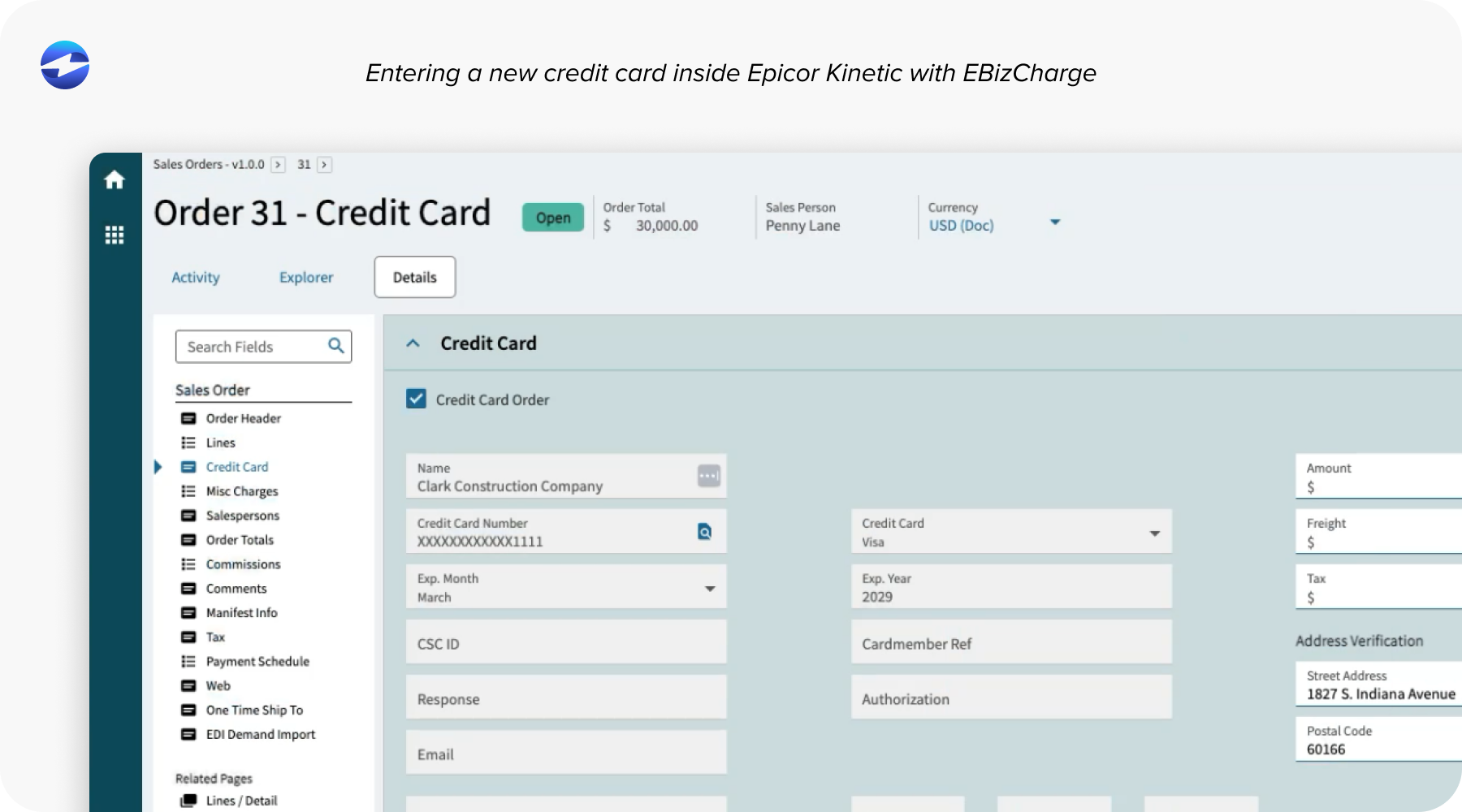
Instead of forcing teams to manage payments in separate systems, EBizCharge works directly inside Epicor Kinetic, embedding payment tools into job, invoice, and AR screens your team already uses. This tight connection reduces manual entry, shortens posting delays, and helps keep Epicor job shop payments accurate and current as jobs move quickly from quote to completion.
EBizCharge is designed to handle the realities of job shop billing. Deposits, partial payments, and quick-turn invoicing can all be managed without disrupting existing workflows. Customers get flexible payment options, while finance teams maintain clean records with all payment activity tied back to Epicor ERP.
With a proven credit card processing solution, support from an experienced payment processor, and deep Epicor integration, EBizCharge helps job shops maintain speed, visibility, and control today while staying flexible enough to support growth over time.