Blog > Payment Link Solutions for QuickBooks: Better Alternatives
Payment Link Solutions for QuickBooks: Better Alternatives
Payment links have quietly become one of the most useful tools for getting invoices paid. Instead of mailing paper invoices or hoping customers remember to log into a portal, you send them a link, they click it, and they pay. Simple as that.
For QuickBooks users, the QuickBooks payment link feature built into QuickBooks Payments works fine for basic needs. But as your business grows and your invoicing gets more complex, you start noticing the limitations. The good news? There are better options out there that still integrate seamlessly with QuickBooks.
Understanding Payment Links for QuickBooks
A QuickBooks payment link is essentially a secure URL that takes customers directly to a payment page for a specific invoice. They don’t need to create an account, remember a password, or navigate through your accounting system. They click the link in the email, enter their payment information, and you’re done.
The real value comes from how these links work with your QuickBooks system. When a customer pays through the link, that payment automatically matches to the invoice in QuickBooks, updates the customer’s account, and marks the invoice as paid. No manual data entry. No reconciliation headaches. That’s the promise, anyway.
For accounting teams and controllers managing dozens or hundreds of invoices monthly, this automation is essential. The question isn’t whether you need payment links—it’s which payment processing solution gives you the best combination of features, cost, and reliability.
What QuickBooks Payments Offers (And Where It Falls Short)
The native QuickBooks payment gateway has some obvious advantages. It’s already built into your accounting software, the setup is straightforward, and for businesses with simple needs, it does the job. You can generate a QuickBooks payment link right from an invoice, send it to your customer, and the payment flows back into QuickBooks automatically.
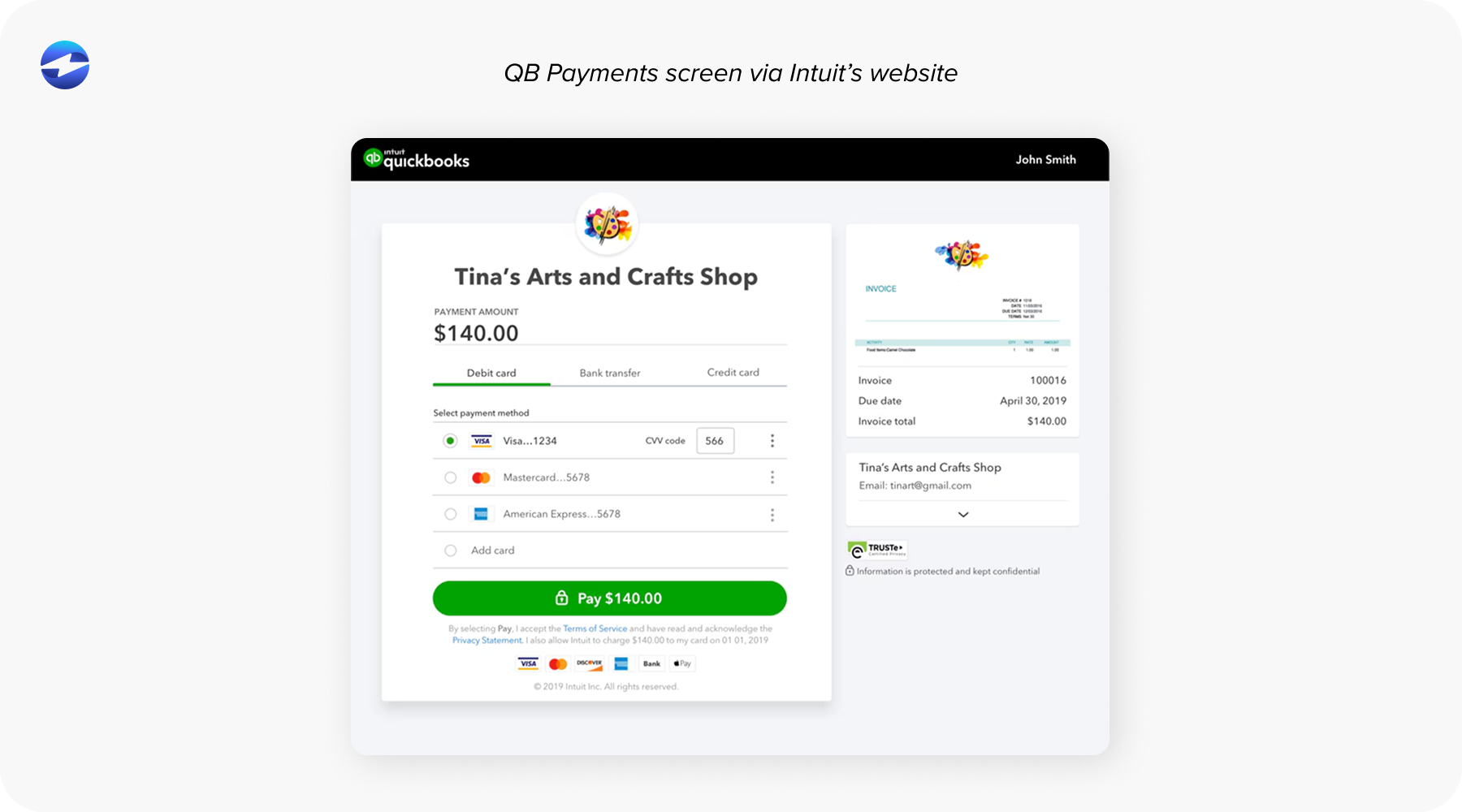
But here’s where things get tricky. The customization options are limited—your payment page looks like a QuickBooks page, not your company’s page. You can’t fully brand it with your colors, logo, and messaging the way you might want to. For businesses where brand consistency matters, this is frustrating.
The QuickBooks payment processing fees also add up quickly, especially as your volume increases. The percentage-based pricing model means your costs scale directly with your revenue, which can get expensive. And if you’re processing high volumes or need advanced features like partial payments, recurring billing, or detailed analytics, the native solution starts to feel pretty basic.
Support may be another issue. When something goes wrong with a payment link—maybe a customer can’t complete the transaction, or a payment isn’t syncing correctly—you need help fast. The standard support for QuickBooks Payments works for routine questions, but urgent technical issues? That’s a different story.
What Makes a Better Payment Link Solution
Before looking at specific alternatives, it’s worth understanding what separates a basic payment link tool from one that actually makes your life easier.
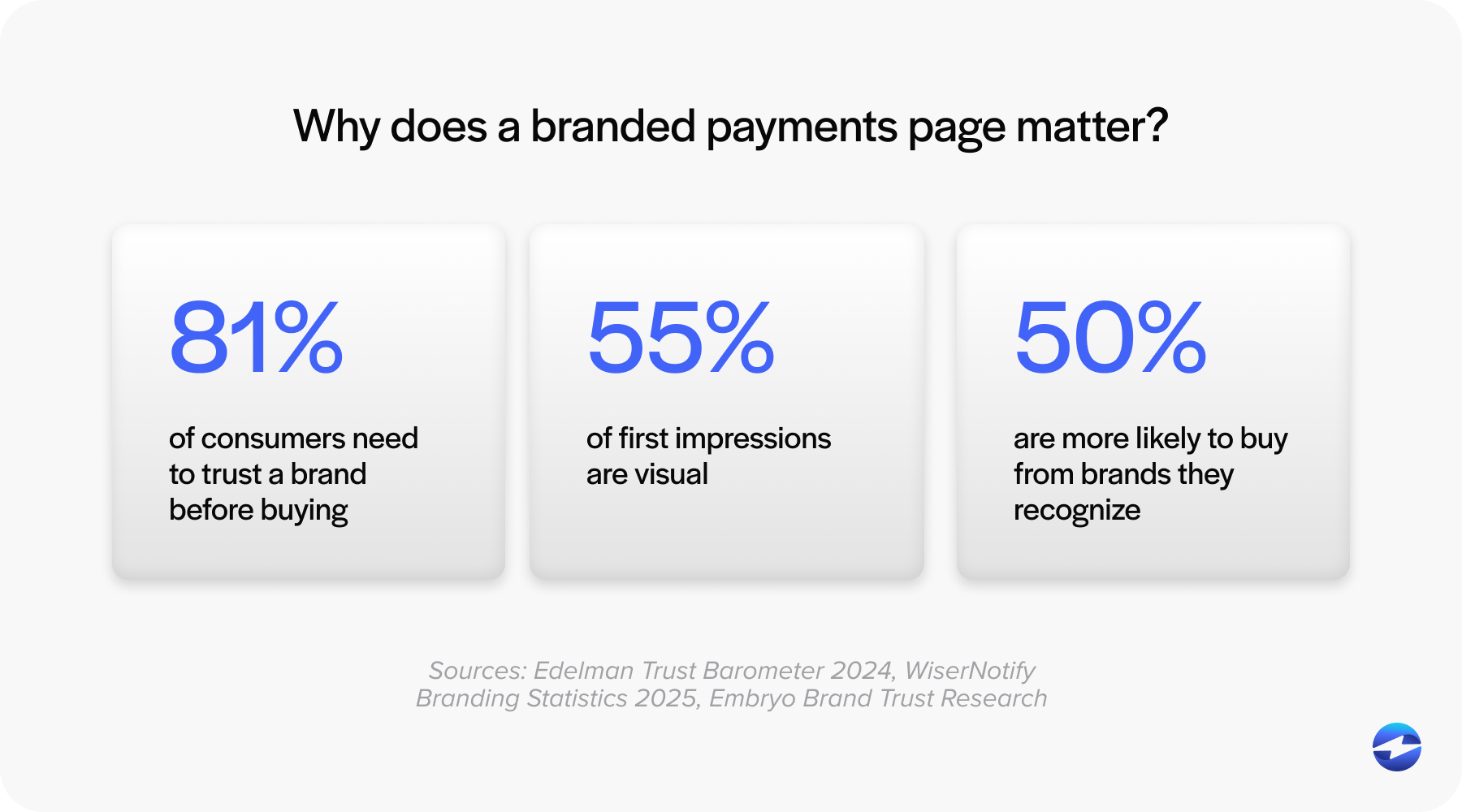
Customization matters more than you’d think. Your payment page is often the last touchpoint before a customer pays you. Having it look professional and on-brand builds trust and credibility. The ability to add your logo, match your color scheme, and customize the messaging makes a difference in how customers perceive your business.
Payment method flexibility is crucial. Some customers prefer credit cards, others want to pay via ACH for lower fees, and increasingly, people want digital wallet options. A good payment processing solution supports multiple payment methods without making you manage multiple systems. This is especially true if you’re dealing with larger B2B customers who might prefer bank transfers over card payments.
Integration depth with QuickBooks determines how much manual work you do. Surface-level integration means payments come through, but you’re still matching them to invoices manually. Deep QuickBooks integration means everything happens automatically—invoice syncing, customer record updates, multi-entity support if you’re running QuickBooks ERP, and real-time reconciliation that actually works.
QuickBooks payment security and compliance can’t be an afterthought. Any alternative to QuickBooks Payments needs to handle PCI DSS compliance properly, use proper encryption, and have fraud prevention built in. This isn’t just about protecting your customers—it’s about protecting your business from liability and ensuring you pass audits cleanly.
Why EBizCharge Is a Great Fit for QuickBooks Users
EBizCharge is built specifically for businesses that need more than what the standard QuickBooks payment gateway offers but still want seamless integration with their accounting system.
The QuickBooks integration is native, which means it connects at the same level as QuickBooks’ own payment solution. It works across QuickBooks Desktop, Online, and Enterprise—so if you’re running QuickBooks ERP with multiple entities or locations, the system can handle that complexity. Payment links are generated directly from your invoices, payments sync automatically, and reconciliation happens in real time without manual intervention.
For businesses processing a significant volume of invoices, this matters. You can generate payment links in batches, set up automated payment reminders, and get detailed reporting that actually helps you understand your cash flow patterns. The system is designed to handle enterprise-level transaction volumes without slowing down or requiring workarounds.
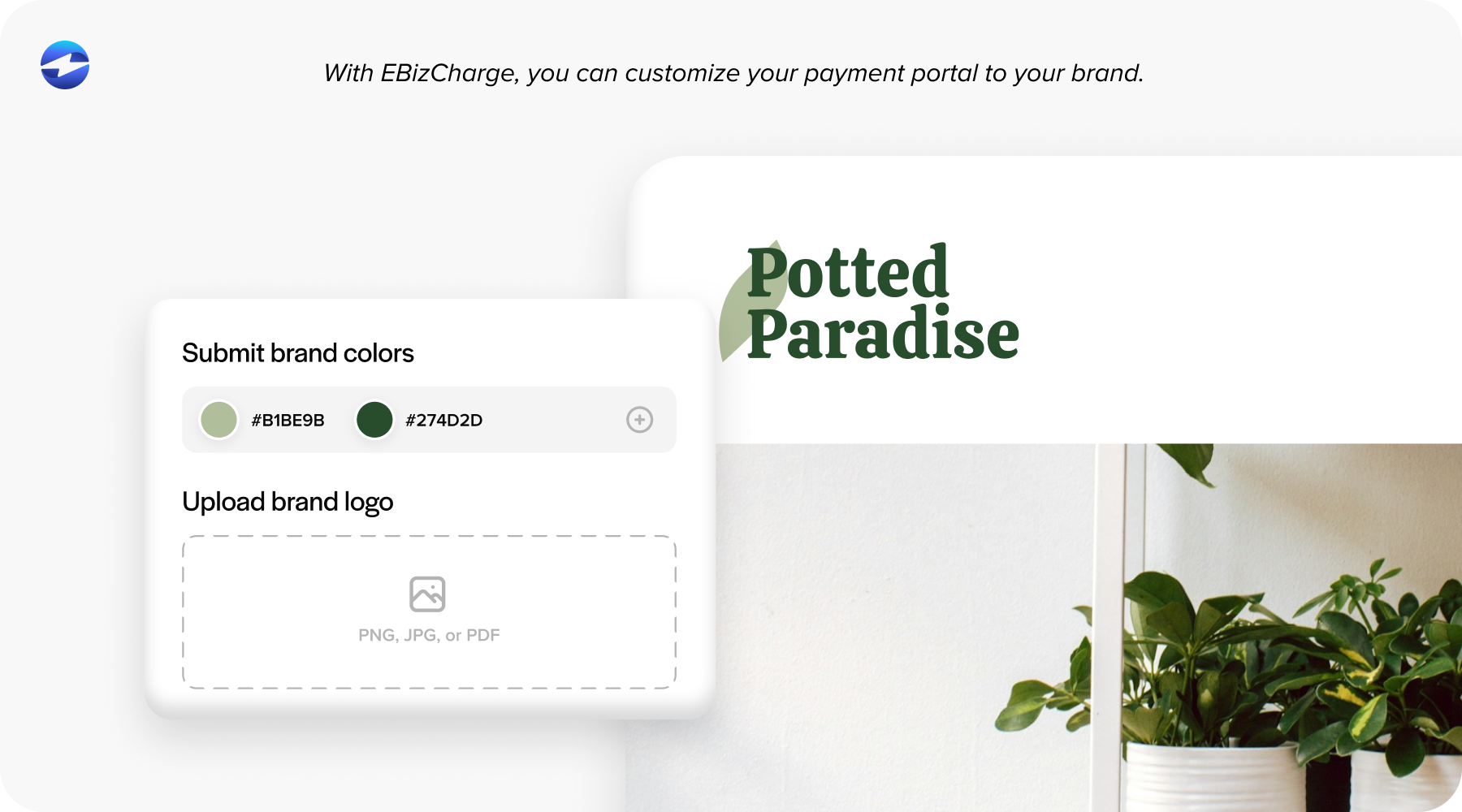
The branding capabilities are significantly better. You get fully customizable payment pages with your logo, colors, and messaging. Your customers see a professional, branded experience that looks like part of your company’s website, not a generic payment portal. It’s a small detail that makes a surprisingly big difference in how customers perceive your business.
Payment flexibility is another key advantage. Credit cards, ACH, digital wallets—customers can pay however they prefer. You can set up recurring QuickBooks payment links for subscription-based services, offer partial payment options for large invoices, and even implement surcharging to offset QuickBooks payment processing fees where legally permitted. These features give you control over how you collect payments rather than forcing you into a one-size-fits-all model.
The support structure is built differently, too. You get US-based support from people who understand both QuickBooks payment processing and the technical details of integration. When something breaks, or you have a compliance question, you’re talking to someone who can troubleshoot effectively. QuickBooks payment security and PCI compliance management are handled as part of the service, which means less work for your team during audits.
Cost-wise, the pricing structure tends to be more favorable for growing businesses. The fees are more transparent—fewer surprise charges when you review your statement—and the rates become more competitive as your volume increases. For businesses that have outgrown the economics of the standard QuickBooks Payments model, the math often works out significantly better.
Making the Switch: What You Need to Know
If you’re thinking about moving to an alternative to QuickBooks Payments for your payment links, the implementation is more straightforward than you might expect.
Most QuickBooks integration solutions handle the technical setup as part of onboarding. You’re not rebuilding your entire payment infrastructure—you’re swapping out one integrated payment system for another.
The data migration piece is important to get right. Your existing customer payment methods, recurring billing schedules, and payment history need to transfer cleanly. A good payment processing solution handles this systematically, with clear verification steps, so you know everything transferred correctly. You shouldn’t have to ask customers to re-enter their payment information if things are done properly.
Training your team is usually the easiest part. Because the new system still operates within QuickBooks, the workflow stays familiar. Your AP/AR team isn’t learning an entirely new platform—they’re learning slightly different steps within a system they already know. Most companies find their teams are comfortable with the new process within a few days.
When Does It Make Sense to Switch?
Here’s the practical reality: not everyone needs to switch from their current QuickBooks payment link setup. If you’re a small business with straightforward invoicing needs, moderate volume, and basic payment requirements, the native solution might be perfectly adequate.
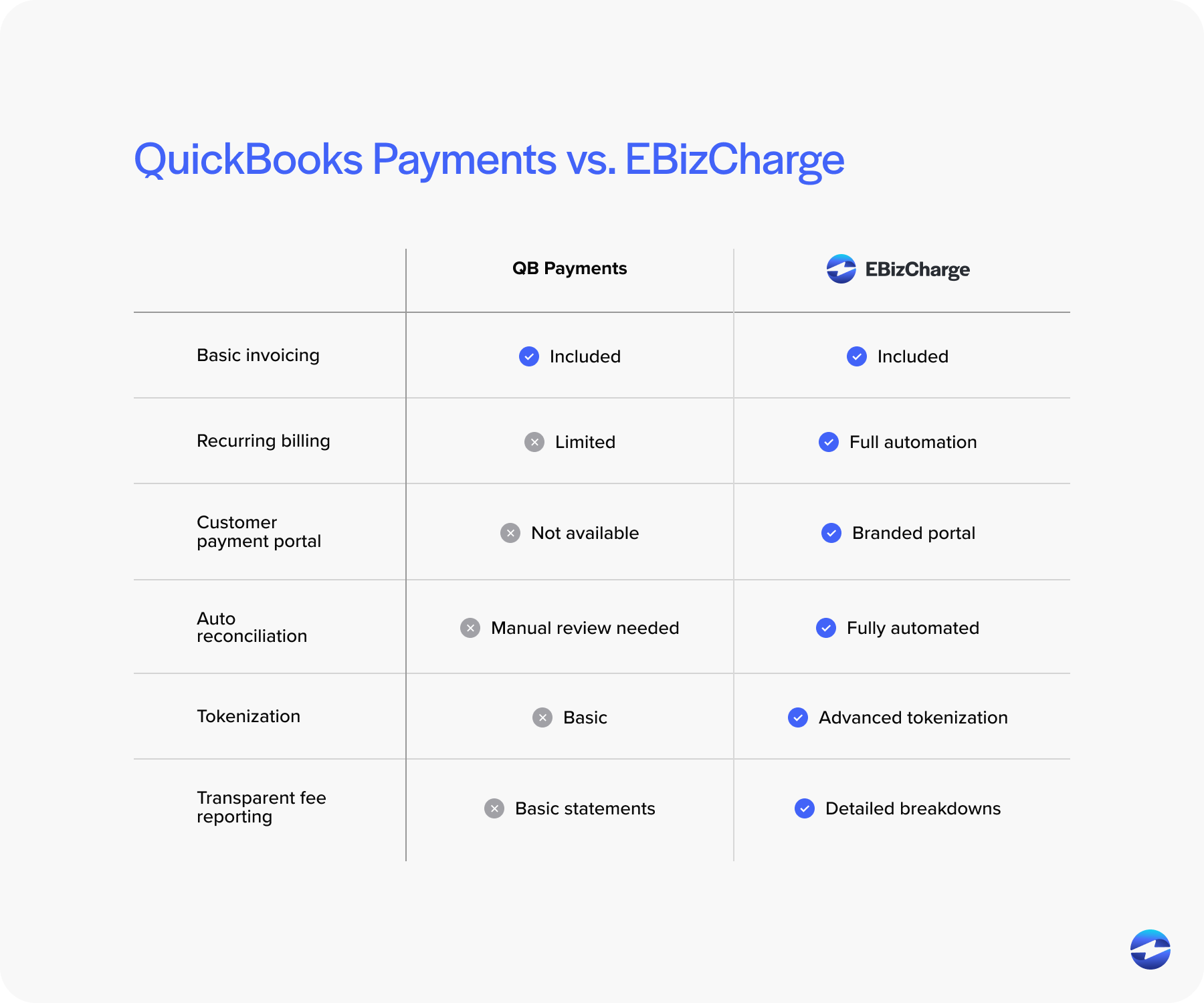
But if you’re processing serious volume, need your payment pages to reflect your brand, want more control over payment methods and fees, or need the kind of support that treats payment processing as mission-critical infrastructure—then it’s worth evaluating alternatives.
The businesses that make the switch usually aren’t doing it because QuickBooks Payments stopped working. They’re doing it because their needs have evolved beyond what the basic system was designed to handle. They need more flexibility, better economics at scale, and features that support more complex payment scenarios.
If you’re reading this and thinking “that sounds like my situation,” then you’re probably ready to at least explore what else is available. Run the numbers on your current QuickBooks payment processing fees, list out the features you wish you had, and be honest about what’s working and what’s creating extra work for your team.
The right payment processing solution should make your job easier, not harder. It should reduce manual work, give your customers a smooth payment experience, and scale with your business as it grows. Whether that’s your current system or an alternative to QuickBooks Payments depends entirely on your specific situation—but it’s worth knowing what your options are.