Blog > Online Payment Solutions for QuickBooks Users
Online Payment Solutions for QuickBooks Users
QuickBooks Payments Online is a great tool for businesses starting out because it’s convenient, works well enough for basic invoicing, and doesn’t require a complicated setup. But as businesses grow, the cracks start to show. Fees creep up, manual corrections become a weekly chore, and the limitations of the built-in tools become harder to ignore.
If you work in finance or operations, you’ve likely felt at least some of this friction. You may rely heavily on QuickBooks Online payments, but the more volume you push through the system, the more questions arise about whether there’s a better way to handle online payments without abandoning QuickBooks entirely. That’s the focus of this guide: practical, real-world payment solutions that work beyond QuickBooks Payments while still integrating cleanly with the platform you trust.
Understanding the Limitations of QuickBooks Payments
QuickBooks Payments has earned its reputation for convenience. It’s built into the billing workflow, automatically connects with invoices, and offers simple ways for customers to pay—often through a QuickBooks payment link. But convenience isn’t the same as scalability.
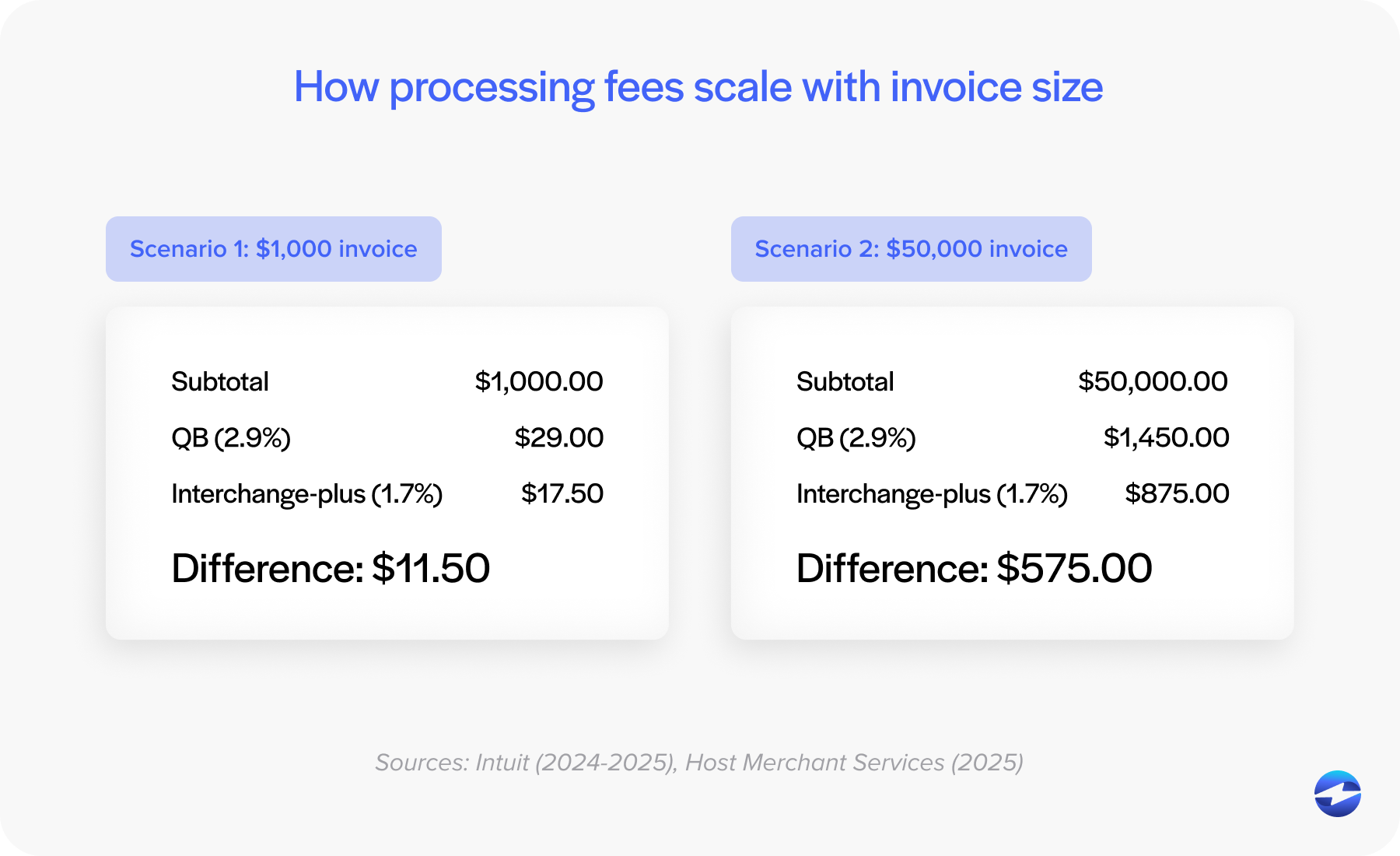
The flat-rate pricing structure is one of the first pain points businesses notice. When invoice amounts rise, percentage-based fees rise even faster. Businesses also discover that QuickBooks Online ACH payments, which many expect to be nearly free, still include fees that eat into margins. These costs grow quietly at first before becoming impossible to ignore.
Operational bottlenecks follow. Refunds don’t always map back cleanly. Partial payments require extra adjustments. Multi-entity structures—a common requirement as organizations expand—aren’t well supported. And reconciliation takes longer because the system wasn’t built for complex posting logic.
For teams trying to close the books faster or improve cash flow visibility, this creates friction that compounds every month.
What QuickBooks Users Really Need in an Online Payment Solution
As companies grow, their needs shift. The tools that worked when the team was small no longer support the volume, complexity, or automation required. Most businesses exploring alternatives aren’t trying to overhaul their accounting system. They still like QuickBooks ERP for day-to-day bookkeeping and financial oversight; they just need something a little more comprehensive sitting behind their payments.
A strong payment system for QuickBooks typically includes:
- Flexible payment options, including affordable QuickBooks Online ACH payments
- Clear, transparent pricing that doesn’t shift unexpectedly
- Better invoice payment workflows and more intuitive customer experiences
- QuickBooks payment portal functionality that feels professional and branded
- Automated syncing that reduces the need for manual entry
- Stronger security layers, including tokenization and encryption
In other words, businesses want tools that make QuickBooks payment processing feel smoother, cleaner, and more predictable.
Payment Processing Options for QuickBooks Users
Once teams begin looking beyond QuickBooks Payments, they discover three primary categories of alternatives: merchant accounts, gateway-plus-merchant setups, and fully integrated third-party processors.
Merchant accounts often deliver excellent rates, but they can require more accounting oversight unless paired with a reliable QuickBooks integration. Gateways, on the other hand, offer flexibility but may introduce extra steps, such as exporting batches or manually matching transactions.
For many companies, fully integrated payment processors provide the ideal balance. These tools sync directly with QuickBooks, automate posting, support online customer payments, and deliver better fee structures. They fit most naturally into the existing workflow, allowing finance teams to reduce manual cleanup without redesigning their accounting processes.
Better Alternatives to QuickBooks Merchant Services
A better processor should accomplish something simple: it should make QuickBooks easier to use, not harder. When organizations compare QuickBooks merchant services to external options, the improvements generally fall into three categories: cost, automation, and accuracy.
Lower fees often make the biggest impact. Alternatives tend to rely on interchange-optimized pricing rather than the flat-rate structure used in QuickBooks Payments, significantly reducing transaction costs. This is especially meaningful for businesses that send larger invoices or process payments frequently.
But cost isn’t the only driver. Teams also want more automation—recurring payments that sync instantly, saved payment methods that reduce risk, and a cleaner workflow that automatically aligns payments with invoices. They also want fewer reconciliation headaches and more stable syncing, especially during busy billing cycles.
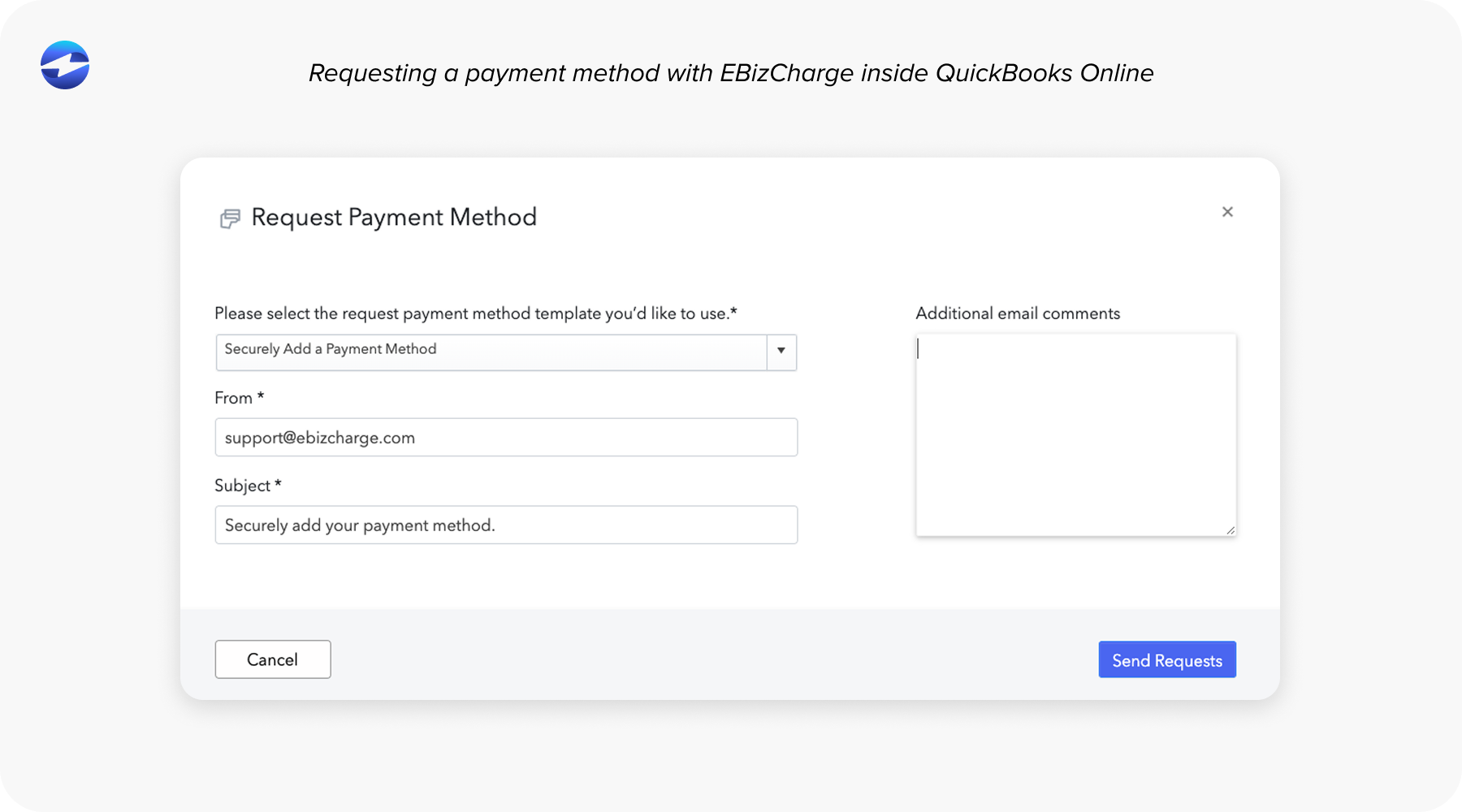
Security is the final layer. Modern processors include tokenization, enhanced encryption, and stricter PCI-focused workflows, reducing the amount of sensitive data your team handles directly. For many organizations, this becomes a key deciding factor.
How Third-Party Online Payment Tools Enhance QuickBooks
One of the main advantages of exploring new payment tools is that they expand what’s possible inside QuickBooks without requiring a different accounting system. Businesses gain access to:
- More capable invoice payment options
- Branded QuickBooks payment portal experiences
- Recurring billing and subscription support
- Secure stored payment methods
- Faster, lower-cost ACH tools
These capabilities combine to reduce friction for both the customer and the internal team. With a stronger payment processing solution, QuickBooks becomes far more efficient—payments post automatically, exceptions decline, and month-end becomes more predictable.
Choosing the Right Online Payment Solution
Finding the right fit requires stepping back and mapping out your team’s current pain points. Are fees too high? Are reconciliations taking too long? Are ACH payments underutilized because of high costs? Are refunds or partial payments difficult to track? These clues help identify what kind of payment processor will offer the most meaningful improvements.
- Most organizations evaluate a few core areas:
- Cost structure and fee transparency
- Integration strength and posting accuracy
- ACH capabilities and settlement timelines
- Automation features like recurring billing and customer portals
- Security protections and PCI compliance alignment
- Quality of support from the processor’s team
Your business deserves a system that adapts to the way you operate. Not one that forces you to work around limitations.
Why EBizCharge Is a Strong Fit for QuickBooks Users
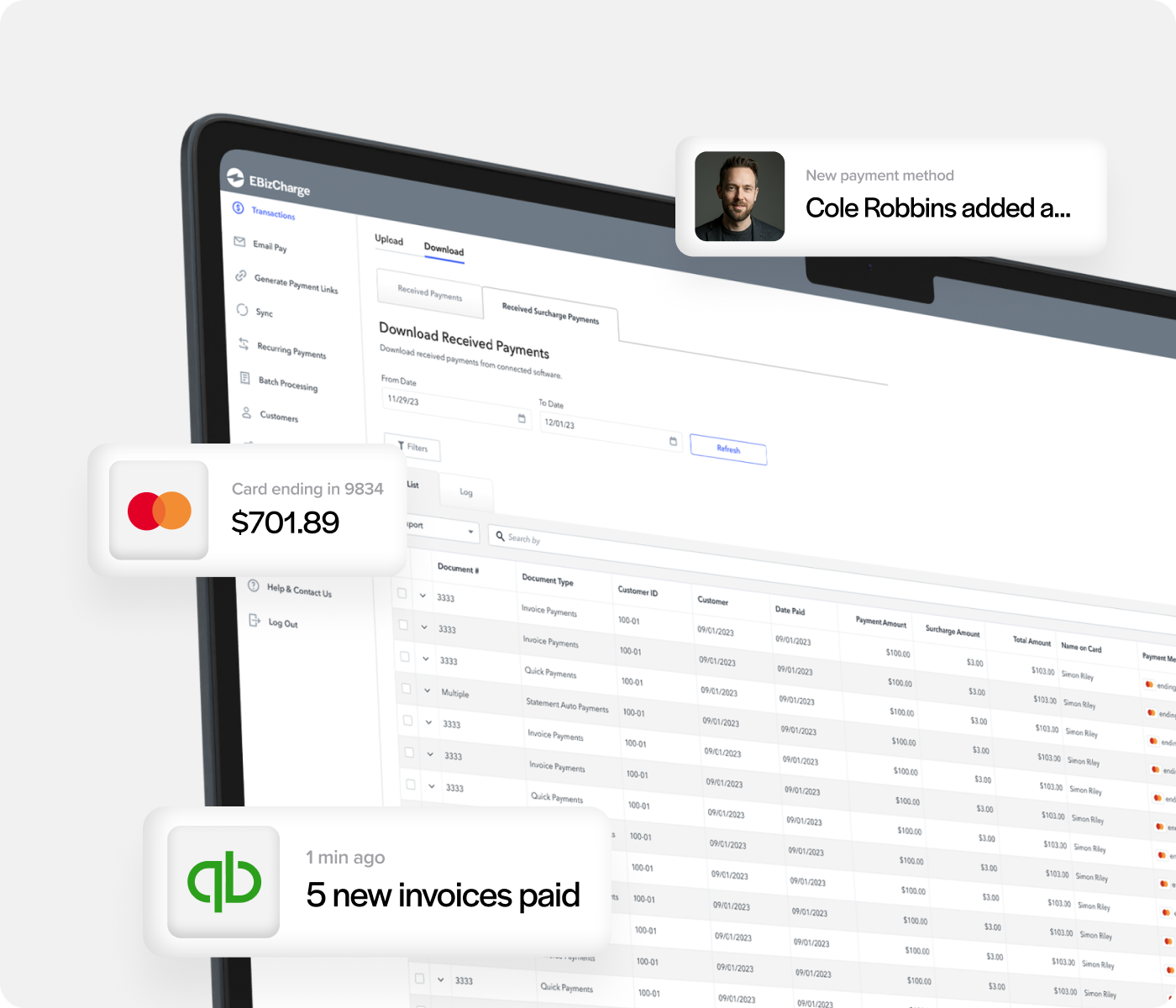
For companies searching for something that feels truly built for QuickBooks, EBizCharge is a great fit. Its native QuickBooks integration posts payments in real time, eliminates the need for manual mapping, and keeps invoice and customer records aligned without extra steps.
Beyond integration, it also brings substantial cost benefits. Because EBizCharge uses interchange-optimized pricing rather than flat percentage rates, businesses often see immediate reductions in processing costs. This applies to both credit card payments and QuickBooks Online ACH payments, making it a cost-effective alternative across the board.
EBizCharge also strengthens security by using tokenization, encryption, and modern fraud-prevention tools, helping teams maintain PCI compliance with less internal effort. Features like branded payment portals, recurring billing, and customizable QuickBooks payment link workflows give businesses a more professional and streamlined customer experience.
Most importantly, EBizCharge behaves like a natural extension of QuickBooks, improving QuickBooks payment processing without forcing your team to adopt a new workflow.
A Better Way Forward for QuickBooks Users
QuickBooks remains one of the most trusted accounting systems for small to mid-sized organizations. But its built-in processor isn’t always the most cost-effective—or the most scalable—choice for businesses that are growing quickly.
With the right payment processing solution, you don’t have to leave QuickBooks ERP to gain better automation, lower fees, and more accurate posting. You simply need a processor designed to support the way modern businesses operate.
Exploring tools beyond QuickBooks Payments is less about replacing QuickBooks and more about unlocking the features that make it truly powerful. And for many organizations, partnering with a tool like EBizCharge is the first step toward smoother billing cycles, predictable monthly statements, and a payment system that finally keeps pace with the rest of the business.