Blog > Invoice Payment Solutions for QuickBooks: Better Options
Invoice Payment Solutions for QuickBooks: Better Options
Most businesses begin collecting invoice payments in QuickBooks the same way: they turn on QuickBooks Payments, send invoices, and let customers pay through a QuickBooks payment link. It’s quick, convenient, and in the early stages, it does exactly what teams need. But as any growing business knows, the systems that feel effortless at first often become strained once payment volume increases or workflows become more complex.
If you work in finance, accounting, or operations, you’ve probably felt this shift at some point. Maybe reconciliation takes longer than it should. Maybe fees begin to creep up without warning. Or maybe your team has started relying more heavily on QuickBooks billing and wants something that feels smoother and more predictable. Whatever the reason, you’re not alone—many companies eventually begin exploring better options for QuickBooks payment processing without replacing QuickBooks itself.
This guide takes a practical, grounded look at invoice payment solutions that integrate with QuickBooks, what causes teams to outgrow the built‑in tools, and how to choose a system that strengthens your payment workflow instead of complicating it.
How Invoice Payments Work Inside QuickBooks Today
QuickBooks makes it easy to send invoices and collect payments. A customer receives a QuickBooks payment link, pays through a secure hosted page, and the payment posts back into your books. For small teams or low‑volume billing, this system works smoothly.
But as volume increases, the cracks start to show. Payments occasionally fail to sync perfectly, refunds require extra steps, and multi‑entity businesses often can’t get the level of automation or posting accuracy they need. QuickBooks Online payments are designed for simplicity, not necessarily for scale.
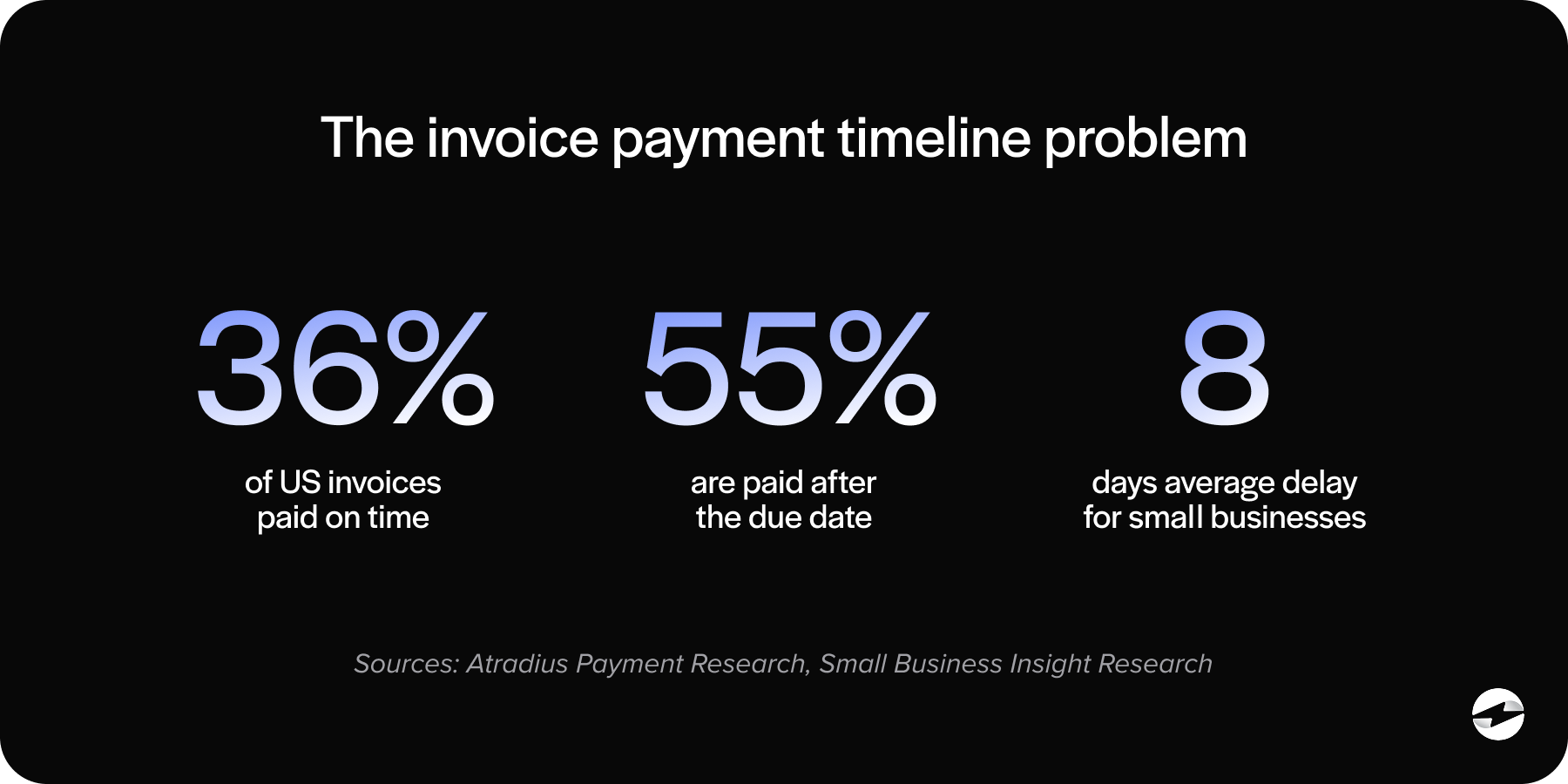
As businesses expand, the workflow that was once “good enough” begins to feel restrictive. The result is lost time, frequent adjustments, and accounting teams that spend more hours on cleanup than on higher‑value work.
What Businesses Actually Need from an Invoice Payment Solution
Once companies begin evaluating alternatives, their needs tend to look similar—reliability, automation, cost control, and a smoother customer experience.
They want invoice payments to post accurately without manual intervention. They want clear and predictable QuickBooks payment processing fees that don’t spike unexpectedly. And they want customer‑facing experiences—like branded payment portals or self‑service tools—that look and feel more professional than basic hosted links.
Behind the scenes, they want a system that supports growth instead of slowing it down. A strong payment processing solution should reduce the amount of data your team handles manually, not introduce new work.
Payment Processing Options for QuickBooks Users
When it comes to invoice payments, QuickBooks users typically choose from three paths: the built‑in solution, gateway‑based alternatives, or fully integrated processors.
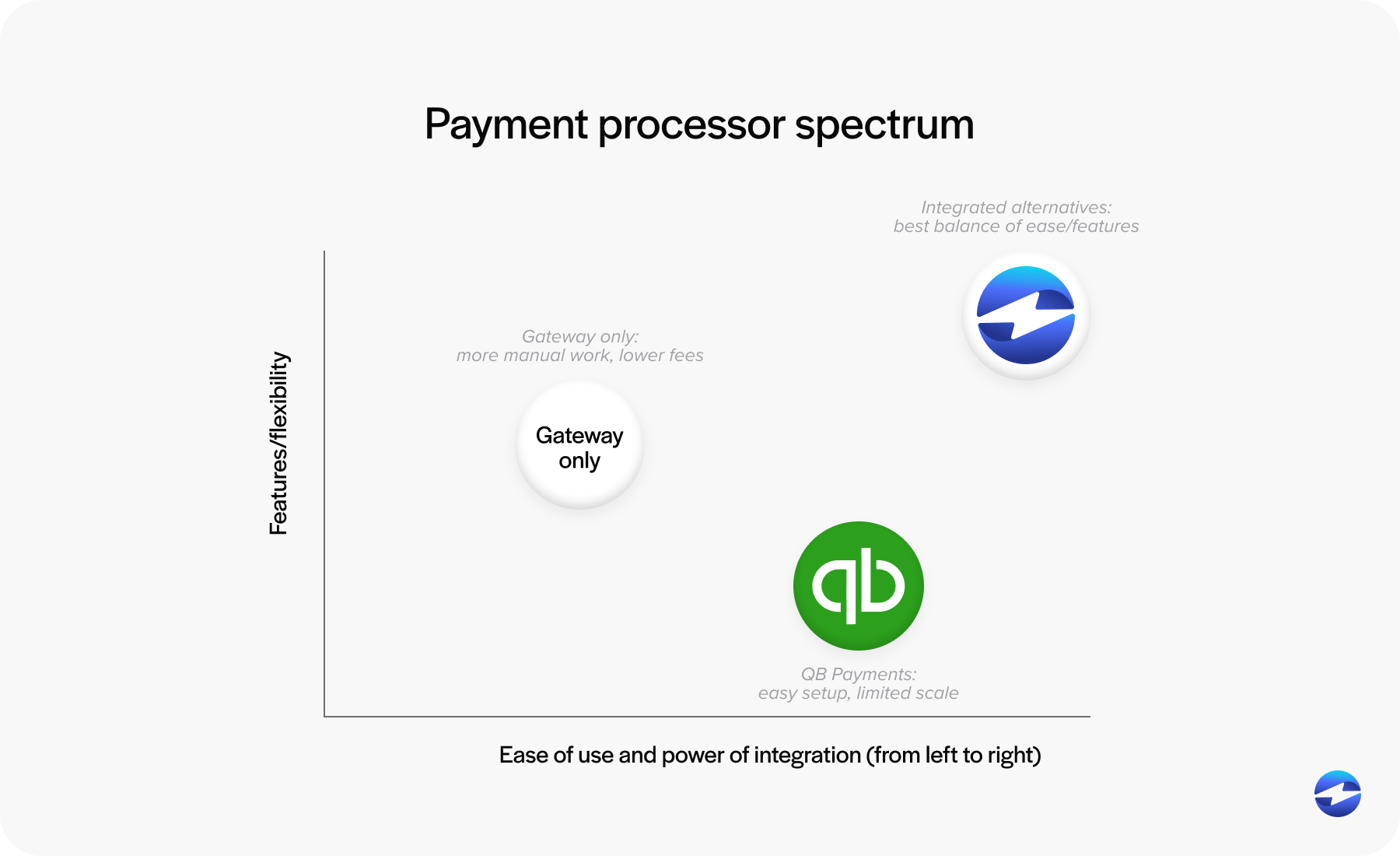
QuickBooks Payments is the default option because it’s already embedded inside the platform. It’s easy to activate, intuitive for customers, and works well for basic billing. But while the convenience is appealing, the long‑term costs and workflow limitations eventually push many businesses to look elsewhere.
Payment gateways offer more flexibility or slightly lower processing rates. However, they often require additional work, such as batch exports, manual transaction matching, or custom posting rules. Those added steps might be manageable for small businesses, but they become increasingly disruptive as billing complexity increases.
Fully integrated third‑party payment processors. These solutions sync directly with QuickBooks, automate posting, support ACH and credit card payments, and provide more predictable costs. Because they function like a native part of QuickBooks, they reduce reconciliation work rather than adding to it.
The True Cost of QuickBooks Payments
QuickBooks is transparent about its posted rates, but that doesn’t tell the whole story. After months of use, businesses often realize how quickly fees accumulate.
Percentage‑based pricing means that as invoice amounts rise, your fees rise right alongside them. Some card types carry higher processing costs than others. And card‑not‑present transactions—common in B2B billing—are even more expensive.
ACH fees also surprise many users. While ACH should be one of the most affordable payment methods available, QuickBooks payment processing fees for bank transfers still take a noticeable bite out of margins.
Then there are the indirect costs: manual reconciliation, refund clean‑up, delayed posting, and administrative overhead. Each issue on its own may seem small, but together they become part of the “true cost” of relying solely on QuickBooks Payments.
Better Alternatives to QuickBooks Merchant Services
Businesses searching for alternatives to QuickBooks merchant services usually want two things: lower fees and stronger automation. But better pricing is only the beginning.
The most effective alternatives offer optimized interchange pricing, meaning transactions automatically route through the lowest‑cost categories. This can significantly reduce processing expenses, especially for high‑volume or B2B businesses.
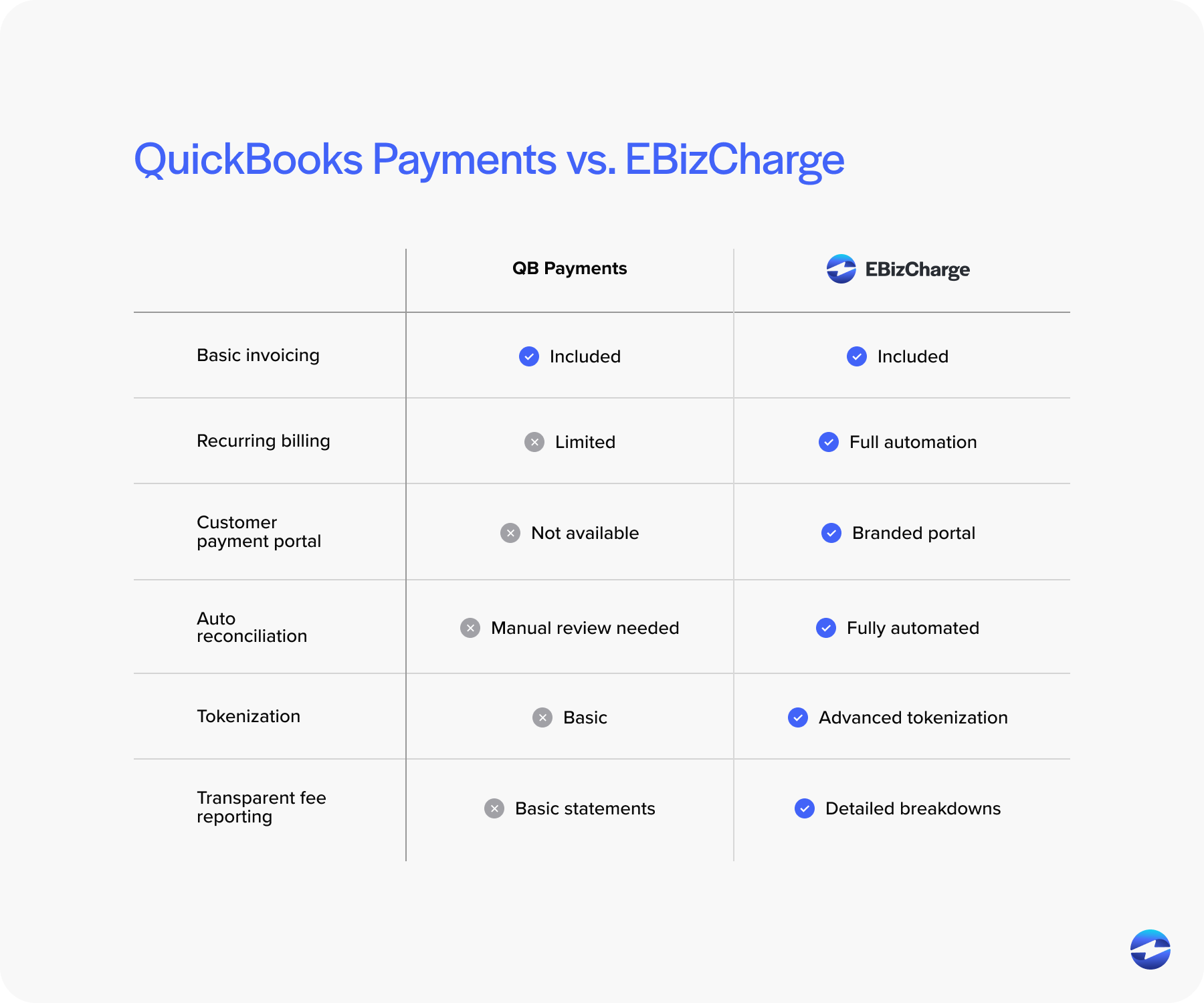
Alternatives also tend to support more advanced workflows, such as recurring payments, stored payment methods, branded customer portals, and automated payment reminders. These capabilities make invoice collection feel more modern and more predictable.
Security is another deciding factor. Many alternatives provide more robust encryption, tokenization, and other PCI-compliant tools than the built‑in system, giving finance teams peace of mind and reducing overall PCI exposure.
Native QuickBooks Integrations: The Middle Ground
Some businesses don’t want a standalone gateway but aren’t satisfied with QuickBooks Payments either. Native third‑party integrations offer a middle ground that combines the convenience of QuickBooks with the power of a dedicated payment processing solution.
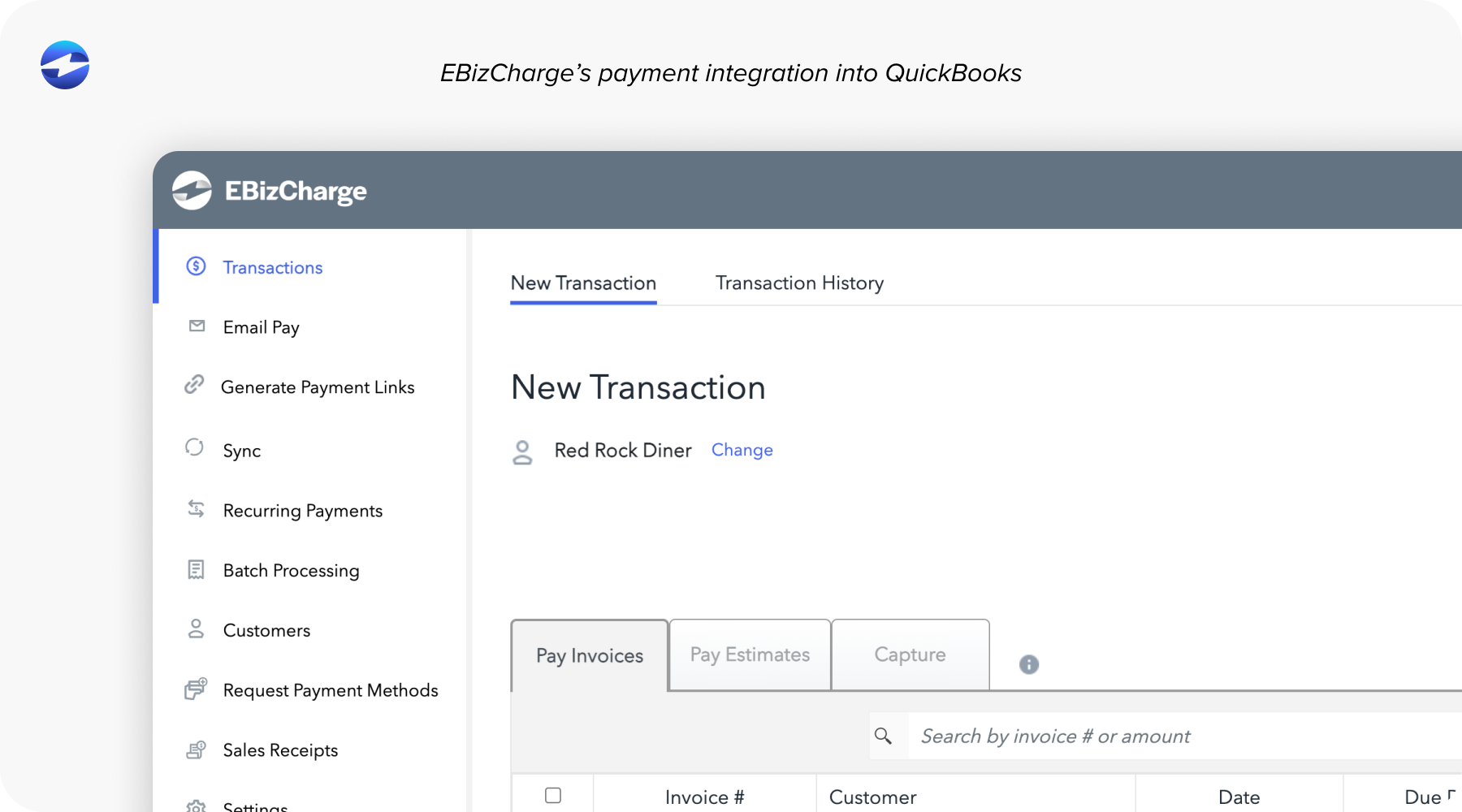
These integrations sync payments, refunds, adjustments, and even ACH transactions directly into QuickBooks in real time. They eliminate double entry, reduce posting errors, and create a cleaner financial picture.
For teams that rely heavily on QuickBooks ERP, this kind of stability is invaluable. A strong QuickBooks integration removes friction from daily work by letting QuickBooks handle accounting while a dedicated payment processor handles the payments.
Why EBizCharge Is a Strong Fit for QuickBooks Integration
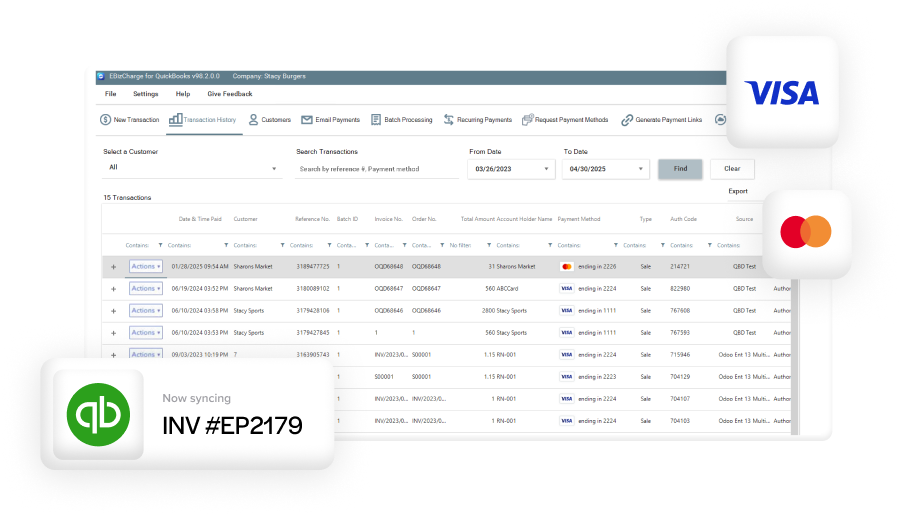
QuickBooks users love EBizCharge because it feels like it was built specifically for invoice payments inside the platform. Its native QuickBooks integration posts payments instantly, keeps invoices and customer data aligned, and removes the need for manual clean‑up.
Cost is another major advantage. EBizCharge uses optimized pricing rather than the flat‑rate model behind QuickBooks Payments, which often results in significant savings—especially for businesses handling large invoices.
It also supports features that QuickBooks users frequently need but don’t always get from the default tools: secure tokenized storage, recurring billing automation, branded payment portals, and customizable QuickBooks payment link workflows. Together, these tools deliver a smoother billing experience for both your team and your customers.
Perhaps most importantly, EBizCharge strengthens QuickBooks payment processing without requiring businesses to change how they work. It becomes a natural extension of the QuickBooks environment, not another system to manage.
A Smarter Path Forward for QuickBooks Invoice Payments
QuickBooks continues to be one of the most trusted accounting systems for small and midsize businesses, but the payment tools you layer on top of it determine how efficiently you get paid.
If you’ve found yourself dealing with rising fees, slow reconciliation, or customer friction, it may be time to explore alternatives—not to replace QuickBooks, but to enhance it.
With the right payment processor, you can reduce costs, strengthen automation, and simplify the workflows your team relies on every day. A thoughtful upgrade to your QuickBooks payment setup can turn invoicing from a monthly headache into a smooth, dependable part of your financial operations.
- How Invoice Payments Work Inside QuickBooks Today
- What Businesses Actually Need from an Invoice Payment Solution
- Payment Processing Options for QuickBooks Users
- The True Cost of QuickBooks Payments
- Better Alternatives to QuickBooks Merchant Services
- Native QuickBooks Integrations: The Middle Ground
- Why EBizCharge Is a Strong Fit for QuickBooks Integration
- A Smarter Path Forward for QuickBooks Invoice Payments