Blog > CRM Payment Integration: Accept Payments Directly in Your CRM
CRM Payment Integration: Accept Payments Directly in Your CRM
Let’s say a sales rep closes a deal inside the CRM, updates the opportunity to “Closed/Won,” and everyone celebrates. Then the actual payment collection begins, and it’s a completely different process in a completely different system. Someone on the billing team has to pull the customer info, key it into a payment terminal or accounting platform, send an invoice, and hope everything lines up.
It works, but it’s manual and slow. And it introduces the kind of small errors that snowball into real reconciliation headaches at the end of the month.
This is the problem that CRM payment integration solves. Instead of treating your CRM software as one silo and your payment processing as another, you bring them together, so payments happen right where your customer data already lives.
What Is CRM Payment Integration?
At its core, CRM payment integration means you can create, send, and collect payments without ever leaving your CRM system. That might sound simple, but there’s actually a meaningful difference between slapping a payment link into an email and having a true, native integration where data flows in both directions.
With proper integration, the payment status updates automatically on the customer record. The transaction ties back to the right account, the right invoice, and the right deal. There’s no copying and pasting between tabs, and no one has to manually mark something as “paid” after checking a separate portal.
This kind of functionality applies across the major platforms. Whether your team runs Salesforce, Microsoft Dynamics 365, or Zoho, there are ways to embed payment processing directly into the workflow your team already uses. The key is making sure the integration is genuinely native to your CRM, not a clunky workaround held together by middleware.
The Real Cost of Keeping Payments Outside Your CRM
When payments live in a separate system from your customer relationship management platform, you end up with two versions of the truth. Sales sees one thing. Finance sees another. Reconciling those two views eats up hours that could be spent on work that actually moves the business forward.
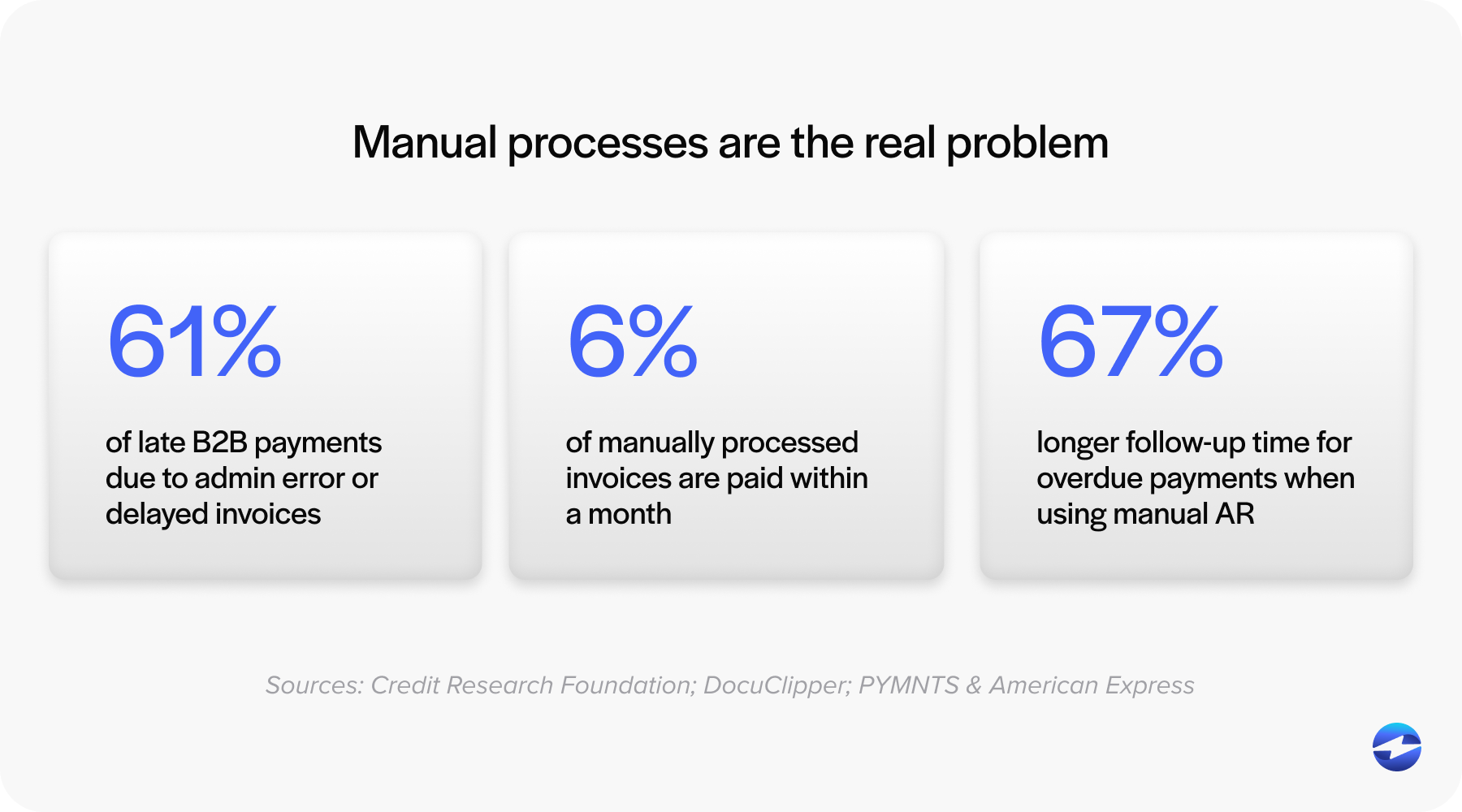
Manual re-keying is the most obvious problem. Every time someone types a transaction amount, customer name, or invoice number into a second system, there’s a chance for error. Those errors are small individually, but they compound. By month-end close, your team is chasing discrepancies instead of analyzing cash flow.
Then there’s the speed issue. When invoicing is a separate step that happens after the deal closes, there is always a lag. Maybe it’s a few hours, maybe it’s a few days. Either way, that delay pushes out your collections timeline and directly impacts working capital.
There’s also a security angle that doesn’t get enough attention. When payment data gets copied between disconnected systems, whether through email, spreadsheets, or even verbal confirmation, it creates exposure points. A CRM with payments built in keeps sensitive data within a controlled, PCI-compliant environment rather than floating between tools.
What You Actually Gain from CRM Payments
The benefits here aren’t abstract. They show up in your day-to-day operations in ways that are easy to measure.
Faster collections. When your team can send an invoice or payment link the moment a deal closes, you shorten the gap between “sold” and “paid.” That’s not a minor improvement. For B2B companies running on net terms, even shaving a few days off that cycle has a noticeable impact on cash flow.
Automatic reconciliation. CRM payments that sync back to the customer record mean you aren’t manually matching transactions at the end of the week. The payment posts, the record updates, and your books stay clean without extra effort.
Shared visibility. When payment data lives inside the same CRM system that sales and service teams use every day, everyone works from the same information. Finance doesn’t have to ask sales whether a client has paid. Sales doesn’t have to wonder if an invoice went out. It’s all right there on the account.
Fewer errors. This one is straightforward. Eliminating dual data entry between your payment CRM and your accounting tools means fewer typos, fewer mismatches, and fewer hours spent fixing things that shouldn’t have been broken in the first place.
A better customer experience. Clients can pay through branded email invoices, text-to-pay links, or a self-service payment portal tied to their account. These aren’t gimmicks. They’re the kind of convenience that makes customers more likely to pay on time and less likely to call your team with questions about confusing invoices.
What to Look for in a Payment Processing Solution for Your CRM
Not all integrations are built the same, and this is where it pays to be a little picky.
Start with whether the integration is native or bolted on. A native CRM integration means the payment processing solution was designed specifically for your platform. Data flows reliably. Fields map correctly. Updates happen in real time. A bolt-on approach, where a third-party connector tries to bridge two systems that weren’t designed to talk to each other, tends to break more often and requires more maintenance.
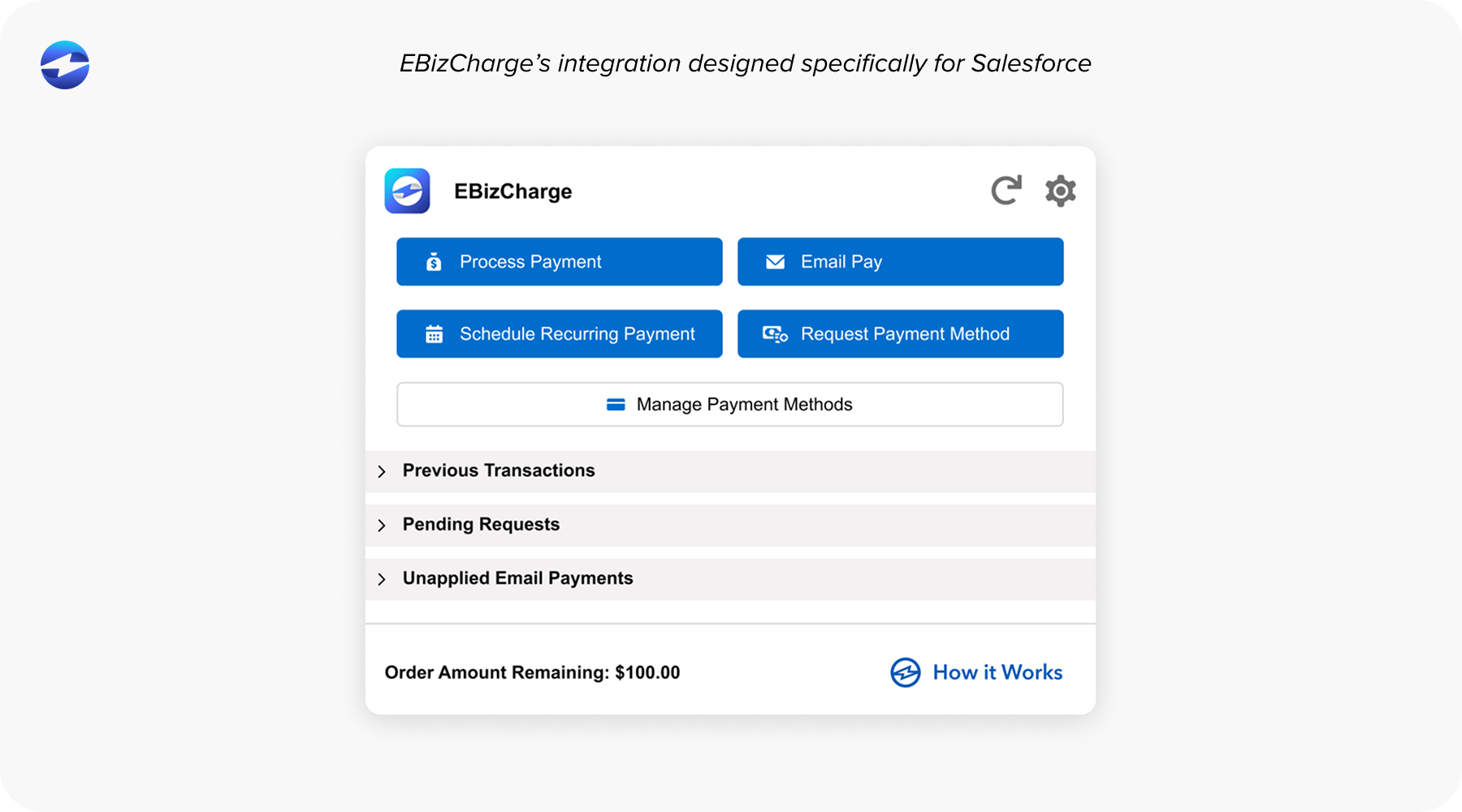
Beyond that, look for two-way data sync. It’s not enough for payment info to leave the CRM. Transaction confirmations, payment statuses, and receipt records need to flow back in automatically. That’s what creates the single source of truth that keeps finance and sales aligned.
You’ll also want a payment processor that supports the methods your customers actually use. For most B2B companies, that means credit cards and ACH or eCheck at a minimum. Recurring billing and batch invoicing capabilities are important too, especially if your business handles subscription models or large client rosters with regular payment cycles. The right payment processor will cover all of these without requiring workarounds.
Security should be non-negotiable. Look for PCI compliance and tokenization handled on the provider side, so your team never touches raw card data. This is not just about avoiding risk. It is about reducing the compliance burden on your internal IT and finance teams.
And finally, make sure you get reporting and analytics within the CRM software itself. The whole point of integrating payments is to centralize your operations. If you still have to log into a separate dashboard to pull payment reports, you have only solved half the problem.
Getting Started
If a CRM payment integration is something your team needs, the good news is that getting started doesn’t require a massive overhaul.
Begin by mapping out your current payment workflow. Where does customer data get entered more than once? Where do handoffs happen between sales and finance? Those friction points are your starting line.
From there, confirm what CRM integration options are available for your specific platform. Prioritize solutions that are native rather than ones that require custom development or heavy middleware. The less duct tape involved, the better. A strong CRM integration will feel like a natural extension of the tools your team already uses, not another system to learn.
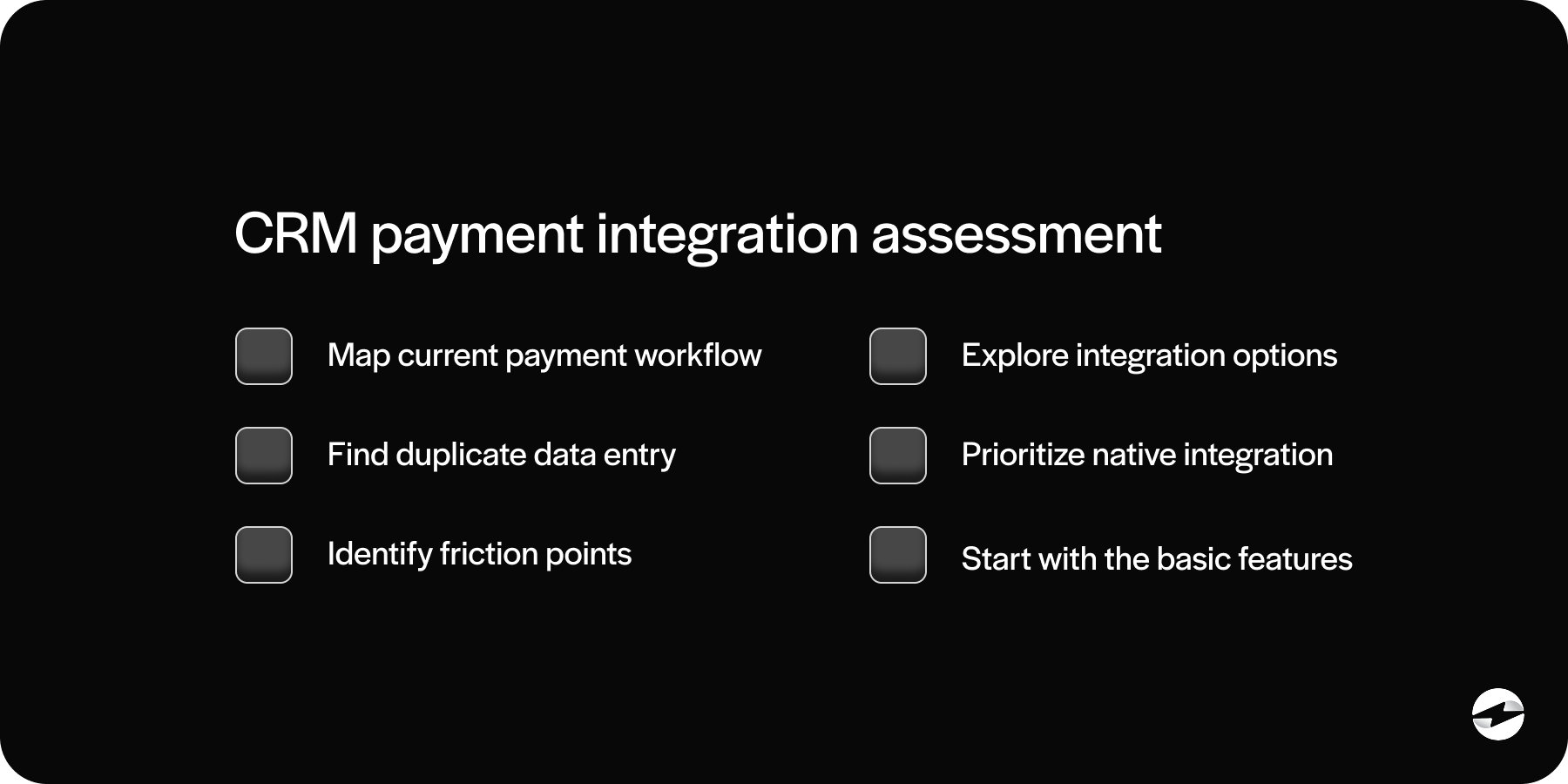
Roll things out in phases if it helps. Start with one-time CRM payment collection and basic invoicing. Once your team is comfortable, layer in recurring billing, automated reminders, and more advanced features. You don’t have to flip every switch on day one.
The Bottom Line
Your customer relationship management system already holds the relationships, deal history, and account details. It makes sense for payments to live there too, instead of in a disconnected tool that creates extra work and extra risk.
CRM payment processing is quickly becoming the standard approach for B2B companies that want tighter cash flow, cleaner data, and fewer manual steps between closing a deal and collecting the revenue. The companies that adopt a strong payment processing solution now are the ones that will not be scrambling to catch up later.