Blog > Credit Card Processing Alternatives for QuickBooks Users
Credit Card Processing Alternatives for QuickBooks Users
Credit card processing is one of those parts of running a business that tends to become more complicated the longer you grow. Many companies start with QuickBooks Payments because it’s already inside the software and easy to turn on. That convenience makes sense—especially when your team just needs a simple way to send invoices, accept payments, and keep the books organized with minimal effort.
But as payment volume increases, the rough edges start to appear. Fees begin to climb, reconciliation takes longer, and the built-in tools don’t always adapt to more complex workflows. Before long, countless businesses reach the same realization: QuickBooks is still the right accounting platform, but QuickBooks credit card processing may no longer be the most efficient or cost-effective fit.
This guide explores why companies outgrow the default tools, which alternatives offer better value, and how modern payment processors can streamline your workflow without requiring you to leave QuickBooks behind.
How Credit Card Processing Works Inside QuickBooks Today
At its core, QuickBooks Payments is designed for simplicity. It ties directly into invoicing, allows payments through hosted links, and syncs accepted payments back into the ledger. For small teams or low-volume businesses, this setup works smoothly.
However, as transactions scale, limitations become more visible. Fees that once felt manageable begin to accumulate. Some payments don’t sync cleanly, refunds require extra steps, and multi-entity setups become difficult to manage. The more your billing environment expands, the clearer the gaps become.
These challenges often lead businesses to ask whether sticking with QuickBooks payment processing is worth the long-term cost—or if lower-fee, more automated alternatives could better support ongoing growth.
The Real Cost of QuickBooks Payments
QuickBooks Payments lists its fees clearly, but the true cost becomes evident only after months of real-world use. Percentage-based pricing grows quickly alongside invoice volume. Some card types carry higher processing rates, and card-not-present transactions are even more expensive.
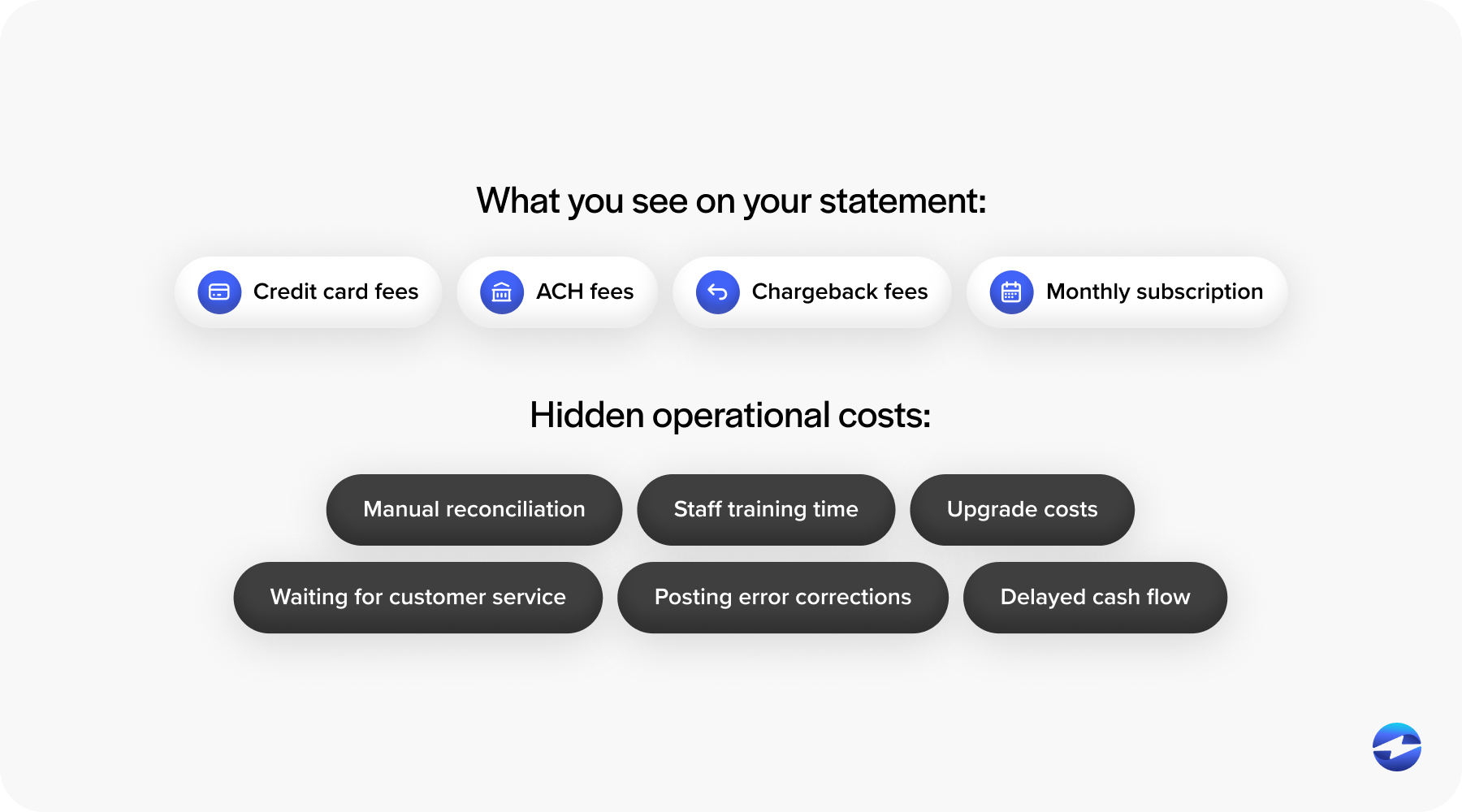
In addition to posted rates, businesses often encounter hidden or less obvious fees, including chargeback costs, ACH surcharges, and higher rates for keyed-in transactions. Over time, these expenses eat into margins.
This is usually the moment when teams begin comparing QuickBooks credit card processing fees to lower-cost alternatives that offer optimized interchange pricing or more favorable ACH terms.
Why QuickBooks Users Start Looking for Alternatives
Most businesses don’t switch payments overnight. Instead, they reach a breaking point after months—or years—of slow, incremental friction.
As workflows become more complex, teams notice recurring challenges: reconciliation delays, manual adjustments, limited automation for recurring billing, and the lack of Level 2/3 data support for cheaper B2B rates. Security requirements also play a role as businesses assess their QuickBooks PCI compliance posture and seek tools with more advanced encryption, tokenization, and fraud controls.
Ultimately, the search for alternatives isn’t about replacing QuickBooks ERP. It’s about improving the payment layer that sits on top of it.
Payment Processing Options for QuickBooks Users
QuickBooks users typically evaluate three categories of tools when exploring new payment options:
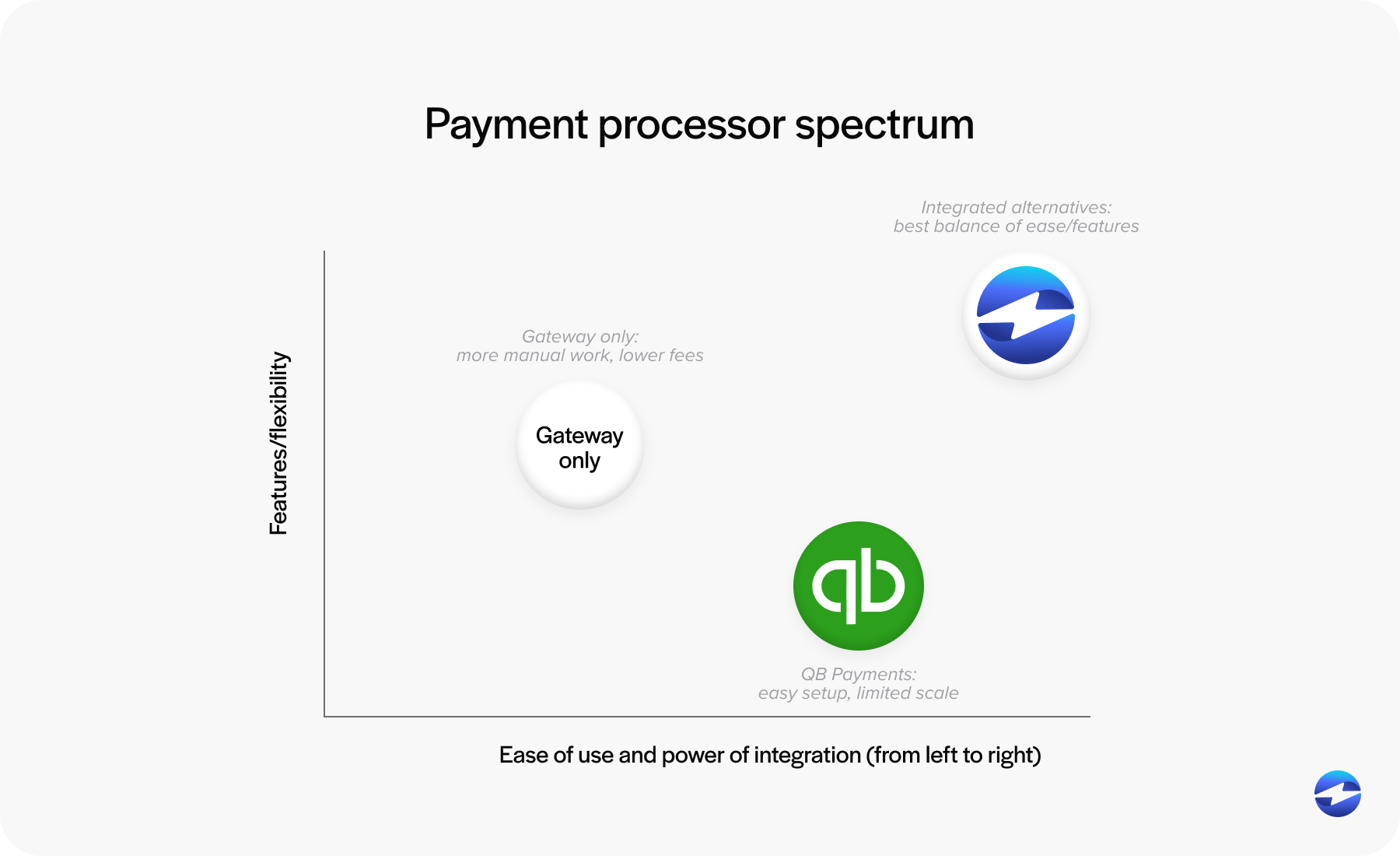
Staying with QuickBooks Payments
QuickBooks Payments is the default for many teams simply because it’s already there and easy to turn on. It works well for straightforward billing needs, but as payment volume increases or workflows become more complex, its limitations become more noticeable. Fees begin to climb, automation doesn’t always keep pace, and the system can feel less flexible than growing businesses need.
Using a Standalone Payment Gateway
Standalone payment gateways offer more control and sometimes lower processing costs, which can be appealing to businesses looking to reduce expenses. However, these tools usually require more hands-on work – batch exports, manual matching of deposits, and additional steps to keep records aligned in QuickBooks. Over time, that added effort can slow teams down.
Using a Fully Integrated Third-Party Processor
Fully integrated processors take a more streamlined approach by pairing competitive pricing with real-time syncing inside QuickBooks. Payments post automatically, refunds align correctly, and reporting becomes smoother without extra work. For many companies, this option delivers a more scalable balance of cost savings and automation as their billing environment grows.
Understanding these paths helps teams choose a payment processing solution that aligns with their operational needs—not just their current invoice size.
Choosing the Right Solution for Your Business
Selecting the most effective payment setup requires looking beyond fees and taking an honest inventory of how your current system supports – or slows – your daily work. Many teams reach this stage after realizing their payment processes no longer match the pace or complexity of their operations. When reconciliation drags, when posting rules constantly need attention, or when customers ask for payment options your system doesn’t easily support, it becomes clear that the real issue may not be QuickBooks itself, but the processor connected to it.
Many teams notice payments becoming more expensive to manage, with card costs rising faster than overall revenue. Others experience reconciliation dragging on longer than it should, slowing down the month-end close. Some businesses see customer expectations shifting – they want more flexible ways to pay, smoother checkout experiences, or reliable recurring billing options. Internal challenges also surface when teams repeatedly correct posting errors, re-enter data, or create workarounds for processes their current system doesn’t support. Taken together, these signs often point to an underlying issue: your payment setup is creating unnecessary friction instead of helping you operate more efficiently.
If you find yourself nodding along to any of these scenarios, there’s a strong chance your existing processor may be the source of the bottleneck. The right payment processor should function as an extension of your accounting workflow, simplifying the details behind the scenes so your team can stay focused on other tasks rather than ongoing cleanup.
Key Features to Look for in a QuickBooks Payment Alternative
The best payment processor is the one that makes your daily work easier. As businesses evaluate third-party options, several features consistently rise to the top:
- Transparent, lower-cost pricing structures that scale with volume.
- Automated reconciliation that eliminates manual posting.
- Native QuickBooks integration for error-free syncing.
- Advanced security, including tokenization, encryption, and reduced PCI exposure.
- Customer-friendly tools like branded portals, stored payment methods, and recurring billing.
When a processor checks these boxes, QuickBooks becomes significantly more efficient.
Implementation Tips When Switching Processors
Transitioning to a new payment processor doesn’t have to disrupt daily operations. A smooth rollout typically includes:
- Verifying integration settings and permissions.
- Testing credit card transactions in a controlled environment.
- Checking posting rules and mapping.
- Introducing updated customer payment workflows gradually.
Many businesses briefly run both systems in parallel to ensure accuracy before fully switching over. With the right approach, the transition can be seamless.
Why EBizCharge Is a Strong Fit for QuickBooks Users
Among the leading QuickBooks Payments alternatives, EBizCharge stands out for simplifying and strengthening credit card processing without disrupting the familiar QuickBooks workflow.
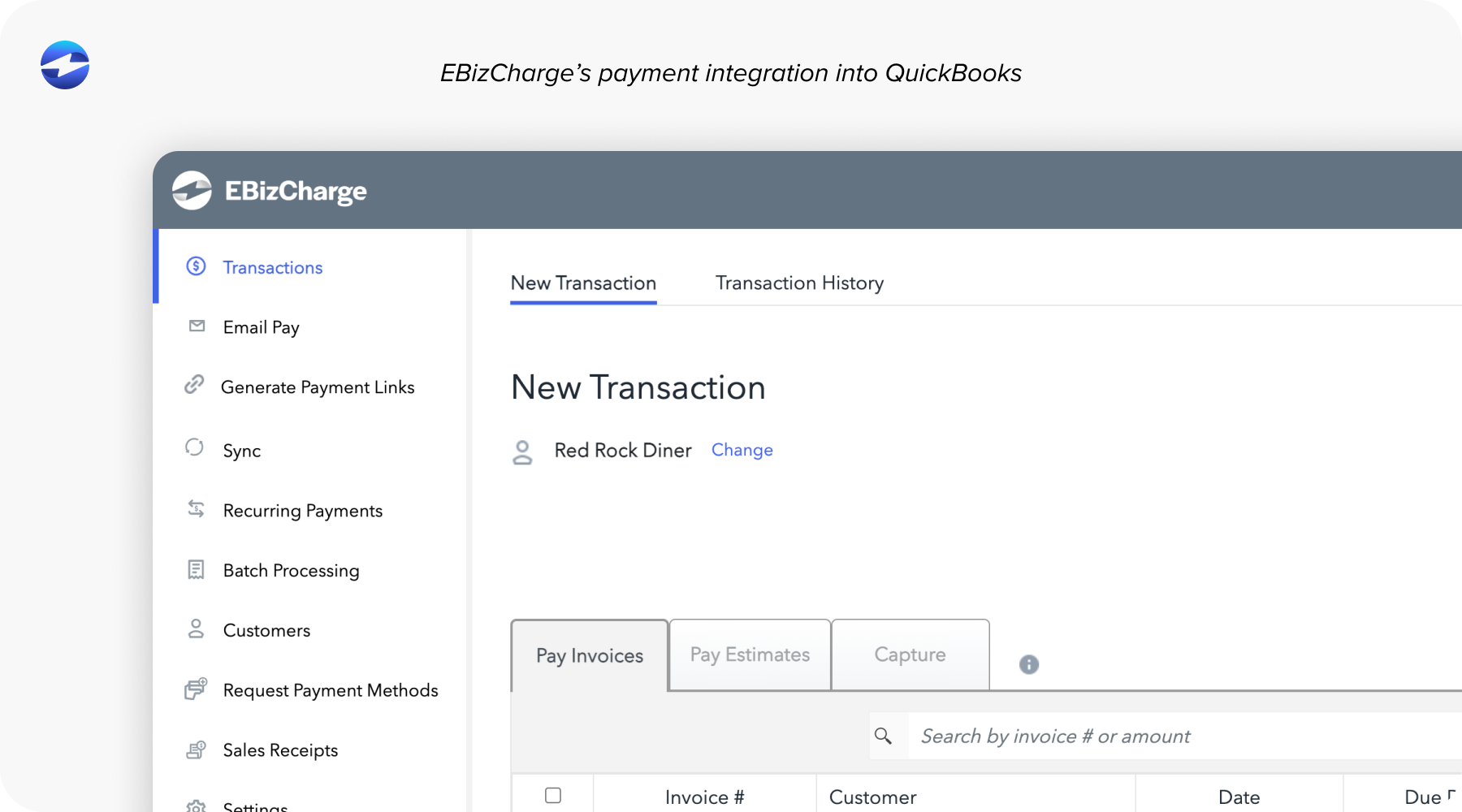
Its native QuickBooks integration posts payments, refunds, and adjustments instantly—no manual mapping or cleanup required. This alone saves teams hours each month. EBizCharge also offers optimized pricing that reduces overall processing costs, making it a lower-fee alternative for businesses scaling their payment volume.
Beyond cost, EBizCharge offers advanced tools like customer portals, recurring billing, tokenized card storage, and Level 2/3 data support. These features streamline payment collection while improving security and compliance.
For organizations looking for a more flexible, dependable, and affordable payment processing solution, EBizCharge delivers meaningful improvements without requiring a new accounting platform.
A Better Path Forward for Payment Processing in QuickBooks
QuickBooks remains a powerful accounting backbone for small and midsized companies. But the payment tools you attach to it determine how efficiently your business gets paid.
As your operation grows, exploring alternatives to QuickBooks credit card processing can unlock lower fees, stronger PCI protection, and smoother financial workflows.
The key is choosing a processor that aligns with your growth—not one that holds it back.
With thoughtful evaluation and the right partner, QuickBooks can become the payment hub you always hoped it would be, supported by tools that reduce friction and help your team focus on strategy instead of cleanup.