
Blog > AR Automation for QuickBooks: Automating Accounts Receivable Beyond QuickBooks Payments
AR Automation for QuickBooks: Automating Accounts Receivable Beyond QuickBooks Payments

QuickBooks is one of the most widely used accounting platforms in the country, and for good reason. It handles bookkeeping, invoicing, reporting, and basic payment collection in a familiar environment that most finance teams don’t need weeks to learn. For businesses with straightforward payment flows, it’s a solid foundation.
The gap opens up when B2B complexity enters the picture.
For QuickBooks users who have grown beyond simple invoice-and-pay workflows, accounts receivable QuickBooks management starts to involve a level of manual work that QuickBooks Payments was never built to eliminate. Multi-invoice remittances, partial payments, missing ACH remittance data, collections follow-up across dozens of aging accounts — none of that happens automatically. Someone on the AR team has to handle it.
This article is written for AR managers, controllers, and business owners in exactly that position. It covers where accounts receivable automation QuickBooks users actually need goes beyond what QuickBooks Payments offers, and what a full AR automation layer built natively inside QuickBooks looks like in practice.
QuickBooks Payments and AR: What It Does and Doesn’t Do
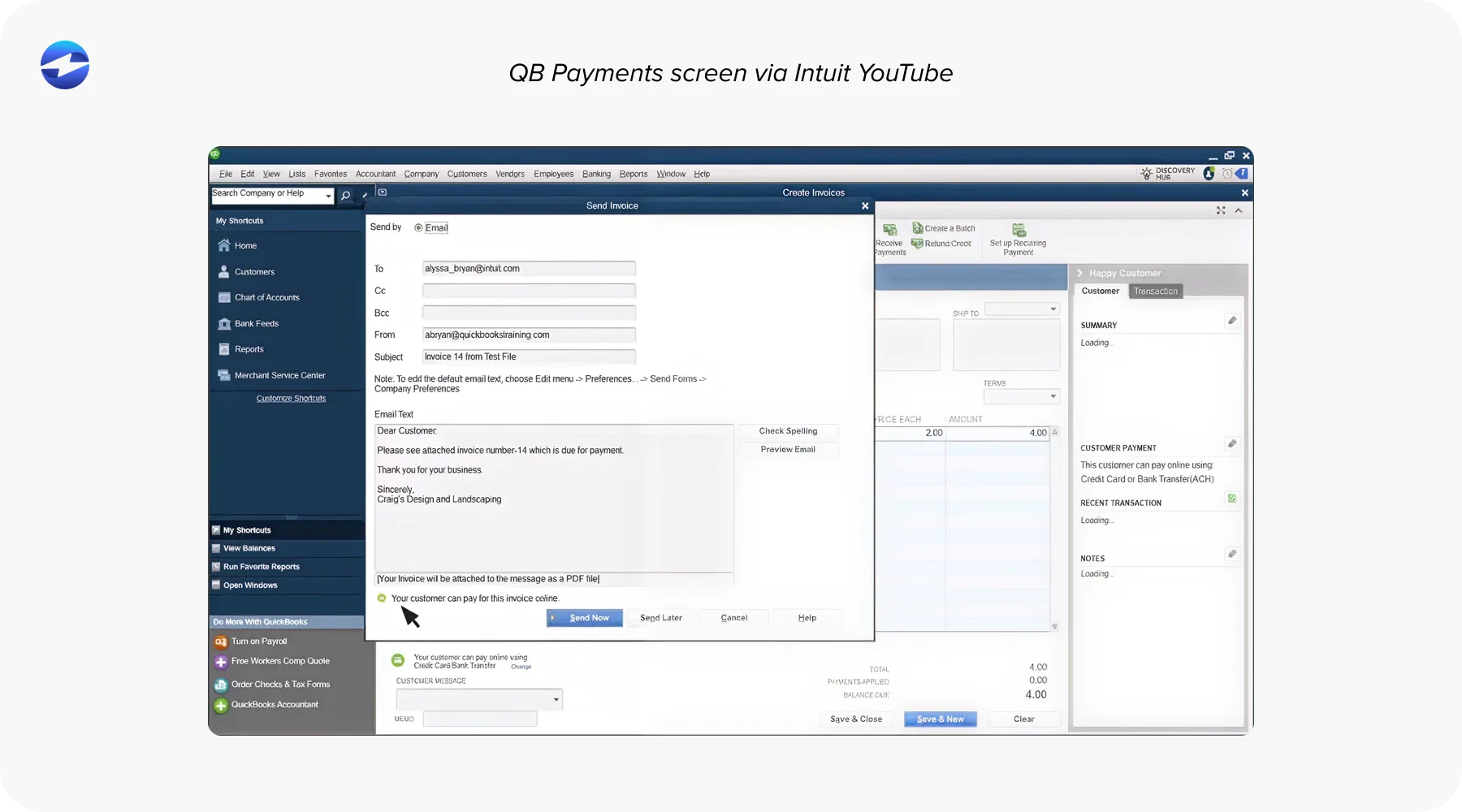
QuickBooks Payments handles the basics well. It accepts card and ACH payments inside QuickBooks, sends payment links with invoices so customers can pay online, and records payments automatically when a customer uses that link. For low-volume environments with customers who consistently pay one invoice at a time, it’s easy to set up and easy to use.
The limitations become visible in B2B environments.
QuickBooks Payments doesn’t handle multi-invoice remittance. It doesn’t automate cash application. It doesn’t offer a customer-facing portal where customers can view all open balances, select what they’re paying, and submit structured remittance data. It doesn’t support collections workflow automation, which means aging-based reminder sequences and escalation triggers still have to be managed manually. It doesn’t support Level 2 or Level 3 B2B card processing, so interchange savings available on corporate card transactions go uncaptured. And it doesn’t support surcharging, which means card processing costs are absorbed entirely by the business.
QuickBooks Payments is a payment acceptance tool, not an accounts receivable automation solution. That distinction matters significantly once payment volume and complexity grow past a certain threshold.
The Manual AR Gap in QuickBooks
Here is what the manual AR process actually looks like for a QuickBooks user who has outgrown QuickBooks Payments.
Invoices go out inside QuickBooks. Payments arrive by check, ACH, wire, and card through different channels, each carrying different data in different formats. The AR team retrieves remittance, interprets which invoices the payment covers, enters the match manually, and posts the payment to QuickBooks as a separate step. Collections follow-up runs off manual aging report reviews and individually drafted reminder emails.
As volume grows, the problems compound.
Unapplied cash builds because remittance is missing, or a single payment covers ten invoices that take real time to decode. The accounts receivable QuickBooks aging report shows open invoices that are already paid but haven’t been posted yet. Collections activity goes out on balances customers settled last week. Month-end close slows down because payment posting has not caught up with the payment volume.
None of this is a QuickBooks problem. It’s what happens when a basic payment acceptance tool gets used in a B2B environment it wasn’t designed for. QuickBooks AR automation is the layer that closes that gap, not by replacing QuickBooks, but by adding the automation that QuickBooks Payments doesn’t provide.
What Real AR Automation Looks Like Inside QuickBooks
Real AR automation inside QuickBooks covers the full receivables workflow, not just payment acceptance.
It means automated invoice delivery with tracking and scheduled reminders. A customer payment portal where customers view all open invoices, select what they’re paying, and submit payment with structured remittance attached. Automated cash application that reads remittance from multiple formats, matches payments to open QuickBooks records using rules and confidence scoring, and posts clean matches to the ledger without manual input. Autopay enrollment for recurring customers. Batch payment processing for high-ACH-volume environments. Collections sequences that trigger automatically on live QuickBooks aging data. Real-time AR reporting inside QuickBooks, not in a separate dashboard.
This is what automating accounts receivable actually looks like when the tool lives inside QuickBooks rather than alongside it. The AR team doesn’t leave QuickBooks to manage the payment workflow. Payments post directly to QuickBooks records in real time. Aging is always current. The manual matching cycle is replaced by automation that handles routine work and surfaces exceptions for human review.
That’s the practical difference between QuickBooks Payments and a full AR automation software layer built natively inside QuickBooks.
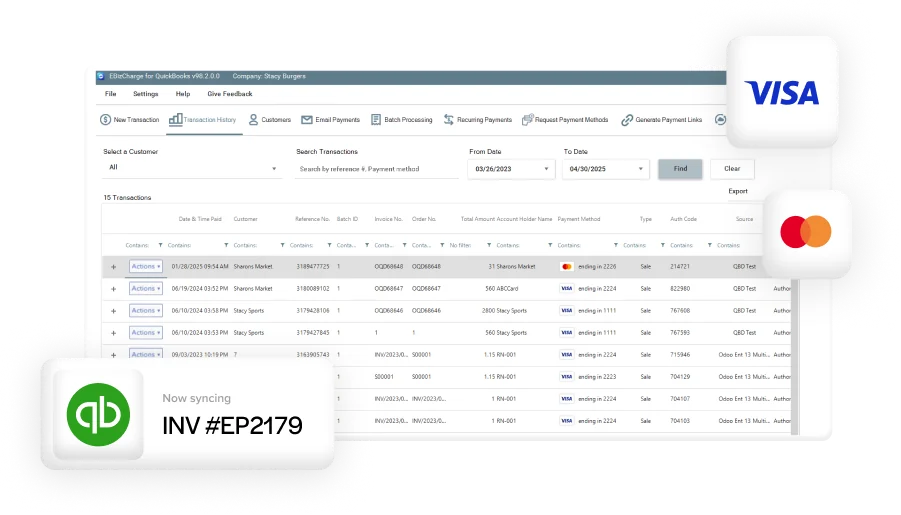
EBizCharge QuickBooks Integration: Cash Application, Payment Portal, Recurring Billing, Batch Processing
EBizCharge’s payment solution integrates natively inside QuickBooks using QuickBooks’ own data structures. Payments process and post inside QuickBooks without middleware or an external sync dependency.
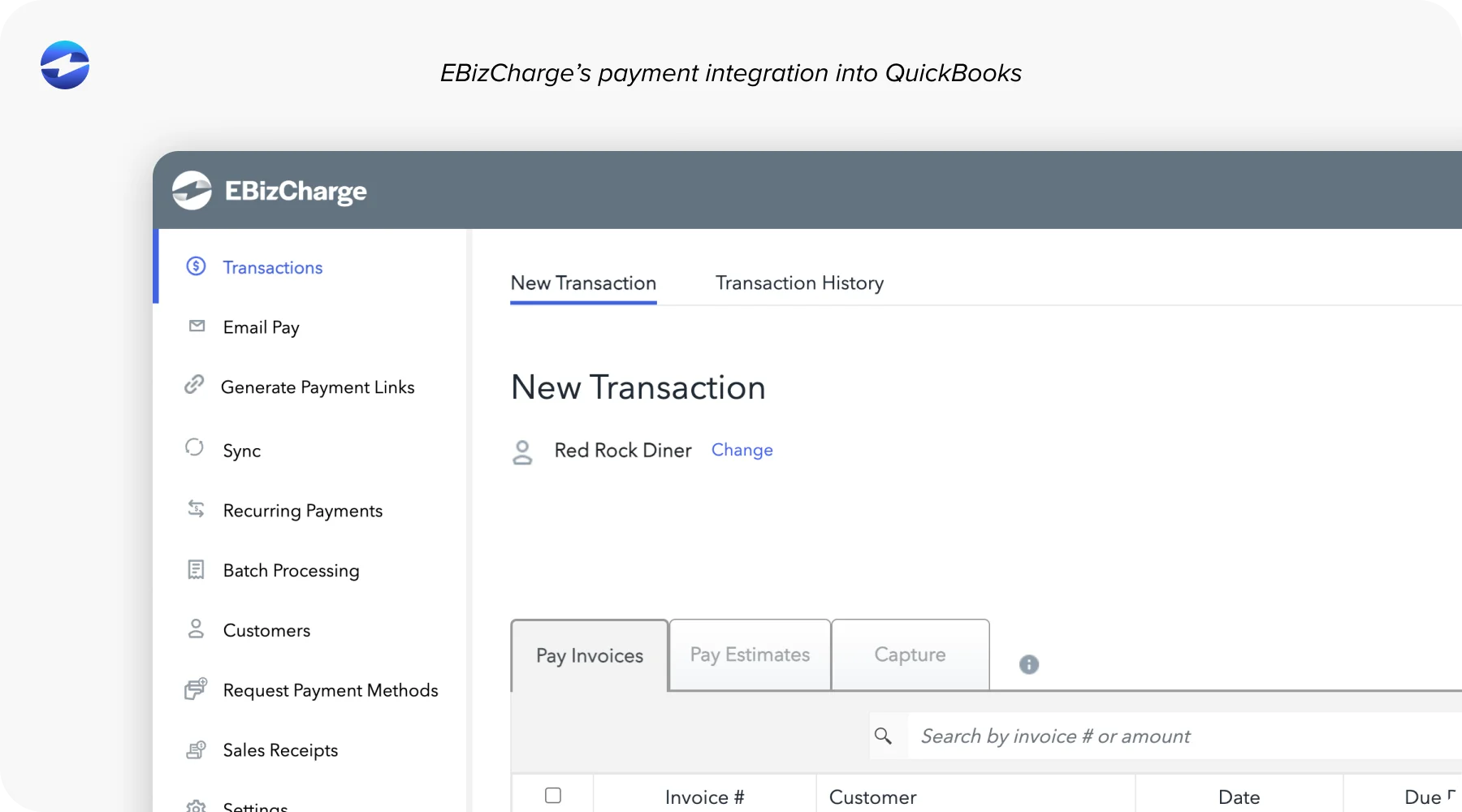
Cash application. EBizCharge reads remittance from multiple input formats, matches payments to open QuickBooks invoices using rules and confidence scoring, and posts clean matches to the ledger without a manual step. Payments above a confidence threshold apply automatically. Borderline matches surface for fast human review. Partial payments, deductions, and missing remittance route to a structured exception workflow inside QuickBooks rather than a suspense pile.
Customer payment portal. Customers log in, see all open QuickBooks invoices, select what they’re paying, and submit payment by card, ACH, or eCheck. Invoice selection at the point of payment structures remittance before it ever reaches the AR team. Payment posts directly into QuickBooks in real time. The invoice closes, the balance clears, and aging updates immediately.
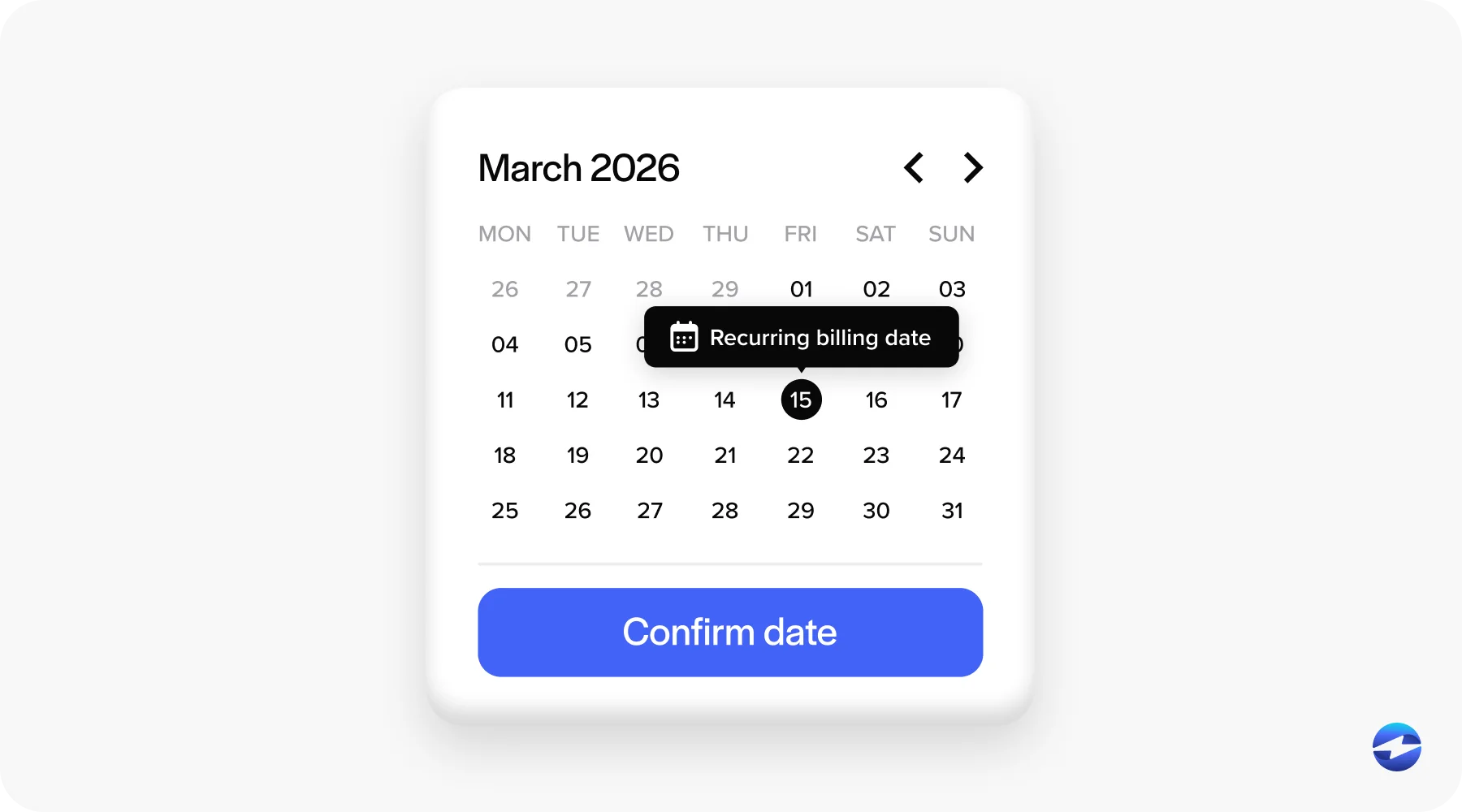
Recurring billing and autopay. Customers authorize recurring automatic charges tied to their QuickBooks customer records. Charges run on schedule. Invoices are generated and closed inside QuickBooks without AR team involvement. For businesses with a meaningful percentage of recurring revenue, the reduction in manual AR work per transaction adds up quickly.
Batch processing. Multiple customer payments are processed and applied to the correct QuickBooks invoices in a single run. Particularly valuable for high-ACH-volume environments or businesses processing groups of check payments. Results post to QuickBooks in real time, with individual transaction records visible inside each customer record.
Feature Comparison: EBizCharge vs. QuickBooks Payments
| Criteria | QuickBooks Payments | EBizCharge |
|---|---|---|
| Customer payment portal | Basic | Full self-service with invoice selection |
| Automated cash application | No | Yes |
| Multi-invoice remittance handling | No | Yes |
| Autopay and recurring billing | Limited | Full |
| Batch payment processing | No | Yes |
| Collections workflow automation | No | Yes |
| Level 2/3 B2B processing | No | Yes |
| Surcharging | No | Yes |
| Real-time AR reporting in QuickBooks | Limited | Full |
| US-based support | No | Yes |
Implementation Overview
A common concern when evaluating AR automation software for a QuickBooks environment is whether a more capable integration means a complicated implementation or disruption to existing workflows. It does not.
EBizCharge implementation for QuickBooks takes days, not months. It requires standard QuickBooks credential access, configuration rather than custom development, and no middleware installation or ongoing IT maintenance. The process covers account setup, payment method configuration, customer portal branding, autopay and recurring billing setup, collections reminder sequences, and testing with live QuickBooks data before go-live. AR team training typically runs in a single session.
As a full accounts receivable automation QuickBooks solution, EBizCharge adds to the workflow your team already uses every day, rather than asking them to learn a new system. One vendor owns the full payment experience inside QuickBooks from day one.
Cost Comparison
Comparing QuickBooks Payments and EBizCharge on cost involves more than processing rates.
QuickBooks Payments charges per-transaction rates without a monthly platform fee at the basic tier. At low volume and low complexity, that’s simple and predictable. At scale, the picture changes. No Level 2/3 processing means higher interchange on corporate card transactions. No surcharging means card costs are fully absorbed by the business. And the labor cost of manual cash application, collections follow-up, and reconciliation work that QuickBooks Payments does not eliminate is real, even when it does not show up on a processing statement.
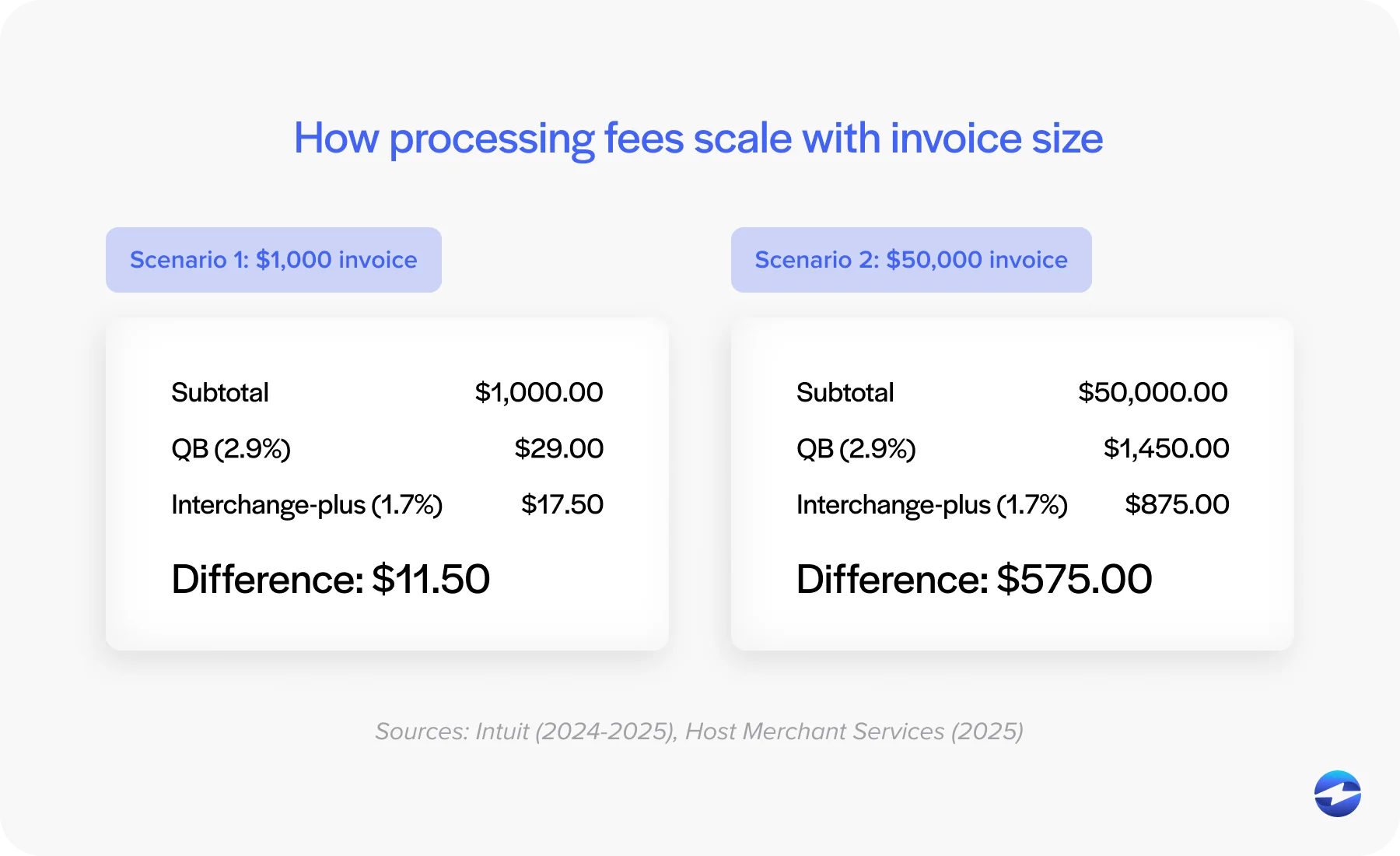
As a payment processing solution, EBizCharge offers competitive processing rates, Level 2/3 interchange savings for B2B card transactions, and surcharging to offset or eliminate card costs entirely. Businesses that spend meaningful staff time on manual AR work often find that a more capable accounts receivable software layer reduces total payment-related cost rather than adding to it. A specific rate comparison requires a live assessment of payment volume and mix, which can be requested as part of the demo process.
Next Steps
QuickBooks Payments is a decent system, but it’s built for payment environments simpler than most mid-market B2B companies operate in today.
The manual AR gap it leaves is a tooling problem. AR automation built natively inside QuickBooks closes that gap without requiring a platform change. Automating accounts receivable inside QuickBooks means adding the automation layer that QuickBooks Payments doesn’t provide: cash application, a customer payment portal, recurring billing, batch processing, and collections workflows, all running inside QuickBooks rather than alongside it.
EBizCharge is a dedicated payment processor with a native QuickBooks integration, 20-plus years in embedded payments, full B2B payment method coverage, and US-based support. For businesses evaluating accounts receivable software for a QuickBooks environment, the most useful next step is seeing QuickBooks AR automation in action inside your specific setup rather than reading about it in a comparison.
See EBizCharge’s QuickBooks integration page for platform-specific details, or schedule a demo to walk through the full accounts receivable automation workflow running inside QuickBooks. As a complete payment processing solution and AR automation software platform, EBizCharge is built for the B2B payment environments that QuickBooks Payments was not designed to handle. And as a payment processor with deep QuickBooks expertise, it brings the full AR experience under one vendor relationship from implementation forward.