
Blog > AR Automation for Microsoft Dynamics: Automating Accounts Receivable in Dynamics GP and Dynamics 365
AR Automation for Microsoft Dynamics: Automating Accounts Receivable in Dynamics GP and Dynamics 365

Microsoft Dynamics is one of the most capable ERP ecosystems available to mid-market and enterprise finance teams. Dynamics GP has served manufacturing, distribution, and professional services companies for decades. Dynamics 365 brings cloud-native capabilities and tight integration with the broader Microsoft ecosystem. Both platforms give finance teams strong visibility into financial data, customer records, and accounts receivable balances.
But like every ERP, Dynamics tracks AR without automating the workflow around it.
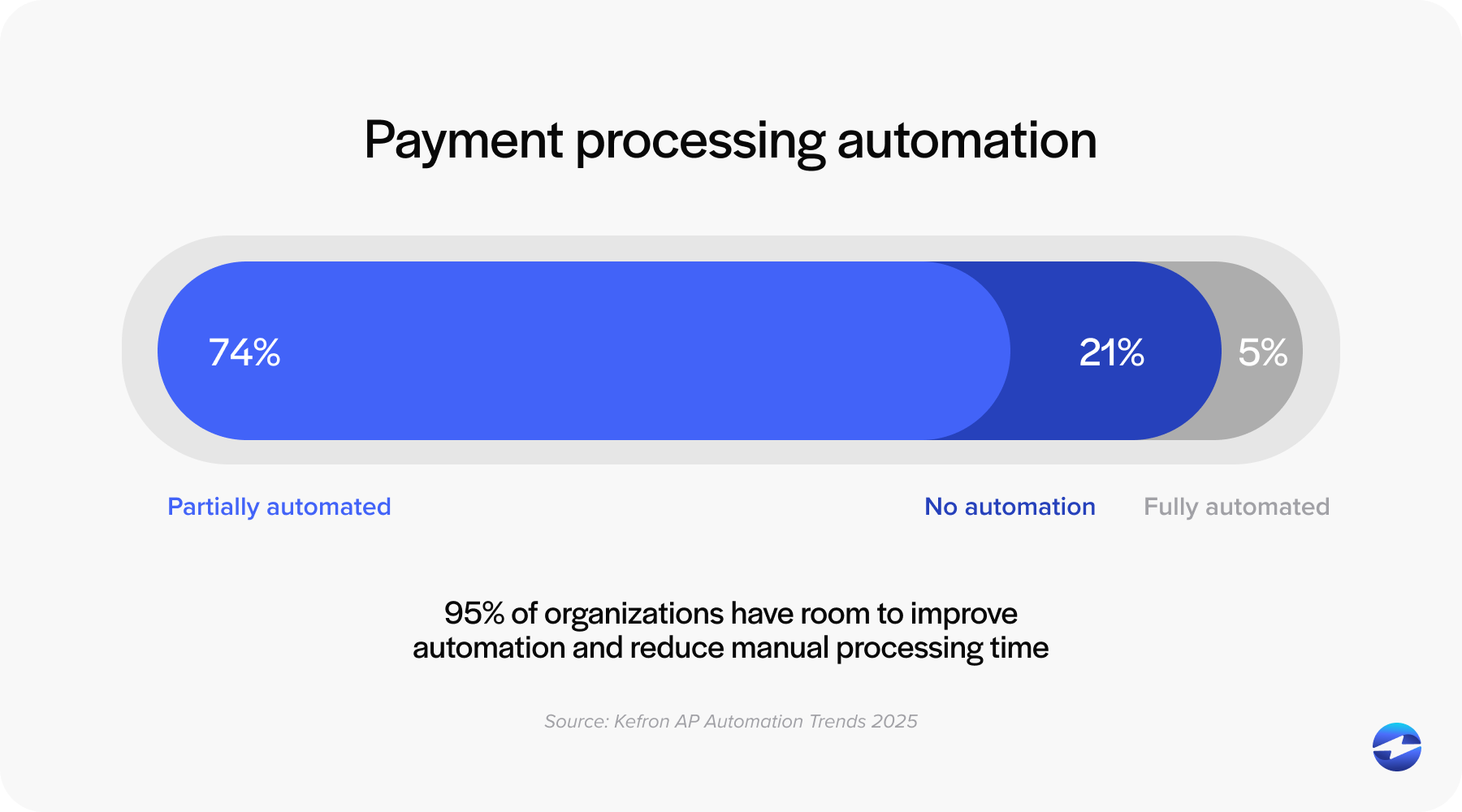
For AR managers, controllers, and finance directors running either platform, that workflow gap is where a significant portion of the week disappears. Payments arrive through multiple channels with inconsistent remittance. Someone has to manually match each one to the right open invoices, post the result to the Dynamics ledger, and follow up on anything that hasn’t come in yet. Collections outreach runs off manual aging report reviews. Month-end close slows down because payment posting has not caught up.
This article covers what AR automation looks like natively inside both Dynamics GP and Dynamics 365, how EBizCharge delivers it without middleware or a separate tool, and what the implementation process actually involves.
Manual AR Pain Points in Dynamics GP and Dynamics 365
Both platforms provide accurate AR data. The problem is the manual workflow.
Invoices go out, but payment follow-up requires constant manual oversight. Payments arrive with inconsistent remittance, check stubs, email PDFs, EDI files, or nothing at all, and someone on the AR team has to decode each one and match it to the right open invoices inside Dynamics. Posting happens as a separate step after matching is complete. Collections follow-up runs off periodic aging report reviews rather than automated sequences tied to live data.
As volume grows, the errors compound. Unapplied cash accumulates because remittance is missing or a single payment covers a dozen invoices that take real time to sort through. Dynamics aging shows open invoices that have already been paid but not yet posted. Collections reminders go out on balances that customers have already settled.
Dynamics GP environments add another layer of complexity. Most run on-premise or in a hosted environment, and the quality of third-party integration varies significantly based on how the connection is built. Middleware-dependent tools create sync delays that leave Dynamics GP aging data behind the actual payment state, and the AR team ends up managing the sync alongside the actual AR work.
Dynamics 365 users face the same workflow gaps, compounded by multi-entity structures and broader reporting dependencies across Power BI and Azure. Inaccurate AR data has downstream effects across more of the business than in a standalone ERP environment.
Both situations point to the same need: accounts receivable automation Dynamics teams can actually use, built natively inside the platform rather than connected to it from outside.
What Native AR Automation Looks Like Inside Dynamics
There are two ways third-party AR tools connect to Dynamics. Middleware or API sync processes payments in a separate environment and pushes data to Dynamics on a schedule. Native integration means the AR automation lives inside the Dynamics environment itself, using Dynamics’ own data structures, with payments posting to the ledger at the moment of transaction.
The practical difference is significant. With a middleware connection, Dynamics aging is always slightly behind the AR tool’s data. Collections workflows trigger on data that may not reflect the current Dynamics AR state. Reconciliation is periodic rather than continuous. And when something goes wrong, the payment vendor and middleware vendor both point at each other.
Native integration eliminates those layers. Payments post to the Dynamics ledger in real time. Aging is always current. One vendor owns the full experience.
That’s the architecture accounts receivable automation Dynamics teams should be prioritizing when evaluating AR automation software for either platform.
EBizCharge Dynamics Integration Overview
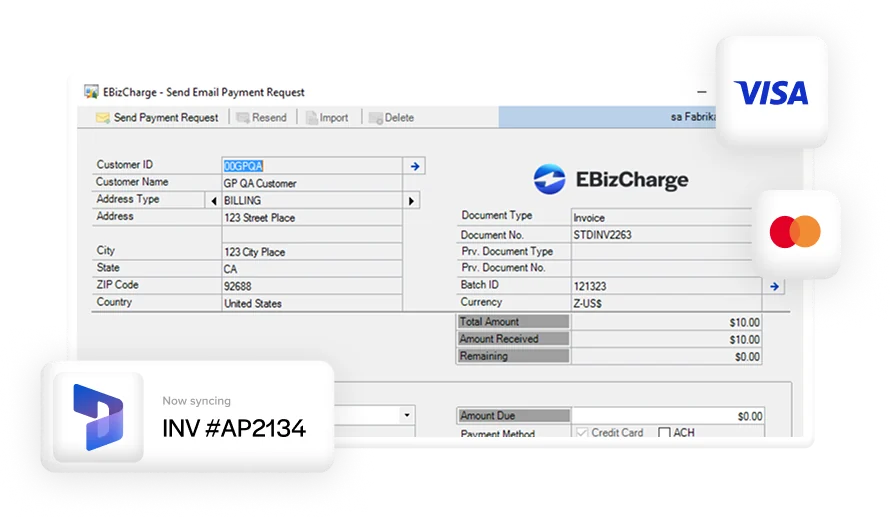
The EBizCharge payment solution has native integrations across both Dynamics GP and Dynamics 365, representing one of EBizCharge’s largest and most established ERP verticals. It embeds directly inside the Dynamics environment using Dynamics’ own data structures, with no middleware dependency and no external sync process to manage.
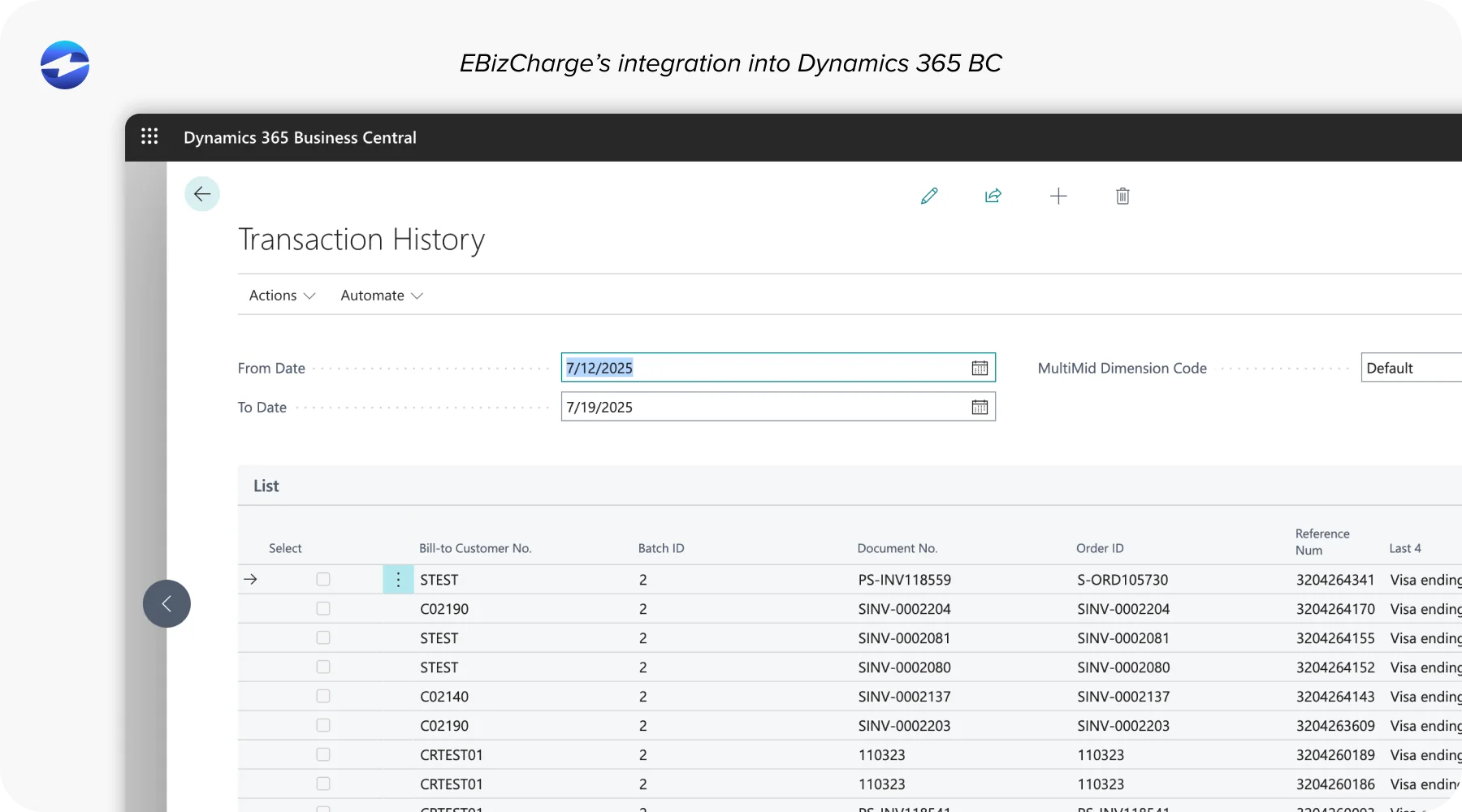
As a payment processing solution, EBizCharge handles the full payment method mix inside Dynamics: credit and debit cards, ACH, eCheck, virtual cards, Level 2 and Level 3 B2B processing for interchange savings, and surcharging to offset or eliminate card processing costs entirely. As a payment processor embedded natively inside Dynamics, it closes the loop between payment collection and ledger posting without a transfer step in between.
What EBizCharge covers inside Dynamics: payment collection across all methods, automated cash application software built in, customer self-service payment portal, autopay and recurring billing, collections workflow automation, and real-time AR reporting. All of it running inside the Dynamics environment your team already works in every day.
Feature Walkthrough: Cash Application, Payment Portal, Recurring Billing, Remittance Processing
Automated cash application. EBizCharge reads remittance from multiple input formats, including email PDFs, EDI 820 files, portal attachments, and check stubs. Matching logic ties directly to open Dynamics AR records. Clean matches post to the Dynamics ledger automatically without manual input. Borderline matches surface for fast human review. Partial payments, deductions, and missing remittances route to a structured exception workflow inside Dynamics rather than a suspense pile. The contrast with standalone automated cash application software is important here. Tools that process matches outside Dynamics and sync results back in create a gap between when cash is applied and when it appears in the Dynamics ledger. Automated cash application that runs natively inside Dynamics eliminates that gap. The ledger is current at the moment of the transaction, not at the next sync window.
Customer payment portal. Customers log in, see all open Dynamics invoices, select what they’re paying, and submit payment by card, ACH, or eCheck. Invoice selection at the point of payment structures remittance before it ever reaches the AR team. Payment posts directly into the Dynamics AR module in real time. The invoice closes, the balance clears, and aging updates immediately.
Recurring billing and autopay. Customers authorize recurring automatic charges tied to their Dynamics customer records. Charges run on schedule. Invoices are generated and closed inside Dynamics without AR team involvement. Particularly valuable for Dynamics 365 environments handling subscription and services billing, where predictable recurring collections reduce manual AR work significantly.
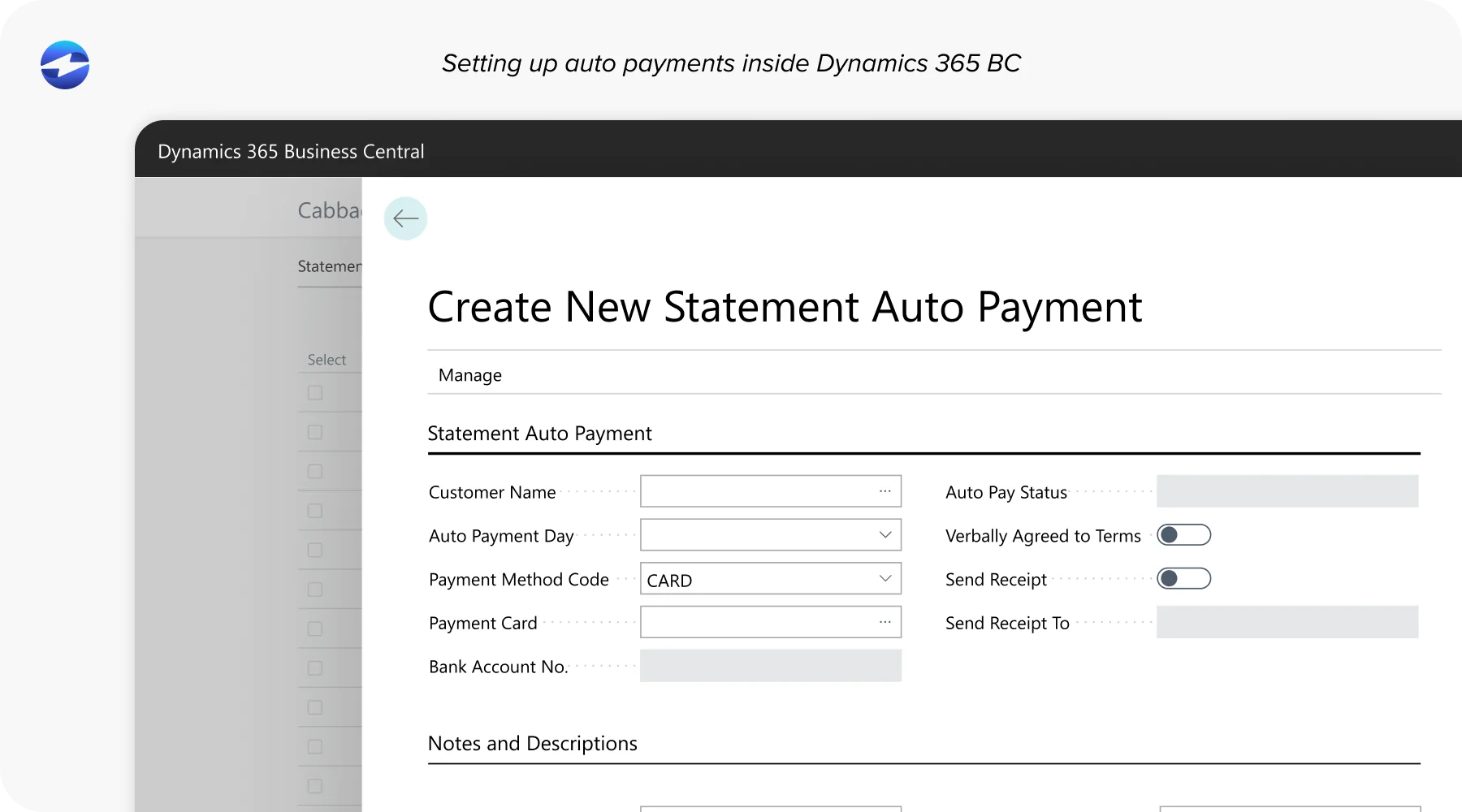
Remittance processing. One customer payment covering multiple open Dynamics invoices is matched and posted in a single transaction. Partial payments and deductions are matched to the correct invoice with the appropriate balance adjustment. Exceptions are flagged and routed inside Dynamics rather than accumulating as unapplied cash in a suspense account.
Dynamics GP vs. Dynamics 365: AR Automation Differences
Dynamics GP AR automation has specific considerations tied to the on-premise or hosted environment most GP users run. EBizCharge connects natively inside Dynamics GP using GP’s own data objects, no external sync, no middleware layer. Accounts receivable automation for GP users centers on high-volume B2B payment matching and multi-invoice remittance processing, both handled automatically inside GP without leaving the platform.
Dynamics 365 AR automation operates in a cloud-native environment, which allows for tighter real-time integration and broader ecosystem connectivity. AR automation priorities for Dynamics 365 users include multi-entity payment routing, subscription and recurring billing automation, and real-time cash application across business units. Because Dynamics 365 connects to Power BI and Azure, accounts receivable automation accuracy has downstream effects across more of the business. Automated cash application posting natively in real time means every downstream report built on Dynamics 365 AR data reflects actual posted cash rather than unreconciled transactions.
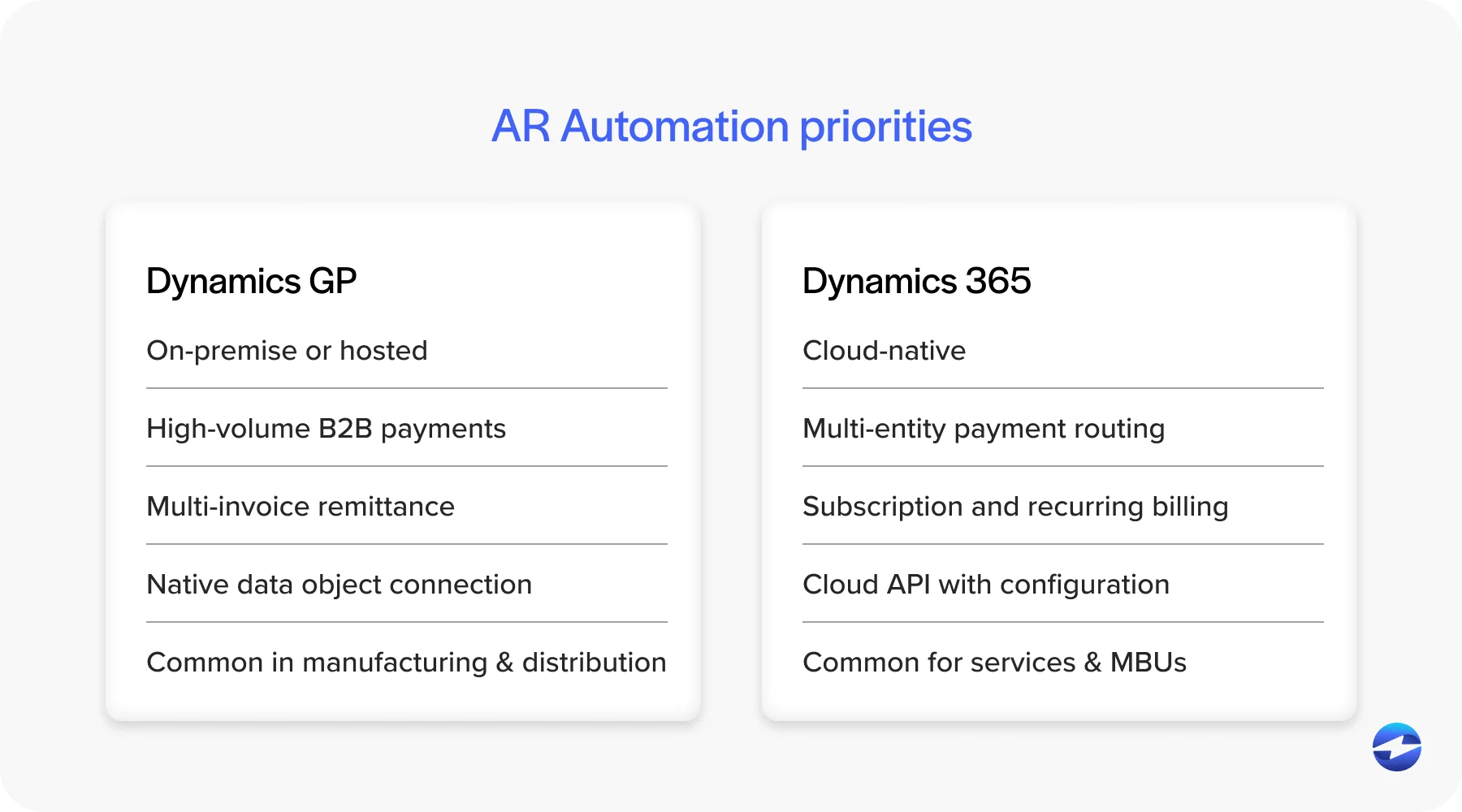
Both environments get the same core architecture from EBizCharge: native integration, real-time ledger posting, full payment method coverage, and one payment processor accountable for the complete payment experience inside Dynamics.
Implementation Overview
Implementation complexity is one of the most underestimated variables when evaluating AR automation software for a Dynamics environment. For both GP and 365, EBizCharge implementation is measured in days rather than months.
It doesn’t require custom development, middleware installation, or ongoing IT maintenance. Standard Dynamics credential access, configuration of payment methods and portal settings, collections reminder setup, and testing with live Dynamics data before go-live. AR team training typically runs in a single session.
For Dynamics GP, the connection uses GP’s native data access within the on-premise or hosted environment. For Dynamics 365, the connection runs through the cloud API layer with multi-entity configuration available for businesses operating across multiple business units. Post-implementation, one vendor owns the full integration as a dedicated payment processing solution. No support gap between a payment vendor, a middleware layer, and the Dynamics environment.
Seeing How It Works
For AR managers, controllers, and finance directors evaluating accounts receivable automation for a Dynamics environment, the most useful step is seeing it work inside your specific platform rather than reading a feature list.
EBizCharge has dedicated integration pages for both Dynamics GP and Dynamics 365 with platform-specific architecture and implementation details. Dynamics GP AR automation and Dynamics 365 AR automation are different implementations, and the specifics matter for your environment. Schedule a demo to walk through the full workflow, automated cash application, payment portal, recurring billing, remittance processing, and collections, running inside Dynamics rather than alongside it.
The best accounts receivable automation for Microsoft Dynamics is the kind that makes Dynamics more capable, not the kind that adds another system on top of it.