Blog > Level 3 Credit Card Processing for Epicor Users
Level 3 Credit Card Processing for Epicor Users

If you run payments through Epicor in a B2B environment, you already know that processing costs aren’t a small line item. They add up quietly, especially when invoices are large and card payments are common. A few basis points here and there can turn into a meaningful expense over the course of a year.
For many Epicor users, credit cards remain an important payment method. Customers like the convenience. Sales teams like the speed. Finance teams, however, are often left managing the fees that come with those transactions.
This article is written for Epicor users who want a clearer, more practical understanding of Epicor Level 3 processing. It’ll walk through what Level 3 credit card processing actually is, how it works inside Epicor ERP, where it makes sense compared to other options, and what to look for if you want to implement it successfully without creating more work.
What Is Level 3 Credit Card Processing?
Credit card processing is generally grouped into three levels:
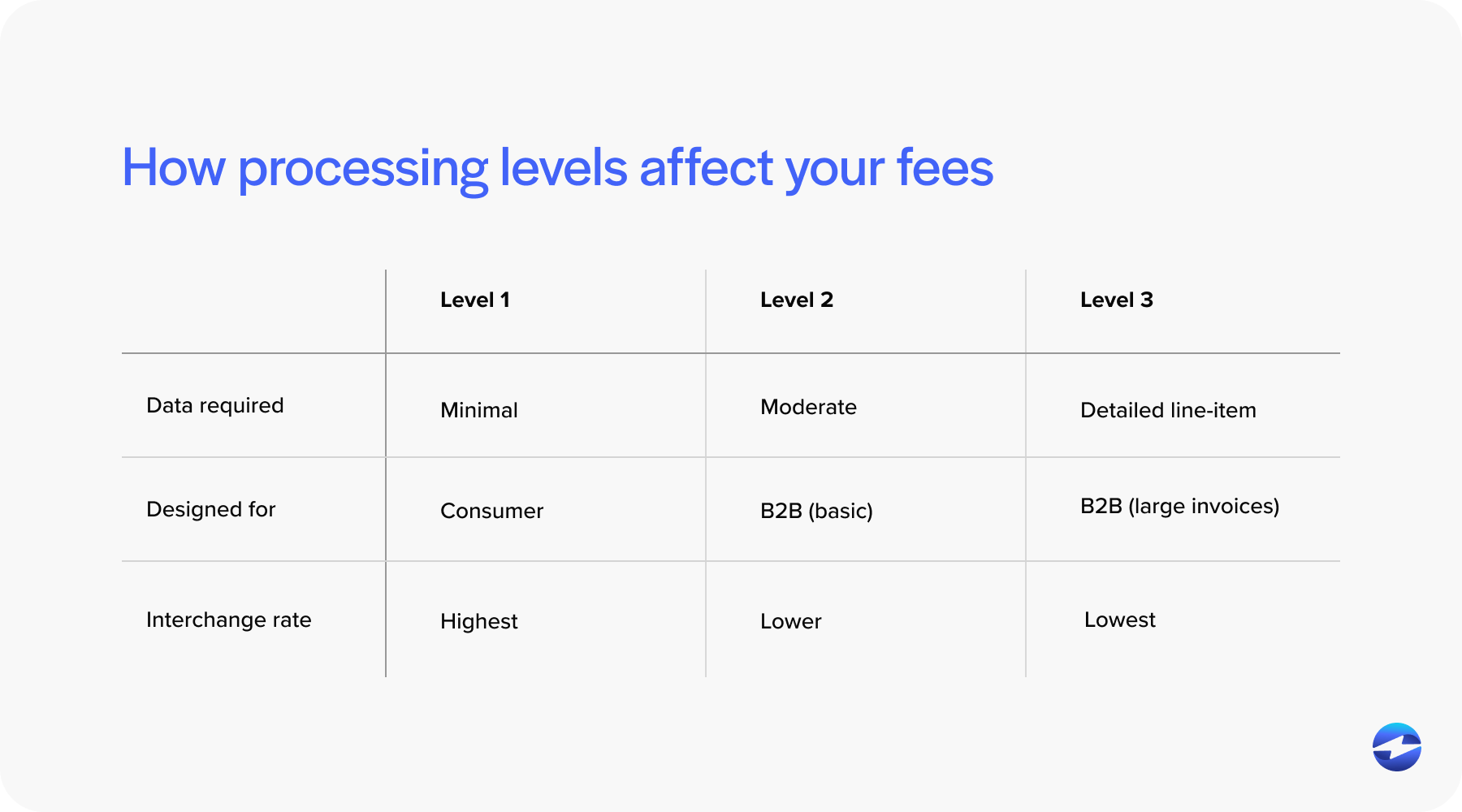
Level 1 is the most basic form of credit card processing. It includes standard transaction details like the card number, transaction amount, and merchant information, and is typically used for consumer-style transactions where little additional data is required.
Level 2 adds more context to the transaction. In addition to the basics, it can include details such as tax amounts, invoice numbers, and customer or purchase order references. This is where Level 2 credit card processing usually fits, and it’s common in B2B environments that need slightly better reporting and reconciliation but don’t require full line-item detail.
Level 3 credit card processing goes further. It’s designed specifically for B2B transactions and requires detailed line-item data from the invoice. This can include item descriptions, quantities, unit costs, freight, tax amounts, and customer reference information.
The reason Level 3 exists is simple. Card brands reward businesses that provide more detailed transaction data with lower interchange rates on qualifying transactions. That’s why Level 3 is especially relevant for B2B credit card Epicor users processing large invoices.
Why Level 3 Processing Matters for Epicor Users
For Epicor users, the value of Level 3 processing comes down to cost control. When transactions qualify for Level 3 rates, interchange fees are often lower than standard card rates. Over time, that difference can have a noticeable impact on overall processing costs.
This matters most in environments where invoices are large and margins are carefully managed. Manufacturers, distributors, and service providers using Epicor often fall into this category.
Because Epicor software already captures detailed invoice and line-item data, many Epicor users are well-positioned to support Level 3 data Epicor requirements. The challenge is making sure that data is passed correctly to the payment processor.
How Level 3 Credit Card Processing Works Inside Epicor
Epicor ERP is well-suited for Level 3 processing due to its invoicing capabilities. Invoices in Epicor typically include line-item details, tax information, and customer references. This data forms the foundation for Level 3 qualification.
The key step is integration. That invoice data needs to flow directly from Epicor ERP to the payment processor when the transaction is submitted. If data is missing, incomplete, or altered along the way, the transaction may fall back to a higher-cost processing level.
This is why Epicor Level 3 processing is less about configuration and more about integration quality. When integration is done correctly, Level 3 becomes part of the normal payment workflow rather than a separate process.
Payment Processing Options for Epicor ERP Users
Epicor users typically have several options for handling card payments. Some rely on standalone payment tools that operate outside Epicor. These tools can accept cards, but invoice data often has to be re-entered or reconciled manually. Level 3 qualification is difficult in these setups.
Others use semi-integrated tools that pass summary data back to Epicor after processing. This reduces some work, but detailed line-item data isn’t always included.
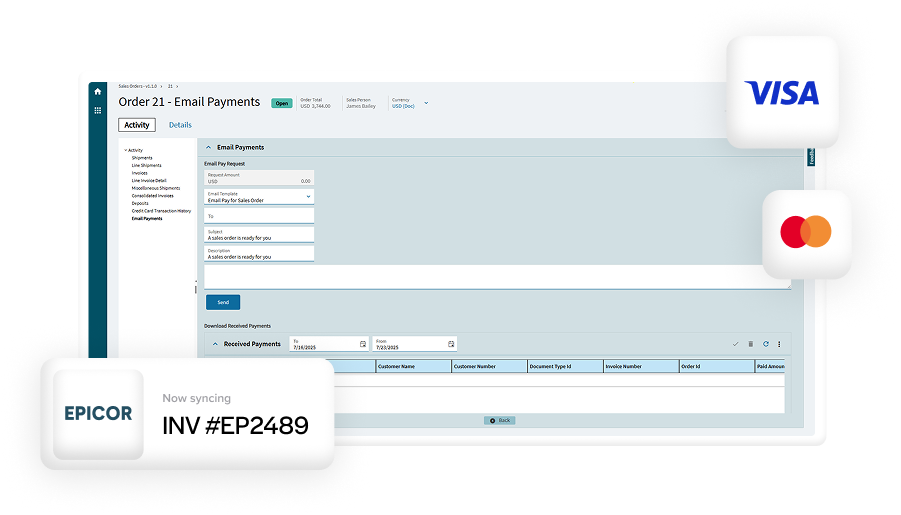
The most reliable option for Level 3 is a fully integrated payment processing solution that works directly inside Epicor. In this setup, invoice data flows straight from Epicor to the processor without manual steps.
This approach benefits both Level 2 credit card processing and Level 3 credit card processing by improving data accuracy and consistency.
Level 3 Credit Card Processing vs. ACH in Epicor
ACH payments are often the lowest-cost option for large invoices, especially when customers are comfortable paying by bank transfer. Many Epicor users use ACH alongside cards as part of a broader strategy.
That said, cards aren’t going anywhere. Many customers prefer them. Others require them. In those cases, Level 3 helps reduce fees compared to standard card rates.
The most effective approach is usually a mix. ACH for customers who are open to it, and Epicor Level 3 processing for card transactions that would otherwise be expensive.
Common Challenges with Level 3 Processing in Epicor
Many Epicor users struggle to qualify consistently for Level 3 rates. The most common issue is missing or inconsistent data. If invoice fields are incomplete or not mapped correctly, transactions may downgrade.
Another challenge is integration gaps. If data passes through multiple systems before reaching the processor, important details can be lost.

These issues are frustrating because they’re often invisible. Fees increase quietly, and teams don’t realize Level 3 qualification is failing until they review statements closely.
Best Practices for Implementing Level 3 Processing in Epicor
Successful Level 3 implementation starts with clean data.
Make sure invoices in Epicor consistently include the required line-item details. Work with teams to standardize how items, taxes, and references are entered.
Equally important is choosing a payment processor with real Epicor experience. Understanding how Epicor software structures invoice data makes a significant difference.
Once live, monitor transactions regularly. Confirm that Level 3 qualification is happening and that fee savings match expectations. Small adjustments early on can prevent ongoing cost leakage.
EBizCharge vs. Epicor Payment Exchange
Epicor Payment Exchange, or EPX, is often the first option Epicor users evaluate. EPX provides basic payment functionality and works well for simple card transactions. However, many users find limitations when trying to support consistent Level 3 processing.
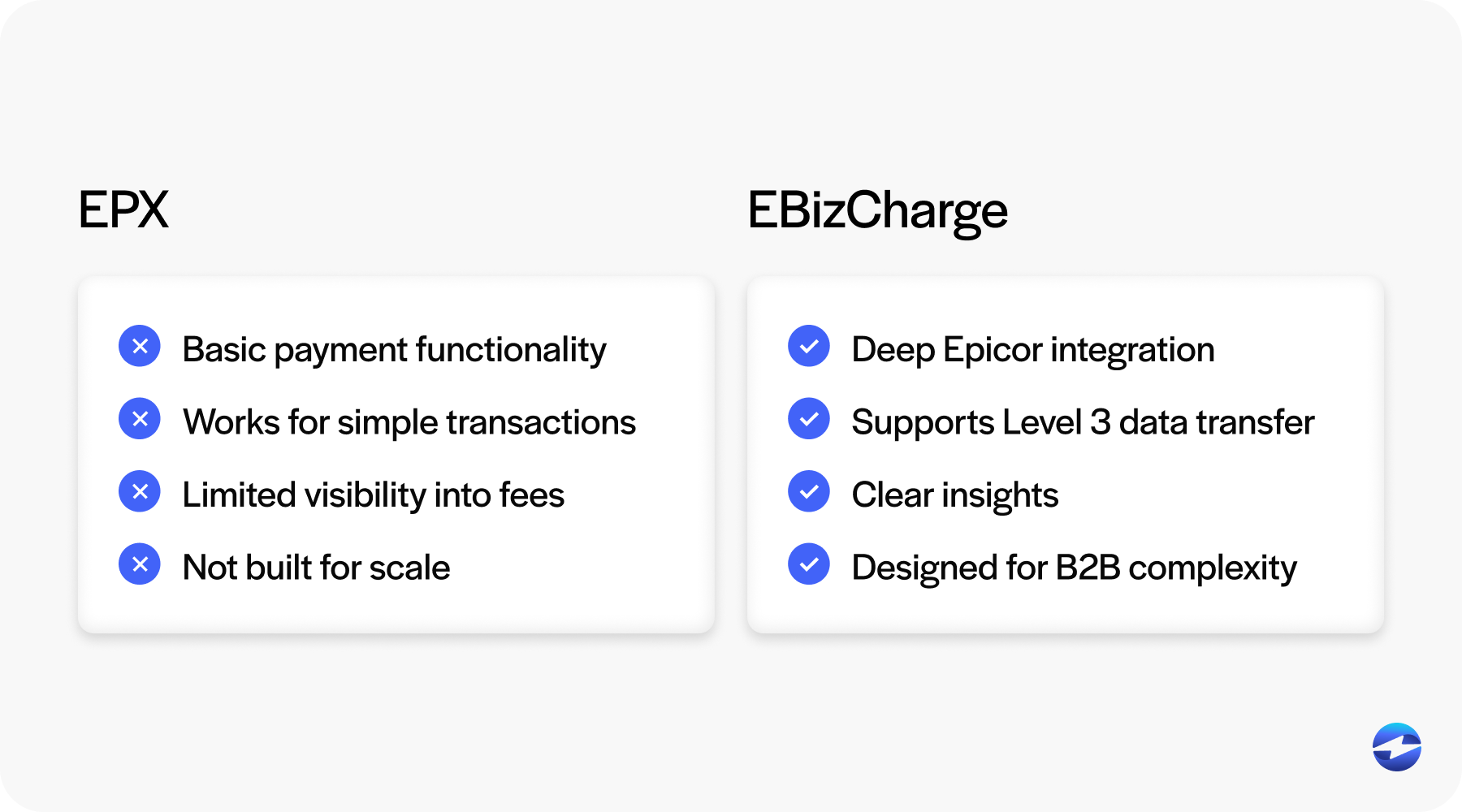
EBizCharge takes a deeper integration approach. By embedding payment processing directly into Epicor workflows, it supports the detailed data transfer required for Level 3 data Epicor transactions.
In practice, the difference shows up in visibility and control. EBizCharge provides clearer insight into transaction qualification and fees, while EPX can feel more opaque for advanced use cases.
Choosing the Right Payment Processing Partner for Level 3 in Epicor
Not every payment provider understands Epicor.
Look for partners who can explain how Level 3 data flows from Epicor to the processor. Ask how they handle Epicor Kinetic environments as well as legacy Epicor setups.
Consistency matters as volume grows. A solution that works for a handful of transactions needs to scale without degrading data quality.
The right payment processing solution should reduce fees without adding operational complexity.
Making Level 3 Work for Your Epicor Payments
Level 3 credit card processing can be a powerful cost-control tool for Epicor users, especially in B2B environments with large invoices.
When implemented correctly, Epicor Level 3 processing leverages the data already inside Epicor ERP to reduce interchange fees and improve transparency.
The key is integration. Clean data, the right payment processor, and a thoughtful balance between cards and ACH all play a role.
For Epicor users willing to take a closer look at how payments are handled, Level 3 processing offers a practical way to reduce costs without sacrificing speed or customer convenience.