
Blog > ACH Payment Processing for QuickBooks: Lower-Fee Options
ACH Payment Processing for QuickBooks: Lower-Fee Options

ACH payments have become a practical way for businesses to reduce processing costs and speed up collections. For companies using QuickBooks ERP, the appeal is obvious—ACH is usually cheaper than credit cards, predictable, and easy for customers to use. But once teams begin relying heavily on ACH inside QuickBooks, they often start noticing something they didn’t expect: the costs and workflow limitations tied to QuickBooks ACH payments aren’t always as low or as smooth as they assumed.
This guide looks at ACH payment processing inside QuickBooks from a practical, real‑world perspective—where the system works well, where the costs add up, and how to find lower‑fee alternatives that still integrate seamlessly with the tools your team uses every day.
How ACH Payments Work in QuickBooks Today
On paper, QuickBooks ACH payments seem straightforward. A customer pays via bank transfer, the transaction syncs into QuickBooks, and funds settle in your account. For small invoice amounts or occasional ACH use, the process feels simple enough.
As volume increases, though, several limitations become more noticeable. QuickBooks ACH fees are lower than credit card rates, but they’re still not the lowest on the market. Many teams assume ACH will be “pennies per transaction,” only to discover fixed fees or percentage-based charges that reduce margins.
The workflow also creates friction. ACH transactions don’t always post instantly, which affects cash‑flow visibility. Refunds may require extra steps to map correctly. And businesses with multi‑entity structures often find that ACH reconciliation is slower because QuickBooks wasn’t built for sophisticated routing logic.
All of this impacts how quickly teams can close the books and how confident they feel in the accuracy of their data.
Why Businesses Look for Lower-Fee ACH Options
Most companies don’t begin by searching for alternatives. They simply notice the fees and limitations piling up over time.
For example, many users are surprised when they first ask, “Does QuickBooks charge for credit card payments?” The answer is yes—at a level that becomes expensive fast. And when companies try to shift more volume to ACH to reduce those expenses, they discover QuickBooks ACH fees still take a noticeable bite out of every payment.
Add to that the indirect costs: manual reconciliation, inconsistent posting, delayed settlement timelines, and increased administrative work. These inefficiencies are rarely obvious at the beginning, but they add up quickly as a business grows.
Eventually, the cost‑to‑effort ratio pushes businesses to explore other ACH payment options, ideally ones that offer lower fees without forcing them to abandon QuickBooks ERP.
Payment Processing Options for QuickBooks Users
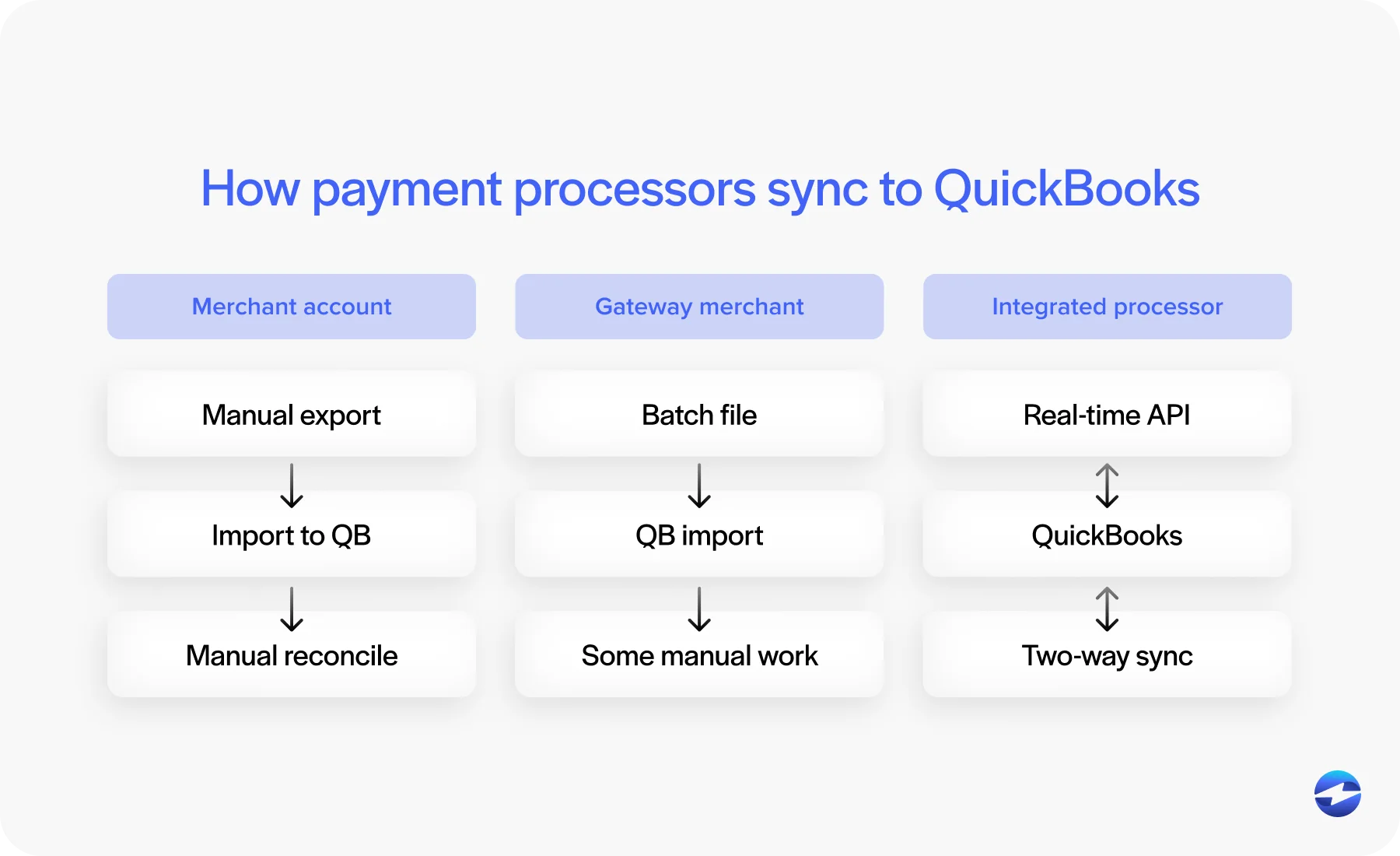
When companies start evaluating new payment methods, they typically compare three categories of tools:
- Traditional merchant accounts: Often the lowest fees, but they may require manual posting unless paired with a strong QuickBooks integration.
- Payment gateways layered on merchant accounts: More flexible but can introduce batching, exporting, and extra reconciliation steps.
- Fully integrated payment processors: These provide automation, lower fees, and real‑time syncing directly inside QuickBooks.
The third category tends to provide the best balance for growing businesses because the integration removes manual cleanup while still delivering meaningful cost savings.
Lower-Cost ACH Alternatives Beyond QuickBooks Payments
Choosing the right ACH payment processing solution is one of the most important steps a QuickBooks user can take to control costs without sacrificing efficiency. When organizations look beyond the default QuickBooks setup, they often discover that a thoughtfully selected ACH partner can work wonders for improving speed, accuracy, and support for ACH workflows.
Here are just a few of the ways a good payment processing solution can improve billing workflows:
- They reduce per‑transaction costs compared to QuickBooks Payments.
- They streamline ACH posting to eliminate manual reconciliation.
- They support more advanced workflows—like recurring billing, branded payment experiences, and secure stored payment methods.
Most importantly, a strong ACH‑focused payment processing solution helps reduce errors. When ACH payments post accurately and consistently, finance teams spend less time fixing data and more time analyzing it. Lower costs are only part of the story—the workflow improvements matter just as much.
Payment Security and PCI Compliance: QuickBooks vs. Third‑Party Tools
Security is a deciding factor for many organizations. QuickBooks provides baseline protections, but alternative processors often include more advanced safeguards.
PCI-compliant security features like tokenization, encrypted vaulting, stronger permission controls, and layered authentication tools reduce the amount of sensitive data businesses must handle directly. When paired with the right payment processor, these safeguards also minimize PCI scope, which helps reduce compliance‑related workload.
For ACH specifically, NACHA‑compliant handling is essential. Not every tool offers the same level of security, so evaluating protections is just as important as evaluating cost.
Choosing the Right ACH Partner
Selecting the right ACH partner requires more than comparing rates. QuickBooks users typically evaluate options based on:
- Transparent fees that don’t spike unexpectedly
- Strong, reliable QuickBooks integration
- Automated posting that eliminates manual adjustments
- Accurate reconciliation across entities or departments
- Secure, PCI-compliant storage and tokenization
- Responsive support that understands QuickBooks workflows
A partner that checks all of these boxes becomes a long‑term operational advantage—not just a cheaper payment option.
Why EBizCharge Is a Strong Fit for QuickBooks Users
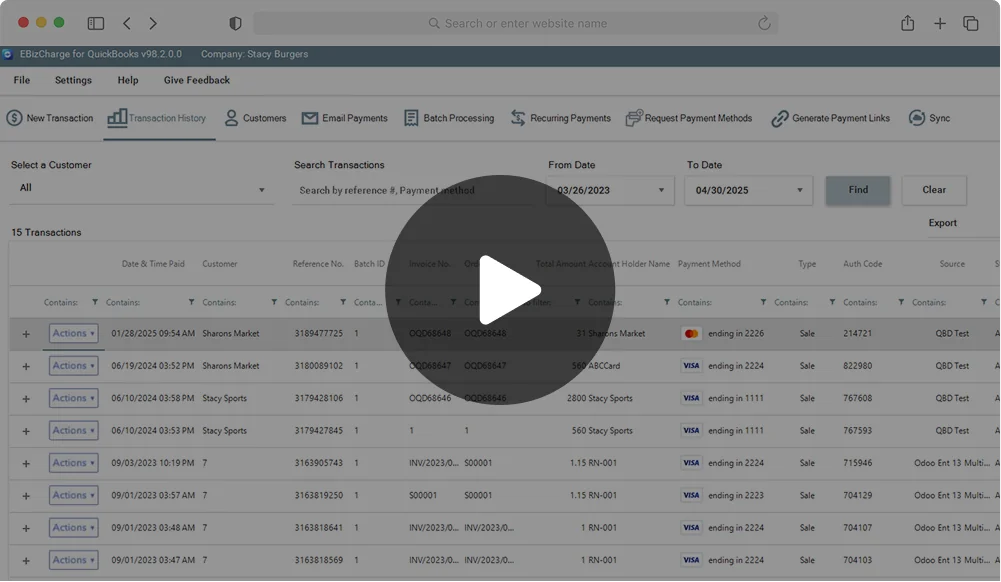
For organizations hoping to reduce QuickBooks ACH fees without disrupting daily operations, EBizCharge has become a leading option. Its native QuickBooks integration allows ACH transactions to post automatically in real time, reducing reconciliation work and preventing the errors that commonly occur with the default QuickBooks payment gateway.
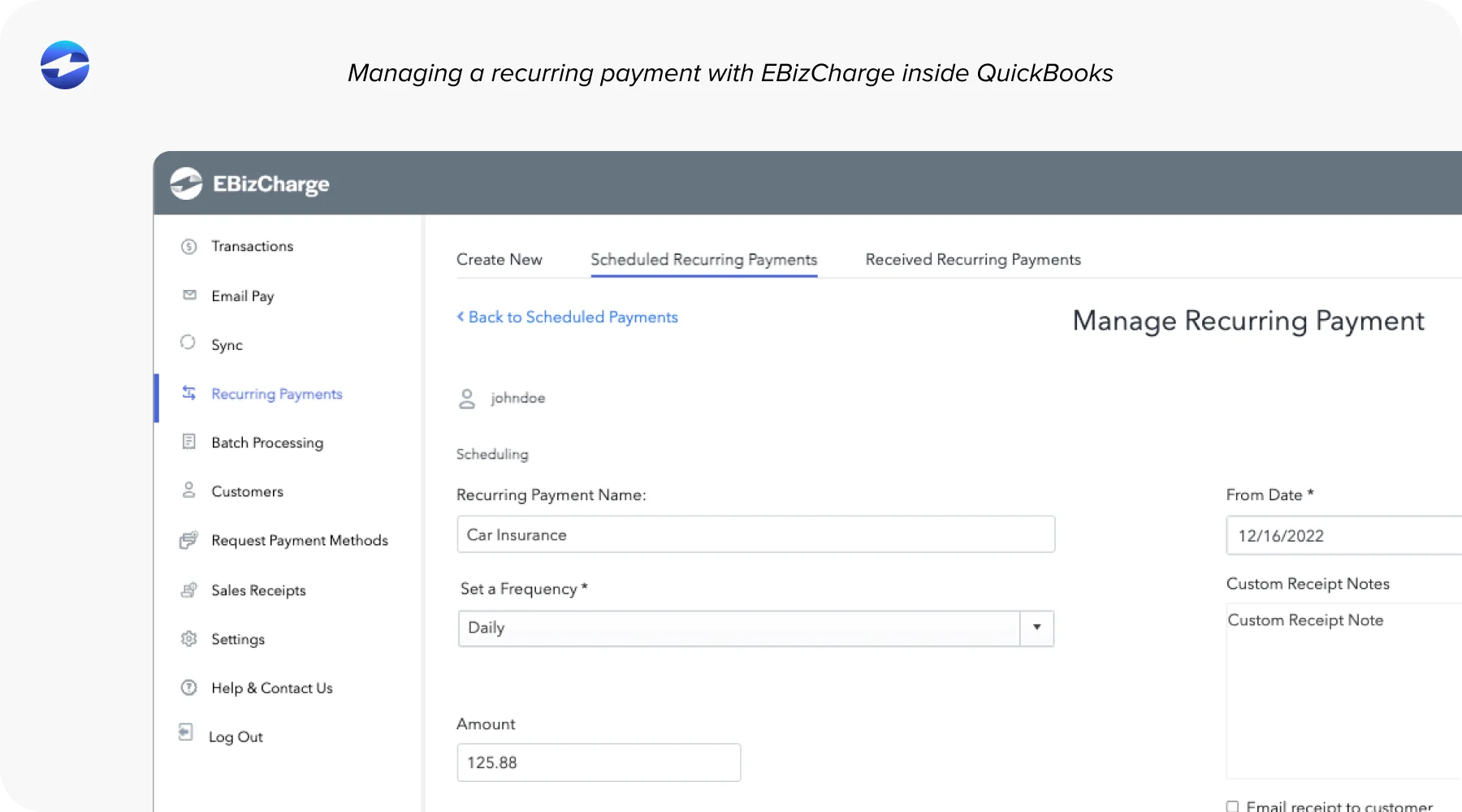
Because EBizCharge uses optimized pricing instead of flat or inflated ACH fees, businesses often see immediate savings. This applies to both ACH and card payments. In addition to pricing, EBizCharge includes tools that make ACH processing easier, such as secure tokenized vaulting, branded payment portals, recurring billing automation, and customizable workflows. These features work together to create a smoother, more predictable payment processing solution.
In short, EBizCharge improves QuickBooks payment processing without forcing teams to change how they work.
A Better Path Forward for ACH in QuickBooks
QuickBooks remains a dependable accounting platform for small to mid‑sized companies. But relying exclusively on QuickBooks Payments isn’t always the most economical choice as ACH volume grows. Businesses eventually need more flexibility, stronger automation, and lower fees than the built‑in tools were designed to offer.
The good news is that improving ACH workflows doesn’t require abandoning QuickBooks ERP. The right payment processor can reduce costs, tighten posting accuracy, speed up reconciliation, and enhance security—all while fitting cleanly into your existing accounting processes.
For many companies, switching to a lower‑fee ACH partner like EBizCharge becomes the moment when QuickBooks starts working with the business rather than holding it back.
- How ACH Payments Work in QuickBooks Today
- Why Businesses Look for Lower-Fee ACH Options
- Payment Processing Options for QuickBooks Users
- Lower-Cost ACH Alternatives Beyond QuickBooks Payments
- Payment Security and PCI Compliance: QuickBooks vs. Third‑Party Tools
- Choosing the Right ACH Partner
- Why EBizCharge Is a Strong Fit for QuickBooks Users
- A Better Path Forward for ACH in QuickBooks