Blog > True Cost of QuickBooks Payments: Hidden Fees Exposed
True Cost of QuickBooks Payments: Hidden Fees Exposed
QuickBooks Payments is often the default choice for businesses because it feels like the simplest path forward. It’s already inside the system, easy to turn on, and closely tied to invoicing. For many teams, that convenience is hard to argue with. You send an invoice, the customer pays, and the transaction lands in your books without much effort. On the surface, it feels like one less decision to make.
But payment costs have a way of quietly creeping up. As volume grows, invoices get larger, and workflows become more complex, the true cost of using QuickBooks Payments starts to show up in places teams did not originally expect. What looks like a straightforward fee structure often hides a mix of processing charges, operational friction, and internal labor that slowly adds up over time.
This article takes a clear, practical look at the real cost of QuickBooks Payments. Not just the line-item fees, but the full picture. If you manage finance, operations, or accounting, this is meant to help you understand where money and time are actually going, and when it might make sense to consider a different payment processing solution without replacing QuickBooks itself.
How QuickBooks Payments Pricing Works on the Surface
At first glance, QuickBooks Payments pricing feels refreshingly simple. Credit card transactions are charged a flat percentage, and ACH payments are marketed as a lower-cost option than cards. There’s no complex rate table to decode and no long onboarding process. Everything feels designed to remove friction.
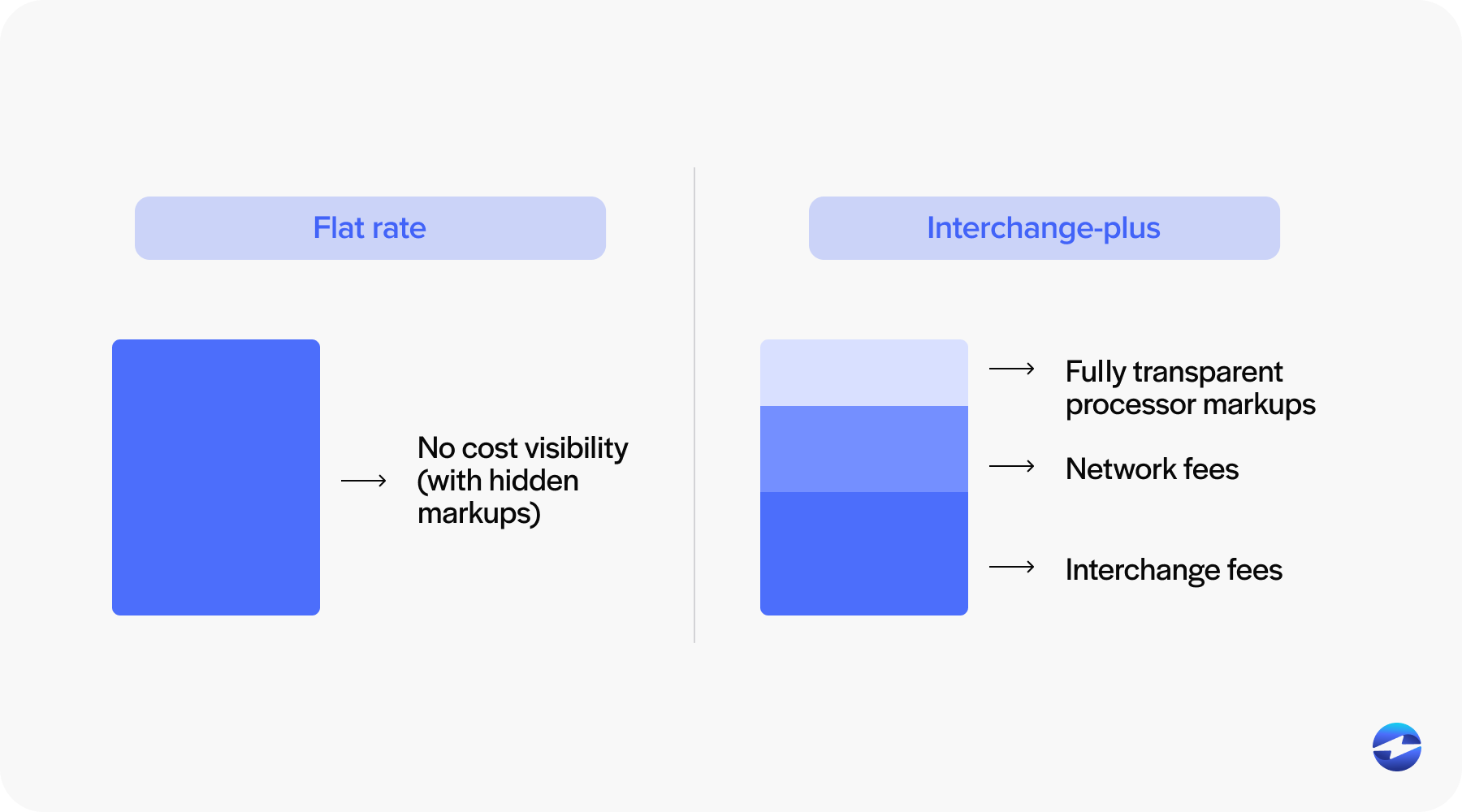
This simplicity is intentional. QuickBooks Payments prioritizes ease of use over flexibility. Instead of passing through actual interchange costs, the system bundles rates into a single price. That makes it easier to understand but also means you’re paying the same markup regardless of card type, transaction size, or customer profile.
For low-volume businesses or companies with small invoices, this structure can work reasonably well. The problem is that the QuickBooks Payment cost doesn’t scale efficiently. As transaction volume increases, the flat-rate pricing model becomes less forgiving, and QuickBooks payment processing fees begin to rise faster than revenue.
The Hidden Costs
Most businesses don’t feel the full impact of QuickBooks payment fees in the first few months. The issues tend to surface gradually.
One of the first surprises is how quickly percentage-based fees grow alongside invoice size. Larger transactions mean larger fees, even though the effort required to process the payment doesn’t change. Card-not-present transactions, which are common in B2B environments, often cost more as well.
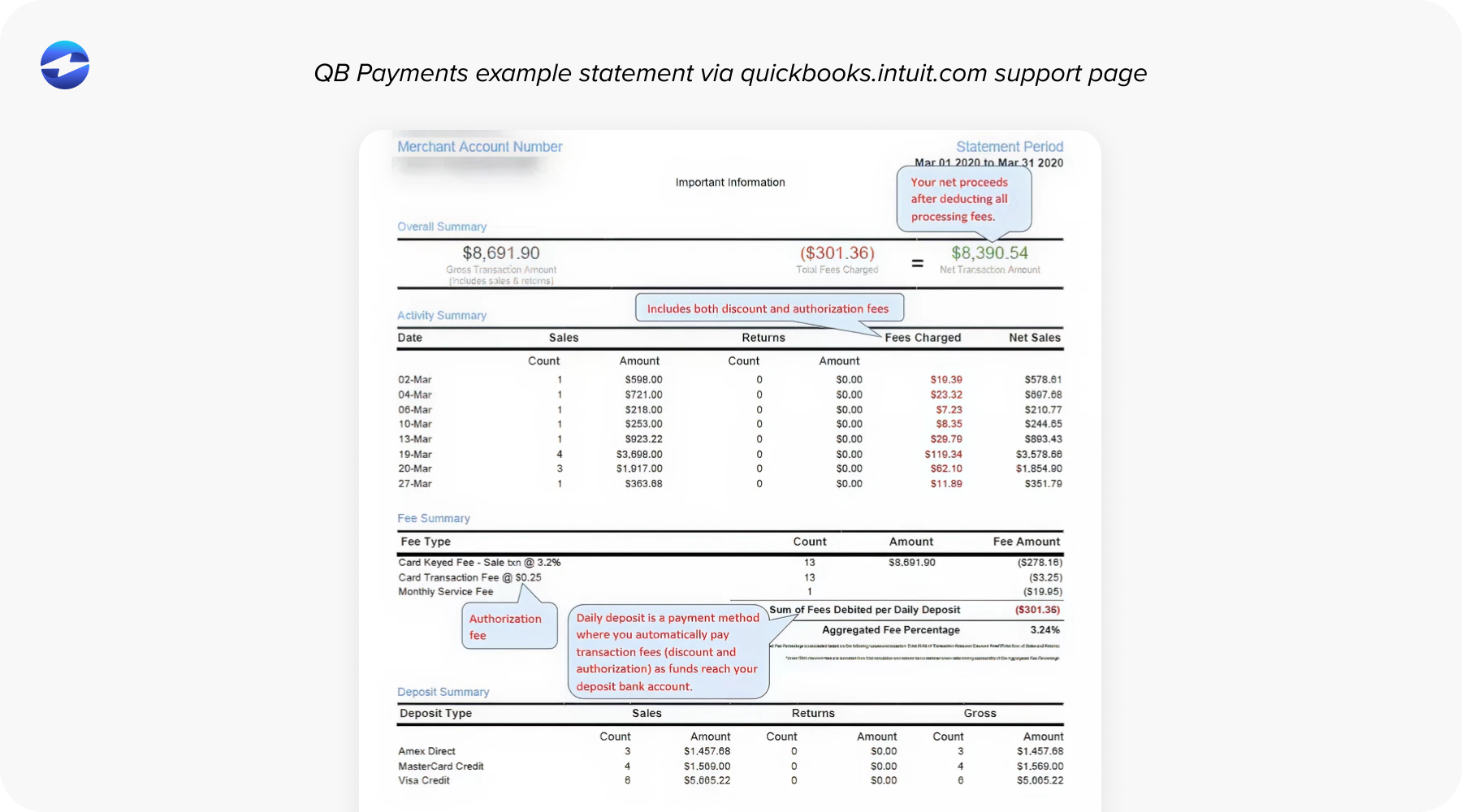
ACH payments are another area where expectations and reality don’t always line up. Many teams move volume to ACH expecting major savings, only to find that QuickBooks payment processing still includes per-transaction charges that reduce the benefit. The savings are real, but often smaller than anticipated.
Then there are chargebacks, disputes, and refunds. Each comes with its own cost, both in fees and time. Handling partial payments or reversing transactions can require manual steps that don’t appear on a pricing page but still affect the bottom line.
Over time, these pieces combine into a version of QuickBooks payment fees that feels very different from what was originally expected.
Operational Costs Beyond the Fee Schedule
Some of the most expensive parts of QuickBooks Payments never appear on a statement.
Manual reconciliation is a common example. Payments may post automatically, but exceptions still require attention. Refunds that don’t map cleanly, deposits that need adjustment, and partial payments that require review all take time. That time comes from your accounting team, often during already busy close cycles.
As businesses grow, these issues become more frequent. Multi-entity setups, higher transaction counts, and more complex billing arrangements push the limits of built-in automation. The system still works, but it demands more oversight.
This is where QuickBooks ERP remains strong as an accounting platform, but the payment layer begins to feel like the weak link. The cost isn’t just money leaving the bank account. It is the hours spent fixing, checking, and rechecking payment data.
The True Cost Over Time
A one percent difference in processing fees may not feel significant on a single invoice. Over a year, it becomes much harder to ignore.
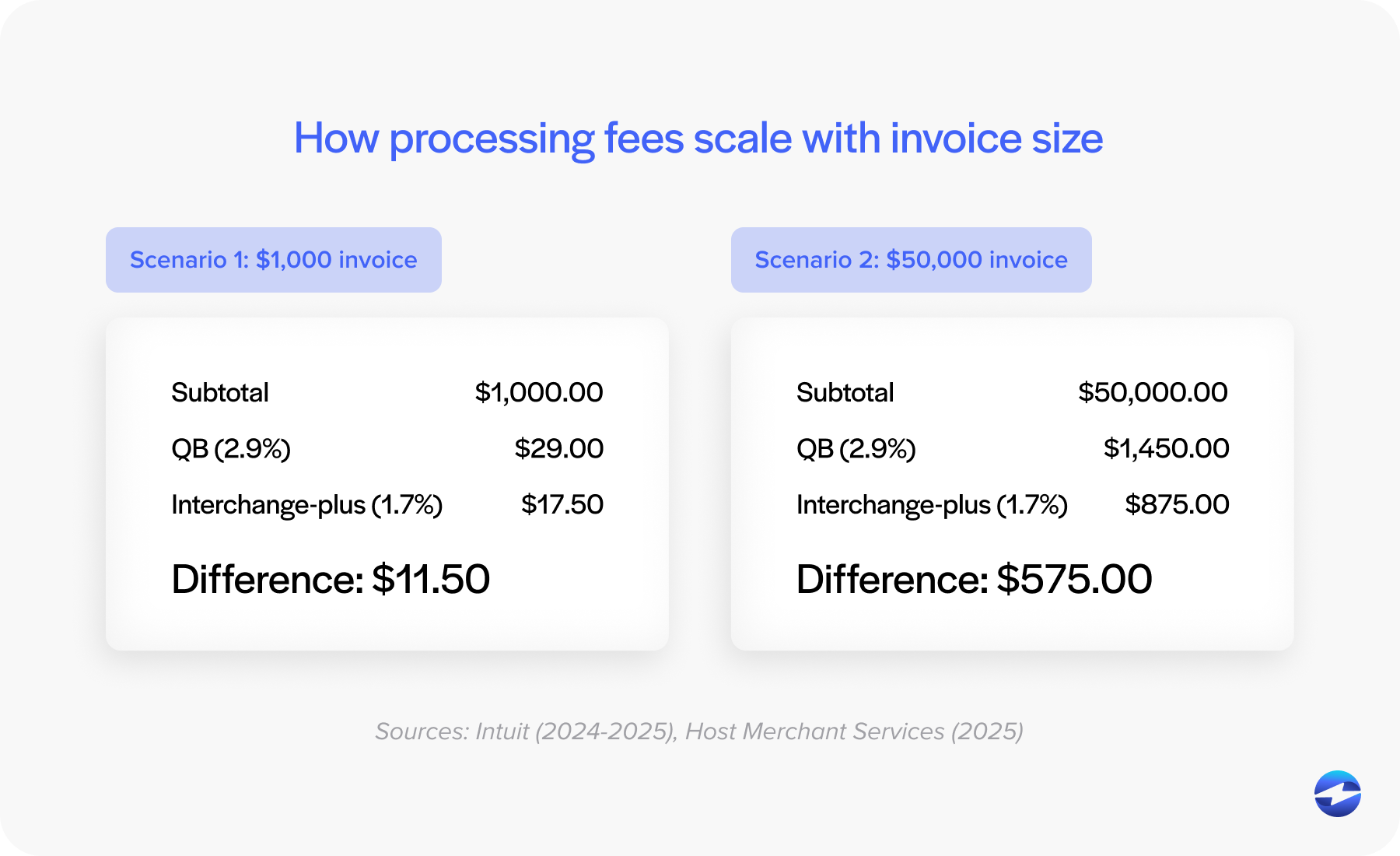
As volume increases, QuickBooks payment processing fees compound. What once looked like a manageable monthly expense turns into a meaningful annual cost. At the same time, operational friction increases. More transactions mean more edge cases, more exceptions, and more internal effort.
This is often when teams start comparing QuickBooks Payments to other options, not because something is broken, but because the math has changed. The system that worked at one stage of growth no longer fits the current reality.
Understanding this shift is important. Many businesses assume the answer is switching accounting systems, but in most cases, the real opportunity is improving the payment processing solution while keeping QuickBooks intact.
Why Businesses Eventually Switch from QuickBooks Payments
Very few teams make a sudden decision to move away from QuickBooks Payments. The change usually happens after a series of small frustrations.
Cost predictability is one of the biggest drivers. Finance teams want to know what fees will look like next month and next quarter. Flat-rate pricing can feel simple, but it often becomes unpredictable as volume and payment types change.
Automation limitations also play a role. As workflows become more complex, teams expect payments to post accurately without manual cleanup. When that does not happen consistently, confidence in the system starts to erode.
Importantly, most businesses are not looking for an alternative to QuickBooks as an accounting platform. They are looking for an alternative to QuickBooks Payments that allows them to keep their existing workflows while reducing costs and effort.
What Lower-Cost Alternatives Do Differently
Lower-cost alternatives to QuickBooks Payments typically take a different approach to pricing and integration.
Instead of flat rates, many use interchange-optimized pricing. This means transactions are routed through actual card networks with a transparent markup. For many businesses, especially those processing larger invoices, this results in lower overall costs.
Automation is another key difference. Stronger payment processors focus on posting accuracy, real-time syncing, and fewer exceptions. Refunds, partial payments, and deposits are handled cleanly without requiring constant oversight.
ACH payments are often better as well. Lower per-transaction costs and clearer settlement timelines make ACH a more effective tool instead of a partial workaround.
Together, these improvements reduce both QuickBooks payment fees and the internal workload tied to managing them.
How to Evaluate Your Own QuickBooks Payments Costs
Before making any changes, it’s worth taking a closer look at your current setup.
Review not just your processing statements, but also how much time your team spends managing payments. Look at refund handling, reconciliation, and month-end adjustments. Consider whether your QuickBooks integration supports your current volume or simply tolerates it.
Ask whether your QuickBooks Payment cost is increasing faster than revenue. If the answer is yes, the issue is likely structural rather than temporary.
This kind of review often reveals that the problem isn’t QuickBooks ERP itself, but the payment processor attached to it.
Why EBizCharge Is a Practical Next Step for Lower Costs and Better Integration
For many QuickBooks users, lowering payment costs doesn’t mean ripping out their accounting system or retraining their team. More often, it comes down to choosing a payment processor that fits better with how QuickBooks is actually used day to day.
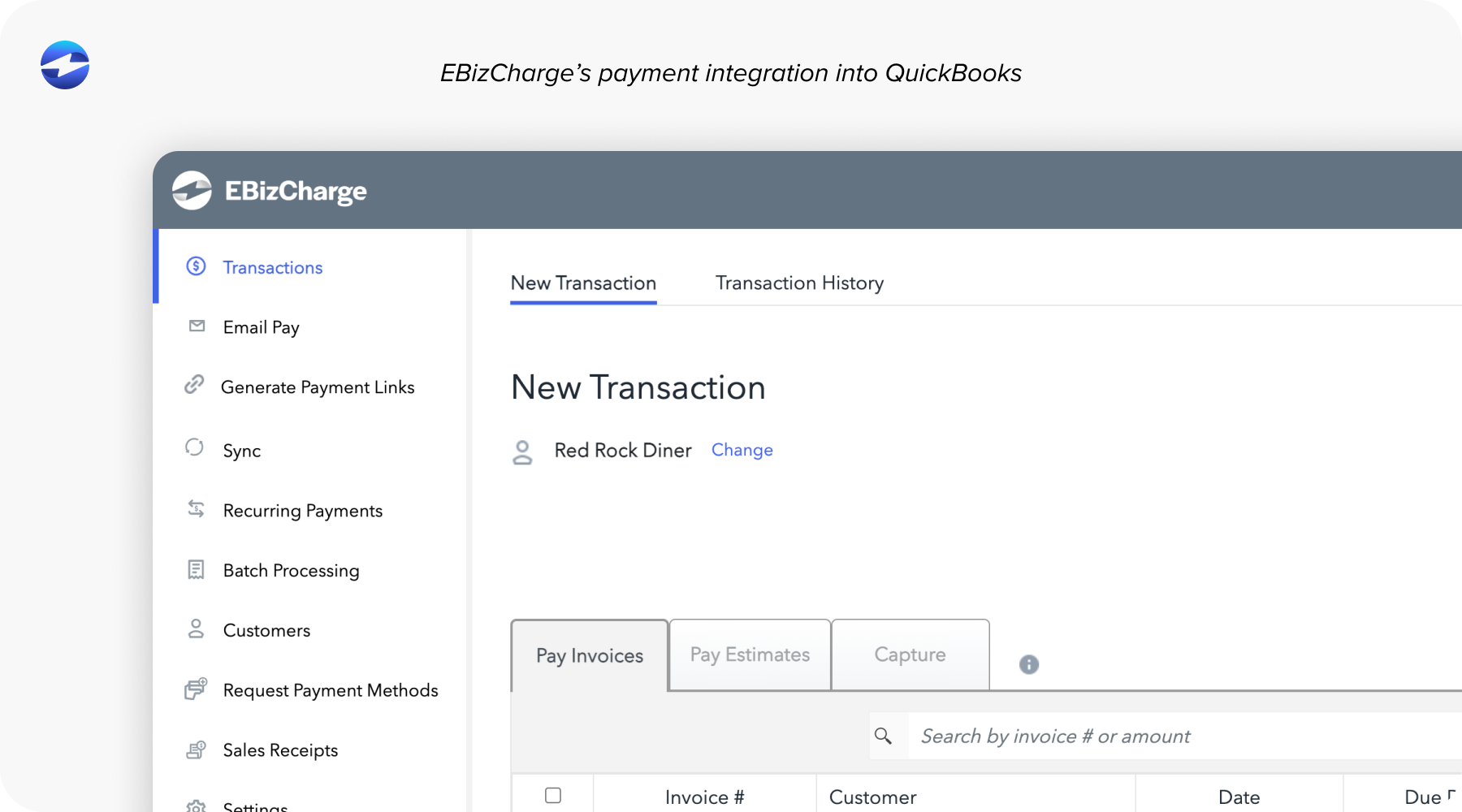
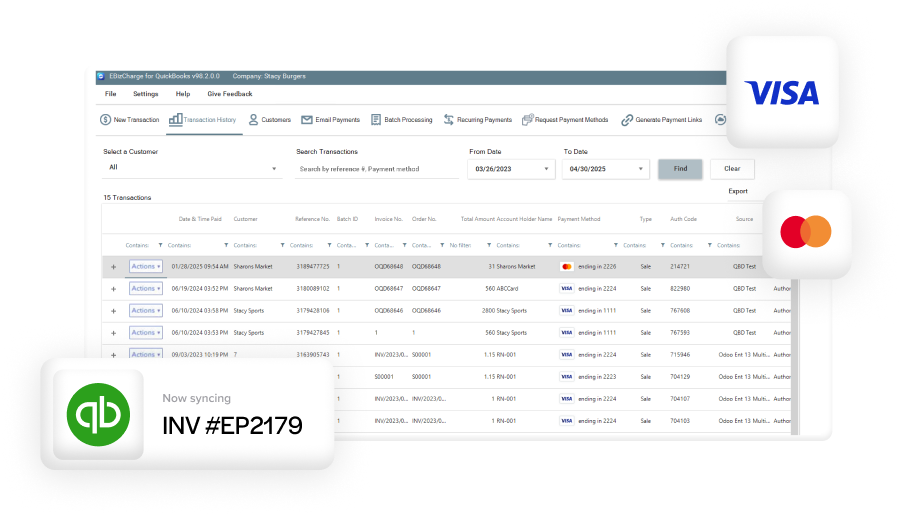
EBizCharge is a great fit because it pairs lower processing costs with a truly native QuickBooks integration. Rather than sitting on top of QuickBooks as a separate gateway, it operates directly within the platform. Payments post as they open, customer and invoice records stay in sync, and reconciliation becomes far more reliable.
On the pricing side, EBizCharge uses interchange-optimized rates instead of flat pricing. For businesses with higher invoice amounts or steady monthly volume, this structure can significantly reduce QuickBooks payment processing fees over time.
The integration also improves the overall workflow. Posting is more accurate, automation is more consistent, and growth doesn’t introduce the same level of friction. For teams looking for a practical alternative to QuickBooks Payments that still preserves their existing processes, this model tends to align better with long-term needs.
Seeing the Full Picture of Payment Costs
The real cost of QuickBooks Payments isn’t limited to the rate listed on your statement. It becomes clearer over time through cumulative fees, the hours spent resolving payment issues, and the additional effort required as transaction volume increases.
Stepping back and looking at the full picture often brings clarity. For many organizations, the answer isn’t replacing QuickBooks, but selecting a payment processor that better aligns with how the business operates today.
With the right payment processing solution in place, QuickBooks can remain a reliable financial foundation, supported by payment tools that scale smoothly, keep costs predictable, and reduce the amount of manual work your team has to manage.
- How QuickBooks Payments Pricing Works on the Surface
- The Hidden Costs
- Operational Costs Beyond the Fee Schedule
- The True Cost Over Time
- Why Businesses Eventually Switch from QuickBooks Payments
- What Lower-Cost Alternatives Do Differently
- How to Evaluate Your Own QuickBooks Payments Costs
- Why EBizCharge Is a Practical Next Step for Lower Costs and Better Integration
- Seeing the Full Picture of Payment Costs