Blog > Sage Mobile Payments: Options for On-the-Go Processing
Sage Mobile Payments: Options for On-the-Go Processing
Not every payment happens at a desk. A field sales rep closes a deal at a trade show and needs to collect a deposit on the spot. A service technician wraps up a job, and the customer wants to pay before they leave. An account manager visits a client’s office, and the topic of an outstanding invoice comes up. These situations happen constantly in B2B businesses, and they all share the same problem: the person who needs to collect payment isn’t sitting next to a computer running Sage.
Mobile payment acceptance used to be an afterthought for mid-market businesses. Not anymore. Customers expect to be able to pay quickly and conveniently, regardless of where the transaction takes place, and businesses that can’t accommodate that end up chasing invoices after the fact. For companies running on Sage software, the challenge is finding a mobile payment solution that doesn’t just collect the money but that connects back to the Sage system without creating a pile of manual work for the AR team.
This article covers what your real options are, what to look for before committing to a solution, and how to make sure mobile payments don’t become a reconciliation problem.
What Mobile Payments Actually Mean in a B2B Context
Mobile payments in B2B transactions are different from the tap-to-pay experience at a coffee shop. The transaction sizes are larger, the payment needs to tie back to a specific open invoice, and the data has to end up in the right general ledger account inside your accounting system. A card reader that just processes a charge and sends a receipt isn’t enough.
The scenarios where Sage mobile payments matter tend to fall into a few common categories.
- Field sales teams that collect deposits or full payments at conferences and trade shows.
- Service and delivery teams who want to close out a job and collect payment on-site rather than waiting 30 days for an invoice to cycle through.
- Remote account managers handling client visits where outstanding balances come up.
- Businesses operating across multiple locations where not every site has dedicated AR staff.
In all of these situations, the payment needs to do more than just go through. It needs to match to the right customer account, post to the correct GL, and update the open invoice in Sage in real time.
What Sage Offers Natively for Mobile
Sage billing software wasn’t built with mobile payment collection in mind. Some cloud-based versions of the platform offer mobile interfaces that let users view invoices, approve transactions, and handle basic billing tasks from a phone or tablet. That functionality is genuinely useful. But it’s not the same as being able to accept a credit card payment in the field and have it be posted directly to your Sage system.
What Sage doesn’t offer natively is a mobile card reader, tap-to-pay support, or any field payment collection tool that syncs back to the GL in real time. That gap is worth understanding clearly because it’s where most of the problems start.
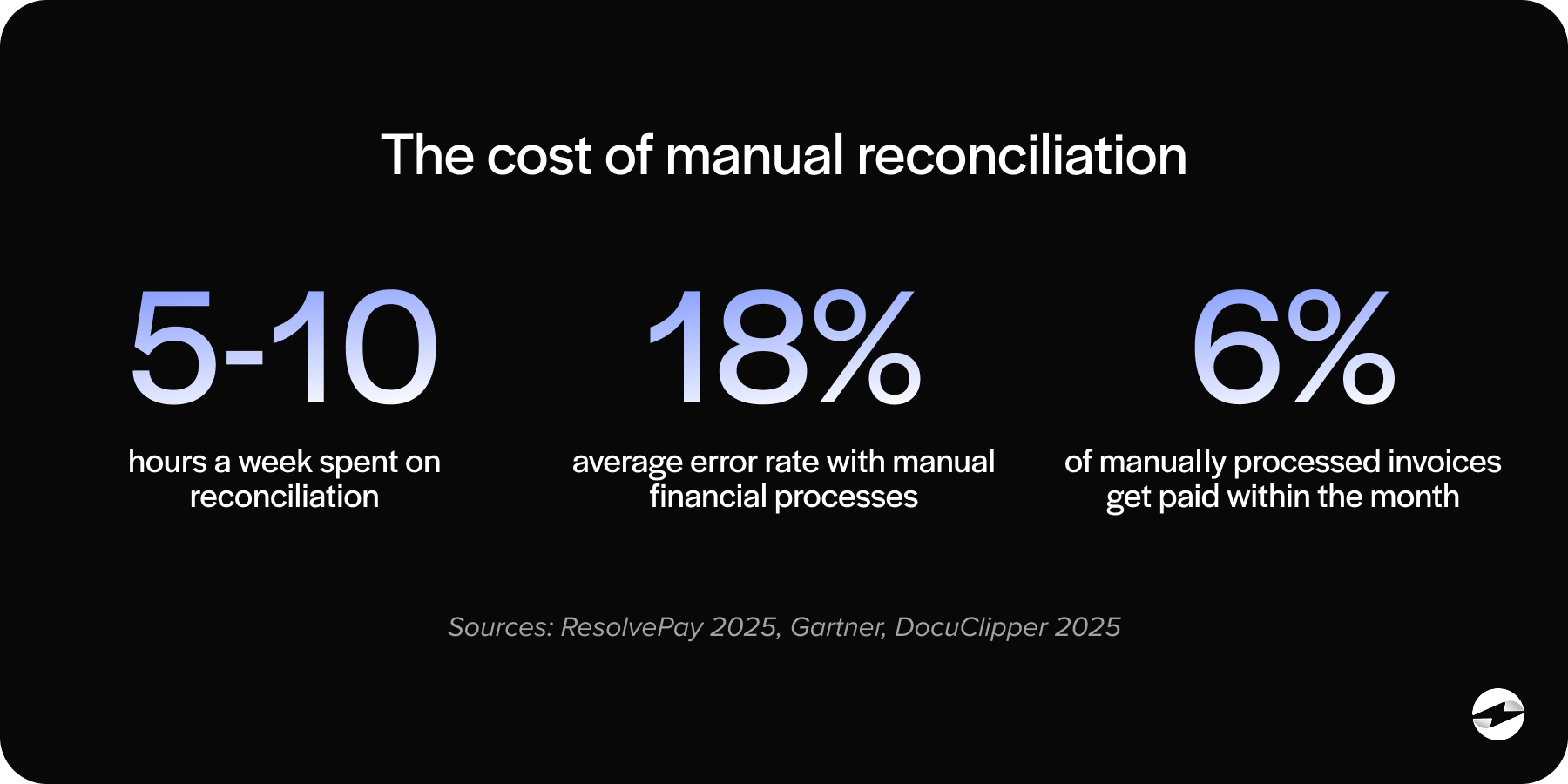
When field teams don’t have a proper mobile payment option connected to Sage, they improvise. Payments get collected through personal payment apps, standalone card readers with no ERP connection, or not at all until someone follows up with an invoice later. Every one of those workarounds creates manual reconciliation work on the back end, introduces the risk of data entry errors, and means your AR aging report is never fully accurate in real time.
What to Look for in a Mobile Payment Solution
For AR managers, controllers, and operations leads evaluating options, there are a handful of features that actually matter when it comes to mobile payment processing for Sage.
Native Sage integration is the starting point. If the mobile payment solution doesn’t post directly to Sage, it isn’t really solving the problem. It’s just moving the manual work from one step to another.
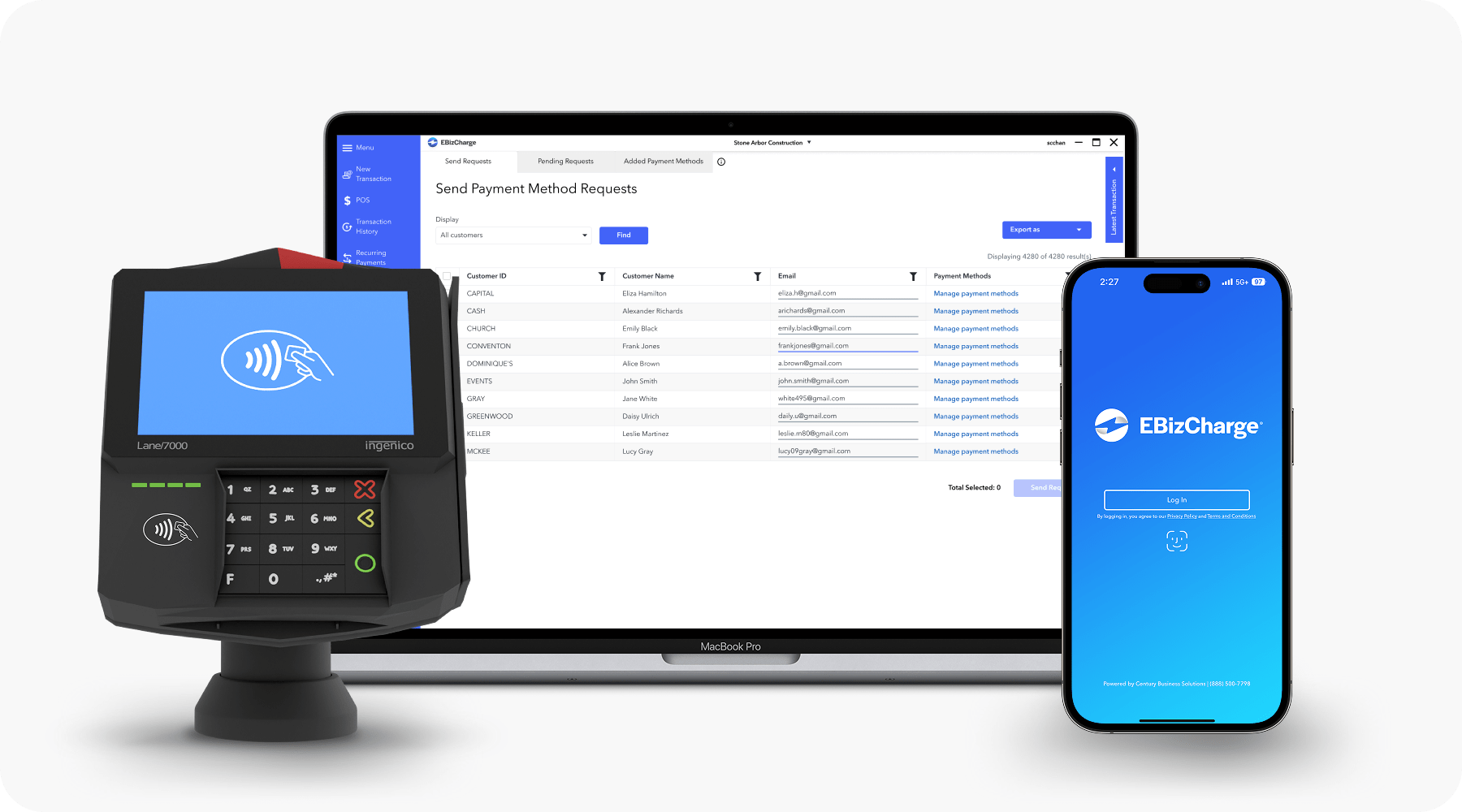
Mobile card reader support covers EMV chip, NFC tap-to-pay, and standard swipe. Your field team shouldn’t be limited by hardware. The reader should work reliably across transaction types.
iOS and Android compatibility also matters more than people expect. Mixed device environments are common, and a payment processor that only works on one platform creates friction before the first transaction even happens.
Real-time sync means every payment made in the field immediately updates the correct invoice and posts to the correct GL account inside Sage. Not at the end of the day. Not when someone syncs manually. Right away.
Offline mode is relevant for field environments where connectivity is inconsistent, such as warehouses, job sites, or convention center floors. The ability to process a transaction offline and sync it automatically when the device reconnects removes a real logistical headache.
Surcharging support should carry over consistently from your office-based setup to your mobile setup. If you’re passing credit card processing fees to customers in your standard billing workflow, the same configuration should apply when a payment is taken in the field.
Unified reporting means mobile transactions and office transactions show up in the same dashboard. You shouldn’t need to log into two separate systems to see a complete picture of your payment activity.
The Options Available to Sage Users
There are essentially three categories of mobile payment solutions for businesses running Sage software, and they’re not all equally useful.
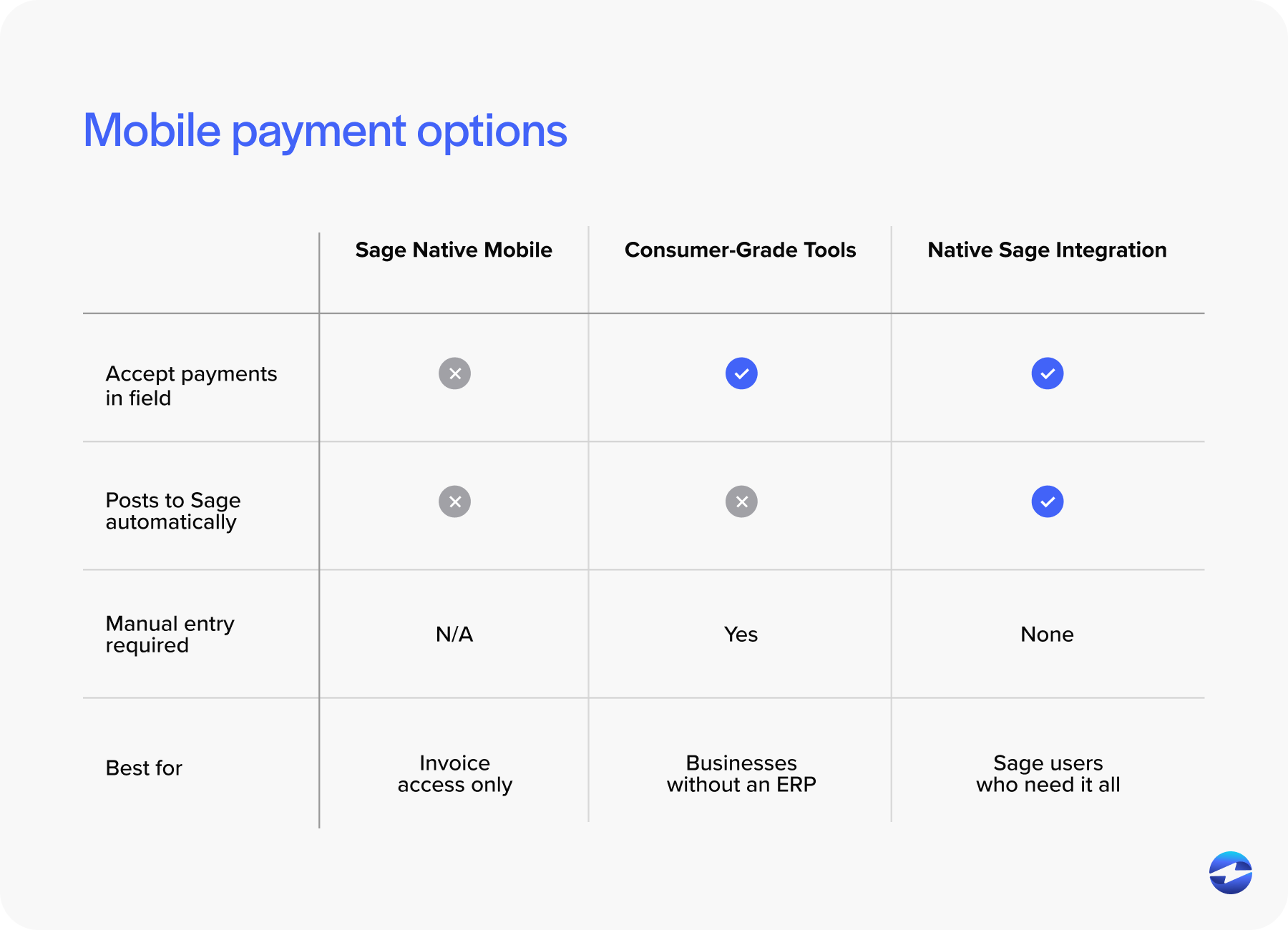
The first is Sage’s own native mobile capabilities. As covered above, these are useful for invoice access and basic billing management but fall short when it comes to actually collecting payments in the field. For businesses that just need remote access to Sage billing data, this may be sufficient. For those who need to process transactions on the go, it isn’t.
The second category is consumer-grade mobile payment tools like Square, PayPal Here, or Stripe Terminal. These are easy to set up and work fine in a retail or food service context. The problem is that none of them integrate with Sage. A payment processed through Square doesn’t post to your GL, doesn’t match to an open Sage invoice, and doesn’t update your AR. Someone on your team still has to take that transaction and manually enter it into the system. For a small business without an ERP, that trade-off might be acceptable. For a mid-market company running Sage 100 or Sage Intacct, it creates more work than it saves.
The third category is payment processors with native Sage integration that also support mobile payment collection. This is the right fit for most mid-market Sage users. The mobile app or card reader connects to the same payment processing solution that handles your office-based transactions, so everything flows into the same system. Payments post to Sage in real time, invoices update automatically, and field transactions live in the same reporting environment as every other transaction your business processes. The experience for your AR team is seamless because the integration doesn’t distinguish between a payment made from a desk and one made in the field.
How to Connect Mobile Payments Back to Sage Properly
The mechanics of connecting a field payment back to the Sage system aren’t complicated when the right payment processor is in place, but they’re worth understanding.
When a field rep takes a payment through an integrated mobile app, the transaction is tied to the customer’s Sage account, matched to the specific open invoice, and posted to the correct GL account in real time. The AR aging report updates immediately. The customer’s balance reflects the payment. Nothing sits in a queue waiting for someone to key it in.
Tokenization plays a role here, too. When a customer’s card is stored as a token inside the payment processing solution, that stored payment method is available for future transactions, regardless of whether they’re processed in the office or in the field. A customer who regularly pays by card doesn’t have to provide their details every time a field rep comes on site.
Mistakes Worth Avoiding
A few common missteps come up repeatedly when businesses try to bolt together a mobile payment workflow without thinking it through.
Using a consumer-grade tool with no Sage integration is the most common one. It looks like a solution until the manual reconciliation burden becomes obvious.
Letting field teams collect payments through Venmo, Zelle, or other personal payment apps is a compliance and accounting problem that’s harder to clean up than it sounds.
Not extending surcharge configuration to mobile transactions creates inconsistency in how processing fees are applied, which can cause confusion with customers and compliance issues with card networks.
Skipping field staff training before deployment leads to transactions processed incorrectly, card data handled insecurely, and a rollout that takes longer than it should.
EBizCharge Mobile for Sage
EBizCharge payment integration extends its native Sage integration into a mobile environment through a dedicated app available on both iOS and Android, paired with an EMV card reader for field transactions. Payments processed through the mobile app post directly to Sage payment processing in real time, invoices update automatically, and the transaction lives in the same reporting dashboard as every other payment your business processes.
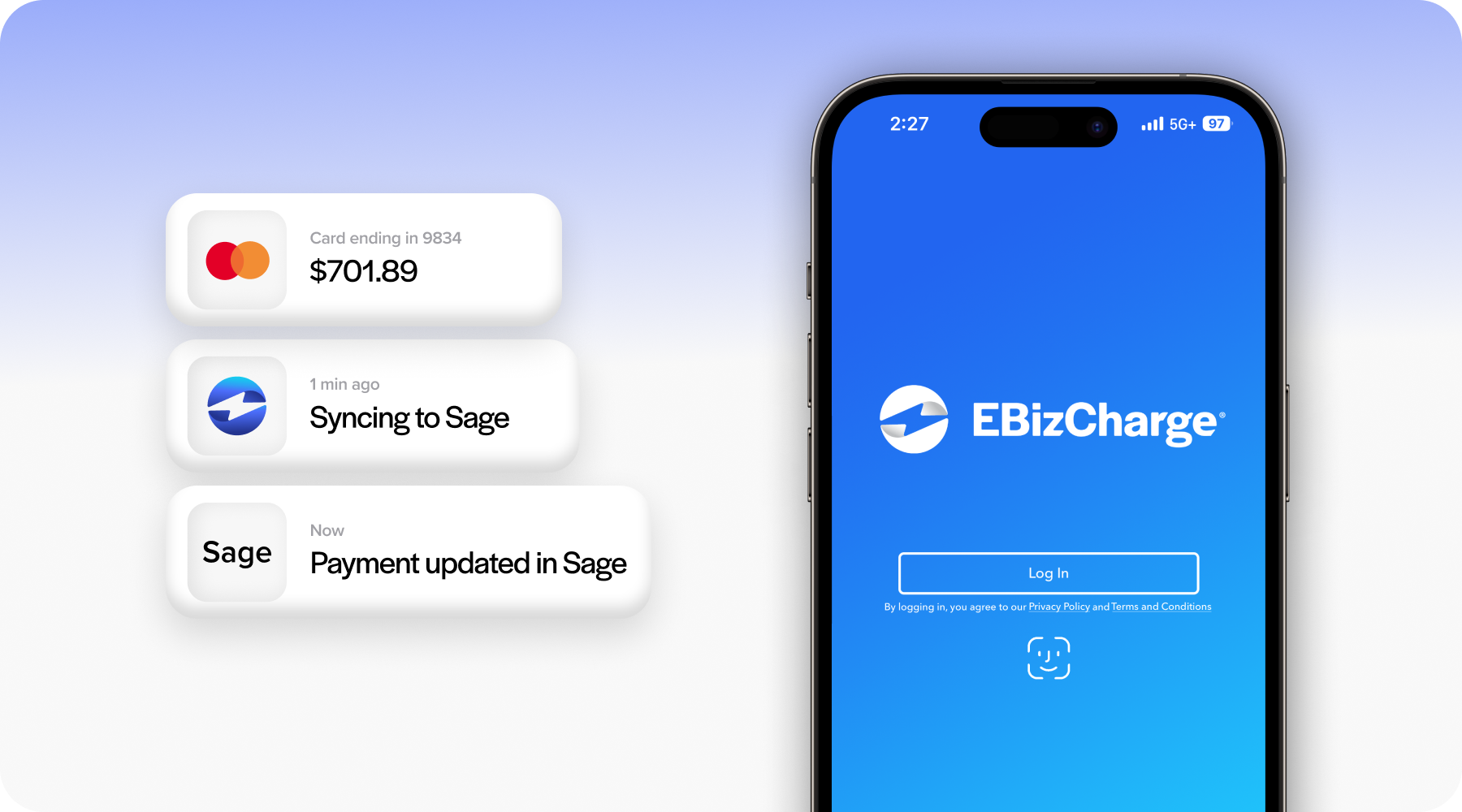
Surcharging, ACH, and Level 2/3 data are all supported in the mobile context, so the configuration your office runs on carries over to the field without any gaps. There’s no separate reconciliation process for mobile transactions, and no manual entry required on the back end.
For businesses that need Sage mobile payments handled the right way, without creating new manual work or disconnecting from the Sage system your team already runs on, it’s worth seeing how the mobile integration actually works in practice.