
Blog > Level 3 Processing for NetSuite: Reduce Interchange on Every Transaction
Level 3 Processing for NetSuite: Reduce Interchange on Every Transaction

If your business runs on NetSuite and processes a meaningful volume of B2B card transactions every month, there’s a good chance you’re paying more in interchange than you need to. Not because you’re on a bad pricing plan, and not because your payment processor is doing anything wrong. It’s more subtle than that. The data required to qualify your transactions for lower interchange rates already exists inside NetSuite. It’s just never making it to the card networks when a payment is processed.
That’s the core problem this article explores. Level 3 processing isn’t a complicated concept once you strip away the technical language. It’s a matter of submitting more detailed transaction data to qualify for better rates. NetSuite happens to be one of the best platforms available for capturing that data. The gap is almost always in the payment layer.
What Level 3 Processing Actually Is
Before getting into the NetSuite-specific picture, it helps to understand how the three levels of card data work and why the difference matters.
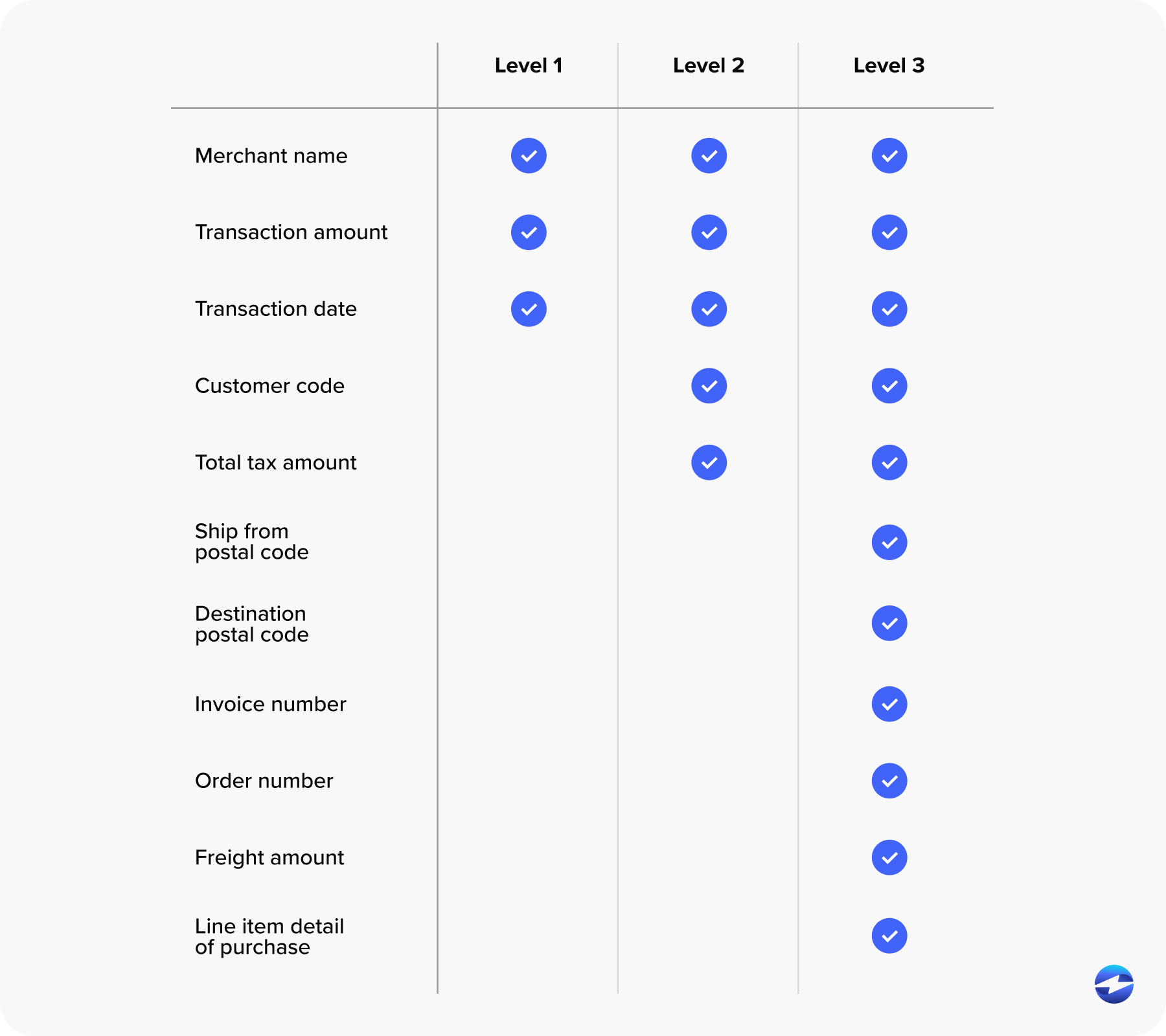
Every card transaction is categorized based on the amount of data submitted with it. Level 1 is the baseline: cardholder name, transaction amount, and date. That’s the standard for consumer purchases. Level 2 steps it up with tax amount, merchant ZIP code, and a customer reference code. Many B2B-focused payment processing solutions handle Level 2 by default, and it does bring interchange rates down compared to Level 1.
Level 3 is a different category entirely. Level 3 credit card processing requires full line-item detail for every transaction. Item descriptions, product codes, quantities, unit prices, freight amounts, duty amounts, ship-to ZIP code, tax indicators, and discount per line item. It’s the kind of data that makes a transaction look unmistakably like a B2B purchase to Visa and Mastercard, and the card networks reward that visibility with meaningfully lower interchange rates.
The difference between Level 1 and Level 3 processing rates can range from 0.30% to over 1.00%, depending on the card type. At any real volume, that adds up fast.
Why NetSuite Users Have a Built-In Advantage
Here’s what makes this particularly relevant for NetSuite users specifically. NetSuite is one of the most data-complete ERP platforms on the market. When you generate an invoice or process a sales order in NetSuite, the system is already capturing nearly every field that level 3 processing requirements call for.
Item and product codes live in NetSuite item records. Line-item descriptions, quantities, and unit prices are standard transaction fields on every invoice. The tax engine handles tax amounts and indicators. Shipping fields capture freight. Customer address records store ship-to ZIP codes. PO numbers and customer reference fields are built into the transaction workflow.
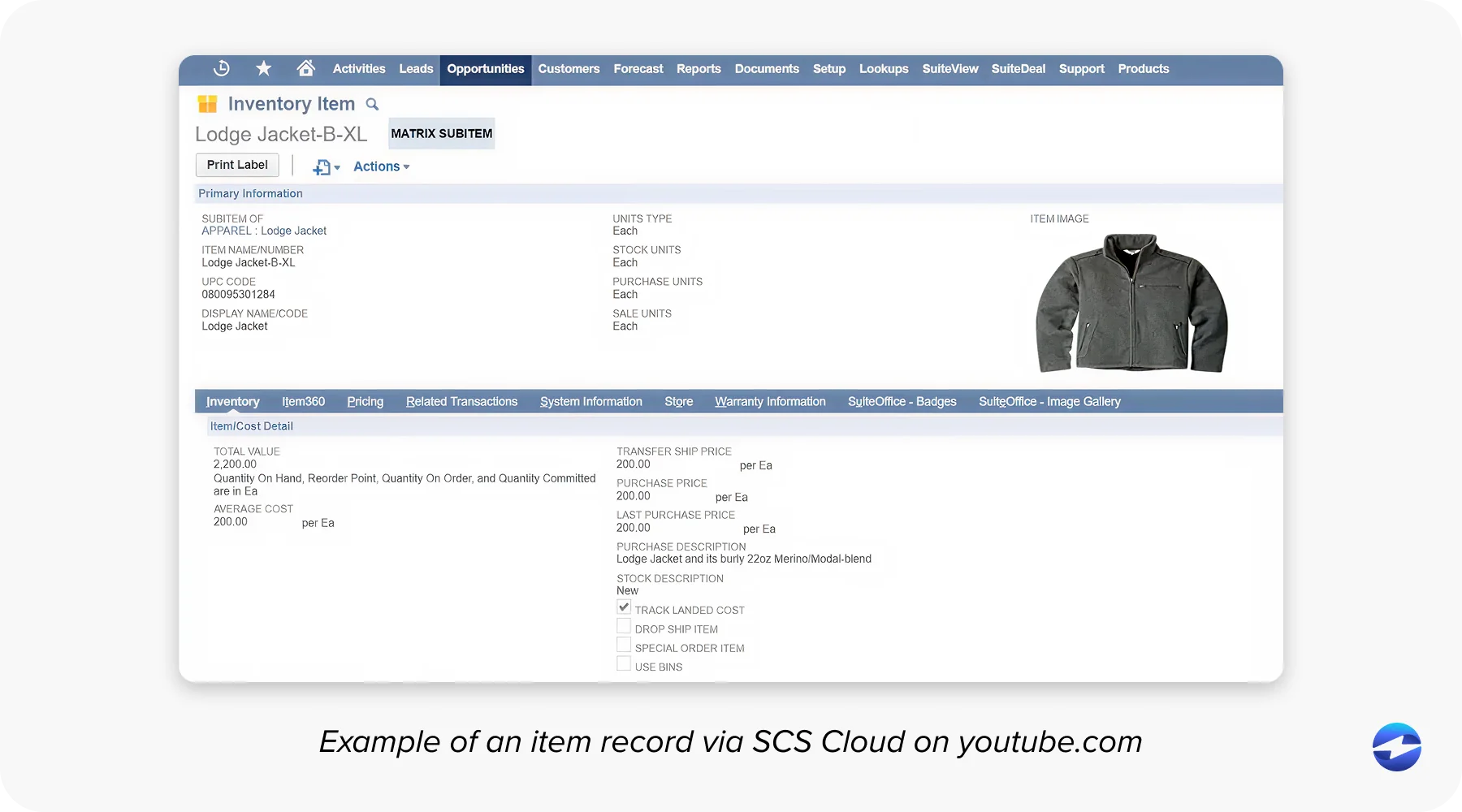
In other words, NetSuite level 2 and level 3 processing readiness isn’t really a question of whether the data exists. It does. The question is whether your payment solution is actually pulling that data and submitting it when a transaction is processed. For many businesses, the honest answer is no.
Where Most NetSuite Payment Setups Fall Short
The majority of businesses using NetSuite for B2B payment processing are running their card transactions through a gateway or payment processor that operates outside the ERP. The payment tool connects to NetSuite loosely, handles the authorization, and posts the result back. What it doesn’t do is reach into the invoice and pull the line-item fields needed to qualify for Level 3 rates.
It’s worth noting that this isn’t just a NetSuite problem. Businesses on other platforms run into similar issues. Anyone who has ever encountered a level 3 data processing QuickBooks pop-up asking them to manually fill in line-item fields before completing a transaction knows exactly what this friction looks like. That pop-up exists because the payment tool can’t pull the data on its own. The user has to supply it manually every time. In a busy AR department, that step gets skipped more often than not.
Some payment processing solutions technically support level 3 payment processing, but require the same kind of manual data entry to make it work. In practice, that doesn’t happen consistently. Transactions slip through at Level 1 or Level 2, and nobody notices because the statement categories aren’t something most teams review closely.
The result is a steady leak. Transactions that should be qualifying for Level 3 rates are settling at higher rates, month after month, simply because the integration between the payment tool and the ERP isn’t tight enough to pass the data through automatically.
This isn’t a data problem. It’s an integration problem.
What the Gap Costs in Real Terms
Let’s put some numbers on it. Say your business processes $2 million in annual commercial card volume through NetSuite. At Level 1 interchange rates, you’re paying more than you need to on every one of those transactions.
Apply a conservative 0.40% rate reduction through level 3 processing rates, and you’re recovering $8,000 per year. At a more moderate 0.70% improvement, that becomes $14,000. For businesses with higher volume or larger average ticket sizes, those figures scale accordingly. Level 3 processing setup for wholesale distribution companies, for example, often involves high-value purchase orders paid on commercial P-cards, where the per-transaction savings are substantial.
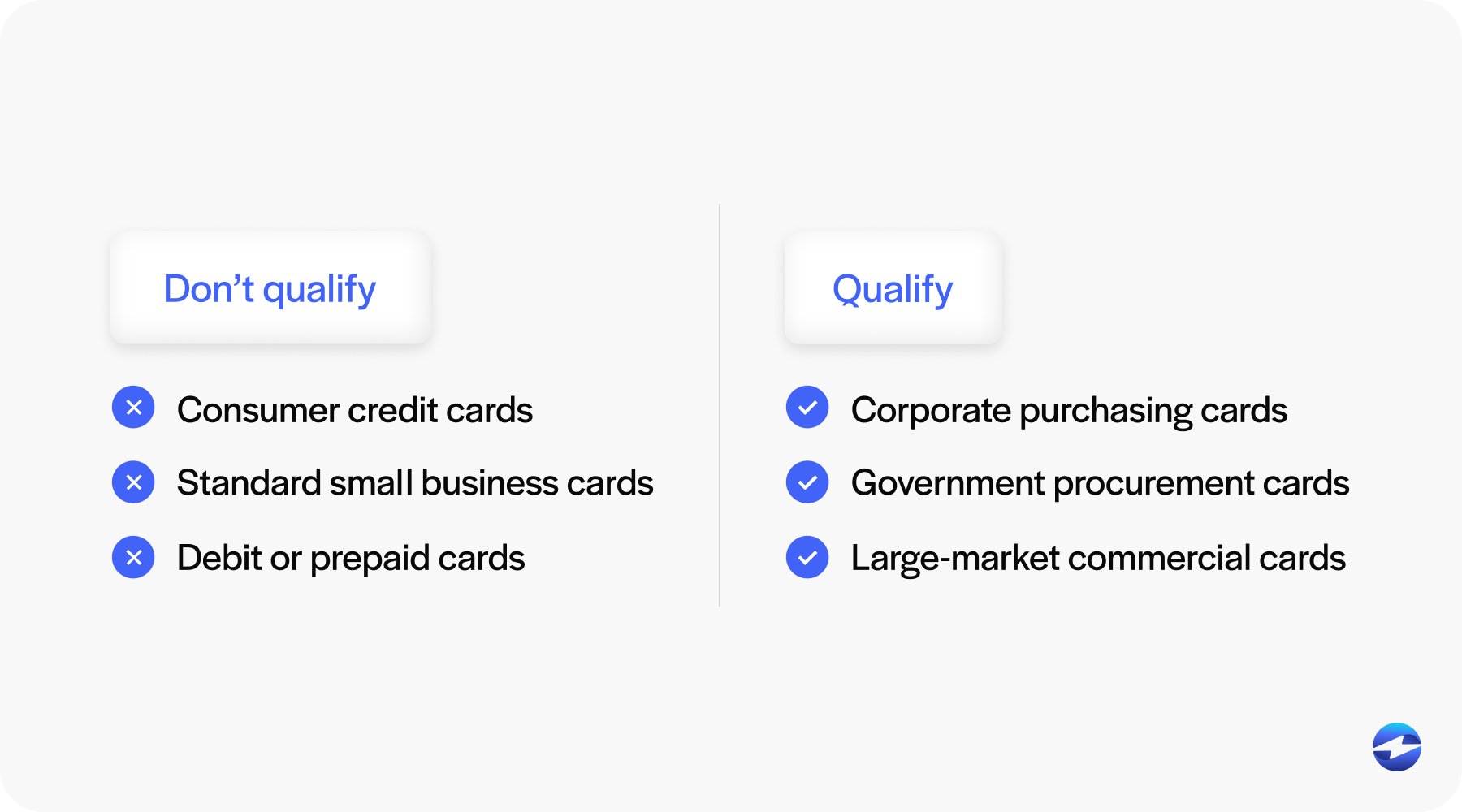
The important caveat is that not every transaction will qualify. Level 3 rates only apply to commercial cards, purchasing cards, corporate cards, and certain government cards. Consumer credit card transactions don’t benefit regardless of how much data you submit. But for companies where a significant share of card volume comes from business accounts, the qualifying transactions alone represent real money.
How to Assess Where You Stand Right Now
For CFOs, AR managers, and billing managers who want to get a concrete picture of their current situation, a few practical steps will tell you most of what you need to know.
Start by pulling a recent processing statement and look at the interchange qualification categories. Most statements break transactions down by card type and qualification level, though the format varies by payment processor. If you’re seeing commercial card transactions settling at non-qualified or standard interchange tiers, that’s a sign that Level 3 data isn’t being submitted.
Next, ask your payment processor directly whether they support Level 3 data submission and whether it’s active on your account. Some processors offer it as a feature but don’t enable it by default. If you’ve ever seen a level 3 data processing QuickBooks pop-up asking for manual line-item entry, that’s a clear sign the system isn’t pulling data automatically — and the same gap likely exists in other platforms where the payment tool isn’t truly native.
Then take a close look at your payment solution’s actual integration with NetSuite. Is it a native application built inside NetSuite, or does it operate through an external gateway? Does a payment record in NetSuite include the full line-item detail from the original invoice, or just a transaction total? The answers will tell you a lot about whether Level 3 data is actually moving.
One more thing worth checking: your pricing model. If you’re on flat-rate processing rather than interchange-plus, Level 3 qualification may not produce any visible savings for you. Interchange-plus pricing is what allows the rate reduction to flow back to your business rather than being absorbed by the processor.
What a Proper Level 3 Integration Inside NetSuite Looks Like
When payment processing solutions are genuinely native to NetSuite, the workflow changes significantly. Payment is initiated directly from the invoice or sales order. The system pulls the line-item data that’s already in the record. The full Level 3 dataset is assembled automatically and submitted to the card network as part of the transaction. No manual entry. No fields left blank. No missed qualifications.
The system handles the qualification logic, too. If a transaction involves a commercial card and the line-item data meets level 3 processing requirements, it gets submitted at Level 3. If it doesn’t qualify, it defaults to the relevant level. NetSuite level 2 and level 3 processing qualification both happen in the background without anyone on your team having to manage that logic manually.
This is the difference between a payment tool that works inside NetSuite and a payment tool that just connects to it.
Why EBizCharge Is Built for This
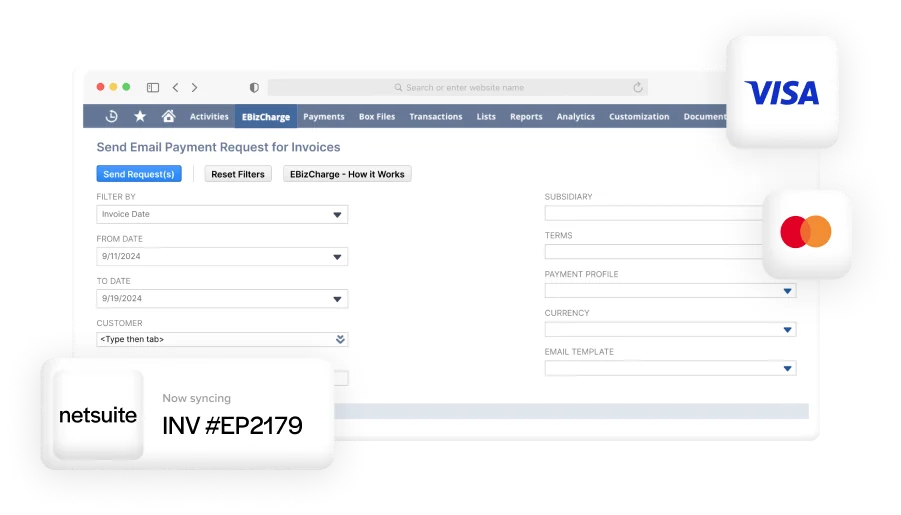
EBizCharge payment processing is natively built inside NetSuite, which means it doesn’t rely on an external gateway to process transactions. When a payment is processed, EBizCharge pulls the line-item data directly from the NetSuite invoice or sales order and submits the full Level 3 dataset automatically with every qualifying transaction.
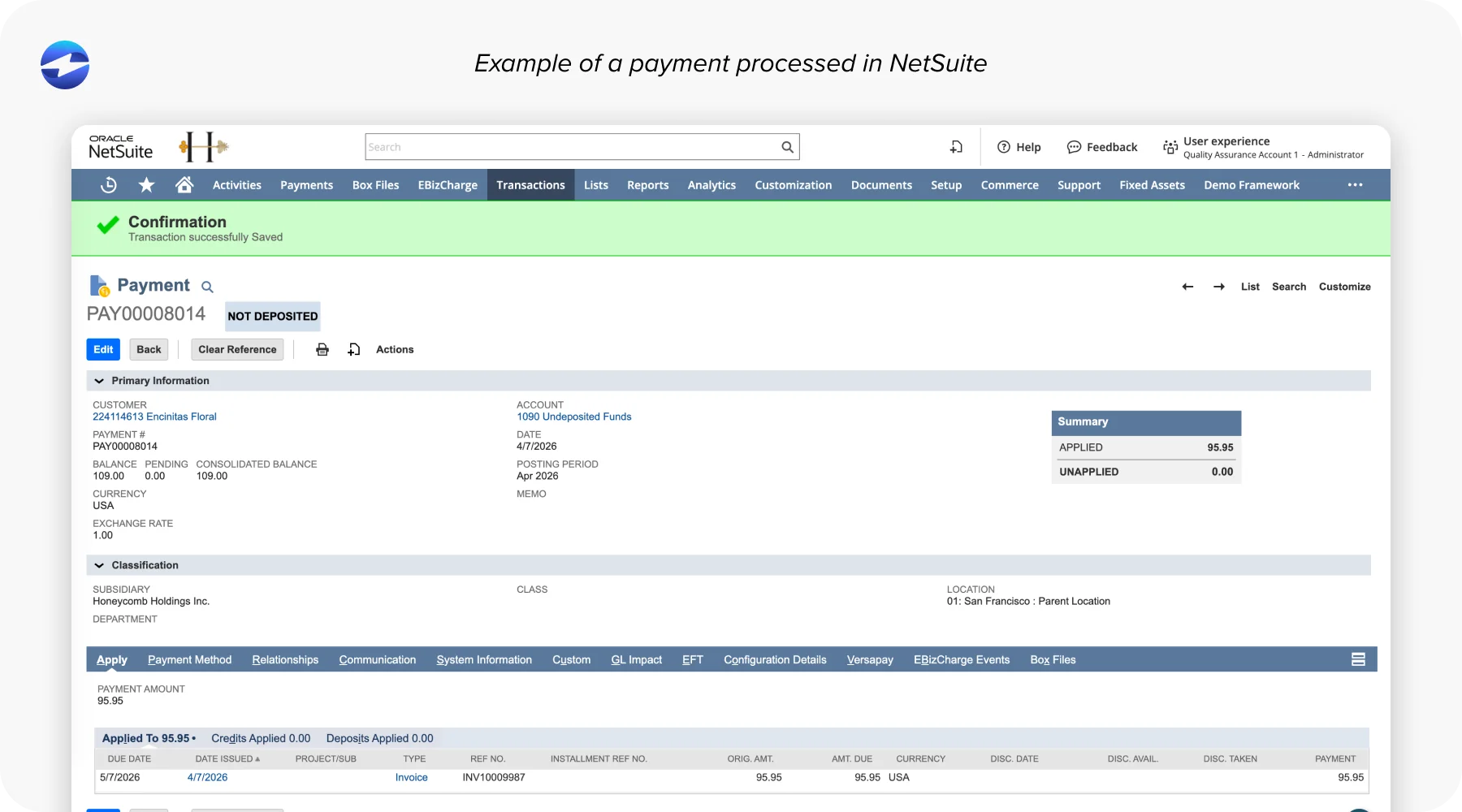
This matters especially in industries like manufacturing, wholesale distribution, and professional services, where commercial card volume is high and average ticket sizes make level 3 credit card processing savings significant. The level 3 processing setup for wholesale distribution customers using EBizCharge, for instance, works entirely within the existing NetSuite workflow, with no additional steps required from the AR team.
EBizCharge runs on interchange-plus pricing, which means the savings from Level 3 qualification pass directly to the business. There’s no flat-rate structure absorbing the difference. What the card network gives back, you keep.
With over 20 years of B2B payment processing experience, EBizCharge has navigated the nuances of commercial card programs, qualification requirements, and how to ensure transactions settle at the right rate. That background matters when the details of level 3 payment processing are what determine how much you’re actually paying.
If you’re running NetSuite and haven’t confirmed that your current setup is submitting Level 3 data, it’s worth taking the time to find out. The data is already there. The question is whether your payment processing solutions are actually using it.