Blog > CRM for Debt Collection: Streamline AR Recovery
CRM for Debt Collection: Streamline AR Recovery
Every accounts receivable (AR) team has a similar problem. Invoices go out on time, net terms expire, and then the follow-up process turns into a disorganized mess. Someone checks a spreadsheet. Someone else sends a reminder email. A third person calls the customer without realizing a colleague had already reached out. Meanwhile, invoices keep aging, and the likelihood of collecting drops with every week that passes.
The tools most teams use for collections were never actually designed for collections.
But most companies already have a system that tracks customer relationships, communication history, and account details – a customer relationship management (CRM) system. And when you pair that CRM with the right payment tools and automation, it becomes one of the most effective collections platforms your AR team can get their hands on.
Why Traditional Collections Processes Fall Apart
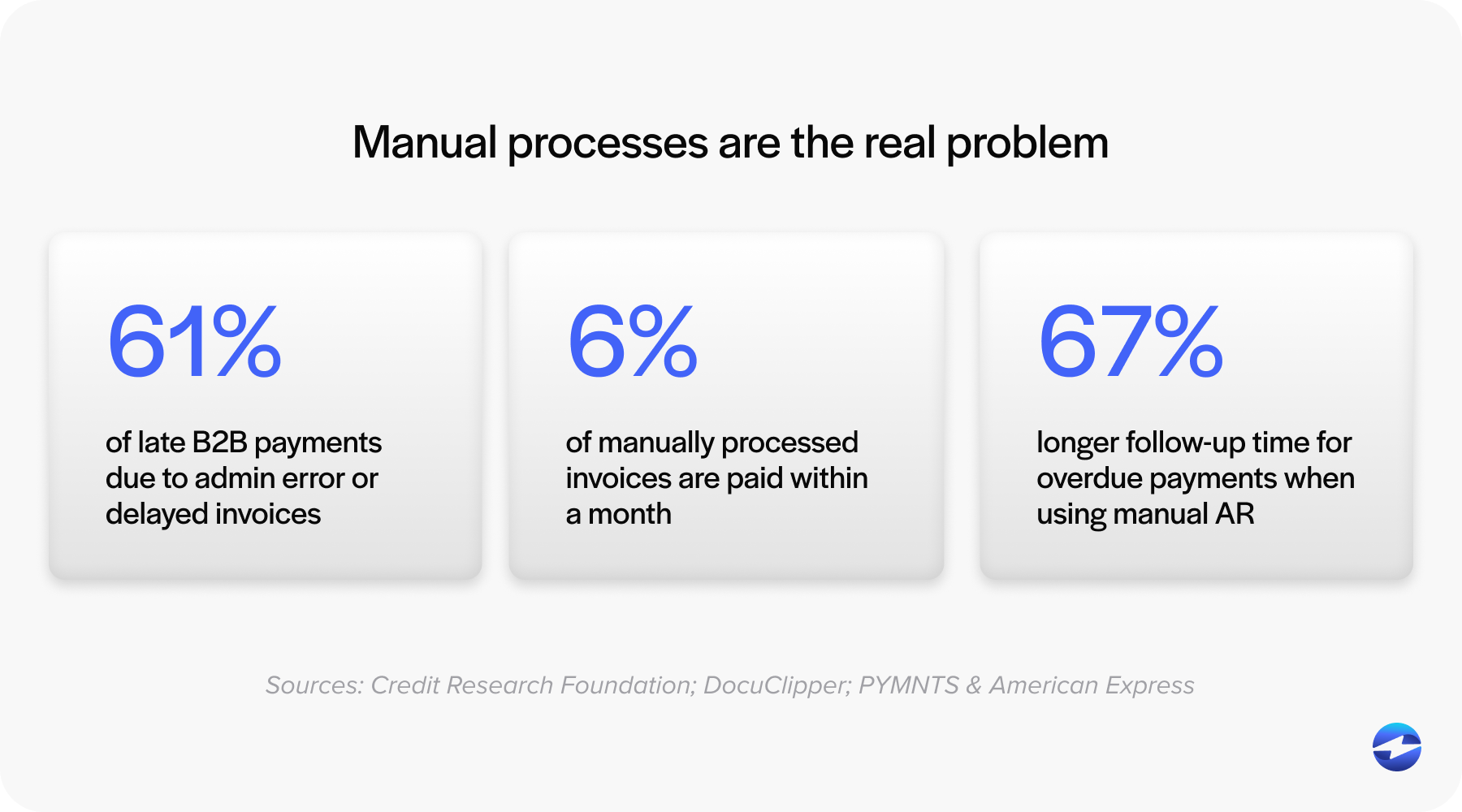
The biggest issue with manual collections is inconsistency. Without a structured system, follow-up depends entirely on individual memory and motivation. Some past-due accounts get three calls in a week. Others sit untouched for months. There’s no logic to it, and there’s no visibility into what’s actually happening across the portfolio.
If you are a CFO, controller, or accounts receivable (AR) manager trying to keep cash flow healthy, this lack of structure is a real problem. You can’t improve a process you can’t see. And when your team is piecing together payment history from one system, communication records from another, and aging data from a spreadsheet that was last updated on Friday, you’re working with an incomplete picture at best.
There’s also the prioritization issue. Not all overdue invoices carry the same weight. A $50,000 balance at 60 days past due requires a very different response than a $500 invoice at 15 days. But without data driving those decisions, teams tend to treat everything the same or focus on whatever lands in front of them first.
And then there’s the relationship factor. Aggressive or poorly timed outreach can damage a customer relationship that took years to build. When your collections process lacks context, it’s easy to come across as tone-deaf, sending a harsh reminder to a loyal client who is late for the first time and just needs a gentle nudge.
What CRM Debt Collection Actually Looks Like
Using a customer relationship management (CRM) system for debt collection doesn’t mean replacing your existing tools with some specialized collections platform. It means using the system you already have as the command center for AR recovery.
If your CRM software already tracks the customer lifecycle from lead to closed deal, collection is really just the next stage of that lifecycle. The customer bought something, you delivered it, and now you need to get paid. That’s not a separate function. It’s a continuation of the same relationship your CRM has been managing all along.
A debt collection CRM approach gives your AR team structure where there used to be chaos. It puts payment history, invoice status, communication logs, and account notes in one place. It automates the reminders that used to depend on someone remembering to send them. And it provides the reporting you need to understand how your collections process is actually performing.
This isn’t about turning your CRM system into an aggressive dunning machine. It’s about giving your team the visibility and tools they need to recover payments efficiently while keeping customer relationships intact.
How a Collections CRM Improves the Workflow
The practical benefits come down to a few key areas.
Centralized account view. When everything lives in one place, your AR team doesn’t have to dig through inboxes, spreadsheets, and accounting software just to understand where an account stands. Payment history, outstanding balances, previous communications, and internal notes are all on the customer record. Anyone on the team can pick up where someone else left off without missing a beat.
Automated reminders and escalation. This is where the real time savings show up. You can build workflows that automatically send email or text reminders at predefined intervals. Maybe a friendly nudge goes out at 7 days past due, a firmer reminder at 30, and then an escalation to a senior contact at 60. These sequences run on their own, which means your team isn’t spending hours every week manually sending follow-ups that could have been automated.
Prioritization and segmentation. A collections CRM lets you sort and filter accounts by aging bucket, invoice amount, customer tier, or whatever criteria matters to your business. Instead of working through a flat list, your team focuses its effort where the return is highest. That kind of prioritization is almost impossible to maintain in a spreadsheet, but it is built into how a CRM system operates.
Communication tracking. Every call, email, and touchpoint gets logged on the account record automatically. This eliminates the “did someone already call them?” problem and ensures your outreach is coordinated rather than redundant. It also creates an audit trail, which matters if an account ever escalates to a CRM collection agency or legal action.
For teams running Salesforce, this kind of collections workflow fits naturally into the platform. Salesforce already supports custom objects, automated task creation, and flow-based triggers, which means you can build aging alerts, follow-up sequences, and escalation rules without leaving the environment your team uses every day. When you pair that with a native Salesforce payment integration, the entire loop closes inside one system. Reminders go out with embedded payment links, customers pay directly, and the transaction posts back to the account record automatically. There’s no jumping between platforms, and nothing for your AR team to reconcile manually.
Why Embedded Payments Change the Game
Sending reminders is only half of the equation. You can follow up perfectly, with the right message at the right time, and still lose the collection if you don’t make it easy for the customer to pay.
This is where CRM integration with a payment processing solution makes a real difference. When your CRM has embedded payment capabilities:
- Every reminder you send can include a direct link to pay.
- Email reminders include a pay-now button.
- Text messages include a payment link.
- Customers who prefer self-service can log into a payment portal tied to their account and settle the balance on their own time.
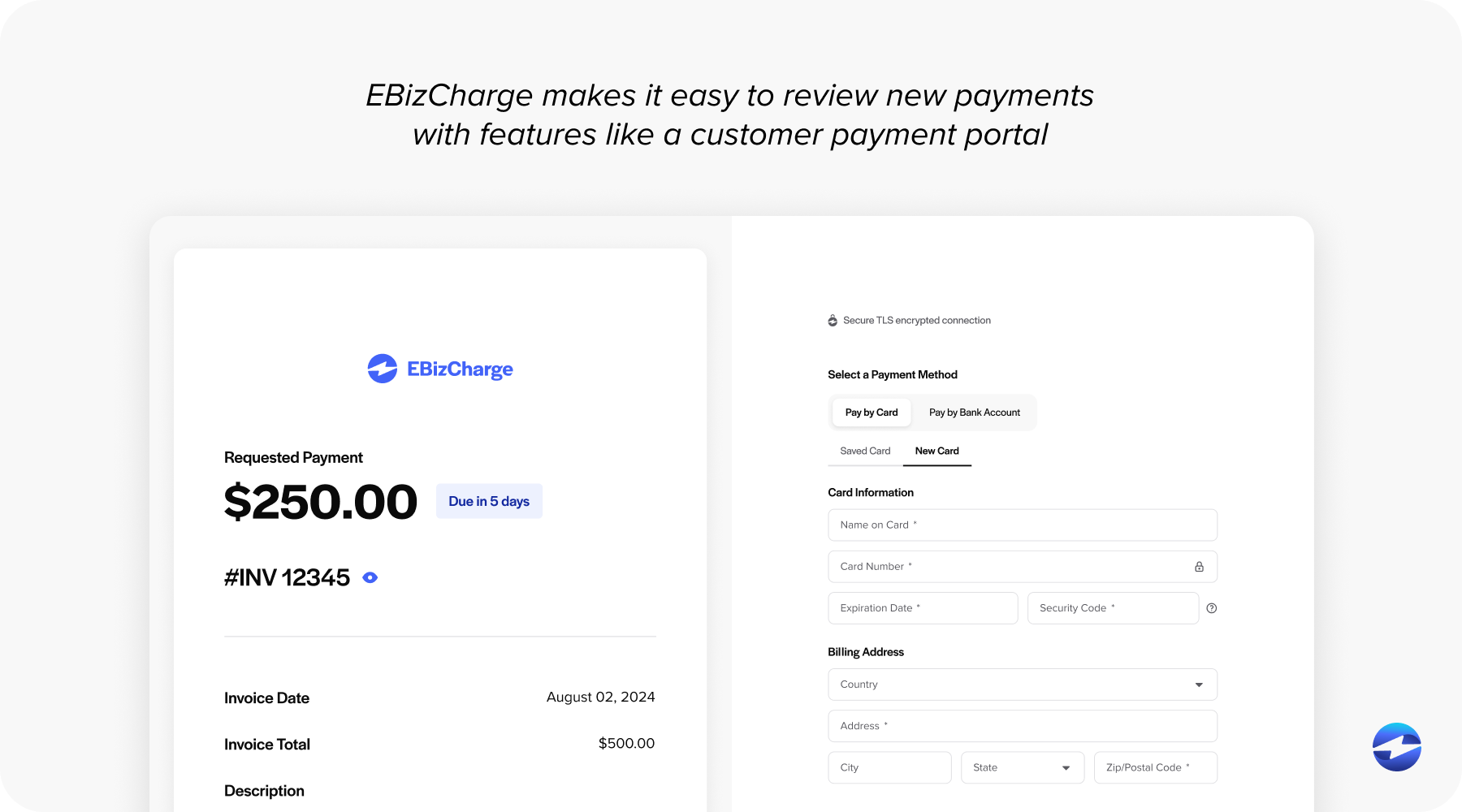
The friction reduction matters more than you might think. A lot of past-due invoices aren’t the result of customers refusing to pay. They’re the result of customers not getting around to it because the process is inconvenient. They have to find the invoice, figure out where to send payment, and call someone if they want to pay by card. Remove those steps, and a surprising number of invoices get paid within hours of the reminder going out.
When payments are processed through an integrated payment processor, the transaction is automatically posted back to the CRM. The record updates in real time. Follow-up sequences stop once payment is received. And your team doesn’t have to manually reconcile anything. The right payment processor, paired with your CRM, creates a closed loop where outreach, payment, and record-keeping all happen in one connected workflow.
Building the Workflow Step by Step
If you want to put this into practice, start with your aging triggers. Configure your CRM software to create tasks or fire off alerts when invoices hit key milestones. Define net terms expiration, 15 days past due, 30, 60, 90. These are the moments that should kick off specific actions, and they shouldn’t depend on someone checking a report.
Next, build a tiered outreach cadence. The tone and urgency of your communication should match the age of the invoice. Early reminders should be friendly and assume good intent. Later messages can be more direct and introduce consequences like late fees, service holds, or escalation. Pre-build email and text templates for each stage, so your team doesn’t have to write custom messages every time.
Assign accountability clearly. Use your customer relationship management platform to automatically route follow-up tasks to specific team members based on account ownership, territory, or invoice size. When everyone knows exactly which accounts they own, nothing falls through the cracks.
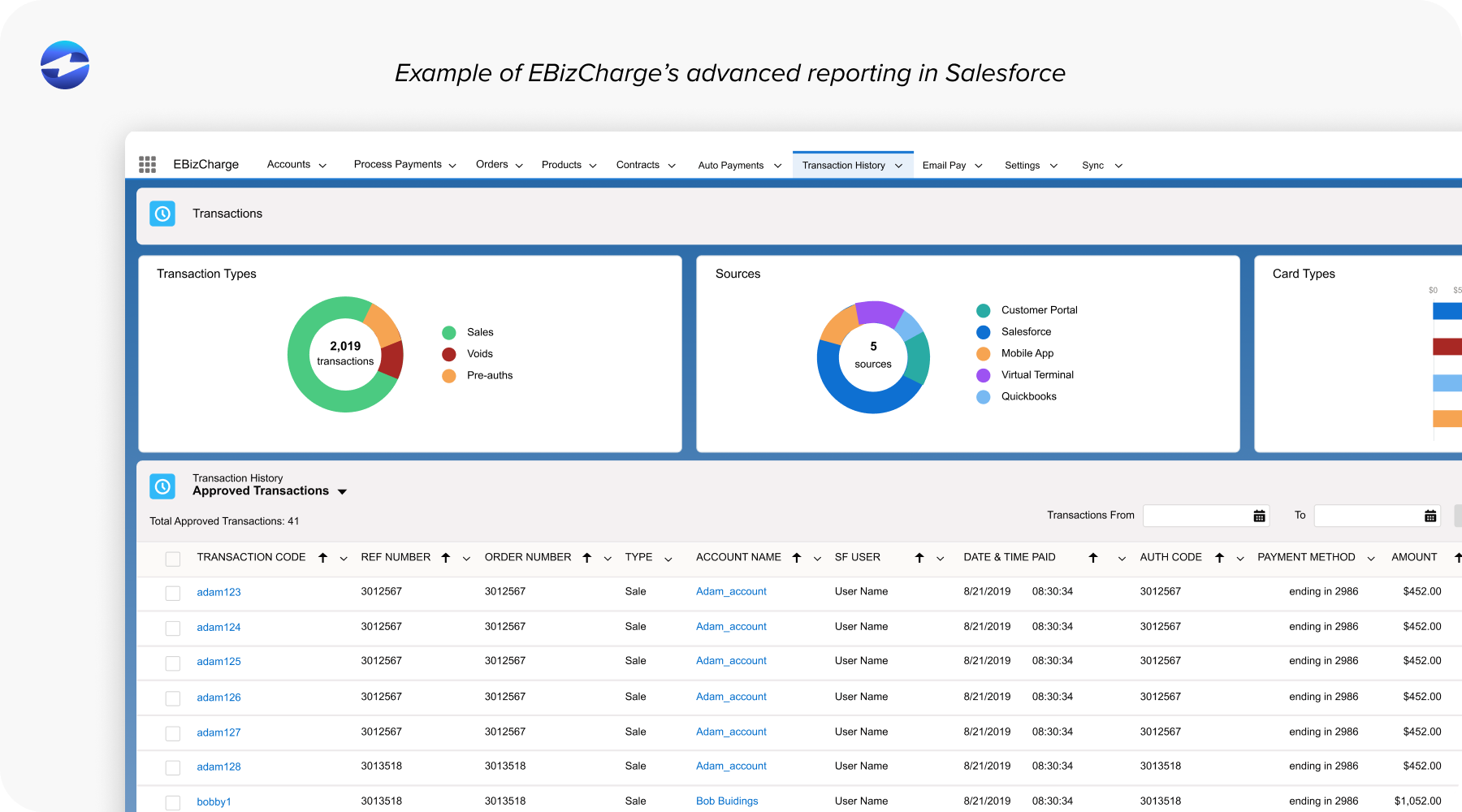
Finally, set up reporting dashboards inside the CRM. Track total AR outstanding, recovery rates by aging bucket, average days to collect, and individual team member activity. These numbers tell you whether your process is working and where it needs adjustment.
Protecting the Relationship While Collecting
This is where the CRM advantage really sets the debt collection CRM approach apart from blunt-force alternatives. Unlike a third-party CRM collection agency or a generic dunning tool, the CRM gives your team context before every interaction.
You can see the full relationship history before picking up the phone. Is this a high-value customer who has paid on time for three years and is now 10 days late for the first time? That call should sound very different than one to a repeat late payer at 90 days. Context-aware outreach is more effective, less likely to damage the relationship, and more likely to result in payment.
The goal is not to corner customers. It’s to make paying easy, maintain professional communication, and preserve a relationship that has long-term value to the business.
The Bottom Line
Your customer relationship management system already holds the data, communication history, and account context your AR team needs. Extending it into collections isn’t a stretch. It’s a practical step that brings structure to a process most companies are still handling manually.
When you combine CRM visibility with automated workflows and an integrated payment processing solution, you get a collections process that’s faster, more consistent, and far better for customer relationships than spreadsheets and memory ever were. The companies that build this into their operations now are the ones that will spend less time chasing payments and more time putting that cash flow to work.