Blog > Salesforce Refund Management: Process Returns Efficiently
Salesforce Refund Management: Process Returns Efficiently

Most companies put a lot of thought into how they collect payments. The invoicing workflow gets mapped out, payment methods get configured, and reminders get automated. But when a customer needs a refund, the process is usually a lot less organized.
Refunds tend to happen through side channels. Someone sends an email requesting a return. A manager approves it over Slack. The billing team processes the refund on a payment terminal that has no connection to the CRM. Meanwhile, the Salesforce record never gets updated, which means the account still shows the original payment as if nothing has changed.
This might not seem like a big deal in the moment, but it adds up. When refunded data lives outside of Salesforce, your customer records stop being reliable. Finance is looking at one set of numbers while sales is looking at another. There’s no clear trail showing who approved what, and when month-end rolls around, reconciliation turns into a scavenger hunt for adjustments buried in systems nobody thought to check
If you’re already collecting payments through Salesforce, refund management should live there, too. A structured Salesforce refund process gives your team speed, accuracy, and the kind of documentation that keeps everyone on the same page.
Why Refund Management Is Harder Than It Should Be
Refunds are treated as an afterthought at most companies. The payment workflow gets all the attention during implementation, and refund handling is figured out later, usually on the fly. That leads to a few recurring problems.
The first is a lack of standardization. There’s no consistent path from refund request to execution. One person emails the controller. Another submits a ticket. A third just tells someone in accounting verbally. Without a defined process, refunds either get bottlenecked waiting for approvals that no one knows how to give, or they go through without proper authorization.
Then there’s the system disconnect. If you’re a controller, AR manager, or someone responsible for financial accuracy, this one probably sounds familiar. The refund gets processed in a standalone terminal or accounting platform, but the Salesforce record never reflects it. The account still shows the full payment amount, aging reports are off, and when someone on the sales team checks the account before a renewal conversation, they’re looking at numbers that don’t match reality.
Reconciliation is where it all catches up to you. When refunds happen outside the Salesforce system, finance has to manually track down every adjustment at the end of the month. That’s tedious on a good day and a real problem when volumes are high or audit season rolls around.
Then there’s the customer experience. Slow, disorganized refund handling erodes trust. In B2B relationships where the stakes are higher and the accounts are worth more, a messy refund process sends the wrong message about how you run your business.
What a Salesforce Refund Process Should Actually Look Like
The goal is straightforward. Refunds should be initiated, approved, processed, and recorded inside Salesforce, tied to the original transaction on the customer record. That means no switching between systems, no manual data entry after the fact, and no gaps in the audit trail.
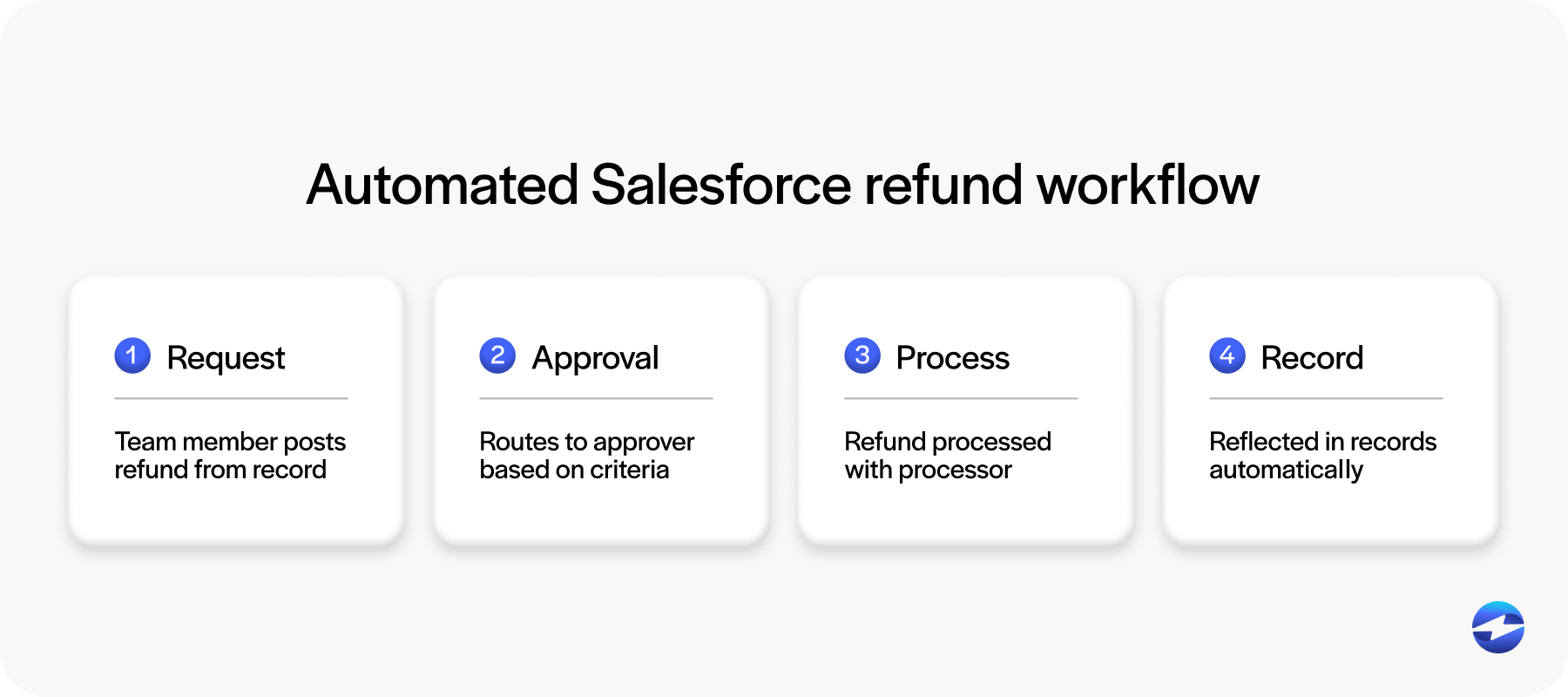
Here’s what that looks like in practice. A team member opens the customer account in Salesforce and initiates a refund request linked to the original payment. The request routes automatically to the right approver based on criteria you define, such as the refund amount, customer tier, or department. Once approved, the refund is processed through the integrated payment processor directly from Salesforce. The refund transaction posts back to the account record, updating payment history, invoice status, and any connected reports.
This isn’t a hypothetical workflow. It’s achievable with the right Salesforce integration and a payment processing solution built to handle refunds as part of the full payment lifecycle. It just requires intentional setup rather than hoping the process figures itself out.
Why Managing Refunds Inside Salesforce Matters
The benefits are practical, and they compound over time.
Complete audit trail. Every refund has a documented request, approval, and execution record tied to the original transaction. This matters for internal controls, external audits, and any situation where you need to prove what happened and when.
Accurate customer records. When a Salesforce refund posts back to the account automatically, payment history reflects reality. Sales, finance, and support all see the same numbers. No one is making decisions based on stale data.
Faster processing. A structured workflow with built-in approvals eliminates the email chains and manual back-and-forth. Refunds that used to take days get processed in hours. Customers notice that kind of responsiveness.
Fewer errors. Processing a refund in Salesforce from the original transaction record means you’re less likely to refund the wrong amount, apply it to the wrong account, or accidentally duplicate it. These mistakes happen more often than anyone likes to admit when refunds are handled manually.
Cleaner reconciliation. When refund data syncs automatically, month-end close isn’t complicated by mystery adjustments. Finance knows exactly what was refunded, when, and why, all without chasing down information from other systems.
Building the Refund Workflow
If you want to build a refund workflow inside your Salesforce system, start with how requests get initiated. Create a structured way for team members to submit refund requests directly from the account or payment record. Include required fields like the original transaction ID, refund amount, whether it’s a full or partial refund, and the reason. This eliminates the vague email requests that slow everything down.
Next, set up approval routing. Use Salesforce approval processes to direct requests based on the criteria that matter to your business. Maybe refunds under $500 auto-approve. Maybe anything over $5,000 routes to the controller. The point is to build a clear path, so refunds don’t sit in limbo waiting for someone to notice them.
Once a refund is approved, it should be processed through your payment processor directly from Salesforce, tied to the original transaction. This is important because it ensures the funds go back to the original payment method and the refund amount matches what was actually charged. When the refund is complete, the transaction is automatically posted back to the Salesforce record, and any follow-up notifications go out to the appropriate people.
For Salesforce AR teams, this kind of structure also means your aging reports and outstanding balance data stay accurate in real time. You’re not waiting for someone to manually adjust a record after the fact.
Handling the Edge Cases
Not every refund is a simple full reversal. B2B transactions are often complex, and your workflow needs to account for that.
Partial refunds come up frequently. Maybe a customer returns part of an order or negotiates a discount after the fact. The Salesforce software should be able to process a specific dollar amount against a larger transaction, with both the original payment and the partial refund visible on the record.
Voids are another common scenario. A void cancels a transaction before it settles, whereas a refund reverses a transaction after settlement. Your workflow should support both and label them clearly, so finance knows exactly what happened.
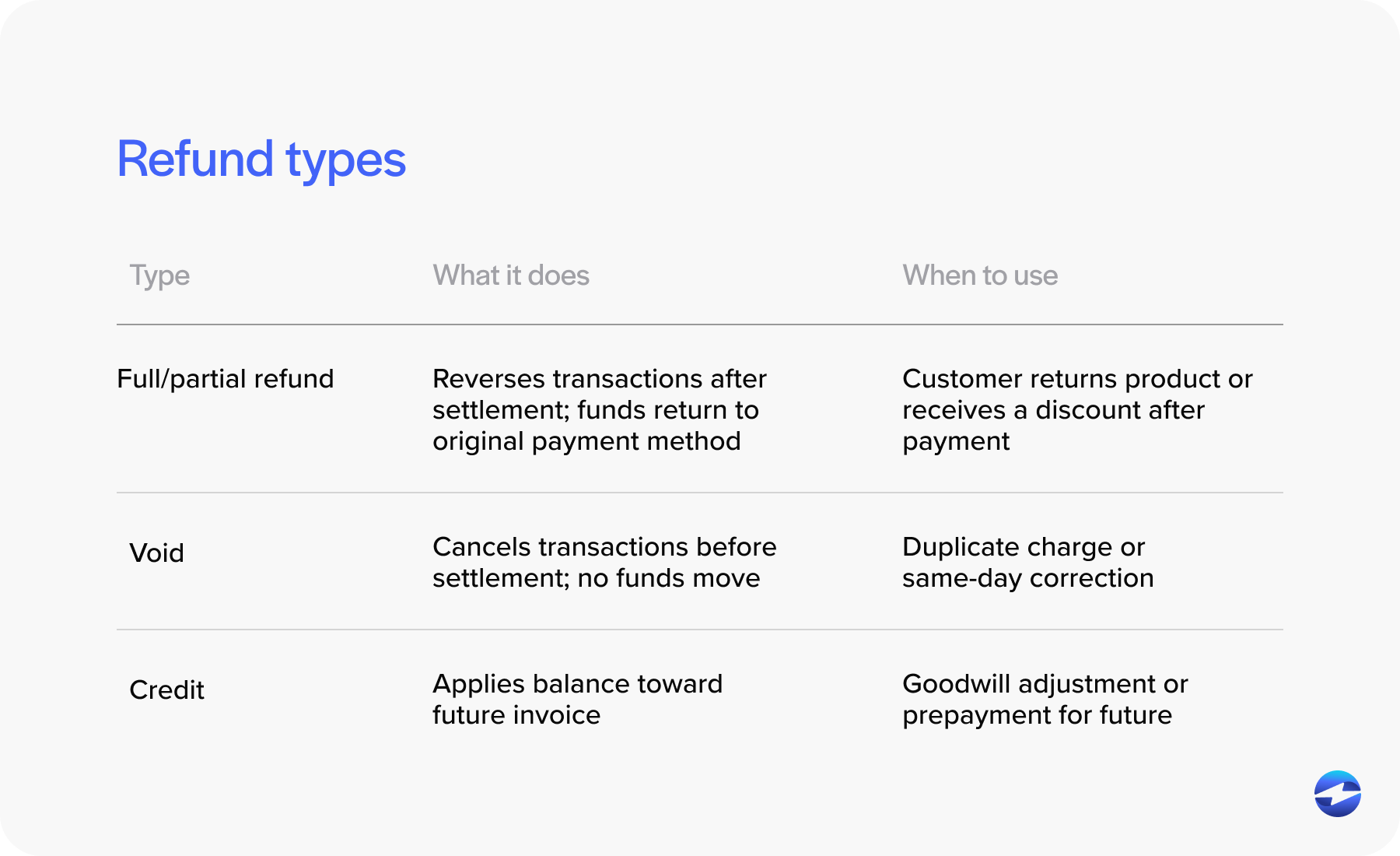
Credits and account adjustments matter too. Sometimes the customer doesn’t get money back but receives credit toward a future invoice. These should be documented just as carefully as cash refunds, so they don’t get lost or misapplied down the line.
Reporting and Compliance
Refund reporting tends to get overlooked, but it’s worth the effort.
Finance leaders need visibility into refund volume, refund reasons, and trends over time. A sudden spike in refunds tied to a specific product, service, or team is a signal that something needs attention. Build Salesforce dashboards that track total refunds by period, refund rate as a percentage of revenue, average processing time, and refund reasons by category.
From a compliance standpoint, having every refund in Salesforce documented with an approval chain and tied to the original transaction simplifies audits significantly. Businesses in regulated industries or those with specific revenue recognition requirements benefit especially from this level of documentation.
How EBizCharge Simplifies Refund Management in Salesforce
For Salesforce users who want a refund workflow that actually works inside the platform, EBizCharge is built for exactly this.
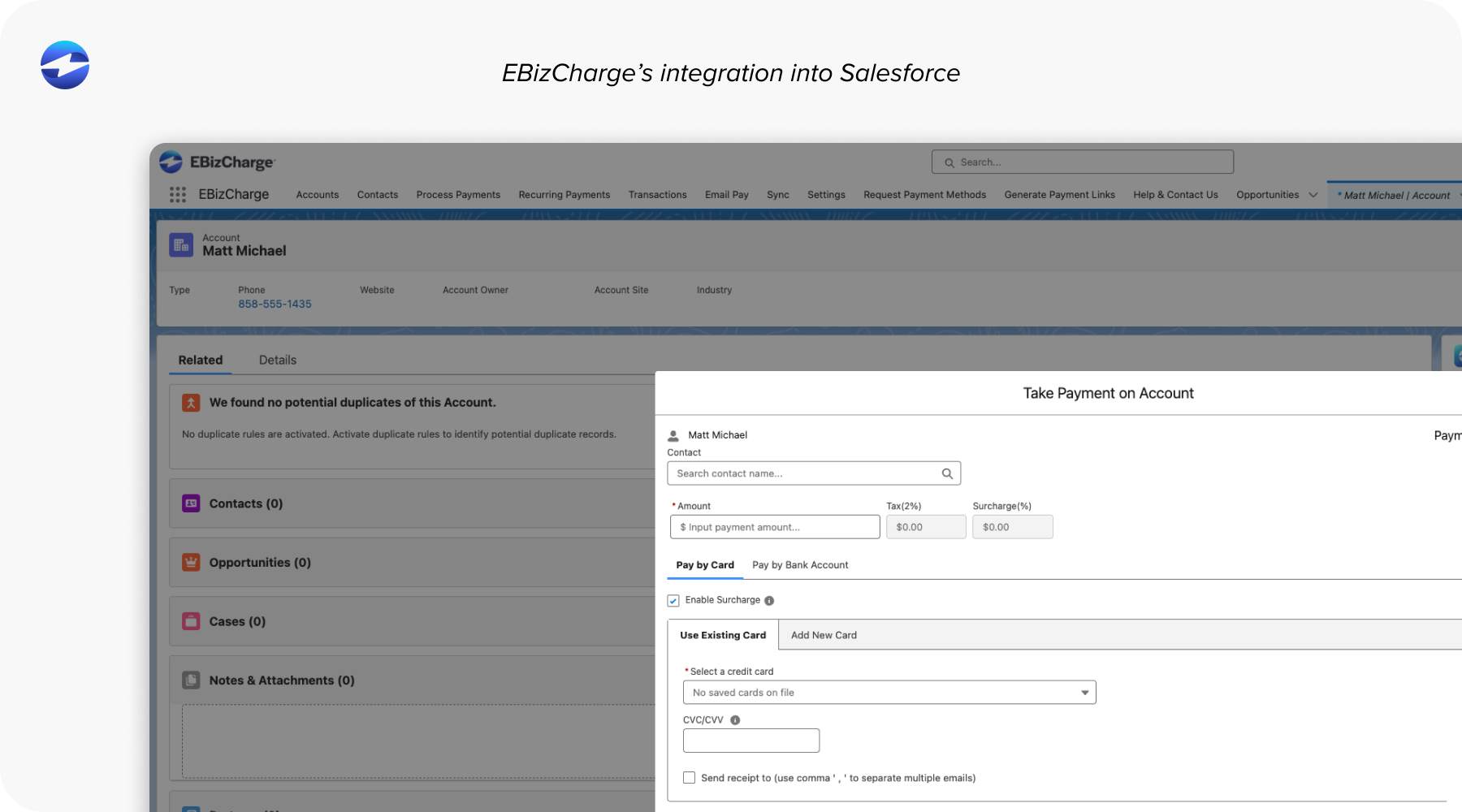
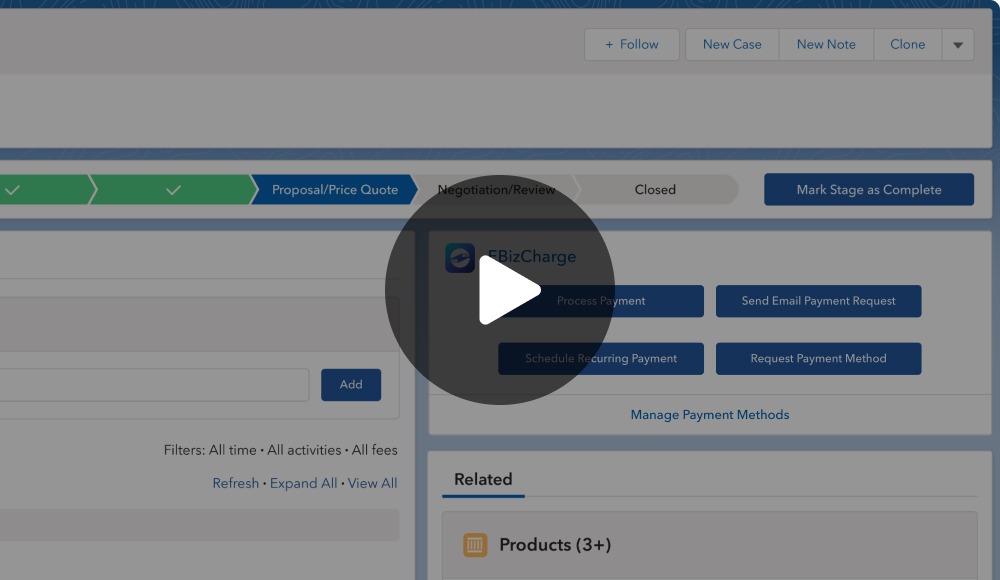
EBizCharge integrates natively with Salesforce, so refund processing happens directly within the UI your team already uses. No switching to a separate terminal or logging into an external portal. Your team can process full refunds, partial refunds, and voids from the Salesforce record, tied to the original transaction. Refund data posts back to the customer account automatically, keeping payment history accurate without manual adjustments.
All payment and refund data is handled within a PCI-compliant environment with tokenization, so sensitive card information never touches your systems. And refund reporting is accessible inside Salesforce, giving finance leaders the visibility they need without pulling data from somewhere else.
EBizCharge isn’t just a refund tool, either. It is the same Salesforce integration that handles payment collection, invoicing, and Salesforce AR workflows. That means your entire payment lifecycle lives in one place on the customer record. And because EBizCharge connects with 100+ ERP (including Salesforce ERP), CRM, and accounting platforms, teams that also run QuickBooks, NetSuite, Sage, or other backend systems through a Salesforce ERP setup keep data consistent across their full stack.
If you want to see how this works for your specific refund workflow, it’s worth a closer look.